TurboCollage
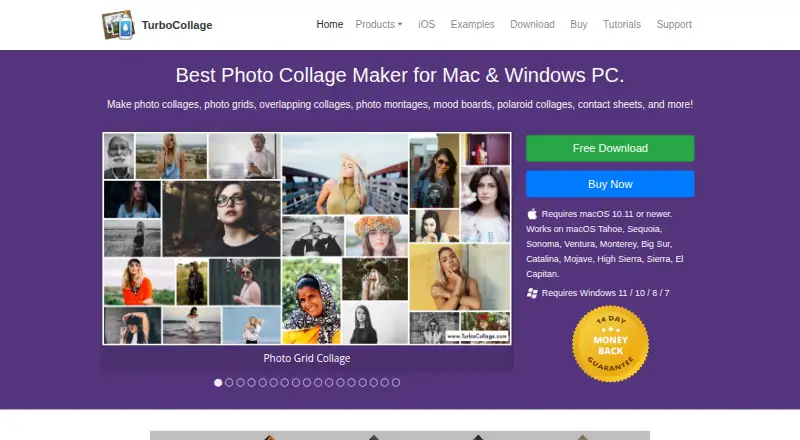
The facts below are what the maker publishes about TurboCollage, checked and dated. Our editors have not written about it yet.
Plans and prices
From TurboCollage's own pricing page, checked 11 Oct 2026.
| Plan | Price | What it gives you |
|---|---|---|
| Home edition | $14.99 a year | Personal use only; non-business and non-commercial use · Maximum output 6000px × 6000px · 300 pixels/inch · $14.99/year |
| Advanced edition | $26.99 a year | Personal, business, or organization use · Cannot make images for clients or third parties · Maximum output 9000px × 9000px · 600 pixels/inch · $29.99 $26.99/year; Sale - 10% Off |
| Professional edition | $47.99 a year | Personal, business, or organization use, including for clients or third parties · Maximum output 24000px × 24000px · 1200 pixels/inch · $59.99 $47.99/year; Sale - 20% Off |
The facts
Each one read from TurboCollage's own pages, with the date it was checked.
What it does
- Collage layouts
- The maker lists overlapping, Polaroid, circle, hexagon, zig-zag, side-by-side, and grid collage designs.checked 11 Oct 2026
- Export formats
- All three editions can export collages as JPG, PNG, or TIFF.checked 11 Oct 2026
- Languages
- The desktop Mac version is listed in English, French, German, and Spanish; the iPhone/iPad app is listed in English, French, German, Japanese, Italian, and Spanish.checked 11 Oct 2026
- License activation
- A single license can activate the software on two computers.checked 11 Oct 2026
- Mobile features
- TurboCollage Automatic creates a collage by having the user select a size and photos, and the maker says it can add as many pictures as desired.checked 11 Oct 2026
- Output size
- TurboCollage says desktop collages can be set to custom sizes, including examples up to 24 × 36 inches.checked 11 Oct 2026
- Photo count
- The desktop product can make collages with up to 100 photos, according to the maker’s examples.checked 11 Oct 2026
- Privacy and security
- The maker’s privacy policy page could not be opened, so no privacy or security claim is included.checked 11 Oct 2026
- Refund policy
- All three editions include a 14-day full money-back guarantee.checked 11 Oct 2026
- Support
- The maker directs users with questions or problems to [email protected].checked 11 Oct 2026
- What it does
- TurboCollage makes photo collages, grids, montages, mood boards, Polaroid collages, and contact sheets.checked 11 Oct 2026
Where it runs
- Desktop platforms
- The download page offers Mac and Windows versions; Mac requires macOS 10.11 or newer and Windows supports versions 7, 8, 10, and 11.checked 11 Oct 2026
- Mobile platform
- TurboCollage Automatic works on iPhone and iPad; its page says Android is coming soon.checked 11 Oct 2026
The company
- Founded
- 2010checked 28 Sep 2026
Money
- Trial watermark
- Exports contain watermarks until a license activation code is purchased.checked 11 Oct 2026
Alternatives to TurboCollage
- 1
FotoJet
Free planWebExtensionLinuxmacOS8.0From $39.99 a year - 2

Collage Pro
Free planAndroidiOSWeb7.9From $29.90 a year - 3

PicCollage
Free planAndroidiOSWeb7.3From $35.99 a year - 4
Shape Collage
Free planiOSWebLinuxmacOS7.3$40 one-time - 5

Scatter
Free planAndroidiOSWeb7.1$19 one-time - 6

CollageIt
Free planiOSmacOSWindows7.0$29.90 one-time