FotoJet
FotoJet is an online tool for graphic design, photo collages, and photo editing.
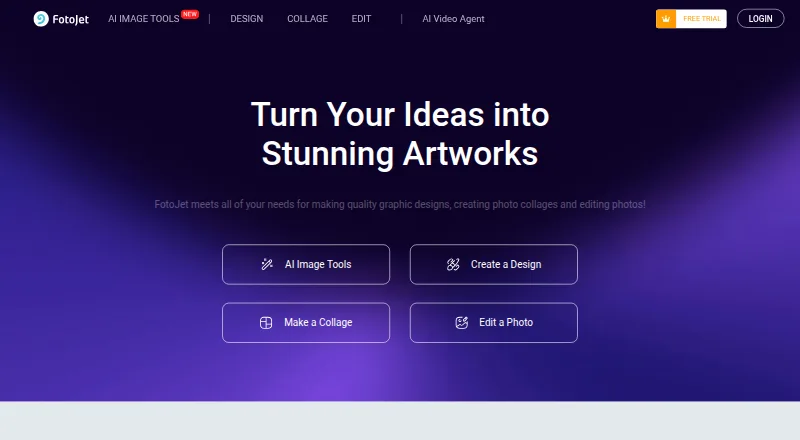
What FotoJet is
FotoJet is an online tool for graphic design, photo collages, and photo editing. Its templates and resources can be used to make collages, social media graphics, posters, cards, and banners, and its collage maker offers 800+ layouts and templates. The editor includes crop, resize, and rotate controls, plus text, clip art, effects, overlays, and frames. FotoJet says visitors can try the service without downloading or registering. The free plan includes basic editing tools and templates; Plus adds advanced tools, custom canvas sizing, project save and load, cloud storage, premium resources, ad-free editing, and priority support. Plus costs $6.99 a month or $39.99 a year, with the annual plan shown as $3.33 USD/month; a 7-day trial is listed. Plus renews automatically unless canceled, and charges are non-refundable. Exports are JPG and PNG. The site lists web access and desktop apps for Windows and Mac.
Good
- Free plan includes basic editing tools and templates.
- 800+ collage layouts and templates.
- Can try the site without downloading or registering.
- Exports JPG and PNG.
Watch out
- Plus renews automatically unless canceled.
- Charges are non-refundable.
- Plus costs $6.99 a month or $39.99 a year.
Who it suits
FotoJet suits people making graphics, collages, or edited photos who want templates and basic editing tools without registering. Plus may suit users who need advanced tools, project storage, or premium resources.
Verdict
FotoJet combines collage layouts, design templates, and photo-editing controls in an online tool. Check the Plus renewal and refund terms before subscribing.
Plans and prices
From FotoJet's own pricing page, checked 14 Oct 2026.
| Plan | Price | What it gives you |
|---|---|---|
| Free | Free | basic editing tools · basic templates/fonts/effects/clipart/shapes/overlays/frames |
| Plus | $6.99 a month | 500MB online photo storage · Billed Monthly |
| FotoJet Free | Free | Basic editing tools · Basic templates and resources |
| FotoJet Plus monthly | $6.99 a month | advanced editing · custom canvas size · online project storage · 500MB photo storage · 800+ premium templates · premium resources · priority support · monthly |
| FotoJet Plus annual | $39.99 a year | advanced editing · custom canvas size · online project storage · 500MB photo storage · 800+ premium templates · premium resources · priority support · annually ($3.33 USD/month; saving 50%) |
The facts
Each one read from FotoJet's own pages, with the date it was checked.
What it does
- Account requirement
- Basic editing can be used without registration, while certain features require an account.checked 14 Oct 2026
- API and SDKs
- The official terms prohibit spiders, robots, aggregation tools and processes that copy or extract site information, source code or resources.checked 14 Oct 2026
- Checkout security
- FotoJet says it uses SSL internet encryption to protect payment information.checked 28 Sep 2026
- Chrome extension details
- The Chrome listing shows 30,000 users, version 6.5.2, a 2017 update and a 25.79KiB package.checked 14 Oct 2026
- Cloud storage
- Plus includes online project storage and 500MB of online photo storage; saved projects can be loaded later for editing.checked 14 Oct 2026
- Collage layouts
- FotoJet advertises more than 800 collage layouts and templates, including birthday, wedding, baby, family and anniversary designs.checked 14 Oct 2026
- Designs
- Its templates and resources support creating collages, social media graphics, posters, cards, and banners.checked 28 Sep 2026
- Export and sharing
- Finished work can be saved as JPG or PNG, printed, or shared through Facebook, Twitter, Pinterest and Tumblr.checked 14 Oct 2026
- Graphic-design templates
- The design tool supplies templates for Facebook covers and posts, Instagram posts, YouTube channel art, posters, flyers, logos, banners, invitations and cards.checked 14 Oct 2026
- Integrations
- The terms identify Pixabay as an integrated third-party source of copyright-free images and videos.checked 14 Oct 2026
- License
- The terms grant a limited, non-exclusive, non-sublicensable and revocable license, while site content and software remain PearlMountain property; FotoJet is not open source.checked 14 Oct 2026
- Limit: download failures
- A Trustpilot reviewer reported that paid collages sometimes downloaded with blank images, particularly with iPhone photos.checked 14 Oct 2026
- Mobile availability
- The FAQ says FotoJet cannot currently be used on mobile devices or iPad.checked 14 Oct 2026
- No-account access
- The site says FotoJet can be tried for free without downloading or registering.checked 28 Sep 2026
- Paid from
- 3.33checked 20 Sep 2026
- Payment data
- The privacy policy says card details are passed directly to a payment processor and FotoJet does not retain card numbers or other sensitive payment-instrument details.checked 28 Sep 2026
- Payments and renewal
- Plus subscriptions renew automatically unless canceled, and the pricing FAQ says charges are non-refundable.checked 28 Sep 2026
The company
- Company
- FotoJet says it is developed by PearlMountain Limited, a graphics-software developer.checked 14 Oct 2026
- Maker facts
- LinkedIn lists PearlMountain as privately held, founded in 2006, headquartered in Hong Kong and employing 51–200 people.checked 14 Oct 2026
Where it runs
- Desktop apps
- The maker lists FotoJet Designer, Collage Maker, and Photo Editor apps for Windows and Mac.checked 28 Sep 2026
- Mac app facts
- The Mac app costs $4.99, is 151MB, requires macOS 10.11 or later and was last version-updated to 1.0.7 in November 2021.checked 14 Oct 2026
Money
- Free plan
- Yeschecked 20 Sep 2026
- Limit: billing complaints
- Trustpilot reviews report unexpected annual charges after trials, including complaints from users who said they canceled or sought refunds.checked 14 Oct 2026
- Limit: free tier
- G2 reviewers report that the free version limits features and that some stickers and clipart require a subscription.checked 14 Oct 2026
The full review of FotoJet
Overview
FotoJet brings collage-making, photo editing and template-based design together in an online service. It suits people who want to make still-image collages and everyday graphics without installing software; it is a weaker fit for video collages or anyone who needs a subscription with flexible cancellation and refund terms.
Its range is a practical advantage: one service covers photo arrangements, social posts and print-style designs. The trade-off is that some useful project and storage features sit behind Plus, whose subscriptions renew automatically and whose charges are non-refundable.
Key features
Collages and design templates
More than 800 collage layouts and templates provide a substantial set of starting points, while custom layouts let users shape an arrangement beyond preset designs. Templates and resources also cover social media graphics, posters, cards and banners, so FotoJet can serve several routine design needs. It does not make video collages, which rules it out for projects built around moving images.
Visitors can try the online service without downloading or registering. Separate FotoJet Designer, Collage Maker and Photo Editor apps are also offered for Windows and Mac.
Photo editing and exports
The editor combines crop, resize and rotate controls with text, clip art, effects, overlays and frames. That is a useful toolkit for adjusting and decorating images within a collage or graphic, rather than a reason to choose FotoJet for specialist photo work. JPG and PNG exports are supported, and watermarks are not a stated export restriction.
Projects, storage and privacy
Plus adds advanced editing tools, custom canvas sizes, the ability to save and load projects, cloud storage, premium templates and resources, ad-free editing and priority support. Its plans include 500MB of online photo storage, so the stated storage allowance is modest; users who need more room should weigh that cap before subscribing.
FotoJet says uploaded and created content stays private to the account unless shared, and that it accesses content only with explicit permission to resolve an in-app issue. It also says card details go directly to its payment processor and that it does not retain card numbers or other sensitive payment-instrument details. The site uses SSL encryption to protect payment information. Tutorials and FAQs are available through its help center, which also accepts feedback and suggestions.
Pricing
FotoJet is freemium. The Free plan costs nothing and includes basic editing tools, basic templates and resources, and the free online collage maker. It is a sensible way to try the core service, but it does not include the advanced tools, premium resources, project saving and loading, or cloud storage that Plus adds.
FotoJet Plus Monthly costs $6.99 a month, billed monthly. FotoJet Plus Annual costs $39.99 a year, billed annually and shown as $3.33 USD/month. Both Plus plans include advanced editing tools, 500MB online photo storage, 800+ premium templates, 30+ premium fonts and priority support. The annual option lowers the stated monthly equivalent for someone ready to commit for a year; the monthly plan avoids that annual commitment but costs more over time. A separate Plus plan is also shown at $6.99 a month, billed monthly, with 500MB online photo storage.
A 7-day trial is offered. Plus renews automatically unless canceled, and charges are non-refundable, so subscribers should check the renewal date and cancellation terms before starting a paid plan.
Platforms
The service is available on the web and lists Linux, macOS and Windows among its platforms. Separate Designer, Collage Maker and Photo Editor desktop apps are offered for Windows and Mac.
Who it's for
FotoJet is a good fit for people who want a browser-based place to make still-photo collages, social graphics and simple print designs, particularly if they value a large selection of collage layouts and want to try the service without creating an account. Free users can explore basic tools; users who need premium templates, project saving and loading or advanced editing will need Plus.
Look elsewhere if video collages are essential, if 500MB of online storage is too little, or if non-refundable automatic renewal is a poor match for how you manage subscriptions.
Pros and cons
- Broad creative scope: collage, photo-editing and template-based design tools cover several still-image tasks in one service.
- Many collage starting points: more than 800 layouts and support for custom layouts suit both quick arrangements and more deliberate compositions.
- Low-friction trial: the online service can be tried without downloading or registering.
- Limited free tier: free users get basic tools and resources rather than Plus's advanced editing, premium templates and project features.
- Small stated storage allowance: Plus includes 500MB of online photo storage, which may constrain users keeping many projects online.
- Strict subscription terms: Plus renews automatically unless canceled, and charges are non-refundable.
- No video collages: the toolset is for still images, not moving-image collage projects.
Alternatives
For a collage-first tool with a free tier on more operating systems, Shape Collage is available on iOS, Linux, macOS, web and Windows. Its free plan is for personal use; commercial use and watermark removal require Pro.
PhotoGrid is an alternative for Android and iOS users as well as web users. Its free plan includes 100 MB of cloud storage; its VIP plan includes 180 credits per month, batch editing for up to 10 images and 1,000 cloud projects.
CollageIt is a desktop alternative for Windows, Mac and iOS. Its free downloads are for Windows and Mac, and its home page says it supports up to 200 photos.
PicCollage is another freemium option for Android, iOS and web, with a free tier and a free trial.
SCRL is a freemium option for Android, iOS and web, with a free tier, free trial and a Basic plan that includes limited templates.
SnapLayout is an iOS and macOS option whose free plan includes all layouts and formats, up to 20 slides and free exports capped at 1080px on the longest edge.
Collage Pro is a web-based alternative with free core collage, long-image stitching, basic editing and export, without sign-up.
Photovisi is a web-based freemium alternative; its free collage output may be limited by low resolution or a watermark.
For broader category comparisons, browse Collage Maker Software, Print Design Template Libraries, Social Media Post Maker Software, Social Media Design Software, Poster Design Software and Photo Editing Software.
Verdict
Choose FotoJet if you want one online service for still-photo collages, everyday graphics and basic photo editing, with a large layout library and a free way to get started. Its strongest case is that breadth and low-friction access; look elsewhere for video collages, more online storage, or subscription terms without automatic renewal and non-refundable charges.
Getting started
- Visit https://www.fotojet.com/.
- Try the online site without downloading or registering, or choose a plan.
- Use the web editor or select a listed Windows or Mac desktop app.
- Choose the Free plan for basic tools or Plus for advanced features; the listed trial lasts 7 days.
Limits worth knowing
The Free plan includes basic editing tools, basic templates and resources, and a free online collage maker. FotoJet Plus subscriptions renew automatically unless canceled, and charges are non-refundable.
Questions
Does FotoJet have a free plan?
Yes. FotoJet Free costs nothing and includes basic editing tools and basic templates and resources.
How much does FotoJet Plus cost?
FotoJet Plus Monthly is $6.99 a month. FotoJet Plus Annual is $39.99 a year, shown as $3.33 USD/month.
Is there a free trial?
Yes. A 7-day trial is listed.
Which platforms are available?
FotoJet is available on the web, and the maker lists Designer, Collage Maker, and Photo Editor apps for Windows and Mac.
What export formats does FotoJet support?
JPG and PNG are listed.
Who develops FotoJet?
FotoJet says it is developed by PearlMountain Limited, a graphics software developer.
Alternatives to FotoJet
- 1

Collage Pro
Free planAndroidiOSWeb7.9From $29.90 a year - 2

PicCollage
Free planAndroidiOSWeb7.3From $35.99 a year - 3
Shape Collage
Free planiOSWebLinuxmacOS7.3$40 one-time - 4

Scatter
Free planAndroidiOSWeb7.1$19 one-time - 5

CollageIt
Free planiOSmacOSWindows7.0$29.90 one-time - 6

PhotoGrid
Free planAndroidiOSWeb7.0Free plan