TuFuse
TuFuse is a Windows command-line program that combines the best-exposed and/or best-focused regions of multiple images into one composite.
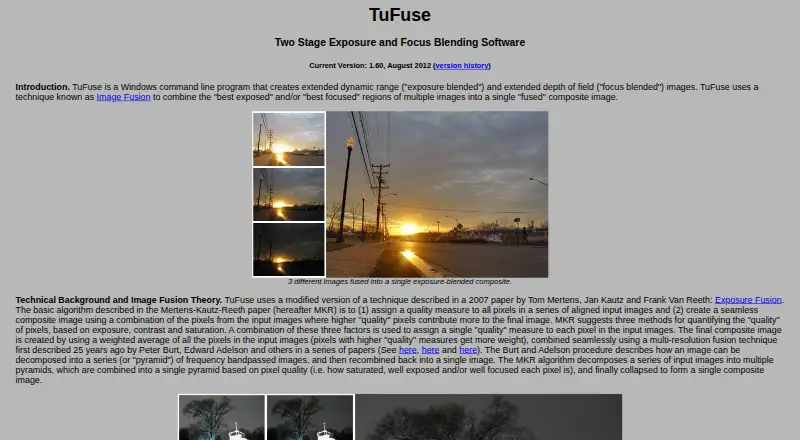
What TuFuse is
TuFuse is a Windows command-line program that combines the best-exposed and/or best-focused regions of multiple images into one composite. Its default process focus-blends images with similar exposures, then exposure-blends those intermediate results. An auto-bracketing option makes lighter and darker versions of an input image and fuses them with the original. It reads 8-bit JPEG and 8- or 16-bit TIFF files, and writes TIFF or BigTIFF. It can also read RAW formats supported by DCRaw, provided DCRaw is installed separately. TuFuse has no graphical interface of its own; it is designed to work with PTAssembler, which can provide one and align images before invoking the program. TuFuse expects perfectly aligned input images, so alignment must happen elsewhere or the images must be captured from a tripod without moving the camera. The listed current version is 1.60, dated August 2012, with 32-bit and 64-bit downloads; 1.50 is listed as a previous version. TuFuse is freeware, with no warranty.
Good
- Freeware with no listed charge
- Combines focus and exposure regions
- Reads JPEG, TIFF, and supported RAW formats
- Writes TIFF and BigTIFF
- 32-bit and 64-bit downloads listed
Watch out
- No built-in graphical interface
- Requires perfectly aligned input images
- DCRaw must be installed separately for RAW
- Listed current version dates to August 2012
Who it suits
TuFuse suits Windows users who need to combine focused or differently exposed image regions and are comfortable with a command-line tool. It is also relevant to users working with PTAssembler or images they can align before processing.
Verdict
TuFuse covers focused and exposure-based image fusion with a free Windows command-line program. Its alignment requirement and lack of a graphical interface are important constraints to consider before choosing it.
Plans and prices
From TuFuse's own pricing page, checked 8 Oct 2026.
| Plan | Price | What it gives you |
|---|---|---|
| TuFuse | Free | Freeware · can be used without restriction · no warranty |
The facts
Each one read from TuFuse's own pages, with the date it was checked.
What it does
- Auto-bracketing
- Auto-bracketing can create lighter and darker versions of an input image and fuse them with the original.checked 8 Oct 2026
- Command line
- TuFuse is a Windows command-line program and does not have its own graphical user interface.checked 8 Oct 2026
- Distribution terms
- TuFuse comes with no warranty, and unauthorized redistribution or bundling with another program is prohibited without the author's written consent.checked 8 Oct 2026
- Downloads
- The page lists 32-bit and 64-bit TuFuse 1.60 downloads and TuFuse 1.50 as a previous version.checked 8 Oct 2026
- Formats
- TuFuse reads 8-bit JPEG and 8/16-bit TIFF files and writes TIFF or BigTIFF output.checked 8 Oct 2026
- Input alignment
- TuFuse is designed for perfectly aligned images; the page recommends using another program to align images or capturing them from a tripod without moving the camera.checked 8 Oct 2026
- Integration
- TuFuse is designed to work with PTAssembler, which provides a graphical interface and can align images before invoking TuFuse.checked 8 Oct 2026
- Purpose
- TuFuse combines the best-exposed and/or best-focused regions of multiple images into a composite image.checked 8 Oct 2026
- RAW support
- TuFuse can read RAW formats supported by DCRaw when DCRaw is installed, but DCRaw is not distributed with TuFuse.checked 8 Oct 2026
- Two-stage fusion
- By default, TuFuse focus-blends images with similar exposures, then exposure-blends the intermediate images.checked 8 Oct 2026
- Version
- The listed current version is 1.60, dated August 2012.checked 8 Oct 2026
The company
- Maker
- TawbaWare describes itself as home to software, photographs, and writings by Max Lyons.checked 8 Oct 2026
Alternatives to TuFuse
- 1
Focus Stacking Online
Free planAndroidiOSWebLinux7.3Free plan - 2
OpenFocus
Free planOpen sourceLinuxmacOSSelf-hostedWindows7.1Free plan - 3
CKAN
Free planLinuxmacOSWindows6.9Free plan - 4
ImageFocus Alpha
Free planAndroidiOSLinuxmacOS6.6Free plan - 5
focus-stack
Free planLinuxmacOSWindows6.5Free plan - 6
CombineZP
Free planWindows6.4Free plan