OpenFocus
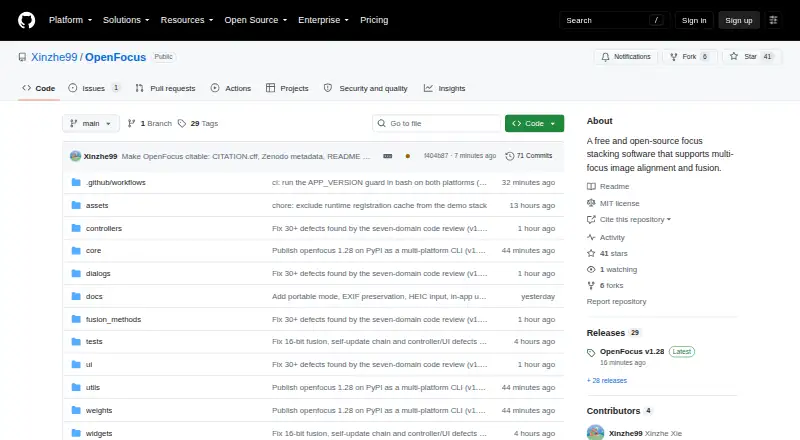
OpenFocus aligns and combines multi-focus image sequences to produce images with focus across the frame.
What OpenFocus is
OpenFocus aligns and combines multi-focus image sequences to produce images with focus across the frame. It runs on Linux, macOS, and Windows, with a graphical interface for Windows and macOS and a command-line interface on all three platforms. Alignment options include ECC and Homography; fusion choices include Guided Filter, DCT, DTCWT, GFG-FGF, and the StackMFF V4 AI model. A draggable wipe view compares source frames with results, and the software can generate per-pixel maps of focus position. OpenFocus processes folders in batches and can run headlessly for scripts and CI. Listed inputs include JPG, PNG, BMP, TIFF, MP4, and numbered image folders; the manual also describes decoding additional video formats. Exports include those image formats, image-sequence folders, and GIF animations. Research-oriented tools include scale bars calibrated from image metadata and multi-page TIFF stacks that preserve 16-bit depth. The interface supports English, Chinese, Japanese, and Spanish, with system-language detection. The software is free under the MIT License, though included algorithms may have separate terms.
Good
- Offers five listed fusion methods
- Supports folder batches and headless command-line use
- Can create per-pixel focus-position maps
- Preserves 16-bit depth in multi-page TIFF stacks
Watch out
- Windows and macOS builds are unsigned
- Included algorithms may have separate license terms
- Graphical interface is listed for Windows and macOS
Who it suits
OpenFocus suits researchers, engineers, and image-processing professionals working with multi-focus image sequences. Its batch and command-line options may also suit users who need folder processing or scripted workflows.
Verdict
OpenFocus brings alignment, fusion, inspection, and batch tools together for multi-focus images. Check the unsigned-build warnings and any separate algorithm license terms before using it.
Plans and prices
From OpenFocus's own pricing page, checked 15 Oct 2026.
| Plan | Price | What it gives you |
|---|---|---|
| Free and open source | Free | Windows/macOS GUI · Linux CLI · MIT source license |
The facts
Each one read from OpenFocus's own pages, with the date it was checked.
What it does
- 3D export
- Version 1.54–1.55 added textured OBJ export combining a depth map and fused image.checked 15 Oct 2026
- Algorithm limitation
- OpenFocus A produces a deliberately soft look and is not intended for the supplied benchmark.checked 15 Oct 2026
- Batch and CLI
- It supports batch processing across folders and a headless command-line interface for scripting and CI.checked 7 Oct 2026
- Batch processing
- The application can process multiple folders with progress reporting, cancellation and organized outputs.checked 15 Oct 2026
- Command line
- A pip-installable headless CLI runs on Windows, macOS and Linux and returns exit codes 0, 1 or 2 for success, processing errors or usage errors.checked 15 Oct 2026
- Compare and inspect
- A wipe compare view uses a draggable divider to compare source frames and results, and the software can generate per-pixel focus-position depth maps.checked 7 Oct 2026
- Depth maps
- Index-deciding fusion methods can produce per-pixel focus-position maps with pseudo-color display and 16-bit export.checked 15 Oct 2026
- Documentation
- The project links an English manual, Chinese manual, changelog, large-stack performance notes and build commands.checked 15 Oct 2026
- Exports
- The manual lists JPG, PNG, BMP, TIFF, image-sequence folders, and GIF animations as output options.checked 7 Oct 2026
- Extensibility
- Source builds use Python 3.10 with requirements.txt, and PyInstaller packaging instructions are provided.checked 15 Oct 2026
- Feature limitation
- The comparison table lists camera or rail control as unavailable in OpenFocus.checked 15 Oct 2026
- Fusion methods
- Fusion options include Guided Filter, DCT, DTCWT, GFG-FGF, StackMFF V4 and OpenFocus A/B/C.checked 15 Oct 2026
- GPU limitation
- GPU acceleration is optional and is provided for the StackMFF V4 neural model.checked 15 Oct 2026
- Image alignment
- It offers ECC and Homography methods to align image sequences.checked 7 Oct 2026
- Input formats
- The manual lists JPG, PNG, BMP, TIFF, MP4, and numbered image folders as supported inputs; it also describes decoding several additional video formats.checked 7 Oct 2026
- Intended users
- The manual describes OpenFocus as a desktop application for researchers, engineers, and image-processing professionals.checked 7 Oct 2026
- Interface
- The desktop application is built with PyQt6 and supports CPU processing by default.checked 15 Oct 2026
- Languages
- The interface supports English, Chinese, Japanese, and Spanish, with automatic system-language detection.checked 7 Oct 2026
- License
- The repository is released under the MIT License.checked 15 Oct 2026
- License caveat
- Included research algorithms may carry original license terms in addition to the OpenFocus MIT license.checked 15 Oct 2026
- Microscopy features
- The software supports TIFF µm-per-pixel calibration, dust-map flat-field correction and publication scale bars.checked 15 Oct 2026
- News: 2026-10-15
- The project announced OBJ export, camera RAW support and depth smoothing for OpenFocus B on October 15, 2026.checked 15 Oct 2026
- News: 2026-10-15 retouch
- A same-day release added the retouch brush, live progress, per-method kernel memory and improved DTCWT and GFG-FGF behavior.checked 15 Oct 2026
- Output formats
- Exports include JPG, PNG, WebP, BMP and TIFF, with 16-bit data preserved through the pipeline.checked 15 Oct 2026
Alternatives to OpenFocus
- 1
Focus Stacking Online
Free planAndroidiOSWebLinux7.3Free plan - 2
CKAN
Free planLinuxmacOSWindows6.9Free plan - 3
ImageFocus Alpha
Free planAndroidiOSLinuxmacOS6.6Free plan - 4
focus-stack
Free planLinuxmacOSWindows6.5Free plan - 5
CombineZP
Free planWindows6.4Free plan - 6
Helicon Focus
macOSWindows6.4