focus-stack
focus-stack is a free tool that combines photos taken at different focus settings into an image with greater depth of field.
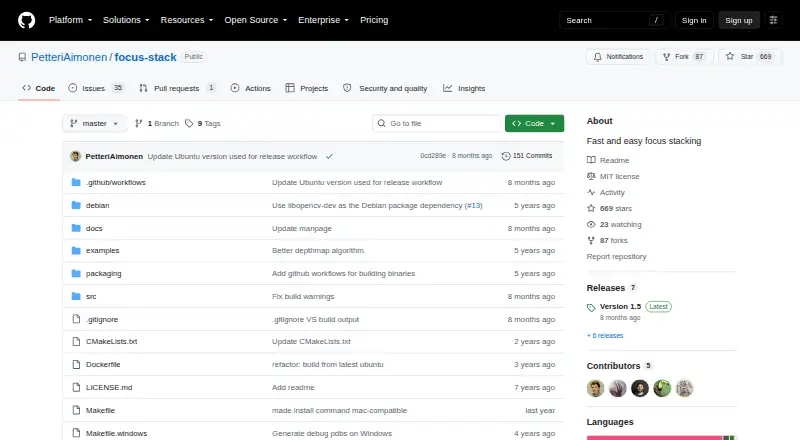
What focus-stack is
focus-stack is a free tool that combines photos taken at different focus settings into an image with greater depth of field. It selects the sharpest source image at each pixel, a method suited to subjects such as microscope photographs when one focus setting does not cover the whole subject. The program can resize and rotate images to align them, or let users skip or adjust alignment. Besides a focus-stacked image, it can produce a depth map and a 3D preview image. Inputs can use formats supported by OpenCV, including JPG, PNG, and TIFF; the output format follows the file extension. Processing controls include denoising, consistency filtering, batch size, and thread count. OpenCL GPU acceleration is used when available and can be disabled. The README estimates memory use at about 100 MB per megapixel by default, or about 50 MB per megapixel with one thread and batch size two. Binary packages are listed for Windows 10, Ubuntu 20.04, and Mac OS X. The project is MIT licensed.
Good
- Free to use and MIT licensed.
- Can align images by resizing and rotating them.
- Creates a depth map and 3D preview.
- Supports OpenCL GPU acceleration when available.
- Accepts OpenCV-supported inputs, including JPG, PNG, and TIFF.
Watch out
- Default memory estimate is about 100 MB per megapixel.
- The macOS application is unsigned and may be quarantined.
- Listed binary packages are for Windows 10, Ubuntu 20.04, and Mac OS X.
Who it suits
It suits photographers, including microscope photographers, who need to combine images taken at different focus settings. Users should check the listed desktop packages and estimated memory needs before choosing it.
Verdict
focus-stack offers focus stacking with alignment controls and optional depth outputs, and its listed packages cover three desktop operating-system options. Its memory estimate and unsigned macOS app are practical points to check before use.
Plans and prices
From focus-stack's own pricing page, checked 9 Oct 2026.
| Plan | Price | What it gives you |
|---|---|---|
| focus-stack | Free | No pricing or usage limits stated |
The facts
Each one read from focus-stack's own pages, with the date it was checked.
What it does
- Acceleration
- OpenCL GPU acceleration is used when available and can be disabled with an option.checked 9 Oct 2026
- Build dependency
- The Linux build instructions specify OpenCV 3.0 or newer and basic build tools.checked 8 Oct 2026
- Depth outputs
- Optional outputs include a depth map and a 3D preview generated from the depth map.checked 9 Oct 2026
- Desktop downloads
- The README says binary packages are available for Windows 10, Ubuntu 20.04 and Mac OS X.checked 9 Oct 2026
- Downloads
- The README lists binary packages for Windows 10, Ubuntu 20.04, and Mac OS X on the GitHub releases page.checked 8 Oct 2026
- File formats
- The README says input can use formats supported by OpenCV, including JPG, PNG, and TIFF.checked 8 Oct 2026
- GPU acceleration
- The tool uses OpenCV's OpenCL interface for GPU acceleration when available, and provides an option to disable it.checked 8 Oct 2026
- Image alignment
- It can resize and rotate images to align them, and can compensate for white balance and exposure differences.checked 9 Oct 2026
- Input and output formats
- Inputs can use formats supported by OpenCV, including JPG, PNG and TIFF, and output format is selected by file extension.checked 9 Oct 2026
- License
- The repository identifies the project as MIT licensed.checked 9 Oct 2026
- Memory requirement
- The README estimates about 100 MB of RAM per megapixel at default settings and about 50 MB per megapixel with one thread and batch size two.checked 9 Oct 2026
- Memory use
- The README estimates about 100 MB of RAM per megapixel by default and about 50 MB per megapixel with --threads=1 and --batchsize=2.checked 8 Oct 2026
- Output options
- It can generate a focus-stacked image, a depth map, and a 3D preview image.checked 8 Oct 2026
- Processing controls
- Options include image alignment, denoising, consistency filtering, batch size, and thread count.checked 8 Oct 2026
- Purpose
- Combines photos taken at different focus settings by selecting the sharpest source image for each pixel to create an extended depth of field image.checked 9 Oct 2026
- Release
- The releases page lists Version 1.5 and a separate prerelease named latest.checked 8 Oct 2026
- Typical use
- The manual describes microscope photography as a typical use, where depth of field may not cover the whole subject.checked 9 Oct 2026
Where it runs
- Android
- The README mentions a third-party Android app that uses focus-stack's algorithm.checked 8 Oct 2026
- Android connection
- The README links to a third-party Android app that uses focus-stack as its algorithm.checked 9 Oct 2026
- macOS caveat
- The README says the macOS application is unsigned and may be quarantined by the operating system.checked 9 Oct 2026
The full review of focus-stack
focus-stack is a free desktop tool for combining photos taken at different focus settings. It is best suited to microscope photographers and other users who want control over a focus-stacking workflow; its alignment and depth outputs are useful, but memory needs can be substantial.
Overview
The program builds an extended-depth-of-field image by selecting the sharpest source image at each pixel. That approach suits subjects whose depth exceeds what a single frame can keep in focus, a common challenge in microscope photography. Automatic alignment can resize and rotate images to bring frames into register, and users can skip or adjust alignment when it is unnecessary or unsuitable.
Alongside the composite, focus-stack can generate a depth map and a 3D preview derived from that map. These options add ways to inspect a stack, though the central job remains combining differently focused photographs.
Key features
- Alignment controls: Resizing and rotation help reconcile differences between source images. Being able to skip or adjust alignment is useful when a stack is already aligned or automatic correction is not appropriate.
- Processing controls: Denoising, consistency filtering, batch size, and thread count provide control over processing. The batch and thread settings also matter for memory consumption.
- Image formats: Input supports formats handled by OpenCV, including JPG, PNG, and TIFF. Output format is determined by the file extension, with JPG and PNG among the supported outputs.
- GPU acceleration: OpenCL acceleration can use a compatible GPU when available, and an option disables it. That gives users a choice when acceleration is unwanted or unavailable.
- Depth outputs: A depth map and a 3D preview are optional additions to the stacked image, useful for users who want more than the composite alone.
Pricing
focus-stack is free: its plan is free, with no stated usage limits. There is no free trial because the software itself is offered as a free plan. That makes it straightforward to consider for occasional or specialist use without a subscription commitment.
The trade-off is not a tiered feature set but the practical work of running desktop software. The README estimates about 100 MB of RAM per megapixel at default settings. Using one thread and a batch size of two lowers that estimate to about 50 MB per megapixel, but still calls for planning with large images or stacks.
Platforms
Desktop packages are available for Windows 10, Ubuntu 20.04, and Mac OS X, while the project’s platform coverage includes Linux, macOS, and Windows. The macOS application is unsigned and may be quarantined by the operating system, so Mac users should expect an installation caveat. Linux users building from source need OpenCV 3.0 or newer and basic build tools. The project is MIT licensed.
The releases page lists Version 1.5 and a separate prerelease called latest. An Android app from a third party uses focus-stack’s algorithm, but that is distinct from the desktop software.
Who it's for
Microscope photographers are the clearest fit, particularly when a subject spans more depth than a single photograph can capture. It can also suit other desktop users who already have a sequence of differently focused images and want alignment controls, processing options, or a depth map alongside the final image.
It is a less compelling choice for users who need a polished, low-resource workflow or want a native Android version of this project. The estimated RAM use can become a constraint as image resolution rises, and the Android connection is a third-party app rather than a desktop package for phones.
Pros and cons
- Pro — Flexible alignment: Resizing, rotation, and the option to skip or adjust alignment accommodate stacks that need different treatment.
- Pro — More than a composite: Optional depth-map and 3D-preview outputs extend the result for users who want to examine depth information.
- Pro — Useful processing controls: Denoising, consistency filtering, batch size, and thread count give users options to tune a run.
- Con — High memory estimates: The default estimate of about 100 MB per megapixel can make large images demanding; reduced settings lower but do not eliminate that concern.
- Con — macOS installation friction: The unsigned app may be quarantined by macOS.
- Con — Packages target older named releases: The README identifies packages for Windows 10, Ubuntu 20.04, and Mac OS X, rather than describing broader package coverage.
Alternatives
For more options, see Focus Stacking Software.
- Focus Stacking Online is the better fit for anyone who wants free online focus stacking or broader platform coverage including Android, iOS, and web.
- CKAN is another free, MIT-licensed option for Linux, macOS, and Windows.
- ImageFocus Alpha is aimed at owners of compatible Euromex camera models and also covers Android and iOS.
- PlaneFuse may suit users looking for a free MIT-licensed option for personal and commercial use across web, self-hosted, API, and desktop platforms.
- ChimpStackr is a free, multi-platform focus-stacking alternative under GPL-3.0.
- ForgePix is another free MIT-licensed option for Linux, macOS, and Windows.
- Open Galileo is a free Windows alternative; its maker says it will always be free and accepts voluntary donations.
- OpenFocus is worth considering if a GUI for Windows or macOS, or a CLI covering Windows, macOS, and Linux, better suits the workflow.
Verdict
Choose focus-stack if you need a free desktop focus-stacking tool with alignment controls and optional depth outputs, especially for microscope photography. Its processing controls and broad OpenCV input support are useful strengths. Look elsewhere if memory constraints, the unsigned macOS app, or the need for a more accessible workflow outweigh that control.
Getting started
- Open the focus-stack GitHub repository or releases page
- Download a binary package for Windows 10, Ubuntu 20.04, or Mac OS X
- On Linux, install OpenCV 3.0 or newer and basic build tools if building
- Load photographs in an OpenCV-supported format such as JPG, PNG, or TIFF
- Choose alignment, denoising, filtering, batch, and thread options
- Set an output filename extension and generate the result
Limits worth knowing
The README estimates roughly 100 MB of RAM per megapixel with default settings. Using one thread and a batch size of two lowers the estimate to about 50 MB per megapixel.
Questions
What platforms are supported?
Binary packages are listed for Windows 10, Ubuntu 20.04, and Mac OS X. The README also mentions a third-party Android app using its algorithm.
Is focus-stack free?
Yes. The project has a free plan and uses the MIT license.
Which input formats work?
Inputs can use formats supported by OpenCV, including JPG, PNG, and TIFF.
Can it create depth information?
Yes. It can generate a depth map and a 3D preview image from that map.
Does it use the GPU?
OpenCV’s OpenCL interface provides GPU acceleration when available, and an option can disable it.
What is the macOS caveat?
The README says the macOS application is unsigned and may be quarantined by the operating system.
Alternatives to focus-stack
- 1
Focus Stacking Online
Free planAndroidiOSWebLinux7.3Free plan - 2
OpenFocus
Free planOpen sourceLinuxmacOSSelf-hostedWindows7.1Free plan - 3
CKAN
Free planLinuxmacOSWindows6.9Free plan - 4
ImageFocus Alpha
Free planAndroidiOSLinuxmacOS6.6Free plan - 5
CombineZP
Free planWindows6.4Free plan - 6
Helicon Focus
macOSWindows6.4