
TP-Link Omada SDN
TP-Link Omada SDN centralizes management of enterprise networks built from security gateways, switches, and wireless access points.
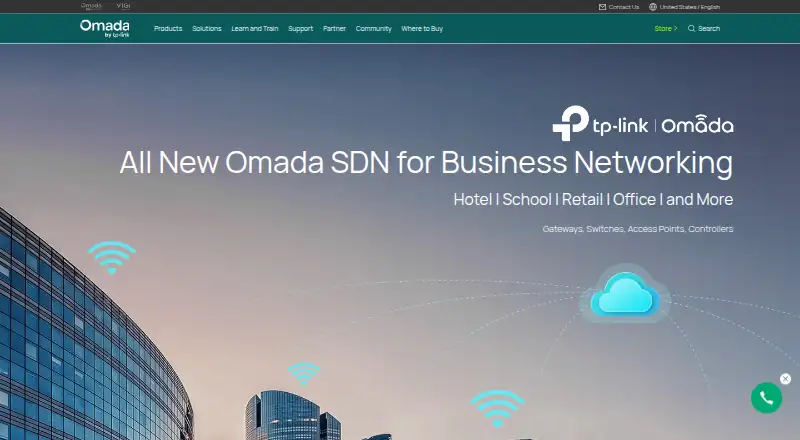
What TP-Link Omada SDN is
TP-Link Omada SDN centralizes management of enterprise networks built from security gateways, switches, and wireless access points. Administrators can configure supported Omada routers and network devices from one platform, while the Omada app can connect to hardware, software, and cloud controllers for local or remote management. Cloud Essentials provides free cloud management for unlimited devices with essential features such as network topology and VLAN management. Omada Cloud supports zero-touch provisioning for remote setup, and cloud features include network monitoring, abnormal-event warnings, and network summary reports. The free Omada Software Controller supports centralized management of up to 1,500 devices, though capacity depends on the PC or server hardware. An Open API accepts REST GET and POST requests, returns JSON, and uses OAuth for authentication and authorization. The software is available on Android, iOS, Linux, web, and Windows. Controller-based central management is limited to certain gateway, switch, and access point models, and the controller cannot discover or manage third-party devices.
Good
- Centralizes configuration of supported Omada network devices.
- Cloud Essentials is free for unlimited devices.
- Software Controller is free for up to 1,500 devices.
- Cloud management includes topology, VLAN, monitoring, and alerts.
- Open API uses REST requests and OAuth.
Watch out
- Central management supports only certain TP-Link device models.
- The controller cannot discover or manage third-party devices.
- Software Controller capacity depends on PC or server hardware.
Who it suits
Omada SDN suits administrators managing enterprise networks made up of supported gateways, switches, and wireless access points. TP-Link describes it for demanding, high-traffic settings such as campuses, hotels, malls, and offices.
Verdict
Omada SDN offers free software-controller and Cloud Essentials options for centralized management of supported TP-Link devices. Check device compatibility first, especially if the network includes third-party equipment or relies on controller-based central management.
Plans and prices
From TP-Link Omada SDN's own pricing page, checked 4 Oct 2026.
| Plan | Price | What it gives you |
|---|---|---|
| Omada Cloud Essentials | Free | Unlimited devices; essential features · Lifetime free cloud management |
| Omada Software Controller | Free | Centralized management of up to 1,500 devices; capacity depends on PC/server hardware · Free; no additional expense |
| Omada Cloud Standard | Priced on request | Unlimited centralized management of Omada access points, switches, and gateways · Device license fee |
The facts
Each one read from TP-Link Omada SDN's own pages, with the date it was checked.
What it does
- API
- Omada Open API supports REST requests using GET and POST, returns JSON, and uses OAuth for authentication and authorization.checked 4 Oct 2026
- Cloud Essentials
- Omada Cloud Essentials offers free cloud management with features including network topology and VLAN management.checked 4 Oct 2026
- Compatibility limit
- Central management through the controller is available only for certain gateway, switch, and access point models; TP-Link directs users to its compatibility list.checked 4 Oct 2026
- Intended users
- TP-Link describes Omada SDN as suited to demanding, high-traffic business environments such as campuses, hotels, malls, and offices.checked 4 Oct 2026
- Management
- Administrators can configure and manage Omada routers, switches, and wireless access points from a single platform.checked 4 Oct 2026
- Monitoring
- The cloud controller lists intelligent network monitoring, abnormal event warnings, and network summary reports among its management features.checked 4 Oct 2026
- Provisioning
- Omada Cloud supports zero-touch provisioning for remote network setup.checked 4 Oct 2026
- Purpose
- Omada SDN provides centralized management for enterprise networks made up of security gateways, switches, and wireless access points.checked 4 Oct 2026
- Remote access
- The Omada app can access hardware, software, and cloud-based controllers for local or remote network management.checked 4 Oct 2026
- Security reporting
- TP-Link’s Product Security Trust Center accepts coordinated vulnerability reports covering products, software, mobile applications, and cloud services.checked 4 Oct 2026
- Support
- TP-Link directs product setup, troubleshooting, warranty, account, and general technical support questions to its Technical Support channel.checked 4 Oct 2026
Where it runs
- Third-party devices
- The controller guide says it cannot discover and manage third-party devices.checked 4 Oct 2026
The full review of TP-Link Omada SDN
TP-Link Omada SDN is a centralized management platform for compatible Omada gateways, switches, and wireless access points. It suits organizations that want to coordinate a TP-Link network through a software or cloud controller. Its free controller options are a strong starting point, but the controller manages only supported TP-Link devices.
Overview
Omada brings configuration and management for routers, switches, and access points into one platform, with deployment options spanning software and cloud controllers. That centralized view can simplify work across a business network, while network discovery, configuration management, and configuration backup cover practical administration tasks.
There are meaningful boundaries. Central management applies only to certain gateway, switch, and access point models, and the controller guide says it cannot discover or manage third-party devices. Omada is therefore a better fit for networks built around compatible TP-Link hardware than for mixed-vendor environments.
Key features
Cloud and remote management
Cloud Essentials provides network topology and VLAN management at no charge. Omada Cloud also supports zero-touch provisioning, useful when setting up remote sites without configuring each device on-site. Its cloud controller includes network monitoring, abnormal-event warnings, and network summary reports, giving administrators a way to keep track of network conditions beyond initial setup.
The Omada app can connect to hardware, software, and cloud-based controllers for local or remote management. That flexibility helps administrators who need to work across different controller deployments, though the managed hardware still needs to be compatible Omada equipment.
API and security reporting
Omada Open API accepts REST GET and POST requests, returns JSON, and uses OAuth for authentication and authorization. Those capabilities may suit teams integrating network management with their own systems. TP-Link also accepts coordinated vulnerability reports for its products, software, mobile applications, and cloud services through its Product Security Trust Center.
Pricing
Omada’s two free controller options make it possible to start without a software fee, but they serve different needs:
- Omada Software Controller — free (billed Free; no additional expense): centralized management for up to 1,500 devices. Capacity depends on the PC or server hardware, so this option suits organizations willing to provide and maintain that computing resource.
- Omada Cloud Essentials — free (billed Lifetime free cloud management): unlimited devices with essential features. It is the simpler fit for organizations that want cloud management without a device cap, provided its essential feature set is sufficient.
- Omada Cloud Standard — custom pricing: a device-license fee provides unlimited centralized management of Omada access points, switches, and gateways. It is the paid cloud option for organizations seeking broader centralized management; the license fee is an added cost to weigh against the free alternatives.
The free software controller’s 1,500-device ceiling and hardware-dependent capacity matter for larger deployments. Cloud Essentials removes the device cap but is limited to essential features, while Standard uses device licensing.
Platforms
Omada is available on Android, iOS, Linux, web, and Windows. Its hybrid deployment model accommodates software and cloud controller options as well as hardware-based controllers accessible through the app.
Who it's for
TP-Link positions Omada for demanding, high-traffic business environments, including campuses, hotels, malls, and offices. It is most compelling where administrators can standardize on compatible Omada gateways, switches, and access points and want centralized configuration, monitoring, or remote provisioning. Businesses with third-party equipment in the management scope should look elsewhere for a controller that can manage those devices.
Pros and cons
- Pro: Two lifetime-free controller choices cover up to 1,500 devices on the software controller or unlimited devices with Cloud Essentials, keeping the entry cost at zero.
- Pro: Remote app access, zero-touch provisioning, monitoring alerts, and reports support administration across distributed sites.
- Pro: REST API access with OAuth can support integrations that need structured network-management data.
- Con: Central management is restricted to supported TP-Link models, and third-party devices cannot be discovered or managed by the controller.
- Con: Software-controller capacity depends on the PC or server hardware, while Cloud Essentials offers only essential features.
- Con: Cloud Standard adds device licensing, so organizations seeking more cloud management must account for a separate fee.
Alternatives
For a broader set of network management options, browse Network Management Software; for workflows centered on provisioning, see Network Provisioning Software.
- Cisco Catalyst Center is a paid alternative with complete Catalyst Center functionality through the Cisco DNA Advantage subscription, which requires subscriptions for managed devices and uses three- or five-year terms for wireless and switching.
- NVIDIA Config Manager is a free, Apache 2.0-licensed developer preview, but it is not recommended for production use.
- PacketFence offers a self-hosted GPL v2+ edition with unlimited devices and full source code for teams that want open-source software they can host themselves.
- ExtremeCloud IQ is a paid, web-based option with Navigator, Pilot, and CoPilot plans.
- UniFi Network is a free alternative with license-free Site Manager; its Network Server can be self-hosted or run on UniFi hardware.
- HPE Aruba Networking Central is a paid web-based option whose Foundation plan includes zero-touch onboarding, centralized configuration, monitoring, and troubleshooting.
- Cisco Meraki Dashboard is a paid alternative that requires valid licensing for Meraki products, with license keys covering device counts and terms.
- Nokia Network Services Platform is another paid, web-based alternative.
Verdict
Choose Omada SDN if your organization can use compatible TP-Link networking hardware and wants centralized management without an upfront controller fee. The software controller’s device allowance and Cloud Essentials’ unlimited-device option make the free entry point unusually practical for different deployment sizes. Look elsewhere if the controller must manage third-party devices, or if Cloud Essentials’ essential features are not enough and device licensing for Cloud Standard does not fit your budget.
Getting started
- Open the TP-Link Omada SDN website
- Choose the Omada Software Controller or a cloud deployment
- Install or access the controller on a supported platform
- Connect supported Omada gateways, switches, and access points
- Use the Omada app for local or remote management
Limits worth knowing
The free Omada Software Controller supports centralized management of up to 1,500 devices, subject to computer or server hardware capacity. Cloud Essentials is free for unlimited devices but provides essential features; Cloud Standard uses a device license fee.
Questions
Is TP-Link Omada SDN free?
The Omada Software Controller is listed as free, and Omada Cloud Essentials offers lifetime-free cloud management. Cloud Standard uses a device license fee.
How many devices does the free software controller support?
It supports centralized management of up to 1,500 devices, with capacity depending on the computer or server hardware.
Which platforms support Omada SDN?
It is available on Android, iOS, Linux, the web, and Windows.
Can it manage third-party network devices?
No. The controller guide says it cannot discover or manage third-party devices.
Does Omada provide an API?
Yes. Omada Open API supports REST GET and POST requests, returns JSON, and uses OAuth for authentication and authorization.
Alternatives to TP-Link Omada SDN
- 1

PacketFence
Free planOpen sourceAndroidiOSWebAPI8.5From $5,000 a year - 2

UniFi Network
Free planAndroidiOSWebAPI8.1From $29 a month - 3

Portnox NAC
AndroidiOSWebAPI6.5 - 4
Cisco Meraki Dashboard
AndroidiOSWebAPI6.4 - 5
Cradlepoint NetCloud Manager
AndroidiOSWebAPI6.4 - 6
Cambium cnMaestro
Free planWebAPISelf-hosted6.2Free plan