NVIDIA Config Manager
NVIDIA Config Manager is an open-source platform for automating the setup and operation of NVIDIA AI-factory network infrastructure.
What NVIDIA Config Manager is
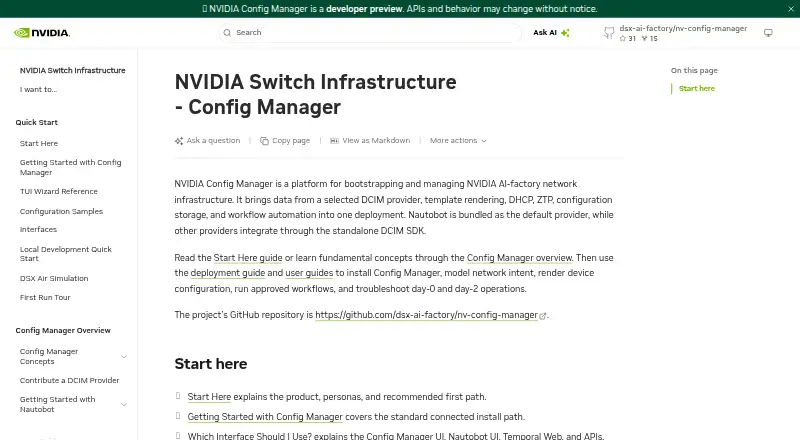
NVIDIA Config Manager is an open-source platform for automating the setup and operation of NVIDIA AI-factory network infrastructure. It is deployed with Helm on Kubernetes, with an installer that offers interactive TUI and headless CLI workflows. Documented network tasks include configuration backup and deployment, cable and hardware validation, password rotation, reprovisioning, and operating system or firmware upgrades. Core components include workflow orchestration, template rendering, PostgreSQL-backed configuration storage, zero-touch provisioning, and Kea DHCP configuration generation. Nautobot is the default DCIM provider; other providers can integrate through the provider-neutral DCIM SDK. Browser authentication uses an OIDC proxy, while API clients can use bearer tokens. Approval workflows and an audit trail support day-two changes. Airgapped deployment bundles can include the Helm chart, container images, dependency charts and manifests, and an offline installer. Standard deployment requires Kubernetes access, kubectl, Helm 3.x, Python 3.13 or later, and uv. The repository labels the software Developer Preview and does not recommend it for production use. A large production or high-availability validation profile specifies 96 total vCPUs, 256 GB total RAM, and at least three nodes.
Good
- Documents backup, validation, password rotation, and upgrade workflows.
- Supports cloud-hosted and on-premises Kubernetes deployments.
- Offers approval workflows and an audit trail.
- Airgapped deployment bundles are supported.
Watch out
- Developer Preview is not recommended for production use.
- Standard deployment requires Kubernetes, Helm, and Python 3.13 or later.
- Large sizing profile specifies 96 vCPUs and 256 GB RAM.
Who it suits
Config Manager is intended for network infrastructure administrators deploying and maintaining the platform, and operators running network workflows. It requires Kubernetes and associated deployment tools.
Verdict
Config Manager documents a broad set of network infrastructure workflows and deployment options. Its Developer Preview status is a key constraint for anyone considering production use.
Plans and prices
From NVIDIA Config Manager's own pricing page, checked 4 Oct 2026.
| Plan | Price | What it gives you |
|---|---|---|
| Apache 2.0 open-source license | Free | Developer Preview · not recommended for production use |
The facts
Each one read from NVIDIA Config Manager's own pages, with the date it was checked.
What it does
- Authentication
- Browser authentication uses an OIDC proxy, while API clients can authenticate with bearer tokens.checked 4 Oct 2026
- Change controls
- The platform supports approval workflows for day-two changes and documents an audit trail for configuration changes.checked 4 Oct 2026
- Core services
- The platform includes workflow orchestration, template rendering, PostgreSQL-backed configuration storage, zero-touch provisioning, and Kea DHCP configuration generation.checked 4 Oct 2026
- DCIM integration
- Nautobot is the bundled default DCIM provider, and other providers can integrate through the provider-neutral DCIM SDK.checked 4 Oct 2026
- Deployment
- The platform is deployed with Helm on a Kubernetes cluster, with an installer offering interactive TUI and headless CLI workflows.checked 4 Oct 2026
- Hosting
- Documented deployment models include cloud-hosted and on-premises Kubernetes deployments.checked 4 Oct 2026
- Intended users
- The documented primary personas are network infrastructure administrators who deploy and maintain the platform and operators who run workflows and manage network operations.checked 4 Oct 2026
- Network operations
- Documented workflows include configuration backup and deployment, cable and hardware validation, password rotation, reprovisioning, and operating system or firmware upgrades.checked 4 Oct 2026
- Offline deployment
- An airgapped deployment bundle can include the Helm chart, container images, dependency charts and manifests, and an offline installer package.checked 4 Oct 2026
- Preview status
- The repository describes Config Manager as in Developer Preview and not recommended for production use.checked 4 Oct 2026
- Purpose
- NVIDIA Config Manager automates bootstrapping and operation of NVIDIA AI-factory network infrastructure.checked 4 Oct 2026
- Requirements
- A standard deployment requires Kubernetes access, kubectl, Helm 3.x, Python 3.13 or later, and uv; some deployment workflows also use Docker and Kind.checked 4 Oct 2026
- Scale
- The documented large sizing profile for production or high-availability validation specifies 96 total vCPUs, 256 GB total RAM, and at least three nodes.checked 4 Oct 2026
- Support and security reporting
- The repository links to a support policy and instructs users to report security vulnerabilities through its private disclosure process rather than public GitHub issues.checked 4 Oct 2026
The full review of NVIDIA Config Manager
NVIDIA Config Manager is an open-source control plane for provisioning and operating NVIDIA AI-factory network infrastructure. It suits network administrators and operators who can run Kubernetes-based infrastructure and need repeatable lifecycle workflows. The breadth is its strongest argument; the preview designation makes production adoption a poor fit for now.
Overview
Config Manager brings initial deployment and continuing network operations into one platform. Its documented scope reaches from zero-touch provisioning and inventory through configuration changes, validation, credential maintenance, reprovisioning, and software updates. That makes it more relevant to teams operating NVIDIA-focused infrastructure than to small general-purpose networks.
The operational model is Kubernetes-first. Helm installation, Kubernetes access, and command-line tooling are prerequisites, so this is infrastructure software for organizations with platform-engineering capability rather than a turnkey appliance. Cloud-hosted and on-premises Kubernetes deployments are both documented, and an airgapped bundle can carry the chart, images, dependency charts, manifests, and offline installer for disconnected environments.
Key features
Documented workflows cover configuration backup and deployment, cable and hardware validation, password rotation, reprovisioning, and operating-system or firmware upgrades. In practice, that range can consolidate several recurring runbooks and make day-two maintenance more consistent. Workflow orchestration and template rendering are intended for repeatable jobs, while PostgreSQL-backed storage keeps configuration data centralized.
Zero-touch provisioning and generated Kea DHCP configuration support automated bring-up. Device inventory covers the equipment context needed by those workflows. Nautobot is the bundled default DCIM provider, but the provider-neutral DCIM SDK offers an integration route for organizations that use another inventory system.
Browser access is placed behind an OIDC proxy; API clients authenticate with bearer tokens. Approval workflows for day-two changes and an audit trail for configuration changes add reviewability where multiple operators share responsibility. API access is therefore useful for automation, while the approval layer is more valuable to teams that need controlled operational changes.
Pricing
Config Manager is free under the Apache 2.0 open-source license: free. There is no free trial because the software itself is the free offering, and no paid tier is described. That removes seat and subscription charges, but it does not remove the engineering cost of running Kubernetes, its supporting services, and the required deployment toolchain.
The free plan is best for evaluation, development, and organizations willing to accept Developer Preview constraints. It is not a production purchasing shortcut: the repository explicitly says the preview is not recommended for production use.
Platforms
Config Manager provides API and web access and runs on Linux and self-hosted infrastructure. A standard deployment requires Kubernetes access, kubectl, Helm 3.x, Python 3.13 or later, and uv; some workflows also use Docker and Kind. Large production or high-availability validation sizing calls for 96 total vCPUs, 256 GB of total RAM, and at least three nodes, which signals substantial infrastructure overhead for larger environments.
Who it's for
The primary audience is network infrastructure administrators who deploy and maintain the platform, plus operators who execute workflows and manage network operations. It is a sensible choice for teams already committed to Kubernetes, NVIDIA AI-factory networking, and infrastructure-as-code-style repeatability. It is a poor match for buyers seeking a supported production platform today, a desktop-oriented network tool, or an installation with minimal cluster administration.
Pros and cons
Pros
- Broad lifecycle coverage: provisioning, validation, backup, credential rotation, reprovisioning, and OS or firmware upgrades sit within one documented workflow set.
- Automation foundations: zero-touch deployment, orchestration, templates, inventory, and Kea DHCP generation reduce manual coordination for repeatable operations.
- Integration and governance: Nautobot is ready by default, other DCIM systems can use the SDK, and approval plus audit controls support accountable changes.
- Flexible deployment: cloud, on-premises, and airgapped Kubernetes models accommodate connected and isolated environments.
- No license fee: Apache 2.0 licensing avoids per-seat or subscription charges.
Cons
- Developer Preview status: the project is explicitly not recommended for production, a decisive limitation for operational networks.
- High operational prerequisite: Kubernetes, Helm, Python, uv, and sometimes Docker and Kind make deployment demanding for teams without platform expertise.
- Resource intensity: the documented large sizing profile requires 96 vCPUs, 256 GB of RAM, and at least three nodes.
- Infrastructure responsibility: the free license does not provide a simplified hosted service; teams must run and maintain the deployment.
Alternatives
Choose PacketFence instead when you need a freemium network-access platform with Android, iOS, desktop, web, API, Linux, macOS, Windows, and self-hosted coverage; its GPL v2+ self-hosted edition includes unlimited devices and source code.
UniFi Network is the better fit for license-free site management with broad client platforms, using a self-hosted Network Server or UniFi hardware.
Pick TP-Link Omada SDN for a free controller that centrally manages up to 1,500 devices, subject to the capacity of its PC or server.
Arista NG Firewall is an alternative when basic security and connectivity features matter more than AI-factory provisioning workflows.
RUCKUS Cloudpath Enrollment System suits organizations wanting a paid, user-based cloud subscription with support and 1-, 3-, or 5-year terms.
Cambium cnMaestro is preferable for free management of up to 10,000 devices and up to 10 management users without a subscription.
Infoblox Cloud Network Automation is the alternative for token-based licensing over an agreement term.
Portnox NAC is a freemium network-access-control option with a free trial rather than a free plan.
Verdict
Choose NVIDIA Config Manager if you operate NVIDIA AI-factory networks, have Kubernetes expertise, and want open-source automation spanning provisioning and day-two work. Look elsewhere if production readiness, a managed experience, or lighter deployment requirements are non-negotiable; its Developer Preview warning outweighs the otherwise impressive workflow breadth for live production use.
Alternatives to NVIDIA Config Manager
- 1

PacketFence
Free planOpen sourceAndroidiOSWebAPI8.5From $5,000 a year - 2

UniFi Network
Free planAndroidiOSWebAPI8.1From $29 a month - 3

TP-Link Omada SDN
Free planAndroidiOSWebLinux6.9Free plan - 4

Portnox NAC
AndroidiOSWebAPI6.5 - 5
Cisco Meraki Dashboard
AndroidiOSWebAPI6.4 - 6
Cradlepoint NetCloud Manager
AndroidiOSWebAPI6.4