
Total Uninstaller
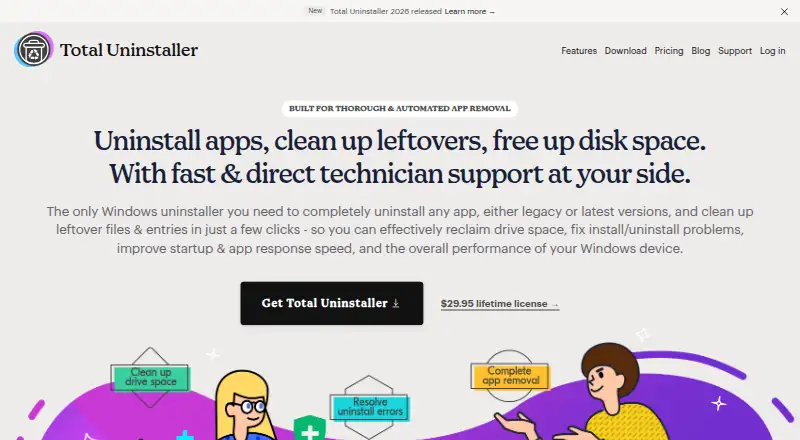
The facts below are what the maker publishes about Total Uninstaller, checked and dated. Our editors have not written about it yet.
Plans and prices
From Total Uninstaller's own pricing page, checked 9 Oct 2026.
| Plan | Price | What it gives you |
|---|---|---|
| 1 Device | $29.95, paid once | 1 device · perpetual license · free updates and upgrades · free tech support and custom fixes · $ 29.95 /lifetime |
| 3 Devices | $39.95, paid once | 3 devices · perpetual license · free updates and upgrades · free tech support and custom fixes · $ 39.95 /lifetime |
| 5 Devices | $49.95, paid once | 5 devices · perpetual license · free updates and upgrades · free tech support and custom fixes · $ 49.95 /lifetime |
The facts
Each one read from Total Uninstaller's own pages, with the date it was checked.
Where it runs
- App discovery
- Users can search for apps and sort or filter them by installation destination, date, size, vendor, or name.checked 9 Oct 2026
- Download/platform
- The download page instructs users to save and run TotalUninstaller_2026.exe, identifying a Windows executable download.checked 9 Oct 2026
What it does
- Cleanup tools
- Shortcut Cleaner finds invalid desktop shortcuts, Folder Cleaner locates empty folders, and Total Cleanup removes files and shortcuts belonging to portable or standalone apps.checked 9 Oct 2026
- Custom fixes
- Customers can request a custom fix from the developer team for an app removal issue.checked 9 Oct 2026
- Forced uninstall
- Yeschecked 23 Sep 2026
- Leftover scan
- Yeschecked 23 Sep 2026
- Local privacy
- The product page says data is stored and encrypted on the local drive and that no login is required; its privacy policy says the website and software may collect contact, account, usage, support-submission, and form data.checked 9 Oct 2026
- Purpose
- Total Uninstaller removes Windows apps and associated leftover files and entries, including Registry entries and installed services.checked 9 Oct 2026
- Refund
- Purchases include a 30-day money-back guarantee, with refunds offered if the software cannot solve the customer's issue.checked 9 Oct 2026
- Removal workflow
- The workflow analyzes an app, lets users review located files and entries, runs the uninstall, and then deletes leftovers.checked 9 Oct 2026
- Support
- The pricing page includes lifetime tech support and says the team aims to respond within one working day and resolve support within five working days.checked 9 Oct 2026
- Troubleshooting
- The product describes removal support for cases such as a missing uninstaller, an uninstall process that does not start, or an unresponsive Apps and Features uninstall function.checked 9 Oct 2026
- Website security
- The privacy policy says the company uses physical, electronic, and managerial procedures to safeguard information collected online.checked 9 Oct 2026
The company
- Company age
- The site says it is celebrating 10 years in business, but does not give a founding year.checked 9 Oct 2026
- Company location
- The About page says the team is based in Chicago, Illinois, and Europe, and works remotely.checked 9 Oct 2026
- Headquarters
- Chicago, Illinois, USA; Europechecked 28 Sep 2026
Money
- Free plan
- Nochecked 23 Sep 2026
- Trial
- The EULA describes a Trial Version for evaluation that may be installed on any number of systems, but the page does not state a trial duration.checked 9 Oct 2026
Alternatives to Total Uninstaller
- 1
Argente Uninstall Manager
Free planWindows7.4From €9 a year - 2
IObit Uninstaller
Free planWindows7.4Free plan - 3

Wise Program Uninstaller
Free planWindows7.3From $14.95 a year - 4

Geek Uninstaller
Free planWindows7.0Free plan - 5

Uninstalr
Free planWindows6.9$39 one-time - 6

Uninstall Tool
Windows6.8$24.95 one-time