
Wise Program Uninstaller
Wise Program Uninstaller removes Windows applications, including stubborn software, built-in apps and UWP programs.
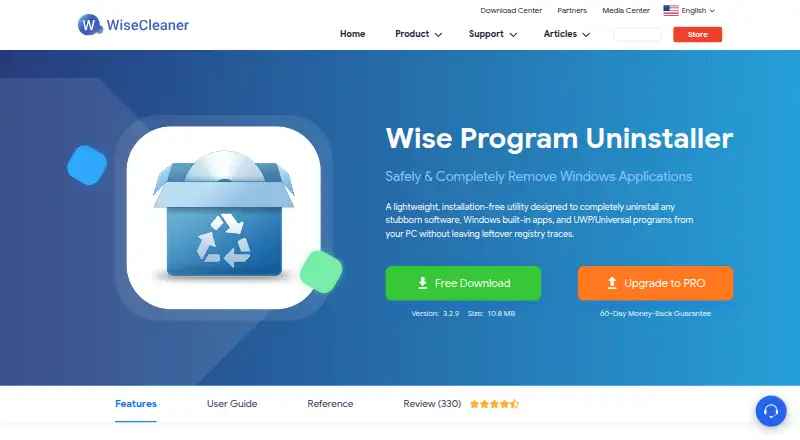
What Wise Program Uninstaller is
Wise Program Uninstaller removes Windows applications, including stubborn software, built-in apps and UWP programs. After a normal uninstall, its deep scan looks for leftover registry entries, orphaned files and empty folders. Force Uninstall searches for related files, folders and registry entries when Windows settings cannot remove an application. Custom Uninstall can target software missing from Windows app lists if you locate its installation folder. Software Health can clean app leftovers and temporary data, manage app permissions and services, and help control pop-ups and notifications. Batch browser-extension removal supports Chrome, Firefox, Edge and Internet Explorer. The Free plan lists app removal, removal of stubborn or unlisted apps, extension removal, software-health analysis and premium technical support. Downloads are listed for Windows 7, 8/8.1, 10 and 11 in 32-bit and 64-bit editions. A portable version is offered, and the maker recommends it for Windows XP because the installer no longer supports XP. Email support representatives are said to respond within 24 hours.
Good
- Deep scan finds registry entries and leftover files.
- Force Uninstall targets stubborn applications.
- Custom Uninstall can target apps missing from Windows lists.
- Batch extension removal supports four listed browsers.
- Portable version is available.
Watch out
- Installer no longer supports Windows XP.
- Custom Uninstall requires locating the installation folder.
- Windows-only software.
Who it suits
It suits Windows users who want to remove applications, including stubborn or unlisted ones, and clean up leftovers. Its portable version may suit users of Windows XP.
Verdict
Wise Program Uninstaller combines application removal with leftover cleanup and tools for stubborn or unlisted software. Consider the portable version if using Windows XP, as the installer is no longer supported there.
Plans and prices
From Wise Program Uninstaller's own pricing page, checked 15 Oct 2026.
| Plan | Price | What it gives you |
|---|---|---|
| Free | Free | uninstall apps · stubborn/unlisted apps · browser extensions · Software Health · premium technical support |
| PRO | $14.95 a year | same features as Free · premium technical support · 60-day money-back guarantee · billed annually, cancel anytime; 1 year / 3 PCs; regular price $19.95 |
The facts
Each one read from Wise Program Uninstaller's own pages, with the date it was checked.
What it does
- API and SDK
- WiseCleaner’s published WPU materials provide user guides but no public API, SDK or extensibility documentation.checked 15 Oct 2026
- Backup and restore
- Forced or custom operations can back up related files and registry entries, which can later be restored from uninstall history.checked 15 Oct 2026
- Context menu
- A settings option adds an “Uninstall with Wise Program Uninstaller” command to application shortcuts.checked 15 Oct 2026
- Current version
- The official product page lists version 3.2.9 with a 10.8 MB download.checked 15 Oct 2026
- Custom uninstall
- Custom Uninstall lets users select an installation folder to remove hidden or unlisted programs and related data.checked 15 Oct 2026
- Data collection
- The privacy policy says it may collect account name and email, site activity, IP address, browser, language, access time and referrer data, including processing outside the user’s country.checked 15 Oct 2026
- Deep scan
- After a normal uninstall, its scan looks for residual registry entries, orphaned files and empty folders.checked 15 Oct 2026
- Documentation
- Documentation consists of a product manual, reference page, how-to articles, FAQs, forum and contact form.checked 15 Oct 2026
- Forced uninstall
- Yeschecked 23 Sep 2026
- Force uninstall
- Force Uninstall searches associated files, folders and registry entries when normal uninstallers fail.checked 15 Oct 2026
- Latest listed version
- Version 3.2.9 was released May 9, 2026, and added export of leftover details after uninstallation.checked 4 Oct 2026
- Leftover cleanup
- After standard uninstallation, its deep-scan engine detects leftover registry entries, orphaned files, and empty folders.checked 4 Oct 2026
- Leftover scan
- Yeschecked 23 Sep 2026
- Licence
- The EULA says WPU is copyrighted proprietary software licensed rather than sold; copying, modification, redistribution and reverse engineering are restricted.checked 15 Oct 2026
- Limit: advanced features
- FileHorse lists missing advanced power-user features, no batch uninstall, possible incomplete detection, limited interface customization and limited support.checked 15 Oct 2026
- Limit: complex removals
- Downloadcrew reported that testing missed some services, AppData data and installer registry keys, leaving complex applications partly present.checked 15 Oct 2026
- Limit: installer offers
- Downloadcrew observed that the installer offered other applications by default unless users explicitly selected Decline.checked 15 Oct 2026
Where it runs
- Browser extensions
- Batch removal covers toolbars, plugins, add-ons and BHOs in Chrome, Firefox, Edge and Internet Explorer.checked 15 Oct 2026
- Browser support
- Its batch extension removal feature supports Chrome, Firefox, Edge, and Internet Explorer.checked 4 Oct 2026
The company
- Company
- WiseCleaner says it was founded in 2005 by three programmers and develops system utility software for Windows computers.checked 4 Oct 2026
- Company founded
- WiseCleaner says Wise Cleaner was founded in 2005 by three programmers.checked 15 Oct 2026
- Company legal name
- The company page identifies the maker as WiseCleaner Technology Co., Ltd.checked 15 Oct 2026
- Company size
- LinkedIn lists WiseCleaner as privately held, founded February 2005, with 11–50 employees.checked 15 Oct 2026
Money
- Free plan
- Yeschecked 23 Sep 2026
Alternatives to Wise Program Uninstaller
- 1
IObit Uninstaller
Free planWindows8.2Free plan - 2

Geek Uninstaller
Free planWindows7.6Free plan - 3
Argente Uninstall Manager
Free planWindows7.6From €9 a year - 4

Uninstall Tool
Windows7.5$24.95 one-time - 5

Uninstalr
Free planWindows7.5$39 one-time - 6
Revo Uninstaller
Windows7.4