
Topaz Video
Topaz Video is a paid desktop application for macOS and Windows that uses AI models to enhance video.
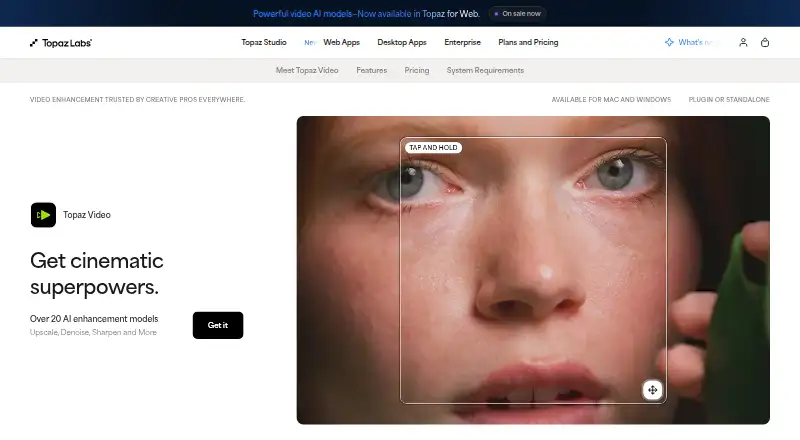
What Topaz Video is
Topaz Video is a paid desktop application for macOS and Windows that uses AI models to enhance video. Its tools cover sharpening, noise and artifact removal, detail restoration, stabilization, upscaling, slow motion, and frame interpolation. The Precision Update provides high-accuracy models for video up to 4K; the listed maximum output is 8K, with upscaling up to 4×. Choose from models including Starlight Precise, Proteus, Iris, Nyx, Rhea, Artemis, Chronos, and Stabilization. You can render locally, keeping files on your computer, or use cloud rendering with Cloud Credits for access to the latest AI models. The app works on its own or as a plugin for After Effects and DaVinci Resolve, and supports batch processing. Personal is $25 a month when billed annually and includes 25 monthly cloud credits; they expire each month without rollover. Monthly Personal is $59 a month, while Pro is $74 a month, billed monthly for 12 months. There is no free plan.
Good
- Supports batch processing and frame interpolation.
- Offers local and cloud rendering.
- Runs standalone or as an editing-software plugin.
- Maximum output resolution is 8K.
- Refund requests are accepted within two days of purchase.
Watch out
- There is no free plan.
- Personal cloud credits expire monthly without rollover.
- Desktop apps can be used on one computer at a time.
Who it suits
It suits filmmakers, editors, archivists, historians, creators, and hobbyists who want desktop video enhancement workflows. Local rendering may suit people who want files to remain on their computer.
Verdict
Topaz Video combines a broad set of enhancement workflows with local rendering and cloud model access. Consider its plan terms, monthly credit limits, and one-computer restriction before choosing it.
Plans and prices
From Topaz Video's own pricing page, checked 20 Sep 2026.
| Plan | Price | What it gives you |
|---|---|---|
| Personal | $25 a month | 25 monthly video cloud credits · $299 billed annually |
| Pro | $58 a month | 100 monthly video cloud credits · $699 billed annually |
| Topaz Video Personal (monthly) | $59 a month | Unlimited local rendering · 25 monthly video cloud credits · Credits expire monthly and do not roll over · Limited commercial use for organizations under $1M USD annual revenue · $59/mo |
| Topaz Video Pro | $74 a month | Personal features plus additional Pro models · Seat management · 100 monthly video cloud credits · Full commercial use · $74/mo; billed every month for 12 months |
| Topaz Video Personal (annual) | $299 a year | Unlimited local rendering · 25 monthly video cloud credits · Credits expire monthly and do not roll over · Limited commercial use for organizations under $1M USD annual revenue · $299 billed annually |
The facts
Each one read from Topaz Video's own pages, with the date it was checked.
What it does
- Audience
- The maker lists filmmakers and editors, archivists and historians, creators and influencers, and hobbyists and enthusiasts as intended users.checked 29 Sep 2026
- Cloud credit limit
- The Personal plan includes 25 monthly video cloud credits, which expire at the end of each month and do not roll over.checked 29 Sep 2026
- Cloud processing
- Cloud rendering uses Cloud Credits and provides access to the latest AI models.checked 29 Sep 2026
- Computer limit
- Desktop apps can be used on one computer at a time; the FAQ says a Pro license is needed for use on more than one machine.checked 29 Sep 2026
- Enhancement workflows
- The product supports upscaling, denoising, restoration, stabilization, slow motion, and frame interpolation.checked 29 Sep 2026
- Integrations
- Topaz Video can run as a standalone app or as a plugin for video editing software, and the page identifies After Effects and DaVinci Resolve.checked 29 Sep 2026
- Local processing
- The maker says local rendering keeps files on the user's computer.checked 29 Sep 2026
- Model selection
- The listed video models include Starlight Precise, Starlight Mini, Proteus, Iris, Nyx, Rhea, Rhea XL, Artemis, Gaia, Theia, Apollo, Chronos, Aion, Themis, SDR to HDR, and Stabilization.checked 29 Sep 2026
- Paid from
- 25checked 20 Sep 2026
- Purpose
- Topaz Video is a professional desktop application that uses AI models to sharpen video, remove noise and artifacts, restore detail, stabilize footage, and upscale video files.checked 29 Sep 2026
- Refund policy
- The product page says customers can request a full refund within 2 days of purchase.checked 29 Sep 2026
- Resolution
- The Precision Update provides high-accuracy enhancement models for video up to 4K.checked 29 Sep 2026
- Support
- The product page links to Topaz Labs product and account support and to its documentation.checked 29 Sep 2026
The company
- Founded
- 2005checked 23 Sep 2026
- Headquarters
- Dallas, Texas, United Stateschecked 23 Sep 2026
Money
- Free plan
- Nochecked 20 Sep 2026
Alternatives to Topaz Video
- 1

CyberLink PowerDirector
Free planAndroidiOSmacOSWindows9.0From $59.99 a year - 2

Captions
Free planAndroidiOSWebAPI9.0From $4.99 a month - 3
Vizard
Free planAndroidiOSWebAPI8.9From $29 a month - 4

InVideo AI
Free planAndroidiOSWebAPI8.9From $4 a month - 5
FlexClip
Free planAndroidiOSWebWindows8.8From $143.88 a year - 6

Simplified
Free planAndroidiOSWebAPI8.8From $19 a month