Thaw
Thaw is a free, open-source macOS menu bar manager for hiding, revealing, and arranging menu bar items.
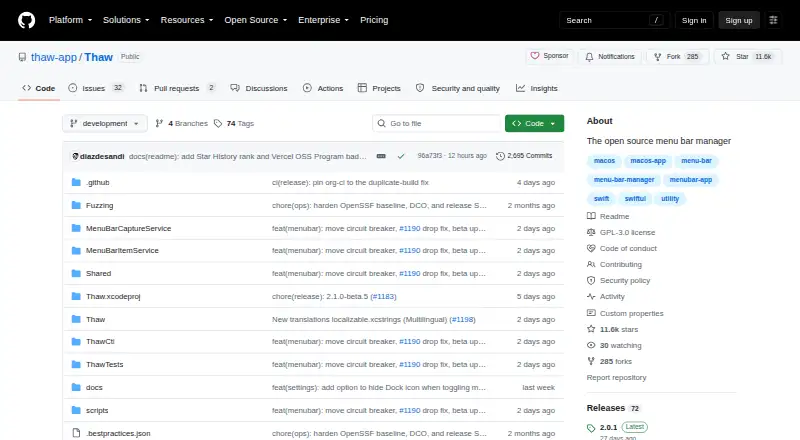
What Thaw is
Thaw is a free, open-source macOS menu bar manager for hiding, revealing, and arranging menu bar items. Users can save arrangements as profiles associated with a display, Space, or Focus filter. Conditions such as battery level, Wi-Fi network, active Focus, or a script result can determine when items appear or are hidden. Appearance controls include tint, gradients, shadows, borders, custom shapes, and light and dark mode settings. Thaw supports macOS 26 and 27 and requires macOS 26 or later to install. It includes a Raycast extension and thaw:// deep links that can be used with tools such as Alfred, Shortcuts, Keyboard Maestro, and BetterTouchTool. Thaw says it requires no account and has no tracking, analytics, or telemetry. Accessibility permission is requested on first launch; Screen Recording is optional for live item previews and wallpaper-derived tinting. The app is licensed under GPL-3.0 and can be installed with Homebrew or downloaded as a DMG from the latest GitHub release. Only the latest stable release is supported for security fixes.
Good
- Saves layouts as profiles tied to displays or Focus filters.
- Triggers can use battery, Wi-Fi, Focus, or scripts.
- Offers appearance controls including gradients and custom shapes.
- Requires no account and says it has no telemetry.
- Available through Homebrew or a DMG download.
Watch out
- Requires macOS 26 or later.
- Accessibility permission is requested at first launch.
- Screen Recording is needed for some optional features.
- Only the latest stable release receives security fixes.
Who it suits
Thaw suits a Mac user who wants to organize menu bar items with profiles and conditional visibility. It is intended as a local utility for one interactive user on their own Mac.
Verdict
Thaw offers conditional menu bar organization and a range of appearance settings for supported macOS versions. Note the macOS 26 minimum and the permissions associated with its features.
Plans and prices
From Thaw's own pricing page, checked 30 Sep 2026.
| Plan | Price | What it gives you |
|---|---|---|
| Free | Free | No purchase · no subscription · no upgrade fee for new macOS versions |
The facts
Each one read from Thaw's own pages, with the date it was checked.
Where it runs
- Appearance
- Thaw supports menu bar tint, gradients, shadows, borders, custom shapes, and appearance settings for light and dark mode.checked 30 Sep 2026
- macOS support
- The project says Thaw supports macOS 26 and 27 and requires macOS 26 or later to install.checked 30 Sep 2026
What it does
- Installation
- Thaw can be installed with Homebrew or downloaded as a DMG from the latest GitHub release.checked 30 Sep 2026
- Integrations
- Thaw supports a Raycast extension and thaw:// deep links that can be used with tools including Alfred, Shortcuts, Keyboard Maestro, and BetterTouchTool.checked 30 Sep 2026
- Intended user
- The security assurance document describes Thaw as a local macOS utility for a single interactive user on their own Mac.checked 30 Sep 2026
- Layouts
- Users can save configurations as profiles and bind them to a display, Space, or Focus filter.checked 30 Sep 2026
- License
- Thaw is available under the GPL-3.0 license.checked 30 Sep 2026
- Permissions
- Accessibility is requested on first launch; Screen Recording is optional for live item previews and wallpaper-derived tinting.checked 30 Sep 2026
- Privacy
- Thaw says it requires no account and has no tracking, analytics, or telemetry.checked 30 Sep 2026
- Purpose
- Thaw is an open-source macOS menu bar manager that hides, reveals, and arranges menu bar items.checked 30 Sep 2026
- Security
- The project says release builds are Developer ID-signed and notarized, and in-app updates use HTTPS and Sparkle EdDSA authentication.checked 30 Sep 2026
- Security support
- Only the latest stable release is supported for security fixes, and the project aims to acknowledge vulnerability reports within 48 hours.checked 30 Sep 2026
- Triggers
- Triggers can reveal or hide items based on conditions such as battery level, Wi-Fi network, active Focus, or a script result.checked 30 Sep 2026
The full review of Thaw
Overview
Thaw is a free, open-source utility for organizing the macOS menu bar. It is best suited to Mac users who want different item arrangements for different screens or contexts, rather than a single hide-and-show setup. Its strongest appeal is the combination of profiles and conditional triggers; its sharpest constraint is that installation requires macOS 26 or later.
Key features
Profiles let you save menu bar configurations and associate them with a display, Space, or Focus filter. That makes Thaw a more considered choice for users whose work or setup changes across contexts, while adding little for someone who only wants to conceal a few icons once.
Triggers can reveal or hide items based on battery level, Wi-Fi network, active Focus, or a script result. These conditions offer useful ways to adapt what is visible without manually switching arrangements, though the available trigger examples point to a tool for users willing to configure their setup rather than a purely automatic, hands-off utility.
Thaw also supports hiding, rearranging, and grouping items, plus custom menu items, keyboard shortcuts, multiple displays, and notch support. Appearance controls include tint, gradients, shadows, borders, custom shapes, and separate light- and dark-mode settings. This breadth gives users room to shape both the layout and its look; those seeking only basic icon hiding may not need the added controls.
Raycast users can use Thaw's extension, and thaw:// deep links can connect it with tools including Alfred, Shortcuts, Keyboard Maestro, and BetterTouchTool. It requires no account and says it has no tracking, analytics, or telemetry. Accessibility permission is requested on first launch; Screen Recording is optional for live item previews and wallpaper-derived tinting. Release builds are Developer ID-signed and notarized, and in-app updates use HTTPS and Sparkle EdDSA authentication. Thaw is GPL-3.0 licensed and intended as a local utility for one interactive user on their own Mac.
Pricing
Thaw's Free plan costs nothing. It has no purchase, subscription, or upgrade fee for new macOS versions, and includes the listed menu bar controls, profiles, triggers, appearance settings, and integrations. There is no free trial because the software is free. This is a straightforward fit for an individual who wants Thaw's full stated feature set without a recurring charge; it is not presented as a shared or multi-user service.
Platforms
Thaw is for macOS and requires macOS 26 or later to install; the project says it supports macOS 26 and 27. It can be installed with Homebrew or downloaded as a DMG from the latest GitHub release. The OS requirement rules it out for anyone who must remain on an earlier macOS version.
Who it's for
Thaw makes the most sense for Mac users who want context-specific menu bar layouts, conditional visibility, or detailed visual customization, especially those already using Raycast or one of the supported deep-link tools. Its single-user, local design also suits someone who wants a personal utility rather than an account-based team product. Users on macOS 25 or earlier should look elsewhere, as should anyone who only needs a minimal menu bar toggle and does not want to configure profiles or conditions.
Pros and cons
- Pros: Profiles can follow a display, Space, or Focus filter, making separate arrangements practical across changing work contexts.
- Pros: Conditional triggers, broad appearance controls, custom menu items, and keyboard shortcuts cover more than basic hiding and rearranging.
- Pros: The free plan has no purchase, subscription, or upgrade fee for new macOS versions, while the app requires no account and reports no tracking or telemetry.
- Cons: macOS 26 or later is required, excluding users who cannot upgrade to a supported release.
- Cons: Accessibility permission is requested at first launch, and optional Screen Recording is needed for live previews and wallpaper-derived tinting.
- Cons: Security fixes are supported only for the latest stable release, so keeping current matters.
Alternatives
Browse Menu Bar Customization Software for more options by category.
- SaneBar is another free macOS option; choose it if MIT-licensed open source and its maker's stated American origin are relevant priorities.
- Pelmet is a free, open-source macOS alternative that requires macOS 27, so it is a possibility only for users on that version.
- Ice 2 is free and open source for macOS, making it another option for readers who want a no-cost open-source app.
- Hidden Bar is a free, open-source alternative with support for macOS 13 Ventura or later, and macOS 10.13–12.x.
- Bartender is the paid alternative, with a free trial; its plans include an annual Pro subscription and a one-time Bartender 7 purchase.
- Vanilla is a freemium macOS option whose free plan hides menu bar icons.
- iBar-Menubar is a freemium macOS app with a free-to-download plan and in-app purchases.
- GreatBar is free for now and supports macOS 14.0 or later.
Verdict
Choose Thaw if you want a free, open-source Mac menu bar manager that can adapt layouts to displays, Spaces, Focus filters, and changing conditions. Its extensive customization and no-subscription terms are compelling, but the macOS 26 minimum is decisive: users on older systems should choose an alternative that supports their version instead.