
Ice 2
Ice 2 is a free, open-source macOS app for hiding and arranging menu bar items.
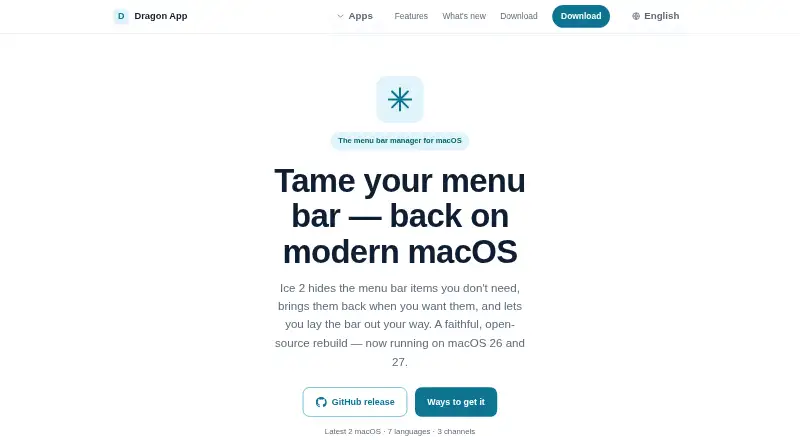
What Ice 2 is
Ice 2 is a free, open-source macOS app for hiding and arranging menu bar items. It can tuck less-used icons behind a divider, with hidden items revealed by clicking, using a hotkey, or hovering at the edge. Its Ice Bar can put hidden items in a separate bar that appears when needed. On macOS 27, the layout editor lets users place apps in Visible, Hidden, or Always-Hidden sections, saving changes as they work. That version does not include the separate Ice Bar, single-icon search, or temporary display of one icon. Ice 2 requires macOS 26 or later, and on macOS 27 it may need Accessibility permission to find and hide menu bar apps. It is available through GitHub releases and Homebrew; the Mac App Store is listed as coming soon. The support page links its license as GPLv3, and the maker directs questions and issue reports to GitHub or email.
Good
- Free and open source under GPLv3
- Reveals hidden items by click, hotkey, or hover
- Supports rearranging and grouping menu items
- Available from GitHub releases and Homebrew
Watch out
- Requires macOS 26 or later
- Several features are unavailable on macOS 27
- May require Accessibility permission on macOS 27
- Mac App Store availability is listed as coming soon
Who it suits
Ice 2 suits Mac users who want to hide, rearrange, or group menu bar items and use keyboard shortcuts. It requires macOS 26 or later.
Verdict
Ice 2 offers several ways to manage menu bar items on supported Macs. Check the macOS 27 feature limits and permission requirements if those apply to your setup.
Plans and prices
From Ice 2's own pricing page, checked 2 Oct 2026.
| Plan | Price | What it gives you |
|---|---|---|
| Ice 2 | Free | Free and open source · macOS app |
The facts
Each one read from Ice 2's own pages, with the date it was checked.
What it does
- Accessibility permission
- On macOS 27, Ice 2 finds menu bar apps through Accessibility and asks macOS to hide them; Accessibility permission may be required.checked 2 Oct 2026
- Distribution
- Ice 2 is available from GitHub releases and Homebrew; the Mac App Store is listed as coming soon.checked 2 Oct 2026
- Hide items
- It tucks rarely used icons behind a divider to keep the menu bar clear.checked 2 Oct 2026
- Ice Bar
- Ice Bar moves hidden items into a separate bar that appears on demand.checked 2 Oct 2026
- Integrations
- The maker lists Homebrew as an installation channel and does not name third-party service integrations on the product page.checked 2 Oct 2026
- Layout editor
- On macOS 27, users can drag apps into Visible, Hidden, or Always-Hidden sections, and changes save as they are made.checked 2 Oct 2026
- License
- The support page links Ice 2's license as GPLv3.checked 2 Oct 2026
- Maintainer
- Ice 2 is an independent open-source rebuild of Jordan Baird's Ice, maintained by Teddy Chan.checked 2 Oct 2026
- Open source
- Dragon App describes its apps as free and open source, with full source published on GitHub.checked 2 Oct 2026
- Purpose
- Ice 2 hides, arranges, and reveals menu bar items on macOS.checked 2 Oct 2026
- Reveal items
- Hidden items can be revealed with a click, hotkey, or by hovering over the edge.checked 2 Oct 2026
- Support
- The maker directs Ice 2 questions, bug reports, and feature requests to its GitHub issue tracker and offers support by email.checked 2 Oct 2026
Where it runs
- macOS 27 limits
- On macOS 27, the separate Ice Bar, searching for a single menu bar icon, and temporarily showing one icon are unavailable.checked 2 Oct 2026
- Platform requirement
- The support page says Ice 2 requires a Mac running macOS 26 or later.checked 2 Oct 2026
The full review of Ice 2
Overview
Ice 2 is a free, open-source macOS app for hiding and arranging menu bar icons. It suits Mac users who want a clearer menu bar without giving up quick access to less-used items. Its appeal is practical, but users on macOS 27 lose several of its more flexible reveal options.
Key features
Ice 2 tucks rarely used icons behind a divider, then lets users reveal them with a click, keyboard shortcut, or by hovering over the screen edge. That range of access methods makes it adaptable to different habits; keyboard shortcuts are particularly useful for users who prefer not to hunt for a small target.
Its Ice Bar can move hidden items into a separate bar that appears on demand, while the layout editor lets users sort apps into Visible, Hidden, and Always-Hidden sections. On macOS 27, layout changes save as they are made. The trade-off is significant on that system: Ice Bar, search for a single menu bar icon, and temporarily showing one icon are unavailable.
On macOS 27, Ice 2 finds menu bar apps through Accessibility and asks macOS to hide them, so Accessibility permission may be required. Users should factor that permission into their setup. The app also supports rearranging and grouping items, multiple displays, and keyboard shortcuts.
Pricing
Ice 2 costs nothing. The free and open-source plan includes the macOS app, with no free trial because there is no paid tier described. That makes it a straightforward choice for users who want menu bar organization without a subscription or purchase; there are no cheaper plans that trade away features.
Dragon App describes its apps as free and open source, and Ice 2 is licensed under GPLv3. Its source is published on GitHub. Users can install it through GitHub releases or Homebrew; the Mac App Store is coming soon. Questions, bug reports, and feature requests go to the GitHub issue tracker, with email support also offered.
Platforms
Ice 2 runs on macOS, with a requirement of macOS 26 or later. That makes it unsuitable for Macs that cannot run macOS 26. The macOS 27 restrictions also matter: users who specifically need the separate Ice Bar, single-icon search, or temporary single-icon display should not expect those options on that version.
Who it's for
Choose Ice 2 if you want to keep a busy Mac menu bar under control while retaining several ways to reveal hidden icons. Its free, open-source model also suits users who prefer software whose source is public. Look elsewhere if you use an older macOS release or if your macOS 27 workflow depends on features that version does not support.
Pros and cons
- Pros: Click, hotkey, and edge-hover reveal options give users a choice of how to access hidden icons.
- Pros: Visible, Hidden, and Always-Hidden sections offer clear control over which apps remain in view.
- Pros: Free, open-source distribution avoids a paid plan and makes the source available on GitHub.
- Cons: macOS 26 or later is required, ruling out older Macs.
- Cons: macOS 27 removes Ice Bar, single-icon search, and temporary single-icon display, narrowing the choices for managing hidden items.
- Cons: Accessibility permission may be required on macOS 27, which adds a permission decision to setup.
Alternatives
For a broader set of choices, browse Menu Bar Customization Software. SwiftBar is another free, open-source macOS option, but its free plan centers on running plugins from a local folder rather than Ice 2's menu-bar hiding and layout controls.
Overhang is worth considering if macOS 14 Sonoma or later and a Universal binary for Apple silicon and Intel fit your needs. SaneBar is another free, open-source option, released under the MIT License.
Thaw may suit users who value a no-purchase, no-subscription promise that also covers upgrades for new macOS versions. Vanilla offers a free plan for hiding menu bar icons.
Cornice is a free alternative for Apple Silicon Macs on macOS 26 or later. GreatBar is another free option for macOS 14 or later, though its free availability is described as being for now while the app is new. Hidden Bar is a free, open-source alternative for supported macOS versions.
Verdict
Ice 2 is a strong fit for Mac users on macOS 26 or later who want free, open-source menu bar control, especially if multiple reveal methods and distinct visibility groups matter. Its main reason to choose it is that combination of flexible access and organization at no cost. Look elsewhere if you need broad compatibility with older macOS versions or rely on Ice Bar, single-icon search, or temporary single-icon display on macOS 27.