Hidden Bar
Hidden Bar is a free, open-source macOS app that hides menu bar items for a less crowded desktop.
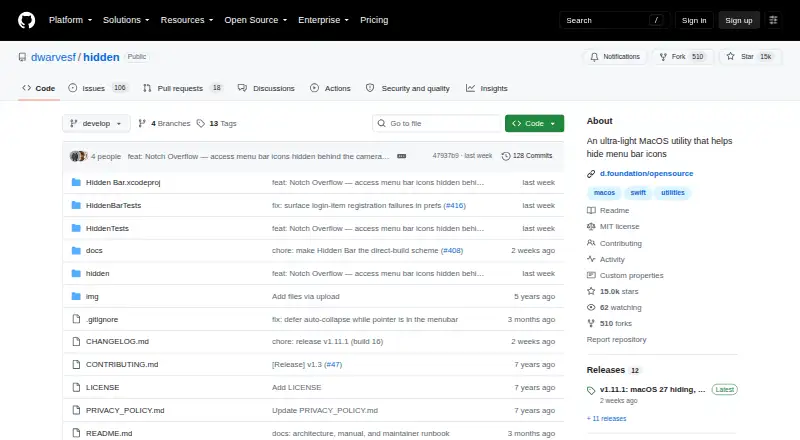
What Hidden Bar is
Hidden Bar is a free, open-source macOS app that hides menu bar items for a less crowded desktop. Clicking its arrow opens or closes the hidden section, while Command-dragging icons across the separator lets users change which items are tucked away. Preferences include automatic re-collapse after a selected delay and a system-wide shortcut to expand or collapse the bar. An optional second section remains hidden even when the main section is open; Option-click the arrow to reveal it. The app can launch at login through the macOS 13 or later SMAppService login item. It is available through Homebrew or manual download, and the project says its direct download is notarized. Hidden Bar supports macOS 13 Ventura or later, with version 1.10 supporting macOS 10.13–12.x. On macOS 27, the direct download build needs Accessibility permission to detect icon positions. Hiding is per app there, built-in macOS items stay visible, and the app must run from /Applications. Its macOS 27 hiding feature depends on a private Apple framework that a macOS update could break.
Good
- Free and open source
- Supports automatic re-collapse after a chosen delay
- Includes a system-wide expand or collapse shortcut
- Can launch at login
Watch out
- macOS 27 direct download needs Accessibility permission
- Built-in macOS items remain visible on macOS 27
- macOS 27 hiding depends on a private Apple framework
Who it suits
Hidden Bar suits Mac users who want to control which menu bar icons remain visible. Its macOS 27 behavior is relevant to users on that version of the operating system.
Verdict
Hidden Bar offers straightforward controls for keeping selected menu bar icons out of view. On macOS 27, users should consider its permission requirement and reliance on a private framework.
Plans and prices
From Hidden Bar's own pricing page, checked 2 Oct 2026.
| Plan | Price | What it gives you |
|---|---|---|
| Hidden Bar | Free | macOS 13 Ventura or later; macOS 10.13–12.x supported by v1.10 |
The facts
Each one read from Hidden Bar's own pages, with the date it was checked.
What it does
- Always-hidden section
- An optional second section stays hidden while expanded and can be revealed by Option-clicking the arrow.checked 2 Oct 2026
- Automatic collapse
- The preferences include automatic re-collapse after a chosen delay and a system-wide expand or collapse shortcut.checked 2 Oct 2026
- Distribution
- The project offers installation through Homebrew or manual download and says the direct distribution is notarized.checked 2 Oct 2026
- Documentation
- The manual covers settings, Terminal-only options, and troubleshooting.checked 2 Oct 2026
- Framework dependency
- The macOS 27 hiding feature relies on a private Apple framework that a macOS update could break.checked 2 Oct 2026
- Hide and show
- Clicking the arrow expands or collapses the hidden section, and Command-dragging icons across the separator changes which icons are hidden.checked 2 Oct 2026
- Login launch
- The app can start at login using the macOS 13 or later SMAppService login item.checked 2 Oct 2026
- Open source
- Dwarves Foundation describes Hidden Bar as an open source app provided at no cost.checked 2 Oct 2026
- Privacy
- The project says the app does not use third-party services that may collect information used to identify users.checked 2 Oct 2026
- Purpose
- Hidden Bar hides menu bar items to give a Mac a cleaner look.checked 2 Oct 2026
- Support
- The privacy policy lists [email protected] for questions or suggestions about that policy.checked 2 Oct 2026
Where it runs
- macOS 27 limits
- On macOS 27, hiding is per app, built-in macOS items remain visible, and the app must run from /Applications.checked 2 Oct 2026
- macOS 27 permission
- On macOS 27, the direct download build needs Accessibility permission to detect icon positions; without it the menu bar stays expanded.checked 2 Oct 2026
The full review of Hidden Bar
Hidden Bar is a free, open-source macOS utility for hiding selected menu bar icons. It suits Mac users who want a small, configurable cleanup rather than a broader paid app. Its controls are flexible, but macOS 27 users face a permission requirement and a hiding feature that depends on a private Apple framework.
Overview
Hidden Bar divides menu bar icons into visible and hidden sections. Click the arrow to expand or collapse the hidden section, and Command-drag icons across the separator to change which side they occupy. That simple model makes it useful for trimming clutter without permanently removing icons from view.
Its optional always-hidden section adds another layer: those icons stay concealed even when the main hidden section is expanded, and Option-clicking the arrow reveals them. The tradeoff is that users need to remember the extra gesture when they want access to those icons.
Key features
- Automatic collapse: Set a delay for re-collapsing the hidden section, or use a system-wide shortcut to expand or collapse it. This suits users who want the menu bar to tidy itself or prefer keyboard control.
- Icon organization: Hide, rearrange, and group menu bar items, with support for multiple displays. These controls offer useful organization, though they do not extend to built-in macOS items on macOS 27.
- Login launch: Hidden Bar can start at login through the macOS 13 or later SMAppService login item.
- Documentation and privacy: The manual covers settings, Terminal-only options, and troubleshooting. The project says the app uses no third-party services that may collect information used to identify users.
Pricing
Hidden Bar has one plan: free. It includes the app’s menu-item hiding, rearranging, grouping, keyboard shortcuts, and multiple-display support. There is no free trial because the app is free, and the project describes it as open source and provided at no cost.
The plan supports macOS 13 Ventura or later; macOS 10.13–12.x is supported by v1.10. There is no paid tier to unlock additional features. Users can install through Homebrew or download it manually; the direct distribution is notarized.
Platforms
Hidden Bar is for macOS. On macOS 27, the direct-download build needs Accessibility permission to detect icon positions; without it, the menu bar stays expanded. Hiding is per app, built-in macOS items remain visible, and Hidden Bar must run from the Applications folder. Its macOS 27 hiding feature relies on a private Apple framework, so a macOS update could break it.
Who it's for
Choose Hidden Bar if you want a free, open-source way to keep selected app icons out of sight and value control over how they are grouped and revealed. Its shortcuts, automatic collapse, and always-hidden section give it more than a single hide-and-show switch.
Look elsewhere if you need to hide built-in macOS items on macOS 27, want hiding to work without granting Accessibility permission to the direct-download build, or need a macOS 27 feature that does not depend on a private framework.
Pros and cons
- Pros: Free and open source, with no paid tier separating core organization controls from the basic app.
- Pros: A delay, system-wide shortcut, and always-hidden section give users several ways to manage when icons appear.
- Pros: Homebrew and manual installation provide two distribution options, and the direct download is notarized.
- Cons: On macOS 27, the direct-download build needs Accessibility permission, and hiding is limited to individual apps rather than built-in macOS items.
- Cons: The macOS 27 hiding feature relies on a private Apple framework that an OS update could break.
Alternatives
For a broader comparison, browse Menu Bar Customization Software. Choose iBar-Menubar if you want a macOS alternative with a free plan and in-app purchases. Ice 2 is another free, open-source macOS option.
SaneBar is a free, fully open-source macOS alternative. Thaw is free, with no purchase, subscription, or upgrade fee for new macOS versions. Vanilla offers a free plan for hiding menu bar icons. Overhang and Cornice are also free macOS alternatives. GreatBar is free for now and supports macOS 14.0 or later.
Verdict
Hidden Bar is a strong fit for Mac users who want free, open-source control over which app icons appear in the menu bar, especially those who value shortcuts and layered hiding. Its key drawback is macOS 27: permission is required for the direct-download build, built-in items cannot be hidden, and a private framework may leave the feature vulnerable to OS updates. Choose it for flexible, no-cost organization; look elsewhere if those limits conflict with how you manage your Mac.