
Texpile
Texpile is a free, open-source desktop editor for LaTeX, Typst, and Markdown, available on Windows, macOS, and Linux.
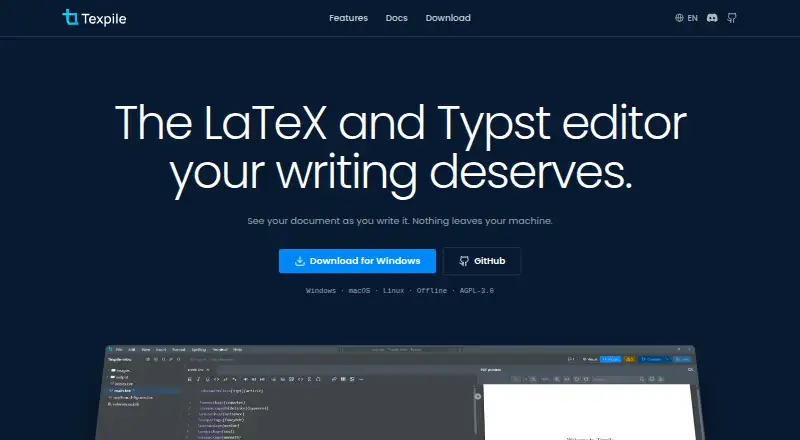
What Texpile is
Texpile is a free, open-source desktop editor for LaTeX, Typst, and Markdown, available on Windows, macOS, and Linux. It combines visual and source editing in the same document, and LaTeX and Typst files update in a live preview while you type. Editing works offline and does not require a compiler. To compile LaTeX, you need your own TeX distribution; Typst compilation and preview use tinymist. A built-in shell can run latexmk or another compile command. The editor can save project versions, show changes, and restore an earlier version. For shared work, users can share a folder for real-time editing, with guests joining by code without an account. Shared sessions are end-to-end encrypted, and the documentation says this is the feature that uses the network. Texpile can search a Zotero library and insert citations when Zotero is running with Better BibTeX installed. An optional local MCP server lets Claude Code or Codex read editor state and control app actions. The software is licensed under AGPL-3.0, and the site links to a Discord community.
Good
- Free and open source under AGPL-3.0.
- Available on Windows, macOS, and Linux.
- Editing works offline without a compiler.
- Guests can join shared editing by code without accounts.
- Project versions can be reviewed and restored.
Watch out
- LaTeX compilation requires the user's own TeX distribution.
- Typst compiling and preview require tinymist.
- Zotero citations require Better BibTeX and Zotero running.
Who it suits
Texpile suits people who edit LaTeX, Typst, or Markdown documents and want visual and source editing in one desktop app. It may also suit collaborators who need shared editing or users who want Zotero citation insertion.
Verdict
Texpile brings source editing, visual editing, and live previews together in a free desktop editor. Editing is offline, while compiling, Zotero citation insertion, and shared sessions have specific software or setup requirements.
Plans and prices
From Texpile's own pricing page, checked 30 Sep 2026.
| Plan | Price | What it gives you |
|---|---|---|
| Texpile | Free | Free; offline desktop editor |
The facts
Each one read from Texpile's own pages, with the date it was checked.
What it does
- AI integration
- An optional local MCP server lets Claude Code or Codex read editor state and control app actions.checked 30 Sep 2026
- Collaboration
- Users can share a folder for real-time editing; guests can join by code without an account.checked 30 Sep 2026
- Editing
- It offers visual and source editing for documents in the same file.checked 30 Sep 2026
- Formats and compiler
- LaTeX compilation uses the user's own TeX distribution; editing works without one.checked 30 Sep 2026
- License
- Texpile is free and open source under AGPL-3.0.checked 30 Sep 2026
- Live preview
- LaTeX and Typst documents update in a preview as the user types.checked 30 Sep 2026
- Product
- Texpile is a local desktop editor for LaTeX, Typst, and Markdown.checked 30 Sep 2026
- Security
- Shared sessions are end-to-end encrypted, and the documentation says this is the one feature that uses the network.checked 30 Sep 2026
- Support
- The site links to a Discord community for users.checked 30 Sep 2026
- Terminal
- Texpile includes a shell for latexmk or another compile command.checked 30 Sep 2026
- Typst requirement
- Typst compiling and preview use tinymist, while editing works without it.checked 30 Sep 2026
- Version control
- The editor can save project versions, show changes, and restore an older version.checked 30 Sep 2026
- Zotero integration
- Texpile can search a Zotero library and insert citations; Zotero must be running with Better BibTeX installed.checked 30 Sep 2026
The full review of Texpile
Texpile is a free desktop editor for LaTeX, Typst, and Markdown, built for people who want visual and source editing in one local workspace. Its strongest fit is a writer who values offline work and flexible document editing; the trade-off is that compiling and some integrations depend on separate tools or setup.
Overview
Texpile keeps a document’s visual and source editing in the same file, with live previews for LaTeX and Typst. Ordinary editing works offline, while shared sessions are the network-dependent exception. That combination suits solo work as well as occasional collaboration, without making an online service the center of the workflow.
The editor is free and open source under AGPL-3.0, and runs on Windows, macOS, and Linux. Its shell, version history, and optional AI control interface add useful workflow options, though the compiler and citation features rely on software outside Texpile.
It belongs in the broader LaTeX Editors category, while also supporting Typst and Markdown.
Key features
Visual and source editing
Switching between visual and source editing within one file can accommodate different stages of a document without maintaining parallel copies. LaTeX and Typst previews update as the user types, which makes this especially useful for writers who want to check rendered output during editing.
Editing does not require a compiler. LaTeX compilation uses the user’s own TeX distribution, and Typst compiling and preview require tinymist. If those tools are absent, editing remains possible, but compiling or previewing the relevant format does not.
Collaboration and version history
Users can share a folder for real-time editing, and guests can join by code without creating an account. Sessions are end-to-end encrypted. This is a practical option for collaborators who need shared editing without account setup, but it is not an entirely offline workflow.
Texpile can save project versions, show changes, and restore an earlier version. That gives users a built-in way to inspect and undo project changes; Git integration is also supported for projects managed with version control.
Integrations and shell
The included shell can run latexmk or another compile command, which gives users a direct place to work with their own compilation workflow. Zotero citation insertion can search a library, but requires Zotero to be running with Better BibTeX installed.
An optional local MCP server lets Claude Code or Codex read editor state and control app actions. It is an additional route for users of those tools, rather than a requirement for editing.
Pricing
Texpile’s Free plan costs nothing and provides the offline desktop editor. The product is free and open source under AGPL-3.0; there is no free trial because the editor itself is free. No paid plan is part of this offering, so there is no paid tier to weigh against the free version.
Platforms
Texpile runs as a desktop app on Windows, macOS, and Linux. Offline editing makes it suitable for users who prefer local work. Collaboration uses the network, and compiling requires the relevant external tools: a TeX distribution for LaTeX or tinymist for Typst preview and compiling.
Who it's for
Texpile is a strong choice for LaTeX, Typst, or Markdown writers who want visual and source editing together, offline access, project versions, and the option to collaborate in shared sessions. It is less suitable for someone who expects compiling to work without installing a TeX distribution or tinymist, or who needs Zotero citations without running Better BibTeX.
Pros and cons
- Pros: Visual and source editing share one file, with live LaTeX and Typst previews.
- Pros: Offline editing, project version restoration, and Git integration support a local workflow.
- Pros: Real-time folder sharing allows code-based guest access, with end-to-end encrypted sessions.
- Cons: LaTeX compilation depends on the user’s TeX distribution, and Typst compiling and preview require tinymist.
- Cons: Zotero citation insertion depends on Zotero and Better BibTeX running.
- Cons: Shared editing uses the network, so the collaboration feature is not part of an offline-only workflow.
Alternatives
- JianTeX is worth considering for readers who want a free and open-source option with desktop, web, and self-hosted availability.
- TeXposit is a web-based alternative whose free plan includes unlimited projects and collaborators, an AI assistant, full version history, and no compile timeouts.
- Oleafly is another free desktop option for Windows, macOS, and Linux; its desktop app has no subscription, though paid AI providers may charge for usage.
- Overleaf is a web alternative with unlimited projects on its free plan, but limits each project to one collaborator.
- LyX is a free alternative for readers who want software released under the GPL.
- VerbTeX supports mobile platforms as well as desktop and web, but its free plan caps local projects, documents, uploads, and cloud projects.
- TeXstudio is a free GPL v2 editor for Windows, Linux, and macOS.
- Texmaker is a free desktop LaTeX editor for Windows, macOS, and Linux; it requires a separate LaTeX distribution.
Verdict
Choose Texpile if you want a free, local editor that combines visual and source editing with offline access and optional real-time collaboration. Its main advantage is that breadth of workflow in one desktop app; look elsewhere if you need compilation without installing supporting software or prefer a web-first editor.
Alternatives to Texpile
- 1

Overleaf
Free planOpen sourceWebAPIExtensionLinux8.4From $8.25 a month - 2
Verbosus
Free planAndroidiOSWebWindows8.0$15.99 one-time - 3
VerbTeX
Free planAndroidiOSWebmacOS8.0Free plan - 4
Papeeria
Free planAndroidiOSWeb7.4From $5 a month - 5
Avidemux
Free planOpen sourceWebLinuxmacOSWindows7.3Free plan - 6

Oleafly
Free planOpen sourceAPILinuxmacOSSelf-hosted7.2Free plan