termshark
termshark is a terminal interface for tshark, inspired by Wireshark, for inspecting packet captures and network traffic.
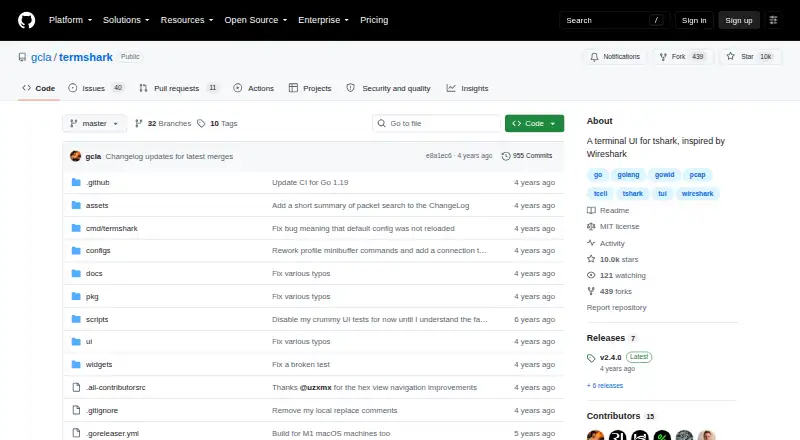
What termshark is
termshark is a terminal interface for tshark, inspired by Wireshark, for inspecting packet captures and network traffic. It can read pcap files and sniff live interfaces when tshark is permitted. The project describes using it to analyze a capture on a remote machine without copying it to a desktop. Users can filter captures with Wireshark display filters, view conversations by protocol, and reassemble TCP and UDP streams. Packet search covers packet lists, structures, and bytes, with text, regular expressions, hexadecimal input, or display filters. The tool can import a Wireshark column set when it finds the user's Wireshark configuration; its guide also includes a way to transfer the current pcap using Magic Wormhole. termshark is free and MIT-licensed, with supported platforms including Linux, macOS, BSD variants, Android through Termux, and Windows. Packet analysis requires tshark 1.10.2 or higher in the user's PATH. The project notes that tshark has features termshark does not yet expose.
Good
- Reads pcap files and can sniff live interfaces
- Uses Wireshark display filters
- Reassembles TCP and UDP streams
- Supports Linux, macOS, BSD, Android through Termux, and Windows
Watch out
- Requires tshark 1.10.2 or higher in PATH
- Some tshark features are not exposed
- Live sniffing depends on tshark permissions
Who it suits
termshark suits people who want to inspect captures from a terminal, including when working on a remote machine. It requires tshark in the user's PATH and is useful only where live capture permissions allow sniffing.
Verdict
termshark offers packet inspection and flow analysis in a terminal, including for remote captures. Its dependence on tshark and the features it does not expose are important limits to weigh.
Plans and prices
From termshark's own pricing page, checked 7 Oct 2026.
| Plan | Price | What it gives you |
|---|---|---|
| termshark | Free | MIT-licensed · Requires tshark 1.10.2 or higher |
The facts
Each one read from termshark's own pages, with the date it was checked.
What it does
- Capture and files
- Termshark can read pcap files and sniff live interfaces.checked 7 Oct 2026
- Capture permissions
- Live interface sniffing is available where tshark is permitted.checked 7 Oct 2026
- Conversations
- Termshark can show network conversations by protocol.checked 7 Oct 2026
- Dependencies
- Termshark depends on tshark for packet analysis, and tshark must be in the user's PATH.checked 7 Oct 2026
- Designed for
- The project describes use for debugging on a remote machine when a large pcap need not be copied back to a desktop.checked 7 Oct 2026
- Filtering
- It filters packet captures and live captures using Wireshark display filters.checked 7 Oct 2026
- Filters
- Termshark supports Wireshark display filters.checked 7 Oct 2026
- Flow inspection
- It can reassemble and inspect TCP and UDP flows.checked 7 Oct 2026
- Integration
- Termshark depends on tshark from the Wireshark project for packet analysis and requires tshark in PATH.checked 7 Oct 2026
- Known limitation
- The project says tshark has features that termshark does not yet expose.checked 7 Oct 2026
- License
- The repository identifies the project as MIT licensed.checked 7 Oct 2026
- License and warranty
- The software is distributed under the MIT License and provided without warranty.checked 7 Oct 2026
- Notable limit
- The repository notes that tshark has features that termshark does not yet expose.checked 7 Oct 2026
- Packet input
- It can read pcap files or sniff live interfaces when tshark is permitted.checked 7 Oct 2026
- Packet search
- The user guide says packet search can search packet-list, packet-structure, and packet-byte data using strings, regular expressions, hexadecimal input, or display filters.checked 7 Oct 2026
- Purpose
- Termshark is a terminal user interface for tshark, inspired by Wireshark.checked 7 Oct 2026
- Release
- The latest listed release is v2.4.0, released on July 11, 2022.checked 7 Oct 2026
- Search and profiles
- The v2.4.0 release added packet search and profiles for colors and columns.checked 7 Oct 2026
- Single executable
- The project says its Go implementation compiles to a single executable on each platform.checked 7 Oct 2026
- Streams
- Termshark can reassemble TCP and UDP streams.checked 7 Oct 2026
- Support
- The project directs users to GitHub for setup questions, bugs, and feature requests.checked 7 Oct 2026
- Transfer
- The user guide lists a command to transfer the current pcap using Magic Wormhole.checked 7 Oct 2026
Where it runs
- Platform builds
- The README lists downloads for Linux, macOS, BSD variants, Android through Termux, and Windows.checked 7 Oct 2026
- Platform support
- The project lists Linux, macOS, BSD variants, Android through Termux, and Windows as supported platforms.checked 7 Oct 2026
The full review of termshark
Overview
Termshark brings packet-capture inspection into a terminal, using tshark for analysis and drawing on Wireshark’s display filters. It suits command-line users troubleshooting traffic on a remote machine, especially when moving a large capture to a desktop is inconvenient. Its focused workflow is useful, but it cannot surface every capability available through tshark.
Key features
Termshark can open pcap files and sniff live interfaces when tshark is permitted to capture. Wireshark display filters work with saved and live traffic, and protocol-based conversation views help orient an investigation around related network activity. This is a practical toolkit for narrowing down a problem without leaving the terminal, though users who rely on tshark features that termshark does not expose will need another interface or workflow.
For flow-level inspection, it can reassemble TCP and UDP streams. Packet search reaches the packet list, structure, and bytes, and accepts strings, regular expressions, hexadecimal input, or display filters. That range is useful when a packet filter alone does not locate the relevant detail. Profiles can retain color and column preferences; termshark can also import a Wireshark column set when it can find the user's Wireshark configuration.
Remote work is a notable fit: users can analyze a capture on another machine without copying it to a desktop. The guide also includes a command for transferring the current pcap with Magic Wormhole. Termshark is implemented in Go and distributed as a single executable for each platform, but its analysis still depends on tshark being installed and in the user's PATH. Live sniffing also depends on tshark having permission to capture.
Pricing
Termshark is free and open source under the MIT License. Its sole listed plan, Termshark, costs nothing and requires tshark 1.10.2 or higher. There is no free trial because there is no paid tier to trial. The price removes a licensing cost, not the setup requirement: users must have the compatible tshark dependency available. The software is provided without warranty.
Platforms
Termshark supports Linux, macOS, BSD variants, Android through Termux, and Windows. That breadth makes it viable across a range of command-line environments, although capture permissions and the tshark dependency remain practical requirements. The project’s latest listed release is v2.4.0, released July 11, 2022.
Who it's for
Choose termshark if you already work in a terminal and need to inspect packet files or permitted live traffic, particularly on a remote machine where copying a large pcap is undesirable. Its filters, conversation views, search, and stream reassembly cover useful stages of packet investigation. Look elsewhere if your workflow depends on tshark features that termshark has not exposed, or if you cannot install and configure tshark.
Pros and cons
- Pros: Remote capture analysis avoids the need to copy a large pcap to a desktop.
- Pros: Display filters, protocol conversations, stream reassembly, and several search modes support both packet-level and flow-oriented investigation.
- Pros: Free MIT-licensed software with builds across desktop systems, BSD variants, and Android through Termux.
- Cons: tshark must be installed, meet the minimum version requirement, and be in PATH; live sniffing additionally requires capture permission.
- Cons: Some tshark features are not available through termshark, limiting it for users who need the full tshark feature set.
- Cons: The latest listed release dates to July 11, 2022, so readers seeking a more recently listed release should consider other options.
Alternatives
TShark is the direct choice when you want tshark itself rather than a terminal interface that exposes only part of its feature set. For a graphical packet-analysis workflow, Wireshark is free, while termshark is oriented around terminal use.
Scapy is another free option, with a Python 3.7+ requirement and GPLv2 license; consider it if that platform and license suit your needs. NETCAP offers a free Core plan described as an open-source CLI with 66+ audit record types and community support; its Pro plan is $548 a month. Pick it when those audit records or its stated support model matter more than termshark's capture-focused terminal interface.
NetworkMiner, PacketSnitch, Kismet, and Zui are also alternatives to compare.
Browse more options in Network Protocol Analyzers and Network Packet Analyzer Software.
Verdict
Termshark is a strong fit for command-line users who need focused packet and flow inspection on local or remote systems without paying for a license. Its remote workflow and useful search and stream tools are the case for choosing it; the required tshark setup and features it does not expose are the reasons to choose tshark or another analyzer instead.
Getting started
- Open the termshark project website on GitHub.
- Choose a build for Linux, macOS, BSD variants, Android through Termux, or Windows.
- Install or otherwise make tshark 1.10.2 or higher available in your PATH.
- Open a pcap file or use tshark-permitted access to sniff a live interface.
Limits worth knowing
There is no paid-plan distinction: termshark is free and MIT-licensed. Its packet analysis requires tshark 1.10.2 or higher in the PATH, and some tshark features are not yet exposed.
Questions
How much does termshark cost?
It is free and MIT-licensed.
Which platforms does it support?
The project lists Linux, macOS, BSD variants, Android through Termux, and Windows.
Does it need tshark?
Yes. Packet analysis depends on tshark 1.10.2 or higher being available in the user's PATH.
Can it inspect live traffic as well as pcap files?
It can read pcap files and sniff live interfaces when tshark is permitted.
Is termshark open source?
Yes. The repository identifies it as MIT-licensed.
What is a limitation compared with tshark?
The project notes that tshark has features termshark does not yet expose.
Alternatives to termshark
- 1

NETCAP
Free planOpen sourceWebAPILinuxmacOS8.1From €49 a month - 2

A-Packets
Free planWebAPILinuxSelf-hosted7.5From $99 a year - 3
Wireshark
Free planOpen sourceAPILinuxmacOSSelf-hosted7.5Free plan - 4
Colasoft Capsa
Free planWindows7.4$295 one-time - 5

Arkime
Free planOpen sourceWebAPILinuxSelf-hosted7.3Free plan - 6
OpenGrep
Free planOpen sourceAPILinuxmacOSSelf-hosted7.3Free plan