
TakeCost
TakeCost is a construction takeoff and estimating tool for turning drawings into measured quantities, cost estimates, and client proposals.
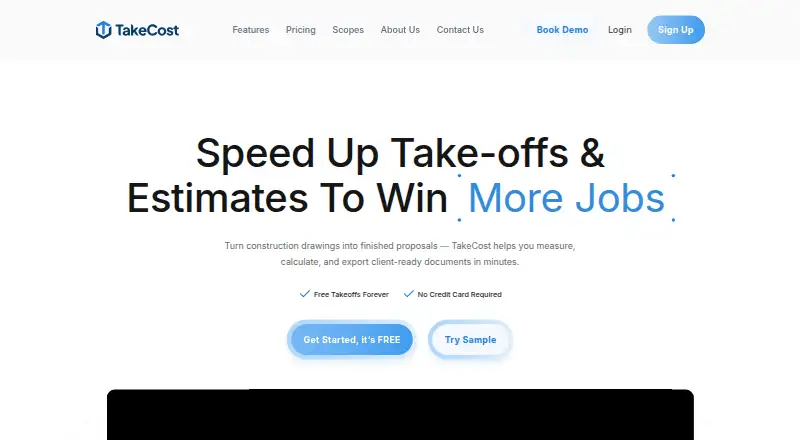
What TakeCost is
TakeCost is a construction takeoff and estimating tool for turning drawings into measured quantities, cost estimates, and client proposals. It measures areas, lengths, counts, and elevations on plans, then connects those quantities to material and labor costs, markups, and pricing adjustments. Smart Scope Assemblies translate measured geometry into quantities for systems such as walls, slabs, and framing. Estimates can be turned into proposals or shared as bid documents. AI-assisted features can scale drawings, label sheets, suggest assemblies, check estimates, and draft scope notes and inclusions or exclusions. It accepts single- and multi-page PDFs, JPGs, and PNGs, with Imperial or Metric units. TakeCost runs on Android, iOS, macOS, web, and Windows. Its free Core plan permits one new takeoff file per month, while previous projects remain accessible. Accelerated costs $49/mo, billed $490/year, and includes unlimited takeoffs and priority support. Integrations are listed as a future development item, with no current integrations named.
Good
- Measures areas, lengths, counts, and elevations on drawings
- Supports PDF, JPG, and PNG plans
- Works with Imperial and Metric units
- Exports spreadsheet and PDF bid documents
- Free Core plan includes full takeoff tools
Watch out
- Core permits one new takeoff file monthly
- Accelerated is $49/mo, billed $490/year
- Current integrations are not named
Who it suits
TakeCost suits general contractors, builders, subcontractors, and architects or designers estimating construction work. It can fit users who want measurements, pricing, and bid proposals connected in one workflow.
Verdict
TakeCost links drawing measurements to estimates and proposal outputs, with optional AI assistance and multiple export formats. Check the Core file limit and Accelerated billing term against your workload.
Plans and prices
From TakeCost's own pricing page, checked 29 Sep 2026.
| Plan | Price | What it gives you |
|---|---|---|
| Core | Free | 1 new takeoff file each month · Full takeoff tools for area, length, and count · Unlimited proposals and revisions · AI assistant · Free |
| Accelerated | $49 a month | Unlimited takeoffs · Scope-based pricing · 1-click proposals · Spreadsheet and PDF markup exports · Smart Scopes · Priority support · AI automation features · $490/year; Save $98 • 2 months free |
| Enterprise | Priced on request | Custom enterprise pricing · Contact us for custom enterprise pricing. |
The facts
Each one read from TakeCost's own pages, with the date it was checked.
What it does
- AI automation
- AI-assisted tools can auto-scale drawings, name sheets, suggest assemblies, validate estimates, and generate inclusions, exclusions, and scope notes.checked 29 Sep 2026
- Connected workflow
- It connects takeoff quantities to pricing and proposal-ready outputs so changes can flow through the project.checked 29 Sep 2026
- Estimating
- The estimate builder connects quantities to material and labor costs and supports markups and pricing adjustments.checked 29 Sep 2026
- Integrations
- The maker's About page lists app integrations as a future development item and does not name current integrations.checked 29 Sep 2026
- Intended users
- The maker presents TakeCost for general contractors, builders, subcontractors, and architects and designers who estimate construction work.checked 29 Sep 2026
- Measurements
- Users can measure areas, lengths, counts, and elevations directly on drawings.checked 29 Sep 2026
- Privacy and AI data
- TakeCost says it may use anonymized user-generated drawings and design data to improve AI features and says it does not sell personal information.checked 29 Sep 2026
- Proposals and exports
- Users can generate client-ready proposals from estimates and export or share bid documents.checked 29 Sep 2026
- Purpose
- TakeCost is a digital construction takeoff and estimating tool for uploading plans, measuring materials, building estimates, and creating proposals.checked 29 Sep 2026
- Security
- The maker says it runs daily backups and uses encrypted storage and limited access controls; its privacy policy says it takes reasonable security measures and cannot guarantee absolute security.checked 29 Sep 2026
- Smart scopes
- Smart Scope Assemblies convert measured geometry into material quantities for walls, slabs, framing, and other construction systems.checked 29 Sep 2026
- Support
- Support is available through help desk tickets, live chat, email, and phone; the Accelerated plan includes priority support.checked 29 Sep 2026
- Supported files and units
- TakeCost supports single-page and multi-page PDF plans, JPG and PNG images, and Imperial and Metric units.checked 29 Sep 2026
Money
- Free tier limit
- The Core plan allows one new takeoff file per month, while past projects remain accessible.checked 29 Sep 2026
The company
- Headquarters
- Woodbridge, Ontario, Canadachecked 28 Sep 2026
The full review of TakeCost
Overview
TakeCost is a construction takeoff and estimating app for contractors and design professionals who turn plans into priced scopes and bids. It is best suited to teams that want measurements, estimates, and proposals connected in one workflow.
Its strongest case is the path from drawing quantities to client-ready output; the main caveat is that the free plan permits just one new takeoff file each month.
Key features
Takeoffs and scopes
TakeCost measures areas, lengths, counts, and elevations on drawings, then Smart Scope Assemblies can translate measured geometry into quantities for systems such as walls, slabs, and framing. Custom assemblies add flexibility for teams with their own estimating structures. These are 2D measurements, so the product is aimed at plan-based takeoffs rather than a broader 3D modeling workflow.
Estimates and proposals
The estimate builder links quantities to material and labor costs, with markups and pricing adjustments. Users can generate proposals from estimates, revise them, and export or share bid documents. Keeping quantities and pricing connected should help when project changes affect the estimate, while spreadsheet and PDF markup exports give paid users ways to carry work into other workflows.
AI and file support
AI tools can auto-scale drawings, name sheets, suggest assemblies, validate estimates, and draft inclusions, exclusions, and scope notes. These functions may reduce repetitive setup, but TakeCost says it may use anonymized drawings and design data to improve AI features. It says it does not sell personal information; organizations with strict drawing-data policies should weigh that use before adopting the AI features.
Plans can be single-page or multi-page PDFs, JPGs, or PNGs, in Imperial or Metric units. The supported formats cover common drawing inputs, though the maker's About page describes integrations as future development rather than naming current connections to other apps.
Pricing
TakeCost is freemium, with a 14-day trial and paid service from $49/mo. The Core plan is free, billed Free. It includes full area, length, and count takeoff tools, unlimited proposals and revisions, and an AI assistant. Its cap of one new takeoff file per month makes it more suitable for occasional estimating or evaluation than ongoing bid volume; past projects remain accessible.
Accelerated costs $49 a month, billed $490/year, with a stated saving of $98 and two months free. It adds unlimited takeoffs, scope-based pricing, one-click proposals, spreadsheet and PDF markup exports, Smart Scopes, priority support, and AI automation features. The annual billing commitment is worth considering: it suits regular estimating work where unlimited takeoffs and the added scope and export tools justify paying upfront.
Enterprise has custom pricing. It is the option for organizations seeking an enterprise arrangement, but no seat count or feature package is defined here. Support across the service includes help desk tickets, live chat, email, and phone; priority support is included with Accelerated.
Platforms
TakeCost supports Android, iOS, macOS, web, and Windows, giving users options across mobile, desktop, and browser environments. Its plan inputs include PDF, JPG, and PNG files, and measurements work in Imperial and Metric units.
Who it's for
General contractors, builders, subcontractors, and architects or designers estimating construction work are the intended audience. TakeCost is a stronger fit for users who want measurement, costing, and proposal preparation linked together than for those who need established named integrations. The one-file monthly Core limit favors light use; frequent estimators will need Accelerated or custom-priced Enterprise.
Pros and cons
- Pro: Measurements connect to material and labor estimates and proposal outputs, keeping takeoff quantities tied to bid work.
- Pro: Smart Scope Assemblies and custom assemblies support translating geometry into construction quantities.
- Pro: PDF, JPG, and PNG support, both unit systems, and five platform options accommodate varied drawing and device workflows.
- Con: Core allows only one new takeoff file per month, a serious constraint for regular estimating.
- Con: Accelerated's displayed monthly price is paired with $490/year billing, so the annual term matters when budgeting.
- Con: Current app integrations are not named, and AI improvement may use anonymized drawing and design data.
Alternatives
Construction Takeoff Software is a useful category starting point for comparing more takeoff tools.
- usBIM.platform suits readers who want free online applications and 10 GB of cloud storage, with additional applications available through subscriptions.
- OpenTakeoff is the better fit for someone seeking free, open-source software with no account requirement, rather than TakeCost's integrated paid estimating workflow.
- Bidwright offers free desktop and self-hosted options for readers who prefer those deployment choices; its desktop app is single-user and leaves AI disabled until the user adds their own key.
- MeasureSquare is worth considering for retail flooring work involving in-store sales and on-site consultations; its Mobile Retail plan is $54 a month for 1 user, billed usd / Month.
- STACK may fit users who want a free tier capped at one active project per month, 300 plan pages, 50 measurements per project, and one viewer seat.
- On-Screen Takeoff and Quick Bid is an option for readers seeking a quote-based, demo-led paid product rather than a published per-month plan.
- CostX is another paid option with a free plan.
- Kreo BIM Takeoff may suit readers willing to pay $65 a month, billed annually, for its Pro plan with unlimited usage; its Enterprise plan is custom priced.
Verdict
TakeCost is a good fit for construction estimators who want drawing measurements to feed directly into costs and proposals, especially when Smart Scopes and unlimited takeoffs will see regular use. Choose Accelerated if that connected workflow earns its $490/year commitment; look elsewhere if you need more than one monthly takeoff without a paid plan, named current integrations, or tighter limits on AI data use.
Getting started
- Visit https://takecost.com/.
- Choose the free Core plan or review the Accelerated plan at $49/mo, billed at $490/year.
- Open TakeCost on Android, iOS, macOS, web, or Windows.
- Upload a PDF plan or JPG or PNG image.
- Measure the drawing and build an estimate from the quantities.
Limits worth knowing
Core allows one new takeoff file per month, although past projects remain accessible. Accelerated includes unlimited takeoffs; Enterprise pricing is custom.
Questions
Does TakeCost have a free plan?
Yes. Core is free and allows one new takeoff file per month; past projects remain accessible.
How much does Accelerated cost?
It costs $49/mo, billed at $490/year.
What platforms does TakeCost support?
It is available on Android, iOS, macOS, web, and Windows.
What drawing and export formats does it support?
It accepts PDF, JPG, and PNG plans and exports spreadsheets and PDFs.
Does TakeCost have integrations?
The maker describes integrations as a future development item; no current integrations are named.
What security and privacy practices does TakeCost describe?
The maker says it uses daily backups, encrypted storage, and limited access controls, while noting it cannot guarantee absolute security. It may use anonymized user-generated drawings and design data to improve AI features and says it does not sell personal information.
Alternatives to TakeCost
- 1
STACK
Free planAndroidiOSWebAPI8.2From $49 a month - 2

MeasureSquare
Free planAndroidiOSWebAPI8.1From $540 a year - 3
Autodesk Forma Takeoff
AndroidiOSWebAPI7.7From $108 a month - 4

Vertigraph Products
Free planWebAPImacOSWindows7.7From $150 a year - 5

Bidwright
Free planOpen sourceWebAPILinuxmacOS7.6Free plan - 6
Easy Takeoffs
AndroidiOSWebLinux7.6From $399 a year