
Bidwright
Bidwright is an open-source construction estimating workspace for handling bids from intake and takeoff through pricing, review, and quote delivery.
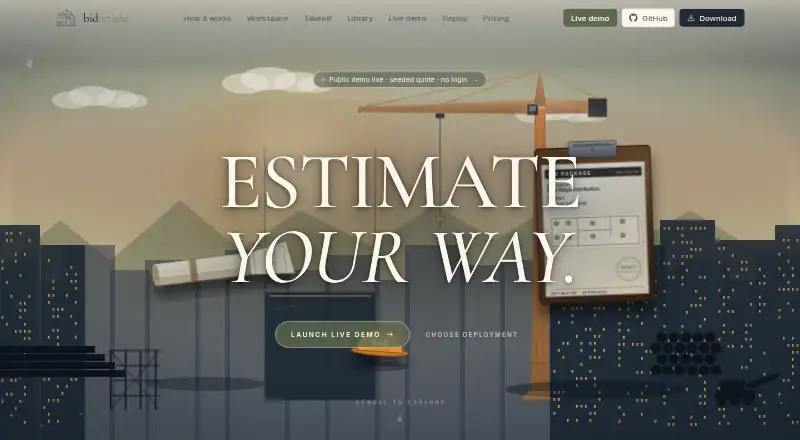
What Bidwright is
Bidwright is an open-source construction estimating workspace for handling bids from intake and takeoff through pricing, review, and quote delivery. Estimators can work manually, ask AI to review an estimate, or have an agent draft line items for their review. PDF takeoff supports count, linear, area, and region annotations; 3D model takeoff extracts quantities and supports filtered bills of materials and revision comparisons. Viewers cover PDF, DOCX, XLSX, DWG/DXF, email files, Bluebeam markups, RTF, and ZIP. Its estimator library includes ratebooks, assemblies, labor units, cost intelligence, playbooks, knowledge, and datasets. The desktop app stores data locally and does not require a cloud account. Manual workflows can run without outbound AI calls, and Docker deployments can run offline or air-gapped after setup. Desktop and Docker self-host options are free. Desktop AI requires a user-provided key, and AI usage is billed directly by the provider. Hosted service is coming soon, with pricing not listed.
Good
- Free desktop app and Docker self-host option
- PDF and 3D model takeoff tools
- Local desktop data without a cloud account
- Manual workflows can run without AI calls
Watch out
- Desktop AI requires adding your own key
- AI usage is billed by the provider
- Hosted service is coming soon; pricing is unlisted
- Embedding in another SaaS under AGPL requires offering source
Who it suits
The desktop app is positioned for an individual estimator, owner-operator, or evaluator. Docker self-hosting is aimed at a small team or power user.
Verdict
Bidwright combines estimating, takeoff, document viewing, and optional AI workflows in an open-source workspace. Its free desktop and self-hosted options have different intended users, while AI costs are handled by the user's provider.
Plans and prices
From Bidwright's own pricing page, checked 14 Oct 2026.
| Plan | Price | What it gives you |
|---|---|---|
| Desktop app | Free | Single user · macOS, Windows, Linux · embedded Postgres/API/web · AI requires own key · Free/download |
| Docker self-host | Free | Self-managed server · multi-user · web/API/worker/Postgres/Redis/pgvector · BYOK · Free under AGPL-3.0 |
| Hosted | Priced on request | Managed database, workers, storage, backups, monitoring and updates · waitlist open · SSO, audit logs and data residency planned · Coming soon; pricing will be published before general availability |
The facts
Each one read from Bidwright's own pages, with the date it was checked.
What it does
- 2D takeoff
- PDF takeoff supports calibrated count, linear, area and region annotations, symbol detection, region questions and PDF markup export.checked 14 Oct 2026
- 3D takeoff
- 3D workflows ingest IFC, Revit through Autodesk APS, DWG and Navisworks files, extract element quantities, create filtered BOMs and compare revisions.checked 14 Oct 2026
- AI intake
- The agent can classify bid-package documents, create worksheets, take off symbols and draft cited line items while the user remains editor of record.checked 14 Oct 2026
- AI integrations
- Bidwright accepts user keys for Anthropic, OpenAI, OpenRouter and Gemini, or local LM Studio with Ollama embeddings.checked 14 Oct 2026
- AI review
- Review combines rule-based quality checks with cited AI coverage, gap and risk findings that users can resolve, dismiss or defer.checked 14 Oct 2026
- AI workflows
- Users can estimate manually, have AI review an estimate, or let an agent draft line items for their review.checked 30 Sep 2026
- API and MCP
- The public repository describes a Fastify API, CLI endpoints under /api/cli/* and an MCP server exposing estimate, knowledge, model, quote, review, system and vision tools.checked 14 Oct 2026
- Data and security
- The desktop app stores data locally and does not require a cloud account; the site says organization AI keys are not visible to Bidwright.checked 30 Sep 2026
- Data control
- The site says desktop data stays on the machine, no cloud account is required, and local deployments can operate offline or air-gapped.checked 14 Oct 2026
- Desktop packaging
- Desktop releases are Electron bundles with embedded Postgres, API and web app for macOS DMG, Windows installer and Linux AppImage.checked 14 Oct 2026
- Documentation depth
- The repository includes setup documentation, Docker files, environment examples, API/web/worker apps and a monorepo development stack using Node.js 20+, pnpm 10+ and Docker Desktop.checked 14 Oct 2026
- Document support
- The workspace lists viewers for PDF, DOCX, XLSX, DWG/DXF, MSG/EML, Bluebeam markups, RTF, and ZIP files.checked 30 Sep 2026
- Document viewers
- The workspace lists viewers for PDF, DOCX, XLSX, DWG/DXF, MSG/EML, Bluebeam markups, RTF and ZIP files.checked 14 Oct 2026
- Estimating library
- The library contains resources, ratebooks, assemblies, tiered labor units, cost intelligence, estimator playbooks, knowledge and datasets.checked 14 Oct 2026
- Estimator library
- The library includes resources, ratebooks, assemblies, labor units, cost intelligence, estimator playbooks, knowledge, and datasets.checked 30 Sep 2026
- Extensibility
- The repository documents a plugin framework with auditable extensions plus provider adapters for several hosted and local models.checked 14 Oct 2026
- Hosted availability
- Managed hosting is still a waitlist product and its pricing has not yet been published.checked 14 Oct 2026
- Hosted controls
- Hosted is coming soon; SSO, audit logs, and data residency are listed as planned capabilities.checked 30 Sep 2026
- Intended users
- The desktop app is positioned for one estimator, an owner-operator, or an evaluator, while Docker is positioned for a small team or power user.checked 30 Sep 2026
- Key handling
- Bidwright says organizations bring their own provider keys, the service can see usage but not keys, and providers bill AI usage directly.checked 14 Oct 2026
- License
- Source code is licensed AGPL-3.0-only; embedding it in another SaaS requires offering source to users, with commercial licensing available for different terms.checked 14 Oct 2026
- License limit
- The pricing FAQ says embedding Bidwright in another SaaS under AGPL requires offering source to users, and directs users seeking another arrangement to ask about a commercial license.checked 30 Sep 2026
- Limit: demo reliability
- The getting-started guide warns that the hosted demo can return HTTP 502 errors and may be unreliable.checked 14 Oct 2026
Money
- AI billing
- AI usage is billed directly by the user's provider; Bidwright says it does not proxy or rebill tokens.checked 30 Sep 2026
The full review of Bidwright
Bidwright is an open-source construction estimating workspace that carries bids from intake through pricing and quote delivery. It best suits solo estimators who want local desktop software or small teams willing to run their own server. Its broad takeoff and document support are appealing, but hosted access is still forthcoming.
Overview
Bidwright brings bid management, estimating, document review, and quote preparation into one workspace. Estimators can work manually, ask AI to review an estimate, or have an agent draft line items for a person to check. Keeping manual workflows independent of AI makes the software usable without outbound AI calls; AI is an optional aid rather than a requirement.
The desktop app keeps data locally and requires no cloud account. Docker deployments can run offline or air-gapped after setup, but self-hosting means taking responsibility for the infrastructure. Hosted controls such as SSO, audit logs, and data residency are planned, not part of the current offering.
For category comparisons, see Construction Estimating Software and Construction Takeoff Software.
Key features
Takeoff and document review
PDF takeoff covers count, linear, area, and region annotations. For 3D models, Bidwright extracts element quantities and supports filtered bills of materials and revision differences. The workspace also lists viewers for PDF, DOCX, XLSX, DWG/DXF, MSG/EML, Bluebeam markups, RTF, and ZIP files. This breadth can keep plan review and estimating resources together, though the value of the 3D workflow depends on whether a team's bids use models as well as drawings.
Estimating resources and AI
The estimator library spans resources, ratebooks, assemblies, labor units, cost intelligence, estimator playbooks, knowledge, and datasets. AI can connect through the user's own keys for Anthropic, OpenAI, OpenRouter, or Gemini, with LM Studio and Ollama as local options. Usage is billed directly by the chosen provider; Bidwright does not proxy or rebill tokens. That gives users control over provider choice, while AI costs sit outside the software's free price.
Organization AI keys are not visible to Bidwright. The license also matters if a company plans to embed the software in another SaaS: AGPL use requires offering source to users, while a different arrangement requires asking about a commercial license.
Pricing
Desktop app — free
This free plan is single-user, runs on macOS, Windows, and Linux, and has AI disabled until the user adds their own key. It fits an individual estimator, owner-operator, or evaluator who wants local data and does not need shared server access. The trade-off is one user and no included AI service.
Docker self-host — free
The free AGPL-3.0 plan provides a multi-user server, but the infrastructure is self-managed. It is the better fit for a small team or power user prepared to deploy and maintain its own environment; support is through GitHub Issues.
Hosted — custom pricing
Hosted service is coming soon, with a waitlist open and pricing to be published before general availability. It is not a current alternative for teams seeking a managed deployment.
Platforms
Bidwright lists API, Linux, macOS, self-hosted, web, and Windows availability. Its product model is hybrid: a local desktop app and self-managed Docker server are the current choices, with hosted service still forthcoming.
Who it's for
Choose Bidwright if you want an open-source estimating workspace with takeoff, bid management, labor and material costs, and document viewers, and you are comfortable with local use or self-hosting. It is less suitable for teams that need a managed hosted product now, or companies that want to embed it in a commercial SaaS without meeting AGPL source obligations or arranging a commercial license.
Pros and cons
- Pros: PDF and 3D takeoff cover several measurement workflows, while the broad document viewer list can keep bid materials in the same workspace.
- Pros: The desktop app is free, stores data locally, and does not require a cloud account; manual workflows can run without AI calls.
- Pros: Users can choose external AI providers or local LM Studio and Ollama options, with provider billing handled directly.
- Cons: The desktop plan is single-user and AI-disabled until the user supplies a key.
- Cons: Docker users must manage their own infrastructure and rely on community support through GitHub Issues.
- Cons: Hosted deployment and its planned enterprise controls are not yet available.
Alternatives
- OpenConstructionERP is another free AGPL self-hosted option, and is the stronger fit for readers seeking a broader platform with 120,000+ cost items and 190+ modules.
- Buildxact offers a free Go plan with five complimentary credits, AI estimating, professional proposals, and Home Depot material ordering; choose it if those included workflows matter more than Bidwright's open-source, local-or-self-hosted approach.
- Trimble Viewpoint Vista offers cloud-hosted and on-premises deployments with pricing by contacting sales, making it an option for buyers seeking those deployment choices.
- STACK has a free plan capped at one active project per month, 300 plan pages, 50 measurements per project, and one viewer seat; it suits readers whose takeoff needs fit within those limits.
- Trimble Quadri has a free read-only viewer for model viewing, commenting, and measuring distances and areas; choose it when model review rather than estimating is the need.
- ConEst IntelliBid has pricing that depends on edition and user count, with supplier pricing services licensed separately; it is worth considering when those edition and supplier-service terms fit the buying decision.
- HCSS uses custom quotes that require company type and role, making it an option for buyers prepared to seek a tailored quote.
- InEight is a paid alternative without a free plan.
Verdict
Bidwright is a strong choice for solo estimators and self-sufficient small teams who want a free, open-source workspace with substantial takeoff and document coverage, and can accept local or self-managed deployment. Its main reason to choose is the combination of those workflows with optional, user-controlled AI. Look elsewhere if you need hosted service today, managed infrastructure, or a commercial SaaS embedding arrangement that avoids AGPL source obligations.
Getting started
- Visit the Bidwright website.
- Choose the free desktop app for macOS, Windows, or Linux, or the Docker self-host option.
- For Docker, prepare and manage your own infrastructure.
- Use the desktop app locally without a cloud account, or set up the Docker deployment.
- To use AI, add a key for a supported provider or configure a local LM Studio or Ollama option.
Limits worth knowing
The free desktop app is single-user and has AI disabled until you add your own key. The free Docker plan is multi-user but requires self-managed infrastructure; AI usage is billed directly by your provider.
Questions
Is Bidwright free?
Yes. The desktop app and Docker self-host plan are each listed as free.
What does the desktop plan include?
It is a single-user app for macOS, Windows, and Linux. AI is disabled until you add your own key.
Does Bidwright have a multi-user option?
Yes. The Docker self-host plan is a multi-user server under AGPL-3.0, with self-managed infrastructure.
How does AI billing work?
You bring a key for Anthropic, OpenAI, OpenRouter, or Gemini, or use the listed LM Studio and Ollama options. AI usage is billed by your provider, not proxied or rebilled by Bidwright.
Can Bidwright run offline?
Manual workflows can run without outbound AI calls. Docker deployments can run offline or air-gapped after setup.
What should I know about using Bidwright in another SaaS?
The pricing FAQ says embedding it in another SaaS under AGPL requires offering source to users. It directs users seeking another arrangement to ask about a commercial license.
Alternatives to Bidwright
- 1
STACK
Free planAndroidiOSWebAPI8.2From $49 a month - 2

MeasureSquare
Free planAndroidiOSWebAPI8.1From $540 a year - 3
Autodesk Forma Takeoff
AndroidiOSWebAPI7.7From $108 a month - 4

Vertigraph Products
Free planWebAPImacOSWindows7.7From $150 a year - 5
Easy Takeoffs
AndroidiOSWebLinux7.6From $399 a year - 6
OpenTakeoff
Free planOpen sourceWebAPILinuxmacOS7.5Free plan