SysTools Office 365 Backup & Restore Tool
SysTools Office 365 Backup & Restore Tool backs up Microsoft 365 mailbox data to local storage and restores data from PST files.
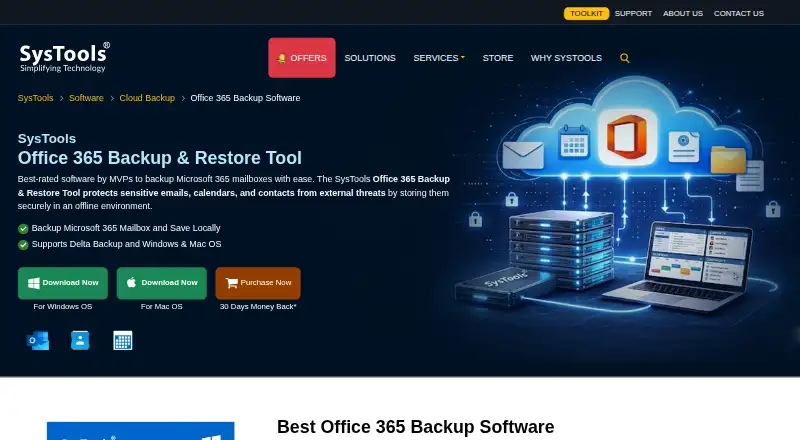
What SysTools Office 365 Backup & Restore Tool is
SysTools Office 365 Backup & Restore Tool backs up Microsoft 365 mailbox data to local storage and restores data from PST files. It covers emails, contacts, calendars, and documents, including shared and in-place archive mailboxes. Backups can be narrowed by date range or specific folders, and delta backup saves only newly added mailbox data. Administrators can use a CSV file with source account details to back up multiple mailboxes; the product page also says an individual Office 365 account can be backed up and restored without admin credentials. Email, contact, and calendar backups are saved in PST format for Outlook. SysTools says data is encrypted during storage and transfer and that credentials are not saved on its or a third-party server. A free version supports up to two user accounts. The full version is listed at $19.00 USD once per user-account license, and backup and restore for the same user require separate licenses. The company says it was established in 2007 and lists an address in Dwarka, Delhi, India.
Good
- Backs up emails, contacts, calendars, and documents
- Covers shared and in-place archive mailboxes
- Supports date-range and folder selection
- Delta backup saves only newly added mailbox data
- Free version supports up to two user accounts
Watch out
- Backup and restore for one user require separate licenses
- Full version is $19.00 USD once per user-account license
Who it suits
It suits Microsoft 365 users or administrators who need local mailbox backups, PST output, selective backup, or restoration from PST files. The free version may suit those working with no more than two user accounts.
Verdict
This tool combines selective Microsoft 365 mailbox backup with PST-based restoration and bulk account processing. Check the two-account free-version limit and separate-license requirement for backup and restore before purchasing.
Plans and prices
From SysTools Office 365 Backup & Restore Tool's own pricing page, checked 8 Oct 2026.
| Plan | Price | What it gives you |
|---|---|---|
| Free Version | Free | Backup and restore up to 2 user accounts |
| Full Version License — Backup & Restore | $19, paid once | User-account license · Backup and restore processes consume separate licenses · One-time tool cost |
The facts
Each one read from SysTools Office 365 Backup & Restore Tool's own pages, with the date it was checked.
Where it runs
- Additional Windows requirements
- The product page specifies .NET Framework 4.6 or later and a current Microsoft Visual C++ Redistributable.checked 21 Oct 2026
What it does
- API and SDKs
- The product page links to guides and documentation but does not describe a public API or SDK.checked 21 Oct 2026
- Batch backup
- Administrators can submit a CSV of source mailbox IDs to back up multiple users in one run.checked 21 Oct 2026
- Bulk operation
- Admins can back up multiple mailboxes using a CSV file containing source account details.checked 8 Oct 2026
- Current vendor version
- The product page lists version 7.7.0 for Windows and Mac, released in February 2026.checked 21 Oct 2026
- Data types
- It supports backup of emails, contacts, calendars, and documents.checked 8 Oct 2026
- Delta backup
- The vendor lists delta backup, which saves newly added mailbox data on later backup runs.checked 21 Oct 2026
- Documentation
- The vendor links Windows and Mac guides, documentation, installation instructions, uninstallation instructions, and EULAs from the product page.checked 21 Oct 2026
- Individual accounts
- The page says a single Office 365 user can back up and restore an account without admin credentials.checked 8 Oct 2026
- In-place archive
- The product can back up in-place archive mailboxes while retaining their folder hierarchy.checked 21 Oct 2026
- Integrations
- The product page describes Microsoft 365 as its source and destination ecosystem and does not list other application integrations.checked 21 Oct 2026
- License and source availability
- The EULA describes proprietary copyrighted software, restricts reverse engineering and redistribution, and grants a non-exclusive license; the product is not presented as open source.checked 21 Oct 2026
- License limit
- The purchase page states that backup and restore for the same user require two separate licenses.checked 8 Oct 2026
- Limit: Initial loading time
- A G2 reviewer says the first mailbox load can be slow.checked 21 Oct 2026
The company
- Company
- SysTools Software Pvt. Ltd. says it was established in 2007 and lists its address in Dwarka, Delhi, India.checked 8 Oct 2026
- Company certifications
- SysTools says its ISO 9001:2015 and ISO 27001:2013 certifications reflect its quality and compliance commitments.checked 8 Oct 2026
- Company founding
- Crunchbase lists SysTools as founded in 2007.checked 21 Oct 2026
- Company headquarters
- Crunchbase lists Springville, Utah, United States, while LinkedIn identifies SysTools with Pune, Maharashtra; the sources differ.checked 21 Oct 2026
- Company legal name
- Crunchbase identifies the legal name as SysTools Software Pvt. Ltd.checked 21 Oct 2026
- Company ownership and funding
- Crunchbase describes SysTools as private and for-profit, and the opened profile does not state a funding amount.checked 21 Oct 2026
- Company size
- Crunchbase lists 101–250 employees and LinkedIn shows 141 employees on its company profile.checked 21 Oct 2026
- Founded
- 2007checked 28 Sep 2026
- Headquarters
- New Delhi, Indiachecked 28 Sep 2026
Money
- Free version limit
- The free version allows backup and restore of up to two user accounts.checked 8 Oct 2026
Alternatives to SysTools Office 365 Backup & Restore Tool
- 1

Bareos
Free planOpen sourceWebAPILinuxmacOS8.4From €480 a year - 2

IDrive
Free planAndroidiOSWebLinux8.4From $0.25 a month - 3

MSP360 Backup
Free planAndroidiOSWebAPI8.3Free plan - 4

Jottacloud
Free planAndroidiOSLinuxmacOS8.0From $7.99 a month - 5
NinjaOne
AndroidiOSWebAPI7.9From $1.50 a month - 6

Backblaze Computer Backup
AndroidiOSWebmacOS7.8From $7.88 a month