SunVox
SunVox is a modular synthesizer and pattern-based sequencer, also known as a tracker, for composing electronic music.
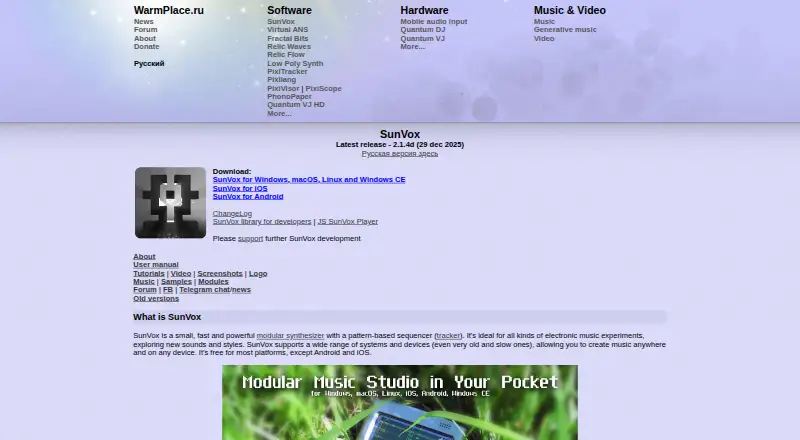
What SunVox is
SunVox is a modular synthesizer and pattern-based sequencer, also known as a tracker, for composing electronic music. Its built-in synthesizer and effect modules can be connected to create different sound arrangements, while pattern effects can add random notes, controller values, and probability-based changes to rhythms and melodies. It supports multitrack editing and MIDI sequencing, with MIDI input, output, import, and export, plus XM and MOD import. Audio formats include 16-, 24-, and 32-bit WAV, AIFF, OGG, MP3, FLAC, and XI samples; finished work can be exported as multitrack WAV. SunVox is available for Windows, macOS, Linux, iOS, Android, and Windows CE. The maker also provides a JavaScript player for modern browsers with WebAssembly support and a free cross-platform library for developers using the SunVox engine in their applications. The maker says project elements are saved in one file, and describes the mobile apps as full versions with sound nearly identical to desktop. SunVox is free on most platforms; Android and iOS are exceptions. Android purchases may be affected by Google restrictions on apps from developers registered in Russia, with the maker directing users to email for workarounds.
Good
- Modular synthesizer and effect modules can be connected in complex arrangements.
- Pattern effects support random notes, controller values, and probability.
- Supports MIDI input, output, import, and export.
- Exports multitrack WAV and supports several audio formats.
- Free on most platforms, including desktop systems.
- Projects are stored in a single file, according to the maker.
Watch out
- Android and iOS are exceptions to the free offering.
- No third-party plugins are supported.
- Google restricts app purchases from developers registered in Russia.
Who it suits
SunVox suits electronic music composers who want modular sound design, pattern-based sequencing, MIDI support, and multitrack WAV export. It may also suit developers who want to use its engine through the free cross-platform library.
Verdict
Choose SunVox if you want a tracker with modular synthesis, generative pattern effects, MIDI support, and multitrack export. Look elsewhere if third-party plugin support is essential, or if you need a free iOS or Android version.
Plans and prices
From SunVox's own pricing page, checked 20 Sep 2026.
| Plan | Price | What it gives you |
|---|---|---|
| Desktop | — | Free on most platforms |
| Android | — | Modular synthesizer and tracker · MIDI import/export · Multitrack WAV export · Mic/line recording |
| iOS | — | Modular synthesizer and tracker · MIDI import/export · Multitrack WAV export · Audio Unit Extension |
| SunVox (most platforms) | Free | Free on most platforms; Android and iOS are exceptions |
The facts
Each one read from SunVox's own pages, with the date it was checked.
Where it runs
- Android availability limit
- The maker says Google does not allow purchases of apps from developers registered in Russia and directs users to email for workarounds; prior buyers can download APK files that verify the purchase with Google at first launch.checked 5 Oct 2026
- iOS plugin
- SunVox is available as an AU instrument and effect plugin for iOS.checked 5 Oct 2026
- Platform requirements
- The manual lists minimum requirements including Windows 2000 (x86) or Windows 7 (x86_64), macOS 10.13, Android 4.1, and iOS 12.checked 5 Oct 2026
- Supported platforms
- Windows, macOS, Linux, iOS, Android, Windows CEchecked 20 Sep 2026
What it does
- Audio formats
- SunVox supports 16-, 24-, and 32-bit WAV, AIFF, OGG, MP3, FLAC, and XI samples, and can export multitrack WAV.checked 5 Oct 2026
- Developer library
- A free cross-platform library lets developers use the SunVox engine in their own applications, including paid games.checked 5 Oct 2026
- Generative music
- Pattern effects include random note selection, random controller values, and probability effects for generative rhythms and melodies.checked 5 Oct 2026
- MIDI and imports
- It supports MIDI input, output, import, and export, plus XM and MOD import.checked 5 Oct 2026
- MIDI sequencing
- Yeschecked 20 Sep 2026
- Mobile versions
- The maker describes the mobile apps as full-fledged versions with nearly identical sound to desktop versions.checked 5 Oct 2026
- Modular sound design
- It includes built-in synthesizer and effect modules that can be connected in complex arrangements.checked 5 Oct 2026
- Multitrack editing
- Yeschecked 20 Sep 2026
- Project portability
- The maker says composition elements are stored in a single file, so projects do not require locating old plugin versions to play correctly.checked 5 Oct 2026
- Sound systems
- Listed supported sound systems include ASIO, DirectSound, MME, ALSA, OSS, JACK, Audiobus, and IAA.checked 5 Oct 2026
- Support
- The maker lists email and a user forum as contact and support routes.checked 5 Oct 2026
- Third-party plugins
- Nochecked 20 Sep 2026
- Web player
- The maker provides a JavaScript SunVox Player, and its page says it requires a modern web browser with WebAssembly support.checked 5 Oct 2026
- What it does
- SunVox is a modular synthesizer with a pattern-based sequencer (tracker) for electronic music composition.checked 5 Oct 2026
Money
- Free plan
- Yeschecked 20 Sep 2026
The company
- Headquarters
- Yekaterinburg, Sverdlovskaya Oblast, Russiachecked 28 Sep 2026
- Maker
- The About page identifies Alexander Zolotov, also known as NightRadio, as the author and describes him as a developer of audiovisual applications and devices.checked 5 Oct 2026
The full review of SunVox
SunVox is a tracker-based music environment built around modular synthesis and pattern sequencing. It is best suited to electronic musicians who want to shape sounds and write patterns in one portable project. Its focused toolkit is compelling, but the absence of third-party plugin support rules it out for plugin-dependent workflows.
Overview
SunVox combines a pattern-based tracker with built-in synthesizer and effect modules that can be connected into complex arrangements. That puts sound routing and sequence writing in the same workspace, a strong fit for musicians who want to build their own electronic textures rather than assemble a project around external instruments.
Pattern effects can select notes or controller values at random and apply probability, giving rhythms and melodies variation without specifying every event. Projects keep their composition elements in a single file, which helps them remain playable without tracking down older plugin versions. The trade-off is clear: third-party plugins are not supported, so the built-in modular system must provide the sound-design range a user needs.
Key features
SunVox supports multitrack editing and MIDI sequencing, including MIDI input and output as well as import and export. It can import XM and MOD files, and accepts 16-, 24- and 32-bit WAV, AIFF, OGG, MP3, FLAC and XI samples. Multitrack WAV export is useful for carrying individual parts into another production workflow, while the range of sample formats makes it easier to work with existing audio.
Supported sound systems include ASIO, DirectSound, MME, ALSA, OSS, JACK, Audiobus and IAA. On iOS, SunVox is also available as an Audio Unit instrument and effect plugin. A JavaScript player can run in a modern browser with WebAssembly support, and a free cross-platform library lets developers embed the SunVox engine in their own applications, including paid games.
The maker describes mobile versions as full-fledged, with sound nearly identical to desktop versions. Minimum requirements include Windows 2000 on x86 or Windows 7 on x86_64, macOS 10.13, Android 4.1 and iOS 12, making the stated system requirements notably broad for older devices.
Pricing
SunVox is freemium. The SunVox plan is free on most platforms; Android and iOS are exceptions. Desktop is free on most platforms, while Android and iOS plans have custom pricing. Both mobile plans include the modular synthesizer and tracker, MIDI import and export, and multitrack WAV export. Android also includes mic or line recording; iOS adds an Audio Unit Extension. These paid mobile versions are the relevant choice for users who want the complete mobile toolset, while the free desktop offering makes SunVox accessible without a purchase on most desktop platforms.
Android availability has an added constraint: Google does not allow app purchases from developers registered in Russia. The maker directs users to email for workarounds; previous buyers can download APK files, which verify the purchase with Google at first launch.
Platforms
SunVox supports Windows, macOS, Linux, iOS, Android and Windows CE. The browser-based player provides another way to play SunVox compositions, provided the browser supports WebAssembly. Broad platform coverage and the single-file project approach make it a practical option for moving work between environments, though mobile purchases can require extra steps on Android.
Who it's for
Choose SunVox if you want tracker sequencing, modular sound design, generative pattern variation and MIDI in a multitrack environment. It also suits composers who value portable projects and developers interested in using its free engine library. Look elsewhere if your work depends on third-party plugins or if you need a free iOS or Android version.
Pros and cons
- Pros: Modular synthesis and pattern sequencing share one environment, so sound design and composition stay closely connected.
- Pros: Random and probability-based pattern effects provide built-in ways to vary rhythms and melodies.
- Pros: MIDI support, XM and MOD import, broad sample-format support and multitrack WAV export make it useful for exchanging material.
- Pros: Single-file projects reduce dependence on finding old plugin versions to preserve playback.
- Cons: No third-party plugin support limits options for users who rely on external instruments and effects.
- Cons: Android purchases face a restriction tied to the developer's registration in Russia, making access less straightforward.
Alternatives
Game Music Software is a useful category to compare if your priority is finding a tool for game composition. For a broader production workflow, browse Digital Audio Workstations or Audio Editing Software.
DefleMask is another freemium tracker choice, with a 14.99 USD one-time plan; its free Legacy version is 32-bit, unsupported and described as a demo. Pro Tools is worth considering for users seeking a macOS or Windows DAW with a free Intro plan offering up to eight audio, instrument and MIDI tracks.
Reason is a better fit for someone seeking a macOS or Windows DAW with a free trial and a paid Reason+ plan that bundles the latest DAW version, Rack plugin, devices and sound packs. LMMS may suit someone who wants a free, open-source option for Windows, macOS or Linux.
LSDJ, MilkyTracker, OpenMPT and Schism Tracker are other tracker alternatives.
Verdict
SunVox is a strong choice for electronic musicians who want modular synthesis, generative pattern effects, MIDI support and multitrack export in a portable tracker. Its integrated sound-design approach is the main reason to choose it; the lack of third-party plugins is the main reason to look elsewhere. Desktop users can start free on most platforms, but mobile users should account for custom pricing and, on Android, the purchase restriction.
Getting started
- Visit the SunVox website for the available versions.
- Choose a version for Windows, macOS, Linux, iOS, or Android.
- For browser use, open the JavaScript player in a modern browser with WebAssembly support.
- On Android, contact the maker by email about purchase workarounds if Google blocks purchasing.
Limits worth knowing
SunVox is free on most platforms, while Android and iOS are exceptions; the listed facts do not give their prices. The maker says Google does not allow purchases of apps from developers registered in Russia and directs users to email for workarounds.
Questions
Is SunVox free?
SunVox is free on most platforms. Android and iOS are exceptions.
Which platforms does SunVox support?
Supported platforms include Windows, macOS, Linux, iOS, Android, and Windows CE. A JavaScript player is also available for modern browsers with WebAssembly support.
Does SunVox support MIDI?
Yes. It supports MIDI input, output, import, and export.
Can SunVox export multitrack audio?
Yes. It can export multitrack WAV.
Does SunVox support third-party plugins?
No. Third-party plugins are listed as unsupported.
Who makes SunVox?
The maker is SunVox, headquartered in Yekaterinburg, Sverdlovskaya Oblast, Russia.