MilkyTracker
MilkyTracker is a free, open-source music application for creating .MOD and .XM module files.
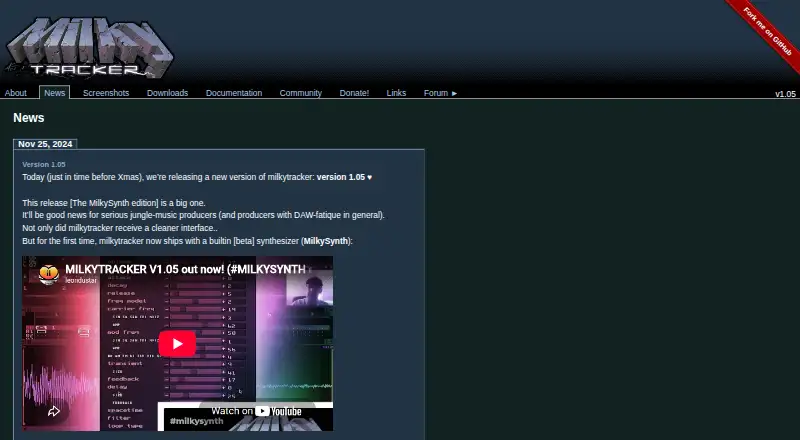
What MilkyTracker is
MilkyTracker is a free, open-source music application for creating .MOD and .XM module files. It runs on Windows, macOS, and Linux, with additional platform support and source builds also available. Its tracker design aims to reproduce Fasttracker II’s playback and user experience, and .MOD files can use ProTracker 2/3 playback modes. The editor supports up to 128 channels, simultaneous playback and editing, and live mode for pattern changes during playback. Its sample editor includes waveform generators, effects, and a beta synthesizer for looped or single- and multi-cycle waveforms. MilkyTracker imports more than 30 module formats, including zipped, powerpacked, and UMX modules. It exports .MOD, .WAV, and .XM files, and can render songs or patterns to disk or directly to a sample. MIDI In is supported, but MIDI sequencing, third-party plugins, and cloud collaboration are not. The project is still under development and advises users to use it at their own risk; donations are optional.
Good
- Free and open source
- Imports more than 30 module formats
- Supports up to 128 channels
- Exports .MOD, .WAV, and .XM files
Watch out
- MIDI sequencing is not supported
- Third-party plugins are not supported
- Cloud collaboration is not supported
- Project advises use at your own risk
Who it suits
It suits musicians who want a free tracker for creating and editing .MOD or .XM files, especially those working with its supported formats and playback modes. It may not suit users who need MIDI sequencing, third-party plugins, or cloud collaboration.
Verdict
MilkyTracker offers broad module-format support and tracker editing tools at no cost. Its stated limits include no MIDI sequencing, plugins, or cloud collaboration, and the project warns that it remains under development.
Plans and prices
From MilkyTracker's own pricing page, checked 7 Oct 2026.
| Plan | Price | What it gives you |
|---|---|---|
| MilkyTracker | Free | Donations are optional |
The facts
Each one read from MilkyTracker's own pages, with the date it was checked.
What it does
- Cloud collaboration
- Nochecked 20 Sep 2026
- Development status
- The manual says MilkyTracker is under development and advises users to use it at their own risk.checked 7 Oct 2026
- Distribution
- The downloads page lists packages or ports in distributions including Debian, Arch Linux, FreeBSD, Gentoo, and Ubuntu.checked 7 Oct 2026
- Editing and playback
- It supports up to 128 channels, playing and editing simultaneously, and live mode for seamless pattern changes.checked 7 Oct 2026
- Exports
- It can export .MOD, .WAV, and .XM files and render songs or patterns to disk or directly to a sample.checked 7 Oct 2026
- MIDI
- The feature list includes MIDI In support.checked 7 Oct 2026
- MIDI sequencing
- Nochecked 20 Sep 2026
- Module formats
- MilkyTracker imports over 30 module formats and can load zipped, powerpacked, and UMX modules directly.checked 7 Oct 2026
- Multitrack editing
- Yeschecked 20 Sep 2026
- Pricing
- The maker says MilkyTracker will always be free and invites users to donate to support development.checked 7 Oct 2026
- Sample editor and synth
- The sample editor includes waveform generators, effects, and a beta synthesizer that generates looped or single- and multi-cycle waveforms.checked 7 Oct 2026
- Support
- The project directs users to its forum for help and bug reports, and provides Matrix, Discord, and IRC community channels.checked 7 Oct 2026
- Third-party plugins
- Nochecked 20 Sep 2026
- Tracker compatibility
- It aims to recreate Fasttracker II’s module playback and user experience, with ProTracker 2/3 playback modes for .MOD files.checked 7 Oct 2026
- What it does
- MilkyTracker is an open source, multi-platform music application for creating .MOD and .XM module files.checked 7 Oct 2026
Where it runs
- Download platforms
- The downloads page lists Linux AppImage and ZIP builds, Windows ZIP builds, and macOS DMG builds; it notes that extra Mac builds are welcome.checked 7 Oct 2026
- Supported platforms
- Windows, macOS, Linux; also supports additional platforms and builds from sourcechecked 20 Sep 2026
Money
- Free plan
- Yeschecked 20 Sep 2026
The full review of MilkyTracker
MilkyTracker is an open-source music application for composing and editing .MOD and .XM module files on desktop platforms. It suits musicians drawn to tracker-based composition and module playback, especially those who want to work with older module formats without paying for software. Its focus is capable but specific: choose it for tracker editing, not for MIDI sequencing, plugins, or cloud collaboration.
Overview
MilkyTracker aims to reproduce Fasttracker II’s playback and working experience, while offering ProTracker 2 and 3 playback modes for .MOD files. That makes it a practical fit for composing in a classic tracker style and revisiting module material. It is not a general-purpose substitute for a studio built around MIDI sequencing or third-party instruments.
The project is open source and says the application will always be free; donations are optional. The manual also warns that development is ongoing and advises using the software at your own risk. That caveat matters for anyone who needs a finished, dependable production environment.
Key features
MilkyTracker imports more than 30 module formats and can open zipped, powerpacked, and UMX modules directly. This breadth is useful when working with module collections in different formats, without first converting every file. It exports .MOD, .WAV, and .XM, and can render songs or patterns to disk or directly to a sample.
Editing supports up to 128 channels, with playback and editing at the same time. Live mode enables pattern changes without interrupting playback, a useful advantage for arranging and performing tracker patterns. The sample editor combines waveform generators and effects with a beta synthesizer for producing looped or single- and multi-cycle waveforms. The synth’s beta status makes it a less certain foundation for a critical workflow.
MilkyTracker supports MIDI In, but not MIDI sequencing. That distinction is important: MIDI input is available, but it does not turn the application into a MIDI-based sequencer. The lack of third-party plugin support also limits users who depend on external instruments or effects.
Pricing
MilkyTracker — free. The free plan provides the application, and donations are optional. There are no paid tiers or recurring charges in the stated offer, so the trade-off is not a feature-gated subscription but the project’s tracker-specific scope and ongoing development status.
Platforms
MilkyTracker supports Windows, macOS, and Linux, with additional platforms and source builds also supported. Downloads include Linux AppImage and ZIP builds, Windows ZIP builds, and macOS DMG builds; the project welcomes additional Mac builds. Distribution packages or ports are also available through systems including Debian, Arch Linux, FreeBSD, Gentoo, and Ubuntu.
For help and bug reports, the project points users to its forum, with Matrix, Discord, and IRC community channels also available. This community-based support is a natural fit for open-source software, but users seeking a formal support service should look elsewhere.
Who it's for
MilkyTracker is best for composers who specifically want a tracker workflow, module-format compatibility, and direct .MOD or .XM output at no cost. Its channel capacity, live pattern changes, and sample tools give that audience meaningful room to work. It is a poor fit for people whose core requirements are MIDI sequencing, plugin instruments, cloud collaboration, or a project that does not carry an under-development warning.
Pros and cons
- Pros: Imports over 30 module formats and handles several compressed or packaged module types directly, reducing format friction for module-focused work.
- Pros: Exports .MOD, .WAV, and .XM, with song and pattern rendering to disk or sample, covering both module delivery and audio output.
- Pros: Supports up to 128 channels and uninterrupted pattern changes in live mode, which suits detailed tracker arrangements and performance.
- Pros: Free across Windows, macOS, and Linux, with optional donations rather than a paid tier.
- Cons: No MIDI sequencing, third-party plugins, or cloud collaboration, ruling it out for workflows that depend on those capabilities.
- Cons: The project warns that it remains under development and should be used at the user’s own risk, a meaningful concern for work that requires a settled production tool.
- Cons: The synthesizer is beta, so users should not treat it as a mature replacement for external instruments.
Alternatives
Choose Koala Sampler instead if you want a sampler-oriented option with free desktop builds for Mac, Windows, Linux, and Raspberry Pi, or mobile availability; its pricing model is freemium.
Giada is another free, open-source choice for Linux, macOS, and Windows if you want to consider a different GPL music application.
Pick Serato Studio if you prefer a freemium beat-making workflow on macOS or Windows: its free tier is limited to one audio track, four decks, four scenes, selected sound packs, and limited recording.
Auxy Studio is worth considering for an iOS or macOS option with a free tier that includes a selection of demo sounds.
Consider MPC Beats for free beat-making software on macOS or Windows.
DAWG is a free-plan alternative available on Android, Linux, macOS, and Windows.
Choose Endlesss if you want an alternative available on iOS, macOS, web, and Windows.
Remixlive is a freemium option for Android, iOS, and macOS; its monthly Premium plan is $9.99 a month and includes available and future features, a 26,000+ sample library, and one new Sample Pack each week.
For broader category browsing, see Beat Making Software, Game Music Software, and Audio Editing Software.
Verdict
Choose MilkyTracker if you want a free, cross-platform tracker for composing with module formats, editing patterns, and exporting classic module or audio files. Its format support and focused tracker tools are the main reasons to pick it. Look elsewhere if you need MIDI sequencing, plugins, collaboration, or software without an under-development warning.
Getting started
- Visit the MilkyTracker website
- Download the build for Windows, macOS or Linux
- Choose a Linux AppImage or ZIP, Windows ZIP, or macOS DMG package
- Install or run the downloaded build
- Open or create a module file and begin editing
- Use the project forum or community channels for help
Limits worth knowing
MilkyTracker is free, and donations are optional. The listed feature set excludes MIDI sequencing, third-party plugins and cloud collaboration.
Questions
How much does MilkyTracker cost?
The MilkyTracker plan costs nothing. Donations are optional.
Which platforms can run it?
Supported platforms include Windows, macOS and Linux, with additional platforms and builds from source also supported.
What files can MilkyTracker create?
It creates .MOD and .XM module files, and exports .MOD, .WAV and .XM files.
Can it import existing modules?
Yes. MilkyTracker imports over 30 module formats and can load zipped, powerpacked and UMX modules directly.
Where can users get help?
The project points users to its forum for help and bug reports, plus Matrix, Discord and IRC community channels.
Alternatives to MilkyTracker
- 1

Koala Sampler
Free planAndroidiOSLinuxmacOS8.1$2.99 one-time - 2
Serato Studio
Free planmacOSWindows6.9From $9.99 a month - 3

Auxy Studio
Free planiOSmacOS6.8From $49.99 a year - 4

Beatmaker 3
iOSmacOSWindows6.7$49 one-time - 5

Blocs Wave
Free planiOS6.6$5.99 one-time - 6
Groovebox
Free planiOS6.6$1.99 one-time