ST Explorer
ST Explorer is a native SFTP client for browsing remote files on Windows, macOS, and Linux.
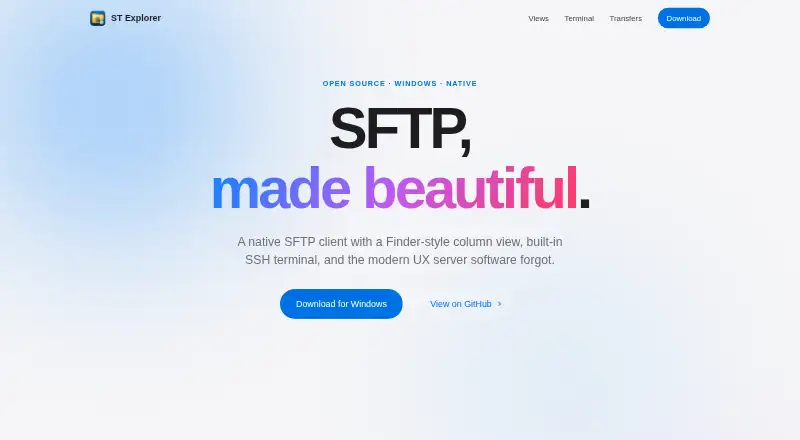
What ST Explorer is
ST Explorer is a native SFTP client for browsing remote files on Windows, macOS, and Linux. It offers icons, list, and Finder-style column views, plus a built-in SSH terminal with multiple tabs on the same connection. The terminal is powered by xterm.js. File transfers include drag-and-drop uploads, clipboard uploads, server-side remote-to-remote copies, and a live progress panel. On Windows, files can also be copied in Explorer and pasted into ST Explorer through native clipboard integration. The site says host key pinning uses known_hosts with TOFU, and describes the app as having no telemetry or phone-home behavior. ST Explorer is MIT-licensed, open source, and approximately 12 MB as a single executable without an installer. The product is made by Stivetec, and its site links to GitHub for issue reports. The Free plan costs nothing; it lists Windows 10/11 with WebView2, while macOS and Linux builds are available from source. SSH key authentication is supported.
Good
- Provides icons, list, and column browsing views.
- Terminal supports multiple tabs on one connection.
- Supports clipboard and server-side remote-to-remote transfers.
- MIT-licensed and open source.
Watch out
- Supports SFTP only.
- Windows plan requires WebView2.
- macOS and Linux builds available from source.
Who it suits
ST Explorer suits people who need an SFTP client with remote file browsing and an integrated SSH terminal. It is relevant to users on Windows, macOS, or Linux who are comfortable with the listed platform availability.
Verdict
ST Explorer combines SFTP browsing, terminal access, and several transfer options in a small, open-source application. Note that macOS and Linux builds are available from source, while the listed Windows plan requires WebView2.
Plans and prices
From ST Explorer's own pricing page, checked 7 Oct 2026.
| Plan | Price | What it gives you |
|---|---|---|
| Free | Free | Windows 10/11 with WebView2; macOS and Linux builds available from source |
The facts
Each one read from ST Explorer's own pages, with the date it was checked.
What it does
- Browse views
- It offers icons, list, and columns views for browsing remote files.checked 7 Oct 2026
- File transfers
- It supports drag-and-drop uploads, clipboard uploads, server-side remote-to-remote copy, and a live progress panel for transfers.checked 7 Oct 2026
- License and size
- The site describes ST Explorer as MIT-licensed, open source, and approximately 12 MB as a single executable with no installer.checked 7 Oct 2026
- Privacy
- The site describes the app as having no telemetry and no phone-home behavior.checked 7 Oct 2026
- Purpose
- ST Explorer is a native SFTP client with a Finder-style column view and built-in SSH terminal.checked 7 Oct 2026
- Security
- The site says host key pinning uses known_hosts with TOFU.checked 7 Oct 2026
- Support
- The site links to GitHub to report issues.checked 7 Oct 2026
- Terminal
- Its integrated SSH shell supports multiple tabs on the same connection and is powered by xterm.js.checked 7 Oct 2026
The company
- Maker
- The product site says ST Explorer is made by Stivetec.checked 7 Oct 2026
Where it runs
- Platforms
- The download page requires Windows 10 or 11 with WebView2; macOS and Linux are supported through Wails builds from source.checked 7 Oct 2026
- Windows integration
- On Windows, files can be uploaded by copying them in Explorer and pasting them into ST Explorer; the site identifies this as native CF_HDROP clipboard integration.checked 7 Oct 2026
Alternatives to ST Explorer
- 1

Filestash
Free planOpen sourceAndroidiOSWebAPI8.5From $50 a month - 2
Monsta FTP
Free planAndroidiOSWebLinux7.4From $29 a year - 3

CloudMounter
macOSWindows7.1 - 4
Cyberduck
Free planmacOSWindows7.1Free plan - 5

WinSCP
Free planOpen sourceWindows7.1Free plan - 6
CrossFTP
Free planLinuxmacOSWindows7.0$24.99 one-time