Squalr
Squalr is open-source software for editing memory in single-player PC games to develop cheats and support modding workflows.
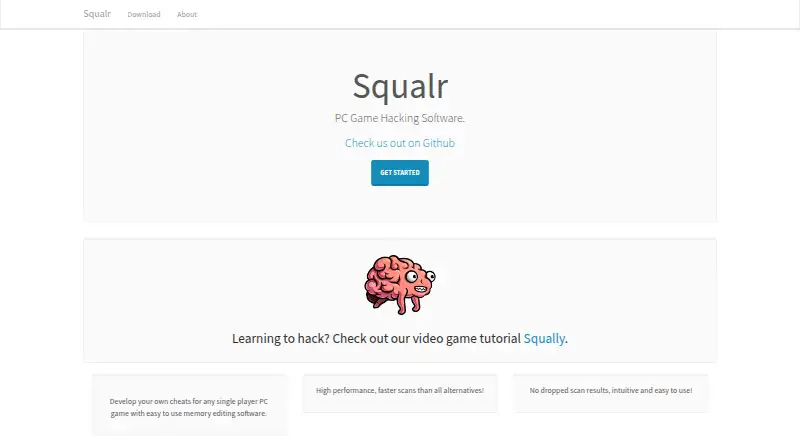
What Squalr is
Squalr is open-source software for editing memory in single-player PC games to develop cheats and support modding workflows. It scans and modifies memory in running processes, with multithreading and SIMD used for faster scans, and can analyze program behavior over time. Scanning covers primitive values, arrays, strings, structs, and pointers; the project also lists a struct viewer and project system. Its desktop app offers process selection, a memory viewer, project files, symbol layouts, and plugin-backed tools. Squalr is also available as a terminal tool, an Android app, and Rust crates for custom scanning, integrations, and automation. The CLI can provide a JSON HTTP control surface for health checks, commands, and event polling. Plugins extend tools, data types, instruction providers, binary symbols, and Dolphin memory-view routing. Windows downloads are listed for Windows 7, 8, and 10 in 32-bit and 64-bit versions. On macOS, process access may require disabling system sandboxing protections and elevated permissions; the documented Android GUI path requires a rooted device and Android SDK and NDK setup.
Good
- Open-source and free
- Scans primitives, arrays, strings, structs, and pointers
- Available as desktop app, terminal tool, Android app, and Rust crates
- CLI supports JSON HTTP automation controls
Watch out
- No stable public scripting surface yet
- Android GUI requires a rooted device
- macOS process access may require disabling protections
- No debugger
Who it suits
Squalr is for people developing cheats or modding single-player PC games, as well as developers building custom scanning or automation workflows with its Rust crates or CLI. Its documented Android interface is aimed at users who can provide a rooted device and SDK/NDK setup.
Verdict
Squalr offers several ways to inspect and change process memory, from a desktop app to Rust libraries and CLI automation. Check the platform-specific requirements and the lack of a stable scripting interface before choosing it.
The facts
Each one read from Squalr's own pages, with the date it was checked.
Where it runs
- Android requirements
- The documented Android GUI path requires a rooted device and Android SDK and NDK setup.checked 30 Sep 2026
- Platforms
- The repository lists Windows, Linux, and Mac builds, and an Android app for rooted devices.checked 30 Sep 2026
What it does
- Audience
- The maker says its goal is fast, efficient, easy-to-use software for modding single-player games.checked 30 Sep 2026
- Automation
- The CLI can expose a JSON HTTP control surface for automation and integration tests.checked 30 Sep 2026
- Desktop workflows
- The standalone app includes process selection, element, array and string scans, pointer scans, a memory viewer, project files, symbol layouts and plugin-backed tooling.checked 30 Sep 2026
- Download information
- The maker's download page lists Windows 7, 8, and 10 in 32-bit and 64-bit versions.checked 30 Sep 2026
- Dynamic analysis
- Squalr analyzes how a program behaves over time to support dynamic analysis workflows.checked 30 Sep 2026
- Extensibility
- The project describes plugins for built-in tools, data types, instruction providers, binary symbols, and Dolphin memory-view routing.checked 30 Sep 2026
- Integrations
- The CLI can expose a JSON HTTP control surface with health, command and event-polling endpoints.checked 30 Sep 2026
- Interfaces
- Squalr can be used as a desktop app, terminal tool, Android app, or Rust crates for custom scanning workflows.checked 30 Sep 2026
- Library use
- Developers can use Squalr Rust crates for byte scanning, custom target integration, native process scanning, frontend or automation workflows, and project and symbol tooling.checked 30 Sep 2026
- License
- The GitHub repository identifies its license as GPL-3.0.checked 30 Sep 2026
- Limits
- The repository says scripting is planned and there is not yet a stable public scripting surface.checked 30 Sep 2026
- Memory scanning
- The tool scans and modifies running process memory, using multithreading and SIMD for faster scans.checked 30 Sep 2026
- Official download page
- The official download page lists Windows 7, 8 and 10 in both 32-bit and 64-bit versions as supported platforms.checked 30 Sep 2026
- Plugins
- Existing plugin crates cover built-in plugins, 24-bit data types, instruction providers, binary symbols and Dolphin memory-view routing.checked 30 Sep 2026
- Product
- Squalr describes itself as PC game hacking software for developing cheats for single-player PC games using memory editing.checked 30 Sep 2026
- Scanning features
- The repository lists primitive, array, string, struct, and pointer scans, plus a struct viewer and project system.checked 30 Sep 2026
- Security requirements
- The macOS guide says process access may require disabling system sandboxing protections and running Squalr with elevated permissions.checked 30 Sep 2026
- Support
- The product site invites users to join its Discord chat.checked 30 Sep 2026
- Use cases
- The official website describes Squalr as memory editing software for developing cheats for single-player PC games.checked 30 Sep 2026
Alternatives to Squalr
- 1
Bit Slicer
Free planOpen sourcemacOS7.0Free plan - 2
chromedp
Free planAPILinuxmacOSSelf-hosted6.7Free plan - 3
ArtMoney
Free planWindows6.5$24.90 one-time - 4
DOSBox Cheat Engine
Free planWebLinuxmacOSWindows6.4Free plan - 5
MemDBG
AndroidiOSLinuxmacOS6.4 - 6
ReClass.NET
Free planLinuxWindows6.4Free plan