
Spine
Spine is a desktop 2D animation tool focused on game animation, with an editor for building skeletal or cutout motion and runtimes for using the results in g…
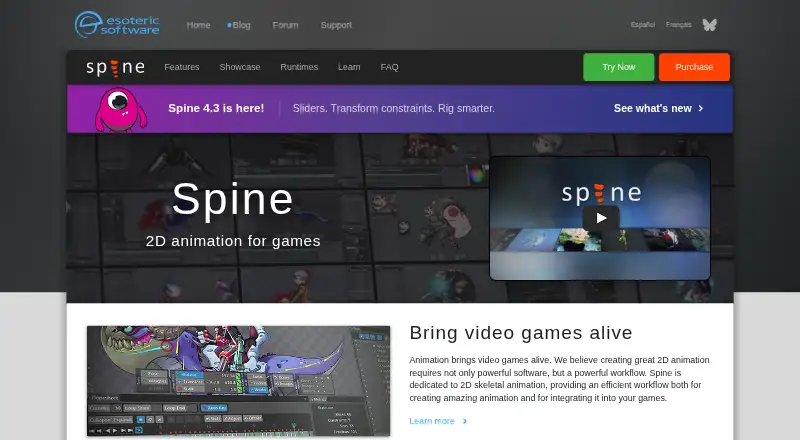
What Spine is
Spine is a desktop 2D animation tool focused on game animation, with an editor for building skeletal or cutout motion and runtimes for using the results in games. Users attach images to bones and animate those bones. Its rigging and animation tools include inverse kinematics, paths, skins, meshes, free-form deformation, weights, a dopesheet, graph editor, and runtime preview. Exports include documented JSON and binary animation data, GIFs, PNG or JPEG image sequences, AVI or QuickTime video, and texture atlases or spritesheets. Official runtimes support toolkits including Unity, Unreal Engine, Godot, iOS, Android, Flutter, Phaser, PixiJS, and libgdx; generic runtimes are also listed for C, C++, C#, Haxe, and TypeScript. Spine runs on Windows, macOS, and Linux. Its free trial includes Professional features but cannot save projects, pack textures, or export animation data, images, or video. Essential costs $99 a month and excludes meshes and other advanced features; Professional costs $449 a month. A named-person license can be installed on up to two computers, with one installation in use at a time.
Good
- Supports skeletal and cutout 2D animation.
- Exports animation data, image sequences, video, and atlases.
- Official runtimes include Unity, Unreal Engine, and Godot.
- Available for Windows, macOS, and Linux.
Watch out
- The trial cannot save projects or export content.
- Essential excludes meshes and other advanced features.
- Essential costs $99 a month.
- A named-person license allows only one active installation.
Who it suits
Spine suits game artists and developers creating 2D character animation for supported runtimes. Its range of rigging tools and export formats may fit workflows that need animation data, images, video, or texture atlases.
Verdict
Spine provides a dedicated editor and runtimes for producing 2D game animation, with multiple rigging tools and export options. The trial restrictions and differences between Essential and Professional are important to weigh before choosing a license.
Plans and prices
From Spine's own pricing page, checked 30 Sep 2026.
| Plan | Price | What it gives you |
|---|---|---|
| Enterprise | $2,499 a year | Required for businesses with $500,000 USD or more annual revenue · specified number of users · updates during license term · $2499 base price + $379 per user; licensed for one year and must be licensed again to continue using Spine Enterprise |
| Education — 10 computers | $850 a year | 10 computers · accredited educational institutions · educational and non-commercial use · One year; annual renewal required |
| Education — 25 computers | $1,700 a year | 25 computers · accredited educational institutions · educational and non-commercial use · One year; annual renewal required |
| Education — 50 computers | $2,900 a year | 50 computers · accredited educational institutions · educational and non-commercial use · One year; annual renewal required |
| Essential | $69, paid once | Basic features · exports to every supported format · excludes meshes and other advanced features · own license per named user · businesses with more than $500,000 USD annual revenue require Enterprise · One-time purchase; includes all future updates |
| Professional | $379, paid once | All features · own license per named user · businesses with more than $500,000 USD annual revenue require Enterprise · One-time purchase; includes all future updates |
The facts
Each one read from Spine's own pages, with the date it was checked.
What it does
- 2D animation tools
- Yeschecked 21 Sep 2026
- Animation method
- Spine creates skeletal or cutout animation by attaching images to bones and animating the bones.checked 30 Sep 2026
- Character rigging
- Yeschecked 21 Sep 2026
- Connectivity
- Spine requires an internet connection for initial installation and activation, updating, or changing the editor version.checked 30 Sep 2026
- Essential limitation
- Spine Essential excludes meshes and other advanced features, and cannot save or export projects containing Professional features such as meshes or IK.checked 30 Sep 2026
- Export
- Spine exports documented JSON and binary animation data, animated GIFs, PNG or JPEG image sequences, AVI or QuickTime video, and texture atlases or spritesheets.checked 30 Sep 2026
- Export formats
- JSON,binary,GIF,PNG,JPEG,AVI,QuickTime video,texture atlaschecked 21 Sep 2026
- Integrations
- Official runtimes support toolkits including Unity, Unreal Engine, Godot, iOS, Android, Flutter, Phaser, PixiJS, and libgdx; the maker also lists generic runtimes for C, C++, C#, Haxe, and TypeScript.checked 30 Sep 2026
- License limits
- Essential and Professional are for a single named user and their activation code may be installed on up to two computers, with only one installation in use at a time.checked 30 Sep 2026
- Photoshop workflow
- The maker's example describes bringing a Photoshop character into Spine with the PhotoshopToSpine script and importing later additions into the project.checked 30 Sep 2026
- Purpose
- Spine is an animation tool focused specifically on 2D animation for games, with an editor and runtimes for using animations in games.checked 30 Sep 2026
- Rigging and animation
- Features include inverse kinematics, paths, skins, meshes, free-form deformation, weights, a dopesheet, graph editor, and runtime preview.checked 30 Sep 2026
- Runtime data collection
- The license agreement says Spine Runtimes do not collect data; the Spine Editor may store aggregate, non-personally identifiable usage information for up to six months and says it will not share that information with third parties.checked 30 Sep 2026
- Support and learning
- The maker provides a user guide, example projects, a forum, and weekly Twitch streams where viewers can ask a rigging expert questions live.checked 30 Sep 2026
- Supported desktop systems
- The trial download page provides builds for 64-bit Windows, Apple Silicon and Intel Mac, and 64-bit Intel/AMD Linux.checked 30 Sep 2026
Money
- Free plan
- Nochecked 21 Sep 2026
- Trial limits
- The free trial includes Professional features but cannot save projects, pack textures, or export animation data, images, or video.checked 30 Sep 2026
Where it runs
- Supported platforms
- Windows,macOS,Linuxchecked 21 Sep 2026
Alternatives to Spine
- 1

Cascadeur
Free planAndroidiOSAPILinux8.9From $96 a year - 2

Rokoko Studio
Free planAndroidiOSWebAPI8.8Free plan - 3

Rive
Free planAndroidiOSWebLinux8.7From $9 a month - 4

Powtoon
Free planAndroidiOSWebExtension8.6From $8 a month - 5

Animation Desk
Free planAndroidiOSmacOSWindows8.6From $2.49 a month - 6

Houdini
Free planWindowsmacOSLinux8.4From $95 a year