SpellingJoy
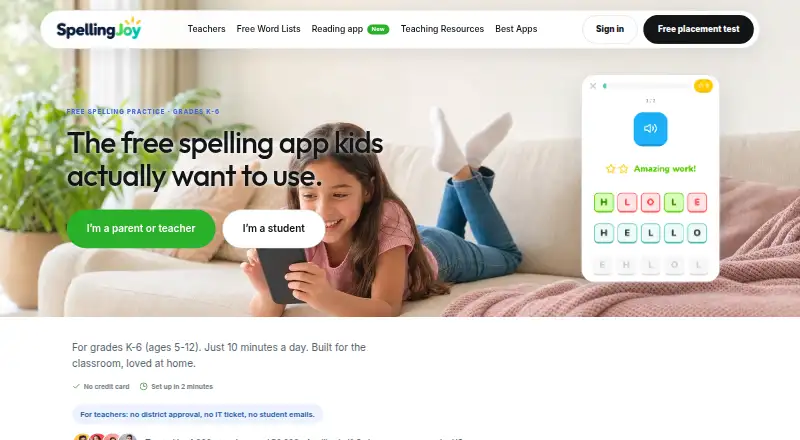
SpellingJoy provides spelling practice for children in grades K–6, with activities and tools for teachers, parents, and homeschoolers.
What SpellingJoy is
SpellingJoy provides spelling practice for children in grades K–6, with activities and tools for teachers, parents, and homeschoolers. Its free service includes spelling games and tests, spoken pronunciations, instant feedback and scoring, progress tracking, analytics, avatars, rewards, and multiple child profiles. Learners can choose from more than 134 curriculum-aligned lists, including Common Core, Dolch, Fry, phonics, and seasonal lists, or use lists created or pasted by a user. The site also offers 11 printable worksheet types, such as bingo, flashcards, crosswords, word searches, and traceable writing pages. A free six-minute adaptive placement test identifies a starting week and does not require signup. SpellingJoy is available on the web, Android, and iOS. Student apps use an existing class code and sync assignments and progress with the web teacher dashboard; they are free for students without ads or in-app upsells. Teachers can install the Clever app to import class sections and students. Google Classroom and Canvas roster and grade sync are not available today. Plans include Free SpellingJoy at no cost, SpellingJoy+ at $2.99 per month, and a school plan with listed founding-school terms.
Good
- More than 134 curriculum-aligned word lists.
- Free adaptive placement test takes six minutes.
- Student apps sync with the web teacher dashboard.
- Free student apps have no ads or in-app upsells.
Watch out
- Google Classroom roster and grade sync are unavailable.
- Canvas roster and grade sync are unavailable.
- School cohorts under ten students are merged in reporting.
Who it suits
SpellingJoy is aimed at children in grades K–6 and the teachers, parents, or homeschoolers supporting their spelling practice. Its child profiles, teacher dashboard, and printable worksheets may suit both individual and classroom use.
Verdict
SpellingJoy combines practice activities, word lists, worksheets, and progress tools across web and mobile. Schools considering it should note the stated roster-sync gaps and reporting treatment for small cohorts.
Plans and prices
From SpellingJoy's own pricing page, checked 8 Oct 2026.
| Plan | Price | What it gives you |
|---|---|---|
| Free SpellingJoy | Free | Unlimited spelling games · unlimited tests · 134+ word lists · custom lists · progress tracking · Free forever; no subscription |
| SpellingJoy+ | $2.99 a month | Printable packs · teaching resources · premium packs · $2.99/month; cancel any time |
| SpellingJoy for Schools | $990 a year | Every teacher and student in one school · shared word-list library · printable packs · school admin view · monthly report by grade · no automatic renewal · $990 per school per year for founding schools joining by 31 October; from 1 November it is $1,995; licence runs to 30 June |
The facts
Each one read from SpellingJoy's own pages, with the date it was checked.
What it does
- Compliance
- The schools page states that SpellingJoy has signed the SDPC National Data Privacy Agreement and is COPPA and FERPA compliant.checked 8 Oct 2026
- Placement test
- A free six-minute adaptive placement test identifies a starting week and requires no signup.checked 8 Oct 2026
- Practice tools
- The free service includes spelling games and tests, text-to-speech pronunciation, instant feedback and scoring, avatars and rewards, progress tracking, analytics, and multiple child profiles.checked 8 Oct 2026
- Purpose
- SpellingJoy provides spelling practice for children in grades K–6 and is presented for teachers, parents, and homeschoolers.checked 8 Oct 2026
- School integrations
- Clever is available as a teacher-installed app and imports teacher sections and students; Google Classroom and Canvas roster and grade sync are not available today.checked 8 Oct 2026
- Security
- The security plan states that data is encrypted in transit with TLS 1.2+ and at rest with AES-256, and that database access uses Supabase Row Level Security.checked 8 Oct 2026
- Student privacy
- Student accounts require a first name and optional last initial; the site says students do not need email addresses or passwords.checked 8 Oct 2026
- Support
- The contact page says SpellingJoy typically responds to email inquiries within 1–2 business days.checked 8 Oct 2026
- Word lists
- It offers 134+ curriculum-aligned lists, including Common Core, Dolch, Fry, phonics, and seasonal lists, and users can create or paste their own lists.checked 8 Oct 2026
- Worksheets
- The site describes 11 printable worksheet types, including bingo, flashcards, crosswords, word searches, and traceable writing pages.checked 8 Oct 2026
The company
- Maker
- The site identifies the provider as Veloris, LLC, doing business as SpellingJoy, and names Yuval and Amiel as co-founders.checked 8 Oct 2026
Where it runs
- Mobile apps
- Student apps for iPhone, iPad, and Android use the existing class code, sync assignments and progress with the web teacher dashboard, and are free for students without ads or in-app upsells.checked 8 Oct 2026
Money
- School plan limits
- School cohorts with fewer than ten students are merged in reporting, and school administrators do not see teacher-level activity or class rankings.checked 8 Oct 2026
The full review of SpellingJoy
Overview
SpellingJoy is a spelling-practice platform for children in grades K–6, serving teachers, parents, and homeschoolers. Its combination of a substantial free tier, flexible word lists, and printable resources suits structured home or classroom practice. Schools that need Google Classroom or Canvas roster and grade synchronisation, or detailed administrator reporting for small cohorts, should consider another platform.
Key features
The free service covers spelling games and tests, text-to-speech pronunciation, instant feedback, scoring, avatars, rewards, progress tracking, analytics, and multiple child profiles. That gives children varied practice and gives adults visibility across learners; the reward layer is useful for motivation, while analytics and progress records matter more to teachers and parents monitoring consistency. Phonics instruction and dictation practice make it more than a memorisation drill.
SpellingJoy includes more than 134 curriculum-aligned lists, spanning Common Core, Dolch, Fry, phonics, and seasonal vocabulary. Creating or pasting custom lists is important when a class follows its own sequence or a child needs targeted words. The service also describes 11 printable worksheet types, including bingo, flashcards, crosswords, word searches, and traceable writing pages. Those formats extend practice away from a screen, although printable packs are reserved for a paid plan.
A six-minute adaptive placement test recommends a starting week without requiring signup. It is a convenient first step for families who do not yet know which level to choose. Student accounts require only a first name and optional last initial, with no student email address or password required. SpellingJoy says data is encrypted in transit with TLS 1.2 or later and at rest with AES-256, and database access uses Supabase Row Level Security. The service states that it has signed the SDPC National Data Privacy Agreement and is COPPA and FERPA compliant.
Student apps for iPhone, iPad, and Android use an existing class code and synchronise assignments and progress with the web teacher dashboard. They are free to students and contain no ads or in-app upsells. Clever can be installed by a teacher to import sections and students, but Google Classroom and Canvas roster and grade sync are not available. Email enquiries are typically answered within one to two business days.
Pricing
Free SpellingJoy costs 0.00 USD, billed free forever with no subscription. It includes unlimited spelling games, unlimited tests, 134+ word lists, custom lists, and progress tracking. This is the sensible starting point for families and individual learners, though it excludes the printable packs, teaching resources, and premium packs sold in SpellingJoy+.
SpellingJoy+ costs $2.99 a month, billed monthly, and can be cancelled at any time. It adds printable packs, teaching resources, and premium packs, making it the better fit for a parent or teacher who needs ready-made paper activities and expanded materials rather than only the core practice tools.
SpellingJoy for Schools costs $990 per school per year for founding schools joining by 31 October, then 1,995 USD from 1 November. The licence runs to 30 June and covers every teacher and student in one school, with a shared word-list library, printable packs, a school administrator view, and a monthly report by grade. There is no automatic renewal. Schools should note that cohorts of fewer than ten students are merged in reporting, and administrators do not see teacher-level activity or class rankings. Those limits reduce its usefulness for granular oversight.
Platforms
SpellingJoy runs on the web and has apps for Android, iPhone, and iPad. Teachers use the web dashboard, while students can continue on mobile through the class code with assignment and progress synchronisation.
Who it's for
It is well suited to K–6 families, homeschoolers, and teachers who want customisable lists, phonics and dictation work, and a free path into regular practice. The school plan fits institutions wanting one licence and shared resources, provided its reporting boundaries and lack of Google Classroom or Canvas sync are acceptable.
Pros and cons
- Pro: The free tier provides unlimited games and tests, custom lists, and progress tracking rather than a short demonstration quota.
- Pro: More than 134 curriculum-aligned lists, placement testing, phonics, dictation, and 11 worksheet formats cover different teaching styles.
- Pro: Mobile student apps are ad-free, have no in-app upsells, and sync with the teacher dashboard.
- Con: Printable packs and teaching resources require the 2.99 USD monthly SpellingJoy+ plan or the school licence.
- Con: Google Classroom and Canvas roster and grade sync are unavailable.
- Con: School reports merge cohorts under ten students and omit teacher-level activity and class rankings.
Alternatives
Browse Spelling Apps for a wider category comparison. Choose SpellMe instead if you need Linux, macOS, or Windows support, a free trial, or its low-cost Basic and Advanced structure. Spelling Shed is a better fit when Clever rostering and time-limited tests, games, challenges, and leagues match your classroom workflow. Pick Spelling.Live for a credit-based model with a free 200-credit allowance and one-off credit packs. Spelling Notebook suits iOS and macOS users seeking a one-time premium upgrade. Spelvo is an Android and web alternative built around child profiles and monthly snap allowances. PenPoints is a free Android and iOS option with capped teacher homework, credits, and live assessments. Spelling Boost is Android-only and focuses on audio dictation, custom lists, handwriting input, and progress. Word Club is a free Android and iOS choice centred on fixed school-level and competition word banks.
Verdict
SpellingJoy is a strong choice for families and K–6 educators who want generous free practice, adaptable lists, mobile access, and a clear route to printable materials. Choose it for breadth and flexibility; look elsewhere if your school depends on Google Classroom or Canvas integration or needs fine-grained reporting for small cohorts.
Alternatives to SpellingJoy
- 1
Spelling.Live
Free planAndroidiOSWebAPI8.0From £5.99 a month - 2

SpellMe
Free planAndroidiOSWebLinux8.0From £12 a year - 3
Spelvo
Free planAndroidWeb7.6From 9.90 MYR a month - 4

Squeebles Spelling Connect
AndroidiOSWebmacOS7.6From £29.99 a year - 5

Spello
AndroidiOSWebmacOS7.5From £10 a year - 6
Spelling Shed
Free planAndroidiOSWeb7.2$2.99 one-time