SMARTHDD
SMARTHDD is Windows software for diagnosing and optimizing hard disk drives and solid-state drives.
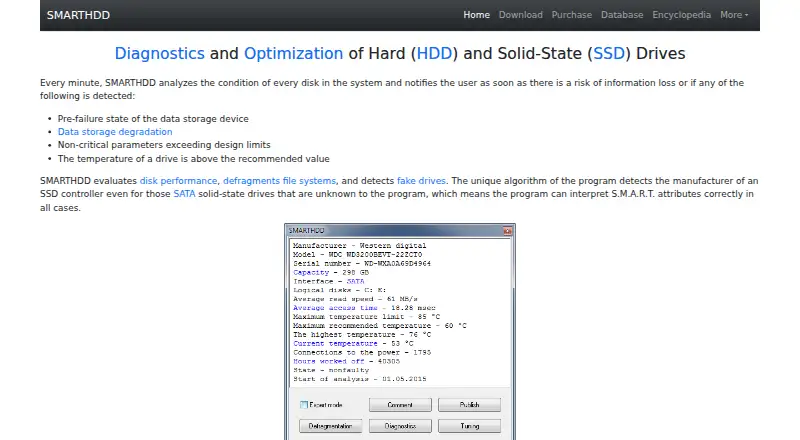
What SMARTHDD is
SMARTHDD is Windows software for diagnosing and optimizing hard disk drives and solid-state drives. It analyzes every disk each minute and can notify users about pre-failure conditions, data degradation, out-of-range parameters, or excessive temperature. The software evaluates performance, defragments file systems, detects fake drives, and identifies SSD controllers for interpreting S.M.A.R.T. attributes. Users can adjust magnetic-head positioning speed and fine-tune drive power consumption. Quick self-diagnosis takes about 1–2 minutes, while complete diagnosis may take several hours on high-capacity drives. Diagnostics run in the background, and storage analysis operates at the drive’s maximum possible speed, including over USB. Temperatures appear in the Windows taskbar notification area, with fallback maximums of 55°C for HDDs and 70°C for SSDs. It supports Windows 7–11 and offers a free trial. The Home License is $14.95, paid once for five home computers; Corporate is $149.95, paid once for unlimited organizational computers.
Good
- Minute-by-minute disk analysis
- Background self-diagnostics
- USB drive analysis support
- Temperature shown in taskbar
- Free trial available
Watch out
- Windows only
- Complete diagnosis may take several hours
- Purchased licenses cannot be returned or canceled
- License is provided without warranty
Who it suits
SMARTHDD suits Windows users monitoring drive health, temperatures, performance, and S.M.A.R.T. information. It also supports organizations needing an unlimited-computer corporate license.
Verdict
SMARTHDD combines ongoing monitoring with diagnostics and drive-tuning controls for Windows storage. Its one-time licenses cover home or unlimited organizational computers.
Plans and prices
From SMARTHDD's own pricing page, checked 8 Oct 2026.
| Plan | Price | What it gives you |
|---|---|---|
| Home License | $14.95, paid once | Fully functional on five home computers · priority technical support · email consulting · time-unlimited free updates · Not specified |
| Corporate License | $149.95, paid once | Fully functional on unlimited computers in an organization · priority technical support · email consulting · time-unlimited free updates · Not specified |
The facts
Each one read from SMARTHDD's own pages, with the date it was checked.
What it does
- Author and support
- The author page identifies Ivan Chupin as the author and lists [email protected] as the contact email.checked 8 Oct 2026
- Background operation
- Built-in drive self-diagnosis runs in the background, and storage analysis runs at the drive’s maximum possible speed, including for drives connected over USB.checked 8 Oct 2026
- Drive features
- It evaluates disk performance, defragments file systems, detects fake drives, and identifies SSD controllers to interpret S.M.A.R.T. attributes.checked 8 Oct 2026
- Drive tuning
- It can adjust magnetic-head positioning speed and fine-tune drive power consumption.checked 8 Oct 2026
- License limitation
- The EULA says a purchased digital license cannot be returned or canceled and the software is provided as-is without warranty.checked 8 Oct 2026
- Monitoring
- It analyzes every disk every minute and notifies users of detected pre-failure conditions, data degradation, out-of-range parameters, or excessive temperature.checked 8 Oct 2026
- Payment and stored data
- The maker says payments are processed through PayPro Global and its computers do not keep or record credit-card information; it retains email, name, transaction ID, and serial number for delivery or registration.checked 8 Oct 2026
- Privacy
- The privacy policy says the program collects no personal information while running on a PC and that submitted reports contain hard-drive hardware configuration information.checked 8 Oct 2026
- Purpose
- SMARTHDD diagnoses and optimizes hard disk drives and solid-state drives.checked 8 Oct 2026
- Resource and dependency claim
- The maker says the program uses minimal RAM and CPU resources and no third-party libraries other than WinAPI.checked 8 Oct 2026
- Self-diagnostics
- Quick self-diagnosis takes about 1–2 minutes, while complete self-diagnosis may take several hours on high-capacity drives.checked 8 Oct 2026
- Supported operating systems
- The software is compatible with Microsoft Windows 7–11.checked 8 Oct 2026
- Temperature display
- Drive temperature appears in the Windows taskbar notification area, with configurable display of only the hottest drive; fallback maximums are 55°C for HDDs and 70°C for SSDs.checked 8 Oct 2026
Money
- Trial terms
- The EULA describes SMARTHDD as try-before-you-buy and says the unlicensed trial version may be freely distributed subject to listed restrictions.checked 8 Oct 2026
Alternatives to SMARTHDD
- 1
nvm
Free planOpen sourceLinuxmacOSSelf-hostedWindows7.4Free plan - 2
Active@ Hard Disk Monitor
Free planWindows7.3$49.95 one-time - 3
Avidemux
Free planOpen sourceWebLinuxmacOSWindows7.3Free plan - 4
Hard Disk Sentinel
Free planLinuxWindows6.9$22 one-time - 5
smartmontools
Free planLinuxmacOSWindows6.8Free plan - 6
DRevitalize
Free planWindows6.7Free plan