SkyBlue MCEE Minecraft Tools
SkyBlue MCEE Minecraft Tools is a free browser collection for Minecraft Bedrock Edition and Minecraft Education, with tools, guides, and videos.
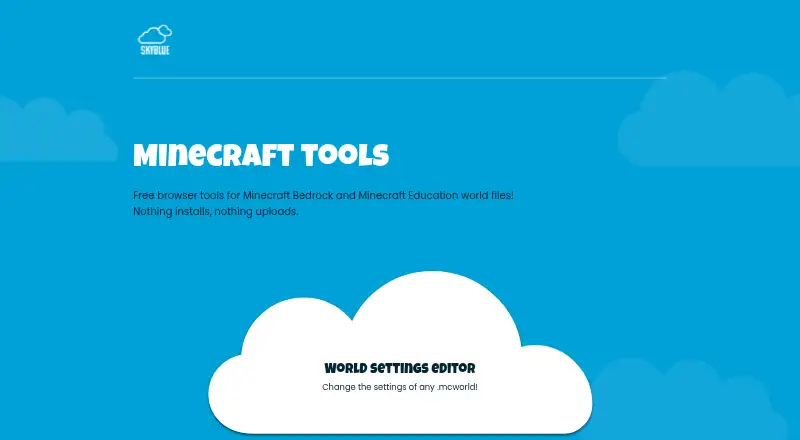
What SkyBlue MCEE Minecraft Tools is
SkyBlue MCEE Minecraft Tools is a free browser collection for Minecraft Bedrock Edition and Minecraft Education, with tools, guides, and videos. Its World Settings Editor opens an exported .mcworld file, lets users change settings, and saves a new copy. Editable options include game mode, difficulty, cheats, player permissions, world settings, gamerules, experimental features, and enabled packs. Processing happens locally in the browser, and the site says world files are not uploaded to SkyblueMC. The editor is designed for Bedrock and Education worlds in .mcworld format, not Java Edition worlds. It works on mobile or Chromebook with a modern browser that can open and download local files. Some downloads pass through Linkvertise while the modified world stays in the browser; IndexedDB may temporarily hold it for up to two hours. Source code is public on GitHub for inspection and issue reporting.
Good
- Free browser-based access
- Edits many Bedrock world settings
- Processes files locally in browser
- Works on mobile and Chromebook
- Public source code on GitHub
Watch out
- Java Edition worlds are unsupported
- Requires .mcworld files
- Some downloads use a Linkvertise step
- Browser storage may retain downloads temporarily
Who it suits
It suits Bedrock and Education players or creators who need browser-based world-setting edits without installing software. Users working with Java worlds will need another tool.
Verdict
SkyBlue MCEE provides focused, local-in-browser editing for Bedrock and Education worlds. Its format restriction and occasional Linkvertise download flow are important constraints.
Plans and prices
From SkyBlue MCEE Minecraft Tools's own pricing page, checked 11 Oct 2026.
| Plan | Price | What it gives you |
|---|---|---|
| Free | Free | Browser based Minecraft world tools · no installs or accounts · some downloads use a Linkvertise step |
The facts
Each one read from SkyBlue MCEE Minecraft Tools's own pages, with the date it was checked.
What it does
- Affiliation
- SkyblueMC says it is not affiliated with, endorsed by, or sponsored by Mojang Studios or Microsoft.checked 11 Oct 2026
- Available tool
- The World Settings Editor opens a .mcworld file so users can change settings and save a new copy.checked 11 Oct 2026
- Compatibility limit
- The editor is designed for Bedrock and Education worlds exported as .mcworld files; Java Edition worlds are not supported.checked 11 Oct 2026
- Download flow
- Some modified world downloads use a Linkvertise page, while the modified world remains in the visitor’s browser and is not sent to Linkvertise.checked 11 Oct 2026
- File handling
- The editor processes world files locally in the browser and says the files are not uploaded to SkyblueMC.checked 11 Oct 2026
- Intended users
- The site describes its tools and guidance as being for everyday Minecraft Bedrock and Education players and creators.checked 11 Oct 2026
- Local storage
- The browser may temporarily store a modified download in IndexedDB for up to two hours during the Linkvertise flow.checked 11 Oct 2026
- Open source
- The tool source code is public on GitHub for visitors to inspect, report bugs, and suggest improvements.checked 11 Oct 2026
- Privacy and analytics
- The site says it uses Cloudflare Web Analytics, Google Analytics 4, and aggregate editor visit and download counters.checked 11 Oct 2026
- Settings
- The editor supports changes to game mode, difficulty, cheats, player permissions, world options, gamerules, experimental features, and enabled packs.checked 11 Oct 2026
- Support
- Visitors can report website or tool bugs through GitHub Issues and contact the maker by email for business or privacy enquiries.checked 11 Oct 2026
- What it does
- SkyblueMC offers browser tools, guides, and videos for Minecraft Bedrock Edition and Minecraft Education.checked 11 Oct 2026
Where it runs
- Browser support
- The editor can be used on mobile or Chromebook in a modern browser that can open and download local files.checked 11 Oct 2026
Alternatives to SkyBlue MCEE Minecraft Tools
- 1

Chunker
Free planOpen sourceWebAPILinuxmacOS7.6Free plan - 2
MCBE Inventory Editor
Free planOpen sourceWebLinuxmacOSSelf-hosted7.4Free plan - 3
Minecraft Region Fixer
Free planOpen sourceLinuxmacOSSelf-hostedWindows7.2Free plan - 4

Amulet Map Editor
APILinuxmacOSSelf-hosted6.9From £7 a year - 5

Bedrock NBT Editor
Free planAndroidiOSWeb6.6Free plan - 6

Universal Minecraft Tool
Free planWindows6.5From $60 a year