Shoviv Google Workspace Backup and Restore
Shoviv Google Workspace Backup and Restore is self-hosted Windows software for backing up and restoring Google Workspace data.
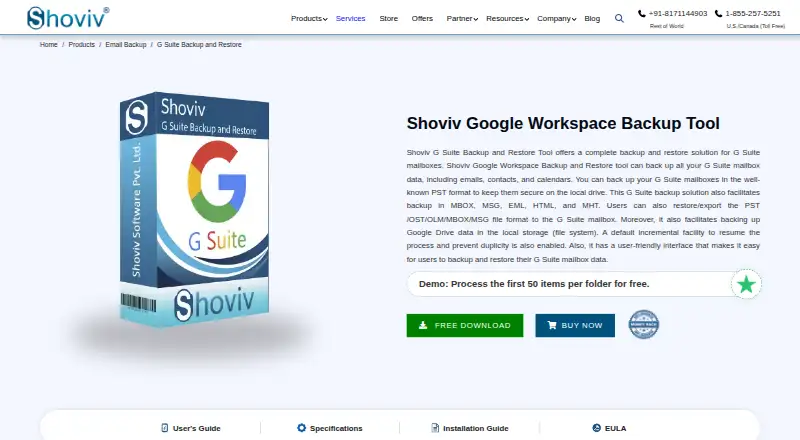
What Shoviv Google Workspace Backup and Restore is
Shoviv Google Workspace Backup and Restore is self-hosted Windows software for backing up and restoring Google Workspace data. It saves mailbox email, contacts, and calendars to local storage in formats including PST, MBOX, MSG, EML, HTML, and MHT, and can restore or export supported PST, OST, OLM, MBOX, MSG, and EML data to a Workspace mailbox. With an appropriate license, it can back up multiple Google Drives concurrently. Scheduled backups can run daily, weekly, or monthly. Incremental runs capture changes since the previous backup, resume interrupted processes, and filter duplicates. Filters can include or exclude mailbox data by date, folder, or item type, and multiple jobs can run concurrently. Restore options cover mailboxes, files, and individual items. Windows 11 and 10 are recommended; Windows Server 2008 or later is also listed. The evaluation version has no stated day limit but processes only the first 50 items per folder.
Good
- Backs up mail, contacts, and calendars locally
- Supports several mailbox backup and restore formats
- Recurring schedules cover daily, weekly, and monthly runs
- Incremental backup resumes interrupted processes
- Multiple jobs can run concurrently
Watch out
- No free plan; evaluation processes 50 items per folder
- A mailbox license cannot be reassigned
- Windows software, not listed for other operating systems
Who it suits
It suits organizations that need local backups of Google Workspace mail, contacts, calendars, or Drive data on Windows. The scheduled jobs and mailbox filters may be useful for teams managing recurring backup and restore tasks.
Verdict
Shoviv combines mailbox and Drive backup with scheduled, incremental jobs and several restore formats. Check the per-mailbox license restriction and evaluation limit when assessing it for your environment.
Plans and prices
From Shoviv Google Workspace Backup and Restore's own pricing page, checked 21 Oct 2026.
| Plan | Price | What it gives you |
|---|---|---|
| 10–50 Mailboxes | $39, paid once | 10–50 mailboxes · $3.90 per mailbox · one-time; lifetime license validity and free updates |
| 100 Mailboxes | $290, paid once | 100 mailboxes · $2.90 per mailbox · one-time; lifetime license validity and free updates |
| 200 Mailboxes | $498, paid once | 200 mailboxes · $2.49 per mailbox · one-time; lifetime license validity and free updates |
| 400 Mailboxes | $760, paid once | 400 mailboxes · $1.90 per mailbox · one-time; lifetime license validity and free updates |
| 500 Mailboxes | $845, paid once | 500 mailboxes · $1.69 per mailbox · one-time; lifetime license validity and free updates |
| 500+ Mailboxes | $846.69, paid once | 500+ mailboxes · $1.69 per mailbox · bulk inquiries available · one-time; lifetime license validity and free updates |
The facts
Each one read from Shoviv Google Workspace Backup and Restore's own pages, with the date it was checked.
What it does
- Capterra feature listing
- Capterra lists API access, backup and recovery, disaster recovery, data-loss prevention, reporting, risk management and third-party integration as product features.checked 21 Oct 2026
- Capterra pricing listing
- Capterra shows a $99 one-time price for up to 10 mailboxes, $199 for up to 50, $299 for up to 100, $498 for up to 200 and $848 for up to 400.checked 21 Oct 2026
- Concurrent jobs
- The software supports creating and running multiple backup jobs concurrently.checked 21 Oct 2026
- Current version
- The product page identifies version 25.5 and a 23.4 MB executable for 32-bit and 64-bit architectures.checked 21 Oct 2026
- Documentation
- The official guide covers installation, interface areas, connections, directories, backup jobs, restore jobs, licensing and legal notices.checked 21 Oct 2026
- Drive filters
- Google Drive jobs can filter by folder, date, file extension and file size.checked 21 Oct 2026
- Export formats
- Mailbox backups can be written as PST, MBOX, EML, MSG, ICS, VCF, HTML and MHT files.checked 21 Oct 2026
- Failure threshold
- Administrators can set a failed-item threshold that stops processing after the configured count is exceeded.checked 21 Oct 2026
- Filtering
- Mailbox filters can include or exclude date ranges, folders and item types such as emails, contacts and calendars.checked 21 Oct 2026
- Filters
- Mailbox backup and restore filters can include or exclude items by date, folder, and item type.checked 8 Oct 2026
- Google Drive
- With an appropriate license, the software backs up multiple Google Drives concurrently, with no data-size restriction stated on the product page.checked 8 Oct 2026
- Google Drive integration
- A separate appropriate license enables concurrent backup of multiple Google Drives without a stated data-size restriction.checked 21 Oct 2026
- Incremental backup
- Incremental mode processes new or changed items, resumes interrupted work and suppresses duplicates.checked 21 Oct 2026
- Large-item timeout
- The large-item wait timer is configurable from 2 to 30 minutes.checked 21 Oct 2026
- Licence
- The EULA grants a non-exclusive, non-transferable proprietary licence and prohibits modification, decompilation and reverse engineering.checked 21 Oct 2026
The company
- Company and address
- The site identifies the maker as Shoviv Software Pvt. Ltd. and lists its India mailing address in Dehradun and a UK address in London.checked 8 Oct 2026
- Company founding
- Shoviv says the company began on 4 September 2017.checked 21 Oct 2026
- Company headquarters
- LinkedIn lists headquarters in Dehra Dun, Uttarakhand, India.checked 21 Oct 2026
- Company legal name
- The vendor identifies itself as Shoviv Software Pvt. Ltd.checked 21 Oct 2026
- Company ownership
- G2 identifies Vivek Chaube as the owner.checked 21 Oct 2026
- Company size
- LinkedIn places the company in the 51–200 employee size band and displays 25 employees.checked 21 Oct 2026
- Founded
- 2017checked 28 Sep 2026
- Headquarters
- Dehradun, Uttarakhand, India; London, UKchecked 28 Sep 2026
- Limit: company-level complaint
- A one-star Trustpilot review reports an Exchange EDB export time-zone bug, unsuccessful support resolution and a refund dispute; it concerns another Shoviv product rather than this Google Workspace tool.checked 21 Oct 2026
Alternatives to Shoviv Google Workspace Backup and Restore
- 1

IDrive
Free planAndroidiOSWebLinux8.4From $0.25 a month - 2

MSP360 Backup
Free planAndroidiOSWebAPI8.3Free plan - 3

Synology Photos
Free planAndroidiOSWebExtension7.7Free plan - 4

SpinOne
WebAPIExtensionLinux7.6From $3 a month - 5

CubeBackup
WebAPILinuxSelf-hosted7.4From $2 a year - 6
Spanning Backup
AndroidiOSWebAPI7.3