ShaderMap
ShaderMap is Windows software for creating rendering and PBR maps from source images, 3D models, and light scan photo stacks.
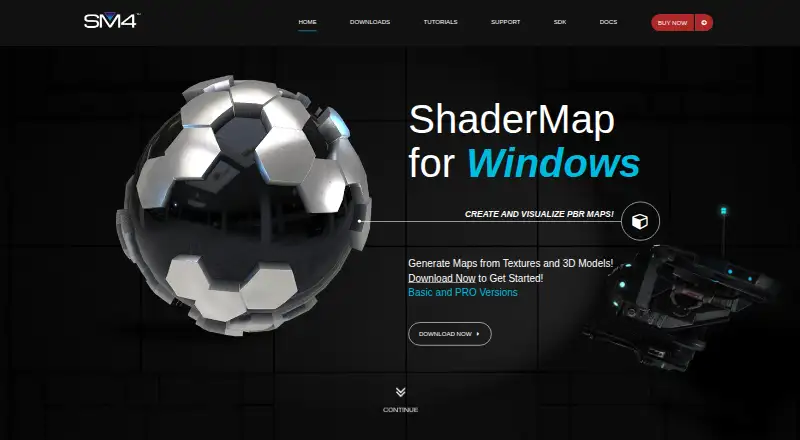
What ShaderMap is
ShaderMap is Windows software for creating rendering and PBR maps from source images, 3D models, and light scan photo stacks. It can bake normal, ambient occlusion, curve, color ID, and depth maps from model geometry, as well as generate roughness and metalness maps and pack maps in RMA or RMAD formats. Artists can paint and modify normal maps in the Normal Editor, which uses tools and layers. Batch processing groups source maps using LUA scripting and project configurations. Maps can also be exported to an external image editor and returned to ShaderMap after saving. Its C/C++ SDK supports plugins for maps, geometry importers, and filters under the MIT License. ShaderMap works offline, though automatic updates and the support feed require internet access. The free Basic License includes standard maps and materials, map filters, and the Normal Editor, but disables PRO features and may display ads up to three times per day at startup.
Good
- Bakes five map types from 3D geometry
- Generates roughness and metalness maps
- Normal Editor includes tools and layers
- Works offline
- C/C++ plugin SDK uses MIT License
Watch out
- Windows only
- Free version disables PRO features
- Free version may show startup ads
Who it suits
ShaderMap suits Windows artists who need to generate or edit PBR and rendering maps, including through batch processing or plugins. The free version may fit users who can work without PRO features; commercial users can choose the Commercial License.
Verdict
ShaderMap combines map generation, normal editing, batch processing, and plugin support in a Windows application. Check which license fits your needs, since the free version disables PRO features and the listed paid licenses differ in installation and commercial-use terms.
Plans and prices
From ShaderMap's own pricing page, checked 8 Oct 2026.
| Plan | Price | What it gives you |
|---|---|---|
| Basic License | Free | Standard maps and materials · Map filters · Normal Editor · Ads up to 3 times per day · PRO watermarks · PRO features disabled · Free |
| Student | $19, paid once | All PRO features · 1 installation per seat · No commercial license listed · $19 |
| Personal | $29, paid once | All PRO features · Up to 3 installations per seat · No commercial license listed · $29 |
| Commercial | $49, paid once | All PRO features · Up to 3 installations per seat · Commercial license · $49 |
The facts
Each one read from ShaderMap's own pages, with the date it was checked.
What it does
- Batch processing
- ShaderMap supports batch processing groups of source maps through LUA scripting and project configurations.checked 8 Oct 2026
- External editor
- Maps can be exported to an external image editor and brought back into ShaderMap after saving.checked 8 Oct 2026
- Integrations
- ShaderMap supports external image editors and plugins; the maker does not name specific editor integrations on the pages reviewed.checked 8 Oct 2026
- Map baking
- It can bake normal, ambient occlusion, curve, color ID, and depth maps from 3D model geometry.checked 8 Oct 2026
- Normal editing
- The Normal Editor lets artists paint and modify normal maps using tools and layers.checked 8 Oct 2026
- Offline use
- An internet connection is not required to use ShaderMap, though automatic updates and the support feed need internet access.checked 8 Oct 2026
- PBR
- It generates roughness and metalness maps and can pack maps into RMA and RMAD formats.checked 8 Oct 2026
- Plugin SDK
- The C/C++ SDK supports plugins for maps, geometry importers, and filters, and is released under the MIT License.checked 8 Oct 2026
- Purpose
- ShaderMap generates rendering and PBR maps from source images, 3D models, and light scan photo stacks.checked 8 Oct 2026
- Security and privacy
- The privacy policy says the company uses reasonable security safeguards for personal information and collects customer details at checkout for account, license, download, and contact purposes.checked 8 Oct 2026
- Support
- Users can seek help through the ShaderMap support forums to ask questions, report bugs, and get assistance.checked 8 Oct 2026
- System requirements
- The downloads page lists Windows 7, 8, or 10, a 32- or 64-bit CPU, 2 GB RAM, 2 GB free disk space, and a graphics card with Shader Model 3.0.checked 8 Oct 2026
Money
- Free license limits
- The free version disables all PRO features and may show ads up to three times per day at application start.checked 8 Oct 2026
Alternatives to ShaderMap
- 1

Mixos Paint
Free planAndroidiOSWebAPI8.0From $5.99 a month - 2

Trumble
Free planWebLinuxmacOSWindows7.7From $3 a month - 3

Surface Labs
Free planAndroidiOSAPILinux7.5Free plan - 4

Mari
Free planLinuxWindows7.1From $689 a year - 5

InstaMAT
Free planLinuxmacOSWindows6.9Free plan - 6

Adobe Substance 3D Modeler
ExtensionWindows6.7