SDV Enterprise
SDV Enterprise is a downloadable Python SDK for generating synthetic data that retains properties and formats of real data.
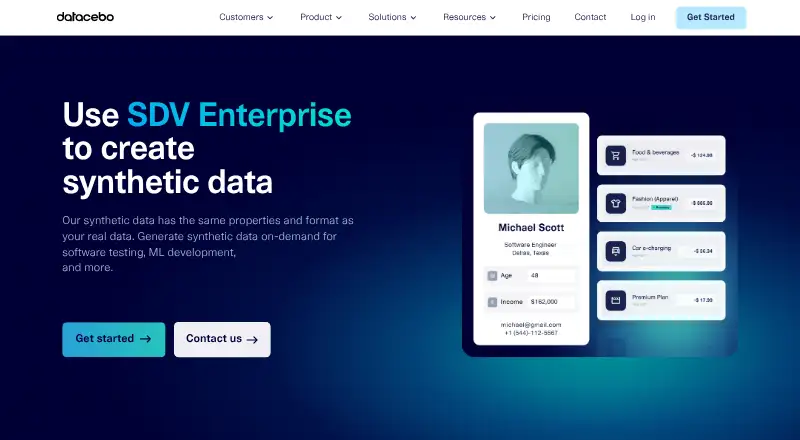
What SDV Enterprise is
SDV Enterprise is a downloadable Python SDK for generating synthetic data that retains properties and formats of real data. It supports structured data in database tables, CSV, Excel, and JSON, and can model patterns across multi-table schemas as well as single-table and sequential data. It is intended for software testing, machine-learning development, and other uses. The SDK can be installed on Linux, Windows, or macOS in a secure environment or on premises, and does not require GPUs. DataCebo says customer data and models stay in the customer's environment and are not hosted, stored, or accessed by the software. Users can choose from hundreds of data-processing options, anonymize sensitive personal information, and provide business logic to the model. AI Connectors can detect database metadata, import training subsamples, and export synthetic data in its original database format; supported connectors include AlloyDB, BigQuery, MSSQL, Oracle, PostgreSQL, and Spanner. A free Community plan is available. Enterprise Base is $500 per user per month plus usage, while Bundles are $250 per bundle per user per month plus usage. Usage-based billing applies to synthetic data created, with a spending cap available.
Good
- Works with database tables, CSV, Excel, and JSON.
- Models patterns across multi-table schemas.
- Can be installed on premises without GPUs.
- Offers connectors for six named databases.
- Usage spending caps help control monthly costs.
Watch out
- Enterprise Base costs $500 per user per month plus usage.
- Bundles cost $250 per bundle per user per month plus usage.
- No free trial is listed.
- Telemetry may include usage, performance, error, and crash data.
Who it suits
It suits teams that need structured synthetic data for testing or machine-learning development and want to install the SDK in their own environment. Its multi-table modeling and database connectors are relevant to users working with complex schemas.
Verdict
SDV Enterprise combines structured synthetic-data generation with local deployment, multi-table modeling, and database connectors. The free Community plan offers a way to start, while Enterprise and Bundles add paid capabilities and usage charges.
Plans and prices
From SDV Enterprise's own pricing page, checked 1 Oct 2026.
| Plan | Price | What it gives you |
|---|---|---|
| SDV Community | Free | 5 data types · 5 basic constraints · 9 models · CSV and Excel support · forum support · No cost |
| SDV Bundles | $250 a month | CAG · XSynthesizers · Targeted Sampling · Differential Privacy · AI Connectors · per bundle per user + usage |
| SDV Enterprise Base | $500 a month | 12+ models · 10+ data types · AI Connectors add-on · dedicated forum support · per user + usage |
The facts
Each one read from SDV Enterprise's own pages, with the date it was checked.
What it does
- AI Connectors
- The AI Connectors bundle detects database metadata, imports training data subsamples, and exports synthetic data in the original database format.checked 1 Oct 2026
- Database integrations
- AI Connectors include AlloyDB, BigQuery, MSSQL, Oracle, PostgreSQL, and Spanner connectors.checked 1 Oct 2026
- Data boundary
- DataCebo states that customer data and models remain in the customer environment and that the software does not host, store, or access them.checked 1 Oct 2026
- Multi-table modeling
- SDV Enterprise learns intertable patterns in complex, multi-table schemas.checked 1 Oct 2026
- On-premises deployment
- SDV Enterprise is a downloadable Python SDK that can be installed in a secure environment or on-premises, and it does not require GPUs.checked 1 Oct 2026
- Programmability
- Users can choose from hundreds of data-processing options, anonymize sensitive PII, and supply business logic to the AI model.checked 1 Oct 2026
- Structured data support
- The product works with data represented as rows and columns, including database tables, CSV files, Excel spreadsheets, and JSON files.checked 1 Oct 2026
- Support
- DataCebo offers support through a public forum and commercially reasonable efforts to answer up to 10 support inquiries per month within 2 to 3 business days.checked 1 Oct 2026
- Supported operating systems
- SDV Enterprise supports Linux, Windows, and macOS with specified 64-bit Python and pip requirements.checked 1 Oct 2026
- Synthetic data generation
- SDV Enterprise creates synthetic data with the same properties and format as real data for software testing, machine-learning development, and other uses.checked 1 Oct 2026
- Telemetry
- The software may transmit usage and diagnostic data such as synthesizers used, cells sampled, features accessed, performance data, error logs, and crash reports, while excluding customer data and created models.checked 1 Oct 2026
The company
- Company headquarters
- DataCebo says its headquarters are in Boston's Back Bay neighborhood, two miles from MIT.checked 1 Oct 2026
- Company origin
- The Synthetic Data Vault project was first created at MIT's Data to AI Lab in 2016, and DataCebo was created in 2020 to grow the project.checked 1 Oct 2026
- Founded
- 2020checked 28 Sep 2026
- Headquarters
- Boston, Massachusetts, United Stateschecked 28 Sep 2026
Money
- Usage billing
- SDV Enterprise uses pay-as-you-go pricing for synthetic data created and lets users set a spending cap for monthly cost control.checked 1 Oct 2026
The full review of SDV Enterprise
Overview
SDV Enterprise is a Python SDK for creating synthetic structured data for software testing, machine-learning development and related work. It is best suited to teams that need to model connected database tables and keep data processing within their own environment. Its main trade-off is a paid, usage-billed path to broader capabilities; a free Community plan provides a narrower starting point.
Key features
The SDK generates data in the same general properties and formats as real data, working with rows and columns in database tables, CSV, Excel and JSON. It supports single-table, multi-table and sequential data. Its ability to learn relationships across complex multi-table schemas is particularly useful when test data must preserve links between tables rather than producing isolated records.
Users can select from hundreds of data-processing options, anonymize sensitive personal information and provide business logic to guide the AI model. The downloadable SDK runs on Linux, Windows and macOS in a secure or on-premises environment, without requiring GPUs. DataCebo says customer data and generated models remain in that environment and are not hosted, stored or accessed by the company. Telemetry may still transmit usage and diagnostic information—including sampled cell counts, performance data, error logs and crash reports—though it excludes customer data and created models.
AI Connectors can detect database metadata, import training-data subsamples and export synthetic data in the original database format. Supported connectors are AlloyDB, BigQuery, MSSQL, Oracle, PostgreSQL and Spanner. This can reduce manual movement between a database and a synthetic-data workflow, but connectors are an add-on for the Enterprise Base plan and are included in Bundles.
Pricing
SDV Community costs nothing, with no-cost billing. It includes five data types, five basic constraints, nine models, CSV and Excel support, and forum support. That is a practical way to begin or handle narrower file-based work, but the listed model and data-type counts are well below Enterprise Base's 12+ models and 10+ data types; AI Connectors are not part of this plan.
SDV Bundles costs $250 a month, billed per bundle per user plus usage. It includes CAG, XSynthesizers, Targeted Sampling, Differential Privacy and AI Connectors. It suits users seeking those named capabilities and database workflows, though the per-user and usage charges mean the monthly amount is not the full cost for a team generating data.
SDV Enterprise Base costs $500 a month, billed per user plus usage. It includes 12+ models, 10+ data types and dedicated forum support; AI Connectors are an add-on. Pay-as-you-go charges apply to synthetic data created, and a spending cap can help control monthly usage costs. Support also includes commercially reasonable efforts to answer up to 10 inquiries per month within 2 to 3 business days. There is no free trial, so the Community plan is the available no-cost way to assess a limited version before committing.
Platforms
SDV Enterprise supports Linux, Windows and macOS with specified 64-bit Python and pip requirements. Its self-hosted deployment is the relevant option for teams that need processing to stay in a secure or on-premises environment; GPU hardware is not required.
Who it's for
Choose SDV Enterprise when synthetic data must retain structure across related tables, when teams need database connectors, or when deployment boundaries matter. The Community plan is a sensible starting point for basic CSV and Excel work. Teams needing the paid models, broader data-type support or connector workflows should budget for per-user fees and usage charges. It is less compelling for a reader who only needs a free, narrowly capped generator or who does not need structured, multi-table data.
Pros and cons
- Pro: Multi-table modeling can preserve intertable patterns, a meaningful advantage for realistic testing of relational schemas.
- Pro: Self-hosted operation keeps customer data and models in the customer environment, and does not require GPUs.
- Pro: Database connectors support importing subsamples and exporting in the original database format.
- Con: Enterprise costs combine per-user pricing with usage billing, so spend grows with team size and generated data.
- Con: Community is limited to five data types, five basic constraints and nine models, with only CSV and Excel support.
- Con: Diagnostic telemetry may include usage patterns, performance data, logs and crash reports, even though customer data and created models are excluded.
Alternatives
Browse the Synthetic Data Generation Software category to compare products in this field.
Synth Studio is a better fit for a reader seeking a free option with a stated limit of up to 1M rows per generation and an MIT License.
YData SDK may suit teams that want a free monthly-credit plan with all features and 20+ connectors, or pay-as-you-go pricing starting at $1 per onc.
NVIDIA ShadowPlay is another listed alternative.
Tonic.ai offers a freemium option and a Fabricate Plus plan at $29 a month, billed at $29 per month, with $25 of monthly credits and pay-as-you-go additional usage.
Simudyne Pulse is another freemium alternative.
SynthCity is a free, open-source Python library for Linux, installable from PyPI or source, and may suit developers seeking that format.
Synthesized is a freemium alternative with pricing available by contacting sales to book a demo.
Verdict
SDV Enterprise is the stronger fit for teams that need structured synthetic data across related tables, database integrations and self-hosted control. Those capabilities justify considering it when preserving data relationships and keeping customer data in-house matter more than a simple low-cost start. Choose another tool if you need a genuinely free workflow beyond Community's narrow limits or want to avoid per-user and usage charges.
Getting started
- Visit https://datacebo.com/product/.
- Choose the SDV Community, SDV Bundles, or SDV Enterprise Base plan.
- Install the downloadable Python SDK in a supported Linux, Windows, or macOS environment.
- Use the supported data formats and select processing options for your workflow.
- For paid usage, set a spending cap if you want monthly cost control.
Limits worth knowing
SDV Community includes five data types, five basic constraints, nine models, CSV and Excel support, and forum support. SDV Bundles cost $250/month per bundle per user plus usage; Enterprise Base costs $500/user/mo plus usage, and AI Connectors are an add-on for that plan.
Questions
Is there a free plan?
Yes. SDV Community is free and includes five data types, five basic constraints, nine models, CSV and Excel support, and forum support.
How much do the paid plans cost?
SDV Bundles are $250/month per bundle per user plus usage. SDV Enterprise Base is $500/user/mo plus usage.
Which platforms does it support?
The SDK supports Linux, Windows, and macOS, with specified 64-bit Python and pip requirements.
Can it run on premises?
Yes. It can be installed in a secure environment or on premises, and it does not require GPUs.
Which databases have AI Connectors?
The connectors include AlloyDB, BigQuery, MSSQL, Oracle, PostgreSQL, and Spanner.
Does the software access customer data?
DataCebo says customer data and models remain in the customer environment and the software does not host, store, or access them. It may transmit usage and diagnostic information, excluding customer data and created models.
Alternatives to SDV Enterprise
- 1

Synth Studio
Free planOpen sourceWebAPILinuxmacOS7.5Free plan - 2
SynthEngyne
Free plan7.1Free plan - 3

YData SDK
Free planAPILinuxmacOSSelf-hosted6.9Free plan - 4

Tonic.ai
Free planWebAPISelf-hosted6.8From $29 a month - 5

Synthetic Data Vault
Free planAPISelf-hosted6.6From $250 a month - 6

SynthForge IO
Free planWebAPI6.6Free plan