ScanQuik
ScanQuik is an iPhone and iPad app for digitizing printed photographs.
What ScanQuik is
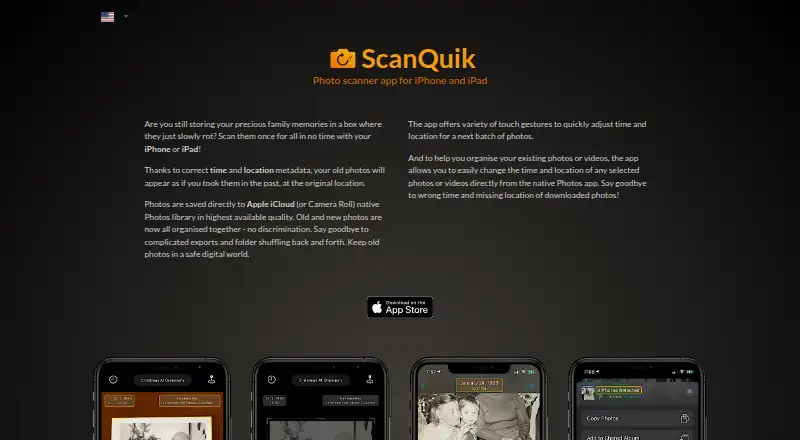
ScanQuik is an iPhone and iPad app for digitizing printed photographs. It detects each photo’s edges, scans and crops it, and lets you adjust the corners manually before saving. Scans go directly to Apple iCloud Photos or the Camera Roll in the native Photos library. You can attach time and location metadata so an image appears in the library as if it came from that earlier place and time. An editing extension in Photos changes the time and location of selected photos or videos, while favorite locations and a map support metadata editing. The App Store listing supports HEIC and the P3 color space, and its version history says photo negatives can be scanned. The app requires iOS 12.0 or later on iPhone and iPadOS 12.0 or later on iPad. A 3-day trial is free, and the Full Version costs 8.99 USD once.
Good
- Automatically detects, crops, and scans photos
- Allows precise corner adjustments
- Saves directly to iCloud Photos or Camera Roll
- Edits photo and video metadata in Photos
- Supports HEIC and P3 color space
Watch out
- Works only on iPhone and iPad
- Requires iOS 12.0 or later
- Full Version costs 8.99 USD once
- Developer privacy claim is unverified by Apple
Who it suits
It suits iPhone and iPad users who want printed photos digitized into their Photos library. It is especially relevant when preserving or editing historical time and location details.
Verdict
ScanQuik focuses on scanning printed photos while preserving control over crop and metadata. Its iOS-only availability and one-time Full Version cost are the main purchasing considerations.
Plans and prices
From ScanQuik's own pricing page, checked 4 Oct 2026.
| Plan | Price | What it gives you |
|---|---|---|
| 3-day Trial | Free | 3-day trial |
| Full Version | $8.99, paid once | Full version |
The facts
Each one read from ScanQuik's own pages, with the date it was checked.
What it does
- Automatic scanning
- The app detects photo edges automatically and scans and crops photos.checked 4 Oct 2026
- Compatibility
- The App Store listing requires iOS 12.0 or later on iPhone and iPadOS 12.0 or later on iPad.checked 4 Oct 2026
- Editing extension
- The app lets users change the time and location of selected photos or videos from within the native Photos app.checked 4 Oct 2026
- Image formats
- The App Store listing says the app supports HEIC and P3 color space.checked 4 Oct 2026
- Manual adjustment
- Users can precisely adjust photo corners before saving.checked 4 Oct 2026
- Metadata
- Scanned photos can be saved with time and location metadata so they appear as though they were taken in the past at the original location.checked 4 Oct 2026
- Metadata tools
- The App Store listing describes favorite locations and a map for editing photo metadata.checked 4 Oct 2026
- Photo library
- Photos are saved directly to Apple iCloud Photos or the Camera Roll in the native Photos library.checked 4 Oct 2026
- Privacy
- The developer reports that the app does not collect data; Apple says this information has not been verified by Apple.checked 4 Oct 2026
- Purpose
- ScanQuik is a photo scanner app for iPhone and iPad that digitizes old printed photos.checked 4 Oct 2026
- Scanning negatives
- The App Store version history says photo negatives can be scanned.checked 4 Oct 2026
- Support
- The maker lists [email protected] as its support contact.checked 4 Oct 2026
The company
- Maker
- The maker's site copyright and App Store listing identify Pavel Holec.checked 4 Oct 2026
Alternatives to ScanQuik
- 1

Google Photos
Free planAndroidiOSWebAPI8.3Free plan - 2
FilmBox by Photomyne
Free planAndroidiOSWebmacOS8.0From $39.99 a year - 3

FilmLab
Free planAndroidiOSLinuxmacOS8.0From $59.99 a year - 4
Brother iPrint&Scan
Free planAndroidiOSmacOSWindows7.4Free plan - 5

NAPS2
Free planOpen sourceAPILinuxmacOSWindows7.4Free plan - 6

Nostalgia
Free planAndroidiOSWebmacOS7.4From $79.99 a year