Scanitto Pro
Scanitto Pro is Windows scanner software with OCR for creating editable and searchable document copies.
What Scanitto Pro is
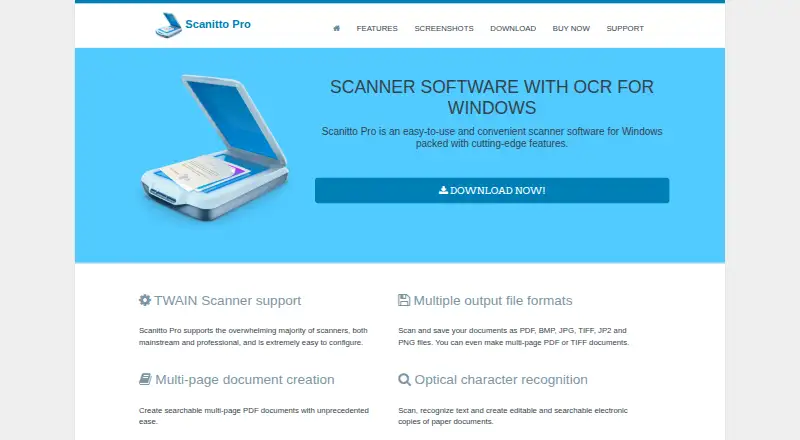
Scanitto Pro is Windows scanner software with OCR for creating editable and searchable document copies. It works with TWAIN scanners, including mainstream and professional models, and provides controls for color mode, resolution, output size, scan region, automatic document feeders, and duplex scanning. Auto-crop and deskew correction are included. Scans can be saved as PDF, BMP, JPG, TIFF, JP2, or PNG, including multipage PDF and TIFF documents. The software can reorder pages, build multipage PDFs, and turn scanned images into searchable PDFs. OCR languages listed are English, Italian, Russian, German, French, and Spanish. A copier sends an image directly to a printer, while sharing integrations include Google Drive, Dropbox, Facebook, and Twitter. The fully functional trial lasts 30 days. A single-user license costs $29.95, paid once, and a site license costs $199, paid once. Supported systems include Windows XP through Windows 10 and listed Windows Server versions.
Good
- OCR creates editable, searchable document copies
- Supports TWAIN scanners and automatic feeders
- Auto-crop and deskew correction included
- Exports PDF, BMP, JPG, TIFF, JP2, PNG
- 30-day fully functional trial
Watch out
- Windows-only platform
- No free plan
- Single-user license is one-time paid software
- Listed systems are older Windows versions
Who it suits
It suits home and small-office users seeking scanner controls, OCR, correction, and multiple export formats on Windows. Organizations can consider the site license for computers within one company.
Verdict
Scanitto Pro focuses on practical Windows scanning, OCR, correction, and document export. Its trial lets you check scanner compatibility and workflow before buying a one-time license.
Plans and prices
From Scanitto Pro's own pricing page, checked 7 Oct 2026.
| Plan | Price | What it gives you |
|---|---|---|
| Scanitto Pro (single-user license) | $29.95, paid once | One personal computer · free minor updates · volume discounts available · One-time license; no billing interval stated. |
| Scanitto Pro (site license) | $199, paid once | Any number of computers within one organization or company · free minor updates · One-time license; no billing interval stated. |
The facts
Each one read from Scanitto Pro's own pages, with the date it was checked.
What it does
- Copier
- The copier feature sends an image directly to a printer.checked 7 Oct 2026
- File formats
- Scans can be saved as PDF, BMP, JPG, TIFF, JP2, and PNG, including multipage PDF or TIFF documents.checked 7 Oct 2026
- Intended users
- Masters ITC Software says its desktop software primarily serves home and small office users seeking a better scanner experience.checked 7 Oct 2026
- OCR
- OCR can create editable and searchable electronic copies of paper documents.checked 7 Oct 2026
- OCR languages
- The listed OCR languages are English, Italian, Russian, German, French, and Spanish.checked 7 Oct 2026
- PDF tools
- The software can reorder scanned pages, create multipage PDFs, and convert scanned images or image files to searchable PDF.checked 7 Oct 2026
- Product
- Scanitto Pro is scanner software with OCR for Windows.checked 7 Oct 2026
- Purchase security
- The purchase page says card or PayPal purchases are protected by SSL encryption and that the activation code is emailed instantly after purchase.checked 7 Oct 2026
- Scanner support
- It supports TWAIN scanners, including mainstream and professional models.checked 7 Oct 2026
- Scanning controls
- Users can set color mode, resolution, and output size, select a scan region, use an automatic document feeder, and control duplex scanning.checked 7 Oct 2026
- Sharing integrations
- The features page lists Google Drive, Dropbox, Facebook, and Twitter for cloud and social sharing.checked 7 Oct 2026
- Support
- The support page provides help topics and a contact form; the license agreement says registered users are entitled to technical support by email or support form.checked 7 Oct 2026
- Supported systems
- The download page lists Windows XP, Vista, 7, 8, 10, and Windows Server 2003, 2008, and 2012.checked 7 Oct 2026
The company
- Founded
- 2005checked 28 Sep 2026
Money
- Trial
- The download page offers a fully functional, time-limited 30-day trial.checked 7 Oct 2026
Alternatives to Scanitto Pro
- 1
Dynamic Web TWAIN
AndroidiOSWebAPI7.7$1,249 usage-based - 2
Brother iPrint&Scan
Free planAndroidiOSmacOSWindows7.4Free plan - 3

NAPS2
Free planOpen sourceAPILinuxmacOSWindows7.4Free plan - 4

PaperScan
Free planWindows7.4$79 one-time - 5
Avidemux
Free planOpen sourceWebLinuxmacOSWindows7.3Free plan - 6

bcWebCam
Free planWindows7.2€4,989 one-time