Scanaro
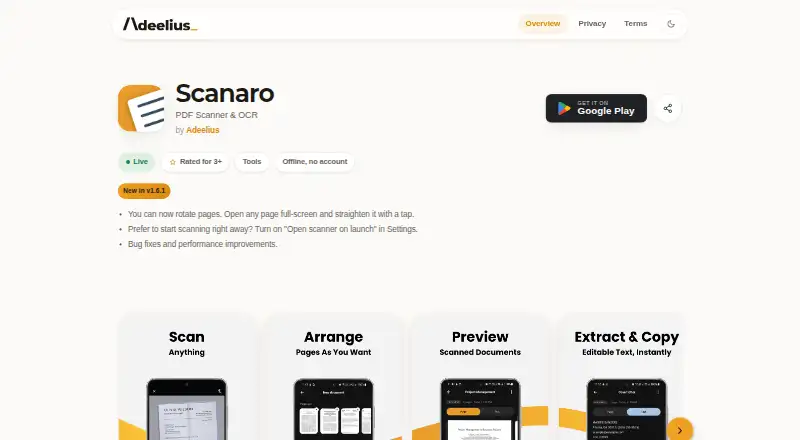
The facts below are what the maker publishes about Scanaro, checked and dated. Our editors have not written about it yet.
The facts
Each one read from Scanaro's own pages, with the date it was checked.
What it does
- Ads and tracking
- The maker says Scanaro has no ads, tracking, advertising SDKs, analytics libraries, or crash-reporting tools.checked 12 Oct 2026
- Ads and watermark
- The maker says Scanaro has no ads or tracking and does not add a watermark to scans.checked 12 Oct 2026
- Intended use
- The maker describes scanning receipts, ID cards, contracts, and class notes as use cases.checked 12 Oct 2026
- Limitations
- The maker says documents cannot be recovered if deleted, app data is cleared, or the app is uninstalled, and users are responsible for backups.checked 12 Oct 2026
- Multipage PDF
- Yeschecked 22 Sep 2026
- Multi-page PDFs
- It can combine multiple scanned pages into a single PDF.checked 12 Oct 2026
- OCR
- On-device OCR extracts searchable, selectable text, which can be exported as PDF or plain text.checked 12 Oct 2026
- OCR and export
- On-device OCR makes scanned images searchable and selectable, and text can be exported as PDF or plain text.checked 12 Oct 2026
- OCR included
- Yeschecked 22 Sep 2026
- Organization
- It supports multi-page scans in one PDF and search across saved documents.checked 12 Oct 2026
- Permissions
- The app requests camera access for scans and the maker says it does not declare internet permission.checked 12 Oct 2026
- Pricing model
- Google Play describes a one-time unlock for extra features and says there is no subscription; it does not state the unlock price on the page opened.checked 12 Oct 2026
- Privacy
- The maker says the app collects, uploads, and shares no user data and makes no network requests.checked 12 Oct 2026
- Product
- Scanaro is an offline document scanner and OCR app for Android that turns paper documents into searchable PDFs and text on the device.checked 12 Oct 2026
- Purpose
- Scanaro is an offline Android app for scanning paper documents and turning them into searchable PDFs and selectable text.checked 12 Oct 2026
- Requirements and distribution
- The maker’s page lists Android 7.0 or later, and links to Google Play for downloads.checked 12 Oct 2026
- Scanning
- It offers automatic edge detection and perspective correction for document scans.checked 12 Oct 2026
- Search
- Users can search across saved documents and scanned PDFs.checked 12 Oct 2026
- Searchable PDF
- Yeschecked 22 Sep 2026
- Storage
- Scans, PDFs, and extracted text are stored in the app’s private storage on the device; the maker says it cannot recover them if they are lost.checked 12 Oct 2026
- Storage and security
- Scans, PDFs, and extracted text are kept in the app’s private storage on the device; the maker says other apps cannot access that storage.checked 12 Oct 2026
Where it runs
- Android app
- Yeschecked 22 Sep 2026
- Platform requirement
- The maker’s product page says Scanaro requires Android 7.0 or later.checked 12 Oct 2026
The company
- Headquarters
- Pakistanchecked 28 Sep 2026
Alternatives to Scanaro
- 1

Smallpdf
Free planAndroidiOSWebWindows8.9From $10 a month - 2

DocuWare
AndroidiOSWebAPI8.6From £1,060 a month - 3

Docutain
Free planAndroidiOSWindows8.4From €2.08 a month - 4

CamScanner
Free planAndroidiOSWebmacOS8.3From $59.99 a year - 5

Google Photos
Free planAndroidiOSWebAPI8.3Free plan - 6
TapScanner
Free planAndroidiOSWeb8.2From $39.99 a year