Rosply
Rosply is a local AI desktop agent that accepts natural-language tasks, reads screenshots, and controls a computer’s mouse and keyboard.
What Rosply is
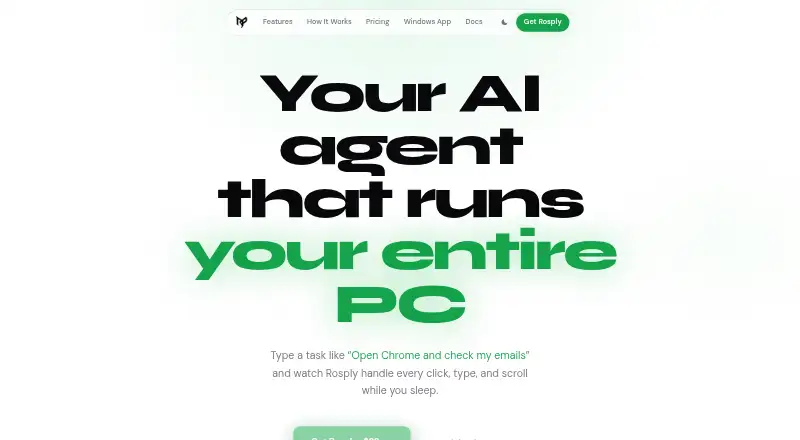
Rosply is a local AI desktop agent that accepts natural-language tasks, reads screenshots, and controls a computer’s mouse and keyboard. It captures a screenshot at each step, allowing interaction with applications without DOM access or app-specific APIs. Actions include clicking, double-clicking, right-clicking, dragging, typing, scrolling, and hotkeys. Tasks can contain up to 200 actions, and Ctrl+H stops one immediately; values can be retained between steps and runs. Rosply supports Windows, macOS, Linux, browser control, and an extension. Its VS Code extension sends code-generation prompts to DeepSeek V3 through OpenRouter and writes files to the current workspace or a new Desktop folder. Listed connections include Claude Code through MCP, Ollama, LM Studio, Gemini, and GPT-4o. Voice activation uses “Hey Rosply,” with Whisper running locally for offline use. The one-time purchase is $29, paid once, including source code, future updates, and one user.
Good
- Controls apps through screenshot-based vision
- Supports Windows, macOS, and Linux
- Includes browser control and extension
- Local Whisper voice control works offline
- One-time purchase includes future updates
Watch out
- Each task is capped at 200 actions
- Core task data may go to an AI provider
- One purchase covers one user
- Windows remote access uses optional services
Who it suits
Rosply is intended for developers who want to delegate repetitive PC work. It suits users who need desktop, browser, or voice control and can use local models for on-machine task data.
Verdict
Rosply focuses on direct computer control rather than app-specific integrations, using screenshots and simulated input. Its local deployment, developer connections, and one-time license suit repetitive desktop workflows, with a 200-action task ceiling.
Plans and prices
From Rosply's own pricing page, checked 8 Oct 2026.
| Plan | Price | What it gives you |
|---|---|---|
| One-time purchase | $29, paid once | Full source code · all future updates · up to 200 actions per task · one user · pay once · keep forever |
The facts
Each one read from Rosply's own pages, with the date it was checked.
What it does
- Action limit
- Each task is capped at 200 actions.checked 8 Oct 2026
- Code generation
- Its VS Code extension routes code generation prompts to DeepSeek V3 via OpenRouter and writes generated files into the current workspace or a new Desktop folder.checked 8 Oct 2026
- Companion service data
- For users signing in to the Windows app or ai.rosply.com, Rosply stores account and paired-device information and keeps prompts and results only long enough to deliver them, removing them within six hours at most.checked 8 Oct 2026
- Data handling
- The privacy policy says the core agent sends screenshots, task text, recent action history, and configured model details to the selected AI provider; with a local model, no task data leaves the machine.checked 8 Oct 2026
- Desktop actions
- It supports clicking, double-clicking, right-clicking, dragging, typing, scrolling, and hotkeys.checked 8 Oct 2026
- Integrations
- The site lists OpenRouter, Claude Code through MCP, VS Code code generation, Ollama and LM Studio local models, and vision APIs including Gemini and GPT-4o.checked 8 Oct 2026
- Intended users
- The site describes Rosply as built for developers who want to delegate repetitive PC work.checked 8 Oct 2026
- Memory and stop
- It can retain values across task steps and runs, and Ctrl+H stops a task immediately.checked 8 Oct 2026
- Remote access
- The optional Windows app and ai.rosply.com let users send prompts from a phone or another browser to an agent running on their PC.checked 8 Oct 2026
- Support and refunds
- The terms direct support inquiries to [email protected] and say refunds may be considered within seven days if the software fails on a supported Windows platform and support cannot resolve the issue.checked 8 Oct 2026
- Vision control
- It takes a screenshot at each step and can interact with apps without DOM access or app-specific APIs.checked 8 Oct 2026
- Voice control
- The voice wake word is “Hey Rosply,” and the site says Whisper runs locally so it works offline.checked 8 Oct 2026
- What it does
- Rosply is an AI desktop agent that takes a task in natural language, reads screenshots, and controls the mouse and keyboard to carry it out.checked 8 Oct 2026
Money
- AI provider costs
- Rosply says OpenRouter’s free tier is enough to start, and a local vision model can run task execution offline.checked 8 Oct 2026
Where it runs
- Platforms
- The site lists Windows 10/11, Linux, and macOS; it describes macOS as beta and says some features are Windows-only.checked 8 Oct 2026