Contop
Contop is an open-source remote compute agent for controlling a desktop from a phone.
What Contop is
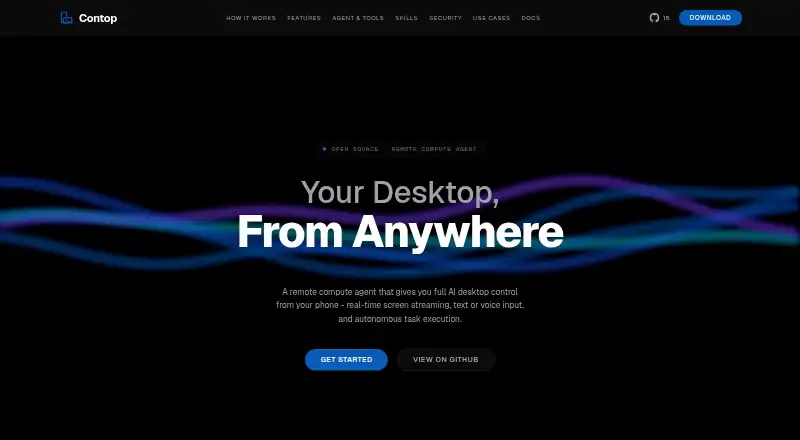
Contop is an open-source remote compute agent for controlling a desktop from a phone. It streams the desktop screen in real time and accepts voice or text input, allowing the agent to run terminal commands, interact with the screen and Chrome, and read, edit, or search files. The maker lists 33 built-in tools for commands, screen control, file management, and workflow automation. Users can also create reusable skills from prompt instructions, YAML workflows, Python tools, or combinations of these. Contop lists Google Gemini, OpenAI, Anthropic, and OpenRouter, with API keys or eligible existing subscriptions and per-role model selection. It describes LAN, Tailscale, and Cloudflare Tunnel connections, with automatic discovery and fallback. The site says phone-to-desktop traffic is end-to-end encrypted with DTLS and avoids third-party servers. Risky commands can be blocked, sandboxed, or held for approval; session logs include prompts, commands, tools, and results. Android is listed through Google Play; iOS is marked coming soon. Desktop downloads require Python 3.12 or later.
Good
- Controls desktop through phone screen streaming and input
- Can operate terminal, Chrome, screen, and files
- Includes 33 built-in tools and customizable skills
- Offers command safeguards and session logs
- Open source under the MIT license
Watch out
- iOS is listed as coming soon
- Desktop downloads require Python 3.12 or later
- Requires a supported LLM key or eligible subscription
Who it suits
Contop suits people who need to control or support a desktop remotely from a phone and want the agent to handle computer tasks. It may fit users who can provide a supported AI provider key or subscription and meet the desktop Python requirement.
Verdict
Contop combines remote desktop control with an agent that can work across commands, browser, and files. Check the Python and AI-provider requirements, and note that iOS is not yet listed as available.
The facts
Each one read from Contop's own pages, with the date it was checked.
What it does
- AI providers
- Contop lists Google Gemini, OpenAI, Anthropic, and OpenRouter, with API keys or supported existing subscriptions.checked 3 Oct 2026
- Audit logs
- The security section describes session logs containing timestamps, prompts, classified commands, tools used, and execution results.checked 3 Oct 2026
- Built-in tools
- The maker lists 33 built-in tools for commands, screen control, file management, and workflow automation.checked 3 Oct 2026
- Connections
- Contop describes LAN, Tailscale, and Cloudflare Tunnel connection paths, with automatic path selection and fallback.checked 2 Oct 2026
- Connectivity
- The site describes LAN, Tailscale, and Cloudflare Tunnel connection paths, with automatic path discovery and fallback.checked 3 Oct 2026
- Credential handling
- The site says API keys and subscription preferences are configured on desktop, transferred by QR pairing, and stored encrypted on the phone.checked 2 Oct 2026
- Customization
- Users can create reusable skills as prompt instructions, YAML workflows, Python tools, or combinations of these.checked 2 Oct 2026
- Custom skills
- Users can create reusable skills as prompt instructions, YAML workflows, Python tools, or combinations of these.checked 3 Oct 2026
- Desktop actions
- The agent can run terminal commands, control the screen, automate Chrome, manage files and windows, and launch applications.checked 3 Oct 2026
- Desktop requirements
- The download section lists Windows, macOS, and Linux desktop builds and requires Python 3.12 or later.checked 3 Oct 2026
- Encryption
- The maker says phone-to-desktop traffic is end-to-end encrypted with DTLS and that data does not pass through third-party servers.checked 3 Oct 2026
- Execution safeguards
- The site says risky commands can be sandboxed, forbidden commands blocked, and destructive actions held for user approval.checked 2 Oct 2026
- Execution safety
- The site says dangerous commands are classified and may be blocked, sandboxed, or held for user approval; risky commands run in an isolated Docker container.checked 3 Oct 2026
- License
- The site identifies Contop as open source under the MIT license.checked 2 Oct 2026
- Mobile availability
- The download section lists Android via Google Play and says the iOS app is coming soon.checked 3 Oct 2026
- Notable requirement
- The repository README says development requires at least one supported LLM API key or an eligible existing provider subscription.checked 3 Oct 2026
- Open-source license
- The site states that Contop is open source under the MIT license.checked 3 Oct 2026
- Product
- Contop describes itself as an open-source remote compute agent that lets users control a desktop from a phone with real-time screen streaming, voice or text input, and autonomous task execution.checked 3 Oct 2026
- Support use case
- The site presents remote support as a use case and describes it as support without asking users to follow complex steps.checked 2 Oct 2026
The full review of Contop
Contop is a phone-to-desktop remote compute agent for people who want to direct computer work by voice or text. It suits users comfortable configuring an AI provider and a desktop environment; its blend of screen access, browser control and command execution is more capable than a simple remote viewer, but calls for care around permissions.
Overview
Contop connects a phone to a desktop and streams its screen in real time. From the phone, users can ask the agent to act on the desktop, including running terminal commands, using Chrome, and reading, editing or searching files. That makes it useful for remote support as well as personal computer tasks, particularly when the person at the desktop should not have to follow a long sequence of instructions.
The breadth is the appeal and the trade-off. An agent that can change files and run commands can do more than a conventional remote-control app, but it also needs meaningful safeguards and user oversight. Contop offers command blocking, sandboxing and approval for destructive actions, along with session logs; these controls are important parts of the product, not optional extras to overlook.
Key features
Computer control and reusable skills
Contop provides 33 built-in tools spanning commands, screen control, file management and workflow automation. Users can also define reusable skills as prompt instructions, YAML workflows, Python tools, or combinations. That flexibility should suit technically inclined users with repeatable tasks; Python-based extensions and workflow setup are a less natural fit for someone seeking a ready-made, tightly guided support tool.
Provider choice, connectivity and safeguards
Users can choose Google Gemini, OpenAI, Anthropic or OpenRouter, configure API keys or eligible existing subscriptions, and select models by role. This avoids tying the agent to one provider, but it does mean users must bring a supported provider credential or subscription. The desktop downloads also require Python 3.12 or later.
Contop describes LAN, Tailscale and Cloudflare Tunnel connection paths, with automatic discovery and fallback. It says phone-to-desktop traffic is end-to-end encrypted with DTLS and does not pass through third-party servers. Risky commands may be blocked or run in an isolated Docker container, while destructive actions can require approval. Session logs record timestamps, prompts, classified commands, tools and results. Those protections improve accountability for remote work, though users still need to decide when an agent should be allowed to act.
Pricing
Contop is free and open source under the MIT license, with no paid plans or stated usage caps. Free software does not remove the provider requirement: users need at least one supported LLM API key or an eligible subscription, and provider costs or subscription terms are separate from Contop. Its open-source model suits people willing to configure the desktop and provider themselves; readers seeking a bundled managed service should look elsewhere.
Platforms
Desktop downloads are available for Windows, macOS and Linux, each requiring Python 3.12 or later. Android is available through Google Play. iOS is coming soon, so Contop is not yet the choice for someone who needs to initiate sessions from an iPhone or iPad.
Who it's for
Contop is best for technically comfortable users who want a mobile front end for substantial desktop tasks, can provide an AI account, and value local connections and configurable safeguards. It can also fit remote support scenarios where the helper wants to perform tasks rather than coach someone through them. It is a weaker match for users who want a low-setup, provider-inclusive service or immediate iOS access.
Pros and cons
- Pro: Combines screen, browser, terminal and file actions, so users can delegate work beyond basic remote viewing.
- Pro: Supports four AI-provider options and reusable skills, giving technically inclined users room to tailor recurring tasks.
- Pro: The project is free and MIT-licensed, and offers command safeguards plus detailed session logs.
- Con: Desktop setup requires Python 3.12 or later, while AI use requires a supported key or eligible subscription.
- Con: iOS support is not yet available, limiting phone choice for Apple users.
- Con: Broad agent permissions raise the stakes of configuration and approval decisions, even with sandboxing and command controls.
Alternatives
AI Computer Use Agents is the broader category to explore when comparing computer-use software rather than choosing a single direct substitute.
- Clawd Cursor is another free, MIT-licensed open-source option for Windows, macOS and Linux, including self-hosted setups; choose it if you want an alternative in that platform range.
- QuickDesk offers a free MIT-licensed plan with no feature restrictions or connection limits, plus Android, macOS, Windows, web and API platforms. Choose it if those access options and explicit connection terms matter more than Contop's described agent workflow.
- Pan-Agent is a free option for Linux, macOS, Windows, API and self-hosted platforms; consider it if that platform mix better fits your setup.
- UFO is a free alternative with Android, Linux and Windows support.
- Simular Sai starts at $50 a month on an early-access discount and offers expanded access to a cloud-based Windows computer; choose it if that cloud-computer arrangement suits you better than Contop's local deployment.
- Screenbox is a free option for web, Windows, macOS and Linux.
- DesktopCtl is free and open source for macOS, requires no integrations and works with any desktop app; consider it if those macOS-specific qualities are the priority.
- Lapu AI has a free plan for core agent capabilities and a €16 a month Premium plan billed yearly; choose it if you prefer that freemium pricing structure.
Verdict
Choose Contop if you want to direct a desktop from a phone and value broad, customizable agent actions, local connectivity options and command safeguards. Its strongest case is the combination of screen, browser, file and terminal control in a free, open-source tool. Look elsewhere if Python and provider setup are a burden, or if iOS access is essential now.
Alternatives to Contop
- 1

Gemini
Free planAndroidiOSWebAPI8.4Free plan - 2
Computer Use OOTB
Free planWebmacOSSelf-hostedWindows6.8Free plan - 3
Lapu AI
Free planmacOSWindows6.7From €16 a month - 4
QuickDesk
Free planAndroidWebAPImacOS6.5Free plan - 5
Screenbox
Free planWebAPILinuxmacOS6.4Free plan - 6
Simular Sai
AndroidAPILinuxmacOS6.3From $50 a month