
Retool
Retool is a freemium platform for developers, business engineers, analysts, and operations teams to build applications and automations connected to a company…
What Retool is
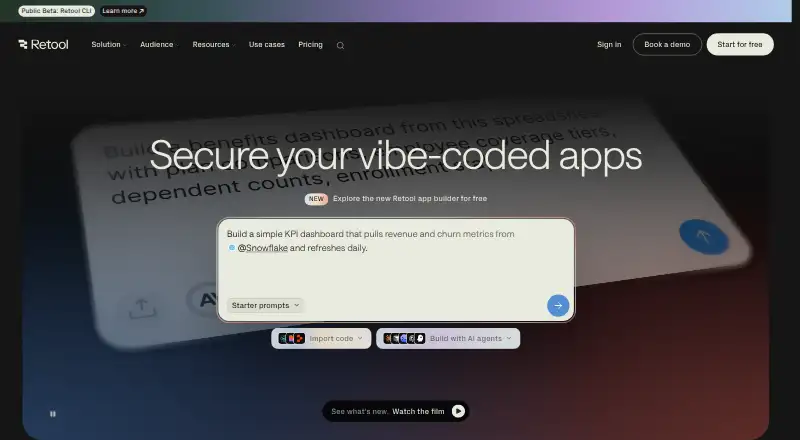
Retool is a freemium platform for developers, business engineers, analysts, and operations teams to build applications and automations connected to a company’s own data. Its AI-native builder creates a working app from a description that users can refine. Projects can run in Retool’s cloud or be self-hosted in a customer’s VPC using Docker. The platform supports web apps, progressive web apps, and native iOS and Android apps. Mobile applications can access device functions such as photography, barcode scanning, signature capture, and NFC reading. Workflows offer scheduled or webhook triggers, custom error handling, and automatic retry policies. Listed integrations include REST API, Google Sheets, PostgreSQL, MySQL, Firebase, GraphQL, Snowflake, Salesforce, and Slack. Security capabilities include role-based access controls, audit logging, SSO, and independent workspaces. Retool says queries run against customers’ own data sources and that it does not store their data. The Free plan supports up to five users.
Good
- AI builder generates working apps from descriptions
- Supports web, progressive web, iOS, and Android apps
- Mobile apps use camera, barcode, signature, and NFC features
- Workflow scheduling, webhooks, retries, and error handling
- Connects to databases, APIs, SaaS tools, and spreadsheets
- Cloud or Docker-based VPC self-hosting
Watch out
- Free plan is limited to five users
- AI credits renew monthly and do not roll over
- Technical support from Support Engineering is an Enterprise feature
Who it suits
Retool fits teams that need internal apps, mobile experiences, workflows, or automations tied to existing business data. It is aimed at developers, business engineers, analysts, and operations teams, including organisations requiring cloud or self-hosted deployment.
Verdict
Choose Retool when your team needs to build data-connected applications and automations across web and mobile, with deployment in your cloud or VPC. Consider another option if five free users are insufficient or if you require Enterprise support without an Enterprise plan.
Plans and prices
From Retool's own pricing page, checked 30 Sep 2026.
| Plan | Price | What it gives you |
|---|---|---|
| Team | $10 a month | 5,000 workflow runs/month · staging resource environment · app release versions · additional agent hours available · 1,000 AI credits/month · $10/mo per builder; $5/mo per internal user |
| Business | $50 a month | audit logging · rich permission controls · portals and embedded apps · unlimited resource environments · unlimited modules · 3,000 AI credits/month · $50/mo per builder; $15/mo per internal user |
| Free | Free | up to 5 users · 500 workflow runs/month · 5GB database capacity · 5GB file storage · 20 agent hours/month · 250 AI credits/month · $0/mo per builder; $0/mo per internal user |
| Enterprise | Priced on request | custom pricing · unlimited end users · enterprise support · managed cloud or self-hosted deployment · full platform APIs · Flexible pricing that scales with your business |
The facts
Each one read from Retool's own pages, with the date it was checked.
Money
- Agent billing
- AI agents are billed hourly and do not draw from the AI credit pool.checked 30 Sep 2026
- Free plan
- Yeschecked 19 Sep 2026
- Plan limit
- The Free plan includes up to five users, while Team adds users beyond that limit.checked 30 Sep 2026
What it does
- AI credits
- AI credits are pooled at the account level, renew monthly, do not roll over, and additional credit packs are available on paid plans.checked 30 Sep 2026
- Audience
- Retool identifies developers, business engineers, analysts, and operations teams as people who can build with it.checked 30 Sep 2026
- Automation
- Retool workflows support scheduled and webhook triggers, custom error handling, and automatic retry policies.checked 30 Sep 2026
- Data handling
- Retool says queries run against customers’ own data sources and that Retool does not store their data.checked 30 Sep 2026
- Hosting
- Retool says it runs in the cloud or can be self-hosted in a customer’s own VPC, with self-hosted setup via Docker.checked 30 Sep 2026
- Integrations
- The integrations page lists connections including REST API, Google Sheets, PostgreSQL, MySQL, Firebase, GraphQL, Snowflake, Salesforce, and Slack.checked 30 Sep 2026
- Mobile
- Retool supports native mobile apps for iOS and Android, as well as progressive web apps.checked 30 Sep 2026
- Mobile features
- Mobile apps can use device features such as taking photos, scanning barcodes, capturing signatures, and reading NFC tags.checked 30 Sep 2026
- Paid from
- 10checked 19 Sep 2026
- Product
- Retool provides apps and automations connected to a business’s own data and deployed in its own infrastructure.checked 30 Sep 2026
- Security
- Retool lists role-based access controls, audit logging, SSO, independent workspaces, and self-hosting as security capabilities.checked 30 Sep 2026
- Support
- Technical support from Retool’s Support Engineering team is listed as an Enterprise plan feature.checked 30 Sep 2026
Where it runs
- App builder
- Its AI-native app builder generates a working app from a description that users can refine.checked 30 Sep 2026
The company
- Founded
- 2017checked 23 Sep 2026
- Headquarters
- San Francisco, California, United Stateschecked 23 Sep 2026
The full review of Retool
Retool is a platform for building business applications and automations around a company’s own data. It suits developers, business engineers, analysts and operations teams that need tailored internal tools, especially when deployment control matters. Its broad capabilities are compelling, but the five-user Free plan can be restrictive for growing teams.
Overview
Retool brings application building, data connections and workflow automation into one product. Its AI-native builder creates a working app from a written description, which a team can then refine rather than starting from a blank canvas. The result is better suited to bespoke operational software than to a generic, fixed-purpose app.
Applications can run in Retool’s cloud or be self-hosted in a customer’s own VPC using Docker. Retool says queries run against a customer’s own data sources and that it does not store that data. That combination of connected systems and deployment choice is valuable for organisations with infrastructure or governance requirements, although it also assumes someone can manage those decisions.
Key features
- AI-assisted app creation: A plain-language description produces a working starting point. This can accelerate prototyping, but teams still need to refine the generated application for their processes and data.
- Web and mobile delivery: Retool builds web apps, progressive web apps and native iOS and Android apps. Mobile projects can capture photos, scan barcodes, collect signatures and read NFC tags, making the product relevant to field operations and other workflows that depend on device hardware.
- Workflow automation: Workflows can start on schedules or webhooks and include custom error handling and automatic retry policies. Those controls make recurring and event-driven jobs more practical to operate than simple one-step automations.
- Data connections: Listed integrations include REST API, Google Sheets, PostgreSQL, MySQL, Firebase, GraphQL, Snowflake, Salesforce and Slack. This range supports tools assembled around existing business systems instead of requiring a wholesale data migration.
- Security and administration: Role-based access controls, audit logging, SSO and independent workspaces address organisational oversight. Self-hosting adds infrastructure control, while custom domains support a branded deployment.
- AI usage: AI credits are pooled across an account, renew monthly and do not roll over. Paid plans can add credit packs. AI agents are billed hourly separately, so agent usage does not consume the shared credit pool.
Pricing
Retool uses a freemium model and offers a free trial. The Free plan costs nothing and allows up to five users. It is a sensible way for a small team to evaluate the builder and integrations, but the hard user cap makes it unsuitable for a larger internal rollout.
Team costs $10 a month, billed at $10/mo per builder and $5/mo per internal user. It includes 5,000 workflow runs per month, a staging resource environment, app release versions, additional agent hours and 1,000 AI credits per month. This is the practical entry point for teams that have outgrown five users and need basic release and staging controls, though workflow and AI quotas require monitoring.
Business costs $50 a month, billed at $50/mo per builder and $15/mo per internal user. It adds audit logging, richer permission controls, portals and embedded apps, unlimited resource environments, unlimited modules and 3,000 AI credits per month. Choose it when governance, embedded delivery or multi-environment development justify the higher per-user cost.
Enterprise has custom pricing. Technical support from Retool’s Support Engineering team is an Enterprise feature, so organisations that require that support should budget for this tier rather than assume it comes with lower plans.
Platforms
Retool supports web, iOS, Android, API-based use and self-hosted deployment. It includes database and backend capabilities, cloud or customer-managed deployment, and custom domains. The platform therefore fits teams that need both user-facing apps and the services or automations behind them.
Who it's for
Developers and business engineers will find the strongest fit when they need custom interfaces over APIs, databases or SaaS systems. Analysts and operations teams can use the generated starting points and workflow tools for departmental software, provided they have the capacity to refine permissions, data connections and deployment.
Retool is less suitable for a team that only needs a simple public website or a small shared tool beyond five users at no cost. Its AI quotas, per-role billing and infrastructure choices also reward deliberate administration rather than casual use.
Pros and cons
Pros
- One platform for apps and automation: Web, mobile and workflow features can be built around the same business data.
- Useful mobile hardware access: Photo, barcode, signature and NFC support covers common field-data collection needs.
- Deployment flexibility: Cloud hosting and Docker-based VPC self-hosting accommodate different infrastructure policies.
- Operational controls: Retry policies, error handling, role-based access and audit capabilities support managed production use.
Cons
- Free-plan ceiling: Five users is a low threshold for a team tool, making an upgrade likely as adoption spreads.
- Metered AI and workflows: Team includes 5,000 runs and 1,000 monthly credits, while credits expire each month and extra packs cost more.
- Higher-tier administration costs: Audit logging, richer permissions and embedded apps start at Business pricing, and technical support is reserved for Enterprise.
Alternatives
For a broader directory of internal-tool choices, see Internal Tools Software and No-Code Development Platforms.
- Joget is worth considering if you need Linux and Windows support alongside web, mobile, API and self-hosted options, with a free tier for three users.
- Noloco suits teams prioritising a web-first product with unlimited team seats on its Free plan and a defined client and records allowance.
- UI Bakery is an alternative for web or self-hosted development with unlimited apps and data-source connections on its Free plan.
- ToolJet fits smaller cloud deployments that can work within two builders, 50 end users and two apps on its Free plan.
- Windmill is an option for teams wanting an open-source, self-hostable platform with API and desktop operating-system support.
- Budibase is another freemium self-hosted and web option.
- Glide is a web-only alternative with a Free plan capped at two team members, ten projects and no published apps.
- Jet Admin provides a web, API and self-hosted alternative with a free tier including 1 GB of storage.
Readers comparing AI-focused categories can also browse No-Code AI App Builders, AI Agent Platforms and AI App Builders.
Verdict
Choose Retool when you need connected business applications and automations across web and mobile, with the option to run them in your cloud or VPC. Its integrations, mobile device support and operational controls make it a strong fit for technically capable internal-tool teams. Look elsewhere if a five-user free allowance is too tight, if your usage cannot be planned around workflow and AI quotas, or if you need Retool’s technical support without an Enterprise plan.
Getting started
- Open the Retool website and start a free plan or trial
- Choose cloud hosting or prepare a customer VPC for Docker self-hosting
- Connect a listed data source such as REST API, PostgreSQL, or Salesforce
- Describe an app for the AI builder or build it directly
- Configure workflows, triggers, permissions, and integrations
- Deploy web, progressive web, or native mobile apps
Limits worth knowing
The Free plan allows up to five users. Team includes 5,000 workflow runs per month and 1,000 AI credits per month; AI credits renew monthly and do not roll over, while extra credit packs are available on paid plans.
Questions
Which platforms can Retool apps use?
Retool supports web, API, self-hosted, iOS, and Android. It supports progressive web apps as well as native mobile apps.
Can Retool be self-hosted?
Yes. Retool can run in a customer’s own VPC, with Docker listed for self-hosted setup.
How many users does the Free plan allow?
The Free plan includes up to five users. The Team plan adds users beyond that limit.
What integrations are listed?
Listed connections include REST API, Google Sheets, PostgreSQL, MySQL, Firebase, GraphQL, Snowflake, Salesforce, and Slack.
How does Retool handle customer data?
Retool says queries run against customers’ own data sources and that Retool does not store their data.
Alternatives to Retool
- 1
Flowable
Free planOpen sourceAndroidiOSWebAPI9.4From $99 a month - 2

Joget
Free planOpen sourceAndroidiOSWebAPI9.4Free plan - 3

Make
Free planAndroidiOSWebAPI8.9From $9 a month - 4

Taskade AI Agents
Free planAndroidiOSWebAPI8.9From $10 a month - 5

airSlate WorkFlow (now altaFlow)
Free planAndroidiOSWebAPI8.7From $399 a month - 6

Pyrus
Free planAndroidiOSWebAPI8.6From $15 a month