
ReqView
ReqView is a requirements management tool for hardware, software and systems engineering projects.
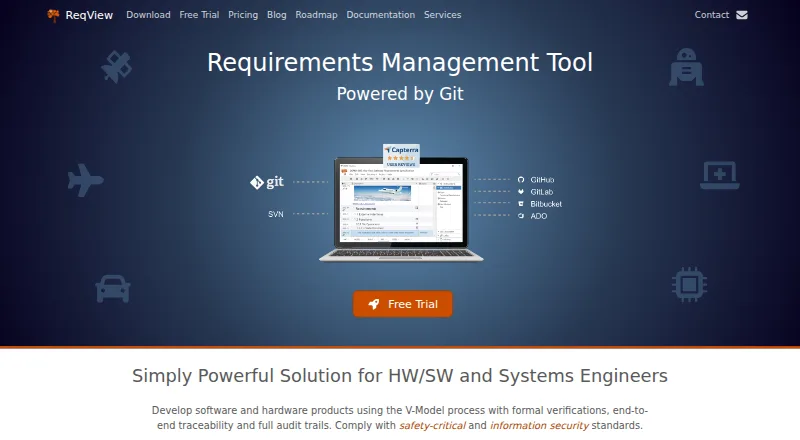
What ReqView is
ReqView is a requirements management tool for hardware, software and systems engineering projects. It supports V-Model development with formal verification, end-to-end traceability and audit trails, and is presented for safety-critical fields such as medical devices, aerospace and defense, automotive and railways. Users can import Word documents and build structured requirements with formatted text, tables, images, PDFs and other attachments. Requirements can be linked to verification and validation items and safety risks, allowing teams to examine coverage and change impact. Reports can be exported to Word, Excel, PDF or HTML. Project collaboration and versioning use Git or Subversion, and project data is stored in human-readable JSON. Open project data stays in local application storage unless users explicitly connect cloud-hosted Git or SVN, Google Drive or Jira Cloud. The FREE plan allows one document, 150 objects per document and one custom attribute. PRO costs €440 per user per year; TEAM costs €600 per user per year and adds dashboards, linked projects, advanced Git version control and integrations. ReqView has web, Windows, Linux and macOS versions.
Good
- Links requirements with verification, validation and safety risks.
- Exports reports to Word, Excel, PDF or HTML.
- Supports collaboration through Git or Subversion.
- Open project data is stored locally by default.
- Offers a free plan and 14-day TEAM evaluation.
Watch out
- FREE plan permits one document and 150 objects per document.
- FREE-plan support is not guaranteed.
- PRO costs €440 per user per year.
- TEAM trial requires requesting a license.
Who it suits
ReqView suits teams managing requirements and traceability in engineering projects, especially those working in the safety-critical sectors it lists. The FREE plan may fit small projects with modest document and object needs.
Verdict
ReqView connects requirement capture, traceability, review and reporting for engineering projects. Its free plan is tightly limited, while paid plans add collaboration and integration capabilities.
Plans and prices
From ReqView's own pricing page, checked 29 Sep 2026.
| Plan | Price | What it gives you |
|---|---|---|
| FREE | Free | 1 document · 150 objects per document · 1 custom attribute |
| PRO | €440 a year | Requirements management · end-to-end traceability · Word, Excel, PDF and HTML export · basic Git or Subversion version control · per user |
| TEAM | €600 a year | All PRO features · dashboards and table views · linked projects · advanced Git version control · Jira, Azure DevOps, Sparx EA and ReqIF integrations · per user |
| ENTERPRISE | €1,800 a year | All TEAM features · unlimited users · floating license server · minimum 3 floating clients; starts at €5400 / year · per floating client |
The facts
Each one read from ReqView's own pages, with the date it was checked.
The company
- Headquarters
- Prague 2, Czech Republicchecked 28 Sep 2026
- Maker and headquarters
- ReqView is developed by Eccam s.r.o., whose contact page lists an address in Prague 2, Czech Republic.checked 29 Sep 2026
What it does
- Integrations
- The TEAM plan lists Jira, Azure DevOps, Sparx Enterprise Architect and ReqIF integrations; the pricing comparison also lists Google Drive.checked 29 Sep 2026
- Local data storage
- ReqView stores open project data in secure local application storage, and its documentation says project data are not sent to the internet unless users explicitly use Google Drive, cloud-hosted Git or SVN, or Jira Cloud.checked 29 Sep 2026
- Privacy and security
- Eccam says it takes appropriate technical and organizational measures to protect personal data and reviews those measures; this statement concerns personal data.checked 29 Sep 2026
- Purpose
- ReqView is a requirements management tool for hardware, software and systems engineering projects.checked 29 Sep 2026
- Requirements capture
- Users can import Word documents and describe structured requirements with formatted text, tables, images, PDF files and other attachments.checked 29 Sep 2026
- Safety critical work
- The product supports V-Model development with formal verification, end-to-end traceability and audit trails, and is presented for medical devices, aerospace and defense, automotive and railways, robotics and electronics.checked 29 Sep 2026
- Support
- Paid-plan customers can contact support through the portal or email; ReqView says it usually responds within a few hours and may take up to two business days, while FREE-plan support is not guaranteed.checked 29 Sep 2026
- Traceability and reports
- Users can link requirements, verification and validation items, and safety risks, then analyze coverage and change impact and export reports to Word, Excel, PDF or HTML.checked 29 Sep 2026
- Version control
- ReqView supports project versioning and collaboration through Git or Subversion, and its project data uses a human-readable JSON format.checked 29 Sep 2026
Where it runs
- Supported platforms
- The download page lists a web application, Windows 11+, Linux on Ubuntu 22.04+ LTS or Debian 12+ LTS, and macOS 15+ on ARM processors M1–M5.checked 29 Sep 2026
- Web browser support
- The web application supports the latest versions of Chrome, Edge or Firefox.checked 29 Sep 2026
Money
- Trial and free use
- The FREE plan is activated by default, and the TEAM plan's features can be evaluated free for 14 days by requesting a trial license.checked 29 Sep 2026
The full review of ReqView
ReqView is a requirements management application for hardware, software and systems engineering. It suits teams that need to keep requirements, verification and safety risks connected through a controlled development process. Its strongest case is end-to-end traceability; its main drawback for small or broad teams is the tight free cap and per-user pricing.
Overview
ReqView supports V-Model development, formal verification and audit trails, making it relevant to safety-critical work in areas such as medical devices, aerospace, defense, automotive, rail, robotics and electronics. Requirements can be built from structured text, tables, images, PDFs and other attachments, and teams can import Word documents.
Users can link requirements to verification and validation items and safety risks, then examine coverage and change impact. Reports can be exported to Word, Excel, PDF or HTML. Baselines, version history and approval workflows add useful control for projects where reviewers need to follow decisions and changes, rather than just maintain a task list.
Key features
Traceability and change control
Connecting requirements with verification, validation and safety risks helps teams identify gaps and understand the likely reach of a change. That traceability is the product’s central advantage for engineering projects with formal review needs. It may be more process than a small team needs if it only wants to collect and share unstructured notes.
Versioning and collaboration
Projects can be versioned and collaborated on through Git or Subversion, with project data stored in a human-readable JSON format. PRO includes basic Git or Subversion version control; TEAM adds advanced Git version control and linked projects. This gives teams a route to manage project history, though the more extensive collaboration and integration features require the higher-priced plan.
Storage and integrations
Open project data is stored in secure local application storage and is not sent over the internet unless users choose services such as Google Drive, cloud-hosted Git or SVN, or Jira Cloud. That distinction may suit teams seeking local control, but it does not mean every connected workflow remains local. TEAM lists integrations with Jira, Azure DevOps, Sparx Enterprise Architect, ReqIF and Google Drive.
Pricing
The FREE plan costs nothing and allows one document, 150 objects per document and one custom attribute. It is useful for evaluating the basic approach or managing a very small project, but those caps make it unsuitable for a growing requirements set. FREE is activated by default, and support is not guaranteed.
PRO costs €440 a year, billed per user. It includes requirements management, end-to-end traceability, Word, Excel, PDF and HTML export, and basic Git or Subversion version control. This is the entry paid tier for an individual or team that needs the core controlled workflow without TEAM’s expanded views and integrations.
TEAM costs €600 a year, billed per user. It includes PRO features plus dashboards and table views, linked projects, advanced Git version control, and the listed Jira, Azure DevOps, Sparx EA and ReqIF integrations. Choose it when those collaboration and connection features matter; otherwise, PRO avoids paying the higher per-user rate for capabilities a project may not need.
ENTERPRISE costs €1,800 a year per floating client, with a minimum of three floating clients, so it starts at €5400 / year. It includes TEAM features, unlimited users and a floating license server. This structure can suit organizations that need shared floating access across an unlimited user pool, but the minimum makes it a substantial commitment rather than a small-team upgrade.
The TEAM plan can be evaluated free for 14 days by requesting a trial license. Paid-plan customers can contact support through the portal or email; ReqView says responses usually arrive within a few hours and may take up to two business days.
Platforms
ReqView is available as a web application and for Windows, Linux and macOS. The desktop requirements are Windows 11 or later, Ubuntu 22.04 LTS or later or Debian 12 LTS or later, and macOS 15 or later on ARM processors M1–M5. The web application supports the latest Chrome, Edge or Firefox releases.
Who it's for
ReqView is a strong fit for engineering teams that must connect requirements to verification and safety considerations, preserve history and produce structured reports. Its V-Model support and audit-oriented workflow are particularly pertinent to safety-critical development. Solo users and small projects can start with FREE, but its one-document and 150-object limits quickly constrain anything beyond a modest trial or project.
It is less compelling for teams that do not need formal traceability, or for organizations that want multiple users on a paid plan without per-user charges: PRO and TEAM are billed per user, while ENTERPRISE has a three-client minimum.
Pros and cons
- Pros: Links among requirements, verification, validation and safety risks help teams assess coverage and change impact.
- Pros: Baselines, version history, approval workflows and audit trails support disciplined engineering review.
- Pros: Local project storage and human-readable JSON provide a locally grounded, inspectable project-data model.
- Cons: FREE is limited to one document, 150 objects per document and one custom attribute, leaving little room for a substantial project.
- Cons: PRO and TEAM charges are per user; ENTERPRISE starts at €5400 / year because it requires at least three floating clients.
- Cons: FREE support is not guaranteed, so teams relying on assistance should budget for a paid plan.
Alternatives
For a wider set of options, browse Requirements Management Software. MATLAB Grader is a free alternative for users with a MATLAB license current under maintenance; LMS integration requires a qualifying academic license.
Innoslate may suit educators and students who qualify for its free Academia plan with a .edu account, or buyers considering its Enterprise offering. NETVIBES is another paid option with a free plan and trial. QSC QS1 is a paid alternative.
Siemens Polarion REQUIREMENTS is worth considering if you want to evaluate a paid product with a free trial. MathWorks Requirements Toolbox is a paid option without a free plan, offered as an add-on for MATLAB. Modern Requirements4DevOps has a free trial but no free plan. RaQuest may fit Windows users who already require Enterprise Architect; its Standard License English version is $156, paid once per license, with no volume discounts.
Verdict
Choose ReqView if your engineering team needs a traceable chain from requirements through verification and safety risks, with versioning and audit-oriented review in the same workflow. Look elsewhere if the free tier’s caps are too restrictive, per-user pricing does not fit your team, or you do not need the formal controls that justify its specialized focus.
Getting started
- Visit https://www.reqview.com/.
- Start with the FREE plan, which is activated by default.
- Import a Word document or create structured requirements with supported content and attachments.
- For desktop use, download the version matching Windows 11+, Ubuntu 22.04+ LTS or Debian 12+ LTS, or macOS 15+ on ARM M1–M5.
- Request a trial license to evaluate TEAM features free for 14 days.
Limits worth knowing
The FREE plan allows one document, 150 objects per document, and one custom attribute. TEAM features can be evaluated for 14 days with a requested trial license. ENTERPRISE requires a minimum of three floating clients and starts at €5400 per year.
Questions
Does ReqView have a free plan?
Yes. The FREE plan is activated by default and includes one document, up to 150 objects per document, and one custom attribute.
What do ReqView's paid plans cost?
PRO is €440 per user per year and TEAM is €600 per user per year. ENTERPRISE is €1800 per year per floating client, with a minimum of three clients and a starting total of €5400 per year.
Can I try TEAM features before paying?
Yes. TEAM features can be evaluated free for 14 days by requesting a trial license.
Which platforms are supported?
ReqView lists a web application, Windows 11+, Ubuntu 22.04+ LTS or Debian 12+ LTS Linux, and macOS 15+ on ARM processors M1–M5. The web application supports the latest versions of Chrome, Edge, or Firefox.
Is ReqView open source?
The listed facts do not describe ReqView as open source. They say project data uses a human-readable JSON format and supports Git or Subversion.
Who makes ReqView?
ReqView is developed by Eccam s.r.o., whose contact page lists an address in Prague 2, Czech Republic.
Alternatives to ReqView
- 1
RequirementONE
Free planAndroidiOSWebAPI7.9From $12 a month - 2
Doorstop
Free planOpen sourceWebAPILinuxmacOS7.5Free plan - 3

DocSheets
iOSWebmacOSWindows6.8$2,000 one-time - 4
in-STEP BLUE
WebAPISelf-hostedWindows6.6 - 5

CATIA
WebWindows6.5From $6,537 a year - 6

Innoslate
Free planWebAPISelf-hostedWindows6.4Free plan