MATLAB Grader
MATLAB Grader lets instructors create interactive MATLAB coding assignments and automatically grade submissions for formative assessments, quizzes, and exams.
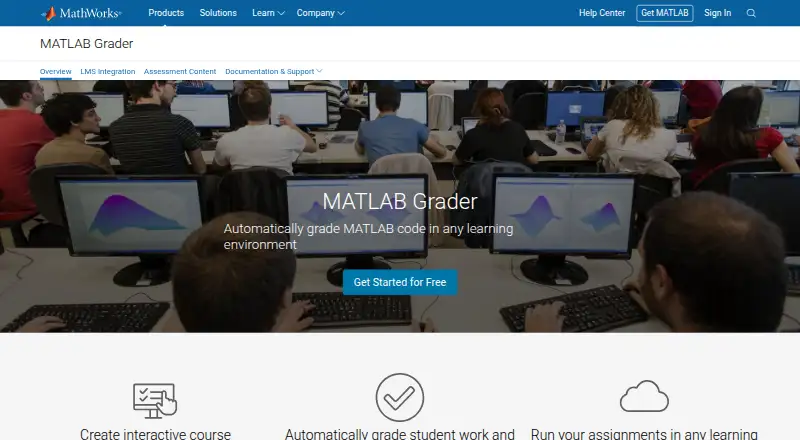
What MATLAB Grader is
MATLAB Grader lets instructors create interactive MATLAB coding assignments and automatically grade submissions for formative assessments, quizzes, and exams. The browser-based authoring environment needs no installation or maintenance, and supports rich text, images, hyperlinks, and LaTeX in problem descriptions. Instructors can choose pass/fail or weighted grading, give contextual feedback, review attempt histories, and see analytics about concepts students struggle with. Learners can work in MATLAB Online, with submissions and results syncing to MATLAB Grader without extra login steps. It connects with Open edX, Blackboard Learn, D2L Brightspace, Canvas, Moodle, Sakai, and other systems supporting LTI Advantage. The product is free with a MATLAB license current under maintenance. LMS integration requires a qualifying academic license, and learners must be enrolled students covered by it. MATLAB Grader is available on Linux, macOS, Windows, and the web. It does not include built-in similarity scoring, though instructors can export solutions for use with a preferred scoring engine.
Good
- Automatically grades MATLAB coding submissions.
- Browser authoring needs no installation or maintenance.
- Supports pass/fail and weighted grading.
- Assignment results sync from MATLAB Online.
- Supports several LMS platforms and LTI Advantage.
Watch out
- LMS integration requires a qualifying academic license.
- Learners must be enrolled students covered by that license.
- Built-in similarity scoring is not provided.
Who it suits
It suits instructors assigning and grading MATLAB programming work, particularly those using an LMS or MATLAB Online. Learners using an LMS must be enrolled students covered by a qualifying academic license.
Verdict
MATLAB Grader brings assignment authoring, automated assessment, and learner feedback together for MATLAB instruction. Its LMS license requirements and lack of built-in similarity scoring are important considerations.
Plans and prices
From MATLAB Grader's own pricing page, checked 30 Sep 2026.
| Plan | Price | What it gives you |
|---|---|---|
| MATLAB Grader | Free | Free with a MATLAB license current under maintenance · LMS integration requires a qualifying academic license |
The facts
Each one read from MATLAB Grader's own pages, with the date it was checked.
What it does
- Authoring
- Its browser-based authoring environment requires nothing to install or maintain and supports rich text, images, hyperlinks, and LaTeX in problem descriptions.checked 30 Sep 2026
- Feedback and analytics
- Instructors can use pass/fail or weighted grading, provide contextual feedback, review attempt histories, and view analytics about concepts students struggle with.checked 30 Sep 2026
- LMS integrations
- The product supports LMS platforms including Open edX, Blackboard Learn, D2L Brightspace, Canvas, Moodle, and Sakai, as well as other LMS platforms supporting LTI Advantage.checked 30 Sep 2026
- LMS licensing limit
- LMS integration requires a qualifying academic license, and learners accessing it must be enrolled students covered by that license.checked 30 Sep 2026
- LTI certification
- MathWorks states that MATLAB Grader is LTI certified for LTI 1.3, LTI Advantage, Names and Roles Provisioning Services 2.0, and Assignment and Grade Services 2.0.checked 30 Sep 2026
- MATLAB Online
- Learners can solve assignments in MATLAB Online, where submissions and assessment results sync back to MATLAB Grader without extra login steps.checked 30 Sep 2026
- Privacy compliance
- MathWorks says its privacy practices comply with applicable privacy laws including GDPR and CCPA, and it states that it does not sell or rent personal information.checked 30 Sep 2026
- Privacy in LMS
- MathWorks says it does not require students’ personally identifiable information for LMS use and requires at minimum the user's role and LMS-assigned LTI user ID.checked 30 Sep 2026
- Purpose
- MATLAB Grader lets instructors create interactive MATLAB coding assignments and automatically grade student submissions for formative assessments, quizzes, and exams.checked 30 Sep 2026
- Security report
- The MathWorks SOC 3 report includes MATLAB Grader LTI Service within the audited cloud-based applications system for January 1 through December 31, 2025.checked 30 Sep 2026
- Similarity scoring
- MATLAB Grader does not provide built-in similarity scoring, though instructors can export student solutions for use with a preferred similarity scoring engine.checked 30 Sep 2026
- Support
- MathWorks offers product documentation, community answers, and technical support contact options for MATLAB Grader users.checked 30 Sep 2026
The company
- Company background
- MathWorks was founded in 1984 by Jack Little and Cleve Moler.checked 30 Sep 2026
- Founded
- 1984checked 28 Sep 2026
- Headquarters
- Natick, Massachusetts, USAchecked 28 Sep 2026
Money
- Free plan
- Yeschecked 20 Sep 2026
The full review of MATLAB Grader
Overview
MATLAB Grader is a browser-based assignment and assessment tool for instructors teaching MATLAB programming. It is best suited to courses that need automated code grading inside an LMS; its strongest case is the combination of authoring, assessment feedback, and course-system integration in one workflow.
Instructors can build coding assignments for formative work, quizzes, or exams without installing or maintaining an authoring environment. Problem descriptions can include rich text, images, links, and LaTeX, which gives technical prompts room for context and notation. Learners can work in MATLAB Online, with submissions and results syncing back without another login step.
Key features
Authoring, grading, and feedback
Pass/fail and weighted grading let instructors choose between a straightforward correctness check and a more granular scoring approach. Contextual feedback and attempt histories make it easier to explain outcomes and review how students approached a problem. Analytics about concepts that cause difficulty can help instructors identify where a class needs more teaching; they are more useful for course improvement than for replacing individual review.
LMS connections and privacy
MATLAB Grader works with Open edX, Blackboard Learn, D2L Brightspace, Canvas, Moodle, Sakai, and other platforms supporting LTI Advantage. Its LTI certifications cover LTI 1.3, LTI Advantage, Names and Roles Provisioning Services 2.0, and Assignment and Grade Services 2.0. That breadth is valuable for institutions already using an LMS, but integration is conditional: the institution needs a qualifying academic license, and participating learners must be enrolled students covered by it.
For LMS use, MathWorks requires the user's role and the LMS-assigned LTI user ID, not personally identifying student details. MathWorks says its privacy practices comply with applicable laws including GDPR and CCPA, and that it does not sell or rent personal information. Its SOC 3 report includes the MATLAB Grader LTI Service in the audited cloud applications system for January 1 through December 31, 2025.
Similarity checks
There is no built-in similarity scoring. Instructors can export student solutions to use with a preferred similarity-scoring engine, but that adds a separate step and tool for courses that need routine code-comparison checks.
Pricing
MATLAB Grader costs nothing. The free plan is free with a MATLAB license current under maintenance, so the zero price does not make it independent of MATLAB licensing. LMS integration additionally requires a qualifying academic license; learners using that route must be enrolled students covered by the license. This plan suits instructors and institutions that already meet those license conditions, while readers without them should not treat it as an unrestricted standalone classroom service.
Platforms
The listed platforms are Linux, macOS, web, and Windows. The browser-based authoring environment avoids local installation and maintenance for instructors, and MATLAB Online provides a browser-based route for learners.
Who it's for
MATLAB Grader is a strong fit for instructors who teach MATLAB coding and want to author assignments, automate grading, give targeted feedback, and connect results to an existing LMS. It is less suitable for courses whose workflow depends on built-in similarity detection, or for institutions and students outside the required academic licensing coverage.
Pros and cons
- Pro: Browser-based authoring with rich text, images, links, and LaTeX supports detailed technical prompts without maintaining an authoring installation.
- Pro: Pass/fail or weighted grading, contextual feedback, attempt histories, and concept analytics address both assessment and course-level learning gaps.
- Pro: MATLAB Online sync and broad LTI support can reduce friction for learners in courses already organized around an LMS.
- Con: LMS use depends on qualifying academic licensing and covered enrollment, limiting access for programs outside those arrangements.
- Con: Similarity scoring requires exporting solutions and using another engine, which complicates courses that need that check built into grading.
Alternatives
For a different kind of academic tool, Innoslate offers a free Academia plan for educators and students who sign up with a .edu account; its enterprise plan uses custom pricing. ReqView is a requirements-management alternative with a free tier capped at one document, 150 objects per document, and one custom attribute, while its Pro plan costs €440 a year per user. MathWorks Requirements Toolbox is a paid MATLAB add-on for readers seeking requirements tooling rather than automated coding assignment grading.
NETVIBES, QSC QS1, Siemens Polarion REQUIREMENTS, Modern Requirements4DevOps, and reqSuite® rm are other alternatives to consider.
Browse automated grading software for related tools, or see requirements management software, C and C++ static analysis tools, electrical design software, static analysis tools, and deep learning software for adjacent categories.
Verdict
Choose MATLAB Grader if you teach MATLAB and want browser-based assignment authoring, automated grading, useful feedback, and LMS delivery under a qualifying academic license. Look elsewhere if licensing coverage is a barrier or built-in similarity scoring is essential to your assessment workflow.
Getting started
- Visit the MATLAB Grader website.
- Use a MATLAB license current under maintenance for free access.
- Create assignments in the browser-based authoring environment.
- Have learners complete assignments in MATLAB Online, or connect a supported LMS using a qualifying academic license.
- Confirm LMS learners are enrolled students covered by that license.
Limits worth knowing
MATLAB Grader is free with a MATLAB license current under maintenance. LMS integration additionally requires a qualifying academic license, and participating learners must be enrolled students covered by it.
Questions
Does MATLAB Grader cost anything?
The MATLAB Grader plan is free. Free use requires a MATLAB license current under maintenance.
Which platforms does it support?
It is listed for Linux, macOS, Windows, and the web. Learners can also solve assignments in MATLAB Online.
Which LMS platforms can it integrate with?
It supports Open edX, Blackboard Learn, D2L Brightspace, Canvas, Moodle, Sakai, and other LMS platforms that support LTI Advantage.
What license is needed for LMS integration?
LMS integration requires a qualifying academic license. Learners accessing the integration must be enrolled students covered by that license.
Does it include similarity scoring?
No built-in similarity scoring is provided. Instructors can export student solutions for use with a preferred similarity scoring engine.
Who makes MATLAB Grader?
MathWorks makes MATLAB Grader. MathWorks was founded in 1984 and is based in Natick, Massachusetts.