EViews
EViews is desktop software for statistical, time-series, forecasting, and modeling work, with tools presented through an object-oriented interface.
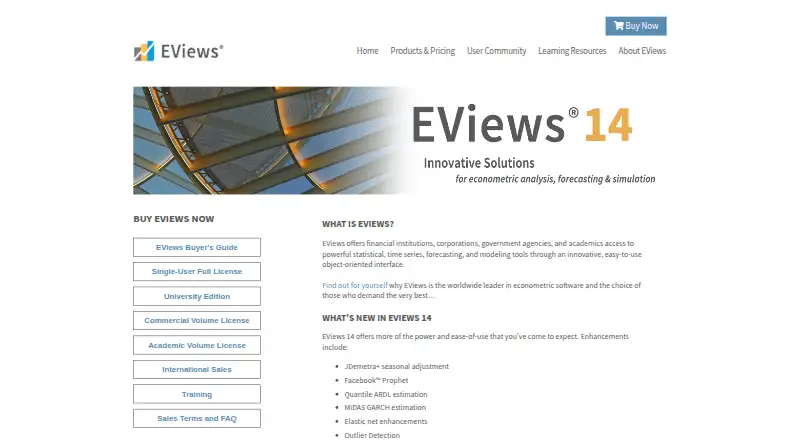
What EViews is
EViews is desktop software for statistical, time-series, forecasting, and modeling work, with tools presented through an object-oriented interface. It supports data management, econometric and statistical analysis, forecasts, model simulations, graphs, and tables. Data import options include Excel, Access, R, SAS Transport, SPSS, Stata, Tableau, ASCII text and binary, HTML, and ODBC. EViews 14 adds methods such as JDemetra+ seasonal adjustment, Facebook Prophet, quantile ARDL estimation, and outlier detection. Its feature list describes COM automation, links with MATLAB, R, and Python, and a Microsoft Excel add-in. Add-in packages, user objects, and libraries are available to extend the software. EViews runs on Windows and macOS, but the 30-day EViews 14 demo is limited to physical Windows computers and is unavailable for Mac. Student Version Lite is free but cannot save workfiles or export data to other formats; it also needs internet access at least once every 10 days to launch. Academic single-user licensing is listed at $700 once; commercial licensing at $2,450 once.
Good
- Includes forecasting and model simulation tools.
- Imports data from Excel, R, and Stata.
- Supports integration with MATLAB, R, and Python.
- Freely downloadable add-in packages are available.
Watch out
- The 30-day demo is unavailable for Mac.
- Student Version Lite cannot save workfiles.
- Lite requires internet access every 10 days to launch.
- Individual license sales are final; no refunds or exchanges.
Who it suits
EViews is aimed at academic researchers, corporations, government agencies, and students doing statistical or econometric analysis. Students considering the Lite version should note its saving and export limits.
Verdict
EViews offers a broad set of statistical, econometric, and forecasting tools, with Windows and macOS desktop versions. Confirm which license fits your affiliation and note the demo and Lite-version restrictions.
Plans and prices
From EViews's own pricing page, checked 20 Sep 2026.
| Plan | Price | What it gives you |
|---|---|---|
| Academic Single-User License | $700 a month | Full EViews 14 license · Requires current academic affiliation |
| Commercial Single-User License | $2,450 a month | Full EViews 14 license · Commercial pricing also applies to government agencies |
| EViews 14 Student Version Lite | Free | For students · 64-bit devices only · limited workfile and export features · expires one year after request · Free license |
| EViews 14 University Edition | $59.95 a month | Faculty and enrolled students only · requires official university email · requires internet access to launch · Sold as a 6-month subscription for $59.95 USD |
| EViews 14 Academic Single-User License | $700, paid once | Requires affiliation with an accredited degree-granting institution and current proof of academic affiliation · Single-User License |
| EViews 14 Commercial Single-User License | $2,450, paid once | Full EViews 14 feature set · commercial pricing also applies to government agencies · Single-User License |
The facts
Each one read from EViews's own pages, with the date it was checked.
What it does
- Analysis
- EViews supports data management, econometric and statistical analysis, forecasts, model simulations, graphs, and tables.checked 28 Sep 2026
- Audience
- The maker describes EViews as serving academic researchers, corporations, government agencies, and students.checked 28 Sep 2026
- Bayesian analysis
- Yeschecked 20 Sep 2026
- Data import formats
- Excel, Access, R, SAS Transport, SPSS, Stata, Tableau, ASCII text/binary, HTML, ODBCchecked 20 Sep 2026
- Demo
- The EViews 14 demo expires after 30 days, runs only on physical Windows computers, and is unavailable for Mac.checked 28 Sep 2026
- Deployment
- desktopchecked 20 Sep 2026
- EViews 14 features
- EViews 14 adds methods including JDemetra+ seasonal adjustment, Facebook Prophet, quantile ARDL estimation, and outlier detection.checked 28 Sep 2026
- Extensions
- EViews offers freely downloadable add-in packages, user objects, and libraries to extend the software.checked 28 Sep 2026
- Integrations
- The EViews feature list describes COM automation, integration with MATLAB, R, and Python, and a Microsoft Excel add-in.checked 28 Sep 2026
- Product
- EViews provides statistical, time-series, forecasting, and modeling tools through an object-oriented interface.checked 28 Sep 2026
- Regression models
- Yeschecked 20 Sep 2026
- Sales terms
- Individual EViews software license sales are final, with no refunds or exchanges.checked 28 Sep 2026
- Scripting support
- Yeschecked 20 Sep 2026
- Security
- For cloud-drive authorization, EViews says it does not access the account password and stores the provider-issued authorization key in encrypted format.checked 28 Sep 2026
- Statistical tests
- Yeschecked 20 Sep 2026
- Student limits
- Student Version Lite does not allow saving workfiles or exporting data to other software formats, and requires internet access once every 10 days to launch.checked 28 Sep 2026
- Support
- Single-user support covers installation, registration, and moving a license; it excludes business consulting and help with modeling or econometric theory.checked 28 Sep 2026
- Support eligibility
- Single-user support is limited to the two most current EViews versions and is offered only to the registered user; no annual renewal fee is required.checked 28 Sep 2026
Money
- Free plan
- Yeschecked 20 Sep 2026
The company
- Headquarters
- Irvine, California, USAchecked 28 Sep 2026
Where it runs
- Platforms
- EViews 14 University Edition is offered for Windows and Mac; the EViews 14 demo is Windows 64-bit only and unavailable for Macs.checked 28 Sep 2026
The full review of EViews
EViews is a Windows and macOS desktop package for statistical, econometric, time-series, and forecasting work. It is best suited to researchers and analysts who need econometric methods alongside flexible data import and integration. Its breadth is the draw; the full license cost and limited free student option are the main cautions.
Overview
EViews brings data management, statistical and econometric analysis, forecasting, model simulation, graphs, and tables into an object-oriented interface. Regression models, statistical tests, scripting, and Bayesian analysis make it useful for varied applied work, while its time-series and forecasting focus gives it a clear role in research and policy analysis.
Version 14 adds JDemetra+ seasonal adjustment, Facebook Prophet, quantile ARDL estimation, and outlier detection. Freely downloadable add-in packages, user objects, and libraries provide ways to extend the software. This is a capable analytical environment, but its value depends on needing those specialized methods: it is a harder case to make for someone seeking only basic statistics.
Key features
- Data import: EViews accepts Excel, Access, R, SAS Transport, SPSS, Stata, Tableau, ASCII text and binary, HTML, and ODBC data. That range can reduce friction when research draws on different file formats and systems.
- Analysis and modeling: Statistical tests, regression models, Bayesian analysis, forecasts, and model simulations cover much of an applied econometric workflow. The combination suits users who want analysis and presentation outputs—graphs and tables—in the same application.
- Integrations and extensions: COM automation, MATLAB, R, Python, and a Microsoft Excel add-in can connect EViews to existing workflows. Add-in packages, user objects, and libraries offer further extensions; this flexibility is useful to analysts with established toolchains, though the software is not a lightweight standalone statistics utility.
Pricing
EViews has free and paid routes, but the free options are aimed at students and carry material constraints.
- Academic Single-User License — $700, paid once: Full EViews 14 for users with affiliation to an accredited degree-granting institution and current proof of academic affiliation. This is the full-featured choice for eligible researchers who need an individual license.
- Commercial Single-User License — $2,450, paid once: Full EViews 14 for commercial users; commercial pricing also applies to government agencies. It is the relevant full license outside the academic eligibility rules, but the purchase is a substantial commitment.
- Academic Single-User License — $700 a month: Full EViews 14, requiring current academic affiliation. This monthly option may suit eligible users who need access without choosing the once-priced license.
- Commercial Single-User License — $2,450 a month: Full EViews 14, with government agencies charged commercial pricing. The monthly price is steep, so organizations should weigh it against the duration of their need.
- EViews 14 Student Version Lite — free: For students on 64-bit devices; it expires one year after request. It does not allow saving workfiles or exporting data to other software formats, which makes it unsuitable as a free route for producing portable project work.
- EViews 14 University Edition — $59.95 a month: Sold as a 6-month subscription for $59.95 USD, for faculty and enrolled students with an official university email. It requires internet access to launch, so it is less convenient for offline use.
The 30-day EViews 14 demo is limited to physical Windows computers and is unavailable for Mac. Individual software license sales are final, with no refunds or exchanges. Single-user support covers installation, registration, and license moves, but not business consulting, modeling, or econometric theory; it is limited to the two most current versions, offered only to the registered user, and requires no annual renewal fee.
Platforms
EViews is desktop software for Windows and macOS. The demo's Windows-only, physical-computer requirement matters for Mac users considering a trial, while Student Version Lite is restricted to 64-bit devices. The University Edition also requires internet access at launch.
Who it's for
EViews is a strong fit for academic researchers, government agencies, corporations, and students who need econometric, statistical, time-series, or forecasting tools. Eligible academics get the full feature set at the academic license terms; commercial users and government agencies should account for the higher commercial pricing. Students who only need to explore the software may start with Lite, but anyone who needs to save workfiles or export results should consider a paid option.
Pros and cons
- Pros
- Broad coverage of statistical and econometric work, including regression, Bayesian analysis, forecasting, and simulation.
- Imports a wide range of formats and connects with MATLAB, R, Python, COM automation, and Excel.
- Version 14 adds specific seasonal-adjustment, forecasting, estimation, and outlier-detection methods.
- Downloadable add-ins, user objects, and libraries allow further extension.
- Cons
- Full licenses are expensive, particularly at commercial terms.
- The free Student Version Lite cannot save workfiles or export data, limiting its usefulness for ongoing projects.
- The demo excludes Mac and requires a physical Windows computer.
- University Edition requires internet access to launch, and license sales are final.
Alternatives
For a wider comparison, see the Statistical Analysis Software category.
- jamovi is worth considering for a free, browser-based point-and-click workflow powered by R, with its full module library available to guests.
- JASP is a free alternative for users who want a desktop application on 64-bit Linux, macOS, or Windows and meet its 4 GB disk-space and RAM minimums.
- Stata may suit faculty and staff at accredited degree-granting universities who prefer its annual Prof+ license at $175 a year.
- gretl is a free, open-source option for users who want software they can redistribute and modify under the GNU GPL.
- SAS/STAT is another paid option, with pricing available by contacting SAS.
- R is a free software environment for users who want a no-cost alternative.
- PAST offers free spreadsheet-style data entry, univariate and multivariate statistics, and graphical analysis.
- StatsDirect is a free alternative with no license fees or use restrictions.
Verdict
Choose EViews if your work depends on its econometric, time-series, forecasting, and modeling range, especially when its integrations and import options fit an existing research workflow. The main reason to look elsewhere is cost: students face meaningful limits in the free Lite edition, and commercial users pay substantially more for the full license.
Getting started
- Open the EViews website
- Choose Windows or macOS deployment
- Select the free plan or a listed license
- Use the 30-day trial where eligible
- Academic buyers provide current academic affiliation
- Students can request Student Version Lite
Limits worth knowing
Student Version Lite cannot save workfiles or export data to other software formats, requires internet access once every 10 days to launch, and expires one year after request. The EViews 14 demo expires after 30 days and runs only on physical Windows computers.
Questions
Is EViews free?
EViews has a free plan and a 30-day trial.
Which platforms does EViews support?
EViews is desktop software for Windows and macOS.
What does Student Version Lite restrict?
It does not allow saving workfiles or exporting data to other software formats. It also requires internet access every 10 days to launch and expires one year after request.
What integrations are listed?
The feature list describes COM automation, MATLAB, R, and Python integration, plus a Microsoft Excel add-in.
Who can buy academic licenses?
Academic options require affiliation with an accredited degree-granting institution or current academic affiliation, depending on the license.
Alternatives to EViews
- 1

IBM SPSS Statistics
APILinuxmacOSSelf-hosted8.0 - 2
Stata
LinuxmacOSWindows7.8From $175 a year - 3

jamovi
Free planWebWindowsmacOSLinux7.8Free plan - 4
StatPlus
iOSWebmacOSWindows7.7 - 5
SAS/STAT
WebLinuxmacOSSelf-hosted7.5 - 6
LatentGOLD
Free planWindows7.5Free plan