
JASP
JASP is free desktop software for statistical analysis through a graphical interface, so you can work without programming.
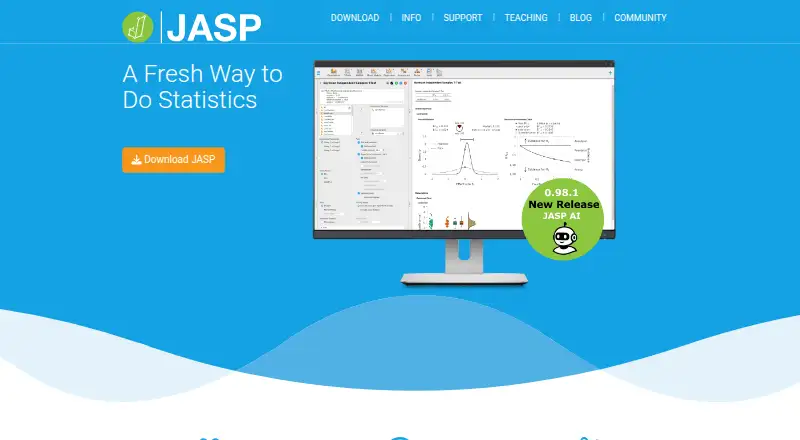
What JASP is
JASP is free desktop software for statistical analysis through a graphical interface, so you can work without programming. It runs on Linux, macOS, and Windows, and offers standard procedures in both frequentist and Bayesian forms. Its modules cover descriptives, t-tests, ANOVA, regression, meta-analysis, machine learning, structural equation modeling, survival, and time series. The spreadsheet-style interface uses drag-and-drop controls, and results update when you change analysis options. JASP can produce APA-formatted output, including tables to copy into a word processor, and lets you annotate results. It is integrated with the Open Science Framework and can run offline. Supported imports include CSV, TSV, SPSS, SAS, Excel, Stata, and R data formats, among others. JASP is licensed under the GNU Affero GPL v3, and the download page says it will always be free. It requires a 64-bit operating system, about 4 GB of free disk space, and at least 4 GB of RAM; 8 GB is recommended, with 16 GB or more suggested for large datasets. Android, iOS, and iPadOS devices are not supported.
Good
- Free software under the GNU Affero GPL v3.
- Provides frequentist and Bayesian procedures.
- Results update as analysis options change.
- Works offline and integrates with OSF.
Watch out
- Requires a 64-bit operating system.
- Needs at least 4 GB RAM and 4 GB disk space.
- Android, iOS, and iPadOS are unsupported.
Who it suits
JASP suits statistical practitioners who want a graphical workflow without learning programming. It is for desktop users on Linux, macOS, or Windows who need frequentist or Bayesian analyses.
Verdict
JASP brings a broad range of statistical procedures into a free desktop interface, with reporting and offline use included. Check its memory, storage, and operating-system requirements before choosing it.
Plans and prices
From JASP's own pricing page, checked 2 Oct 2026.
| Plan | Price | What it gives you |
|---|---|---|
| JASP | Free | 64-bit operating systems only · 4 GB free disk space · 4 GB RAM minimum · Entirely for free, no strings attached. |
The facts
Each one read from JASP's own pages, with the date it was checked.
What it does
- Analysis coverage
- Its feature list includes modules for descriptives, t-tests, ANOVA, regression, meta-analysis, machine learning, structural equation modeling, survival, and time series.checked 2 Oct 2026
- Analysis types
- JASP offers standard analysis procedures in both frequentist and Bayesian forms.checked 2 Oct 2026
- Audience and goal
- JASP says its goal is to help statistical practitioners reach informative conclusions with minimal fuss, and describes the software as designed for users who need not learn programming.checked 2 Oct 2026
- Bayesian analysis
- Yeschecked 20 Sep 2026
- Data import formats
- .csv, .tsv, .txt, .sav, .zsav, .por, .sas7bda, .sas7bcatt, .xpt, .ods, .xls, .xlsx, .dta, .rdata, .rds, .mwx, .mpxchecked 20 Sep 2026
- Deployment
- desktopchecked 20 Sep 2026
- Integration
- JASP is integrated with the Open Science Framework (OSF).checked 2 Oct 2026
- Interface
- Results update dynamically as analysis options change, and the interface uses a spreadsheet layout with drag-and-drop controls.checked 2 Oct 2026
- License
- JASP is released under the GNU Affero GPL v3 license, which the download page says guarantees it will always be free.checked 2 Oct 2026
- Offline use
- The download page states that no internet connection is required to run JASP.checked 2 Oct 2026
- Privacy
- JASP says it does not collect or store user data through the JASP software; its privacy policy covers the website, forum, and newsletter instead.checked 2 Oct 2026
- Purpose
- JASP is a cross-platform statistical software program with a graphical interface for conducting statistical analyses without programming.checked 2 Oct 2026
- Regression models
- Yeschecked 20 Sep 2026
- Reporting
- JASP supports APA-formatted output, including tables that can be copied into a word processor, and allows output to be annotated.checked 2 Oct 2026
- Scripting support
- Yeschecked 20 Sep 2026
- Statistical tests
- Yeschecked 20 Sep 2026
- Support
- For feature requests, installation help, and bug reports, JASP directs users to its GitHub page; it also lists a public forum.checked 2 Oct 2026
- System requirements
- JASP requires about 4 GB of free disk space and at least 4 GB of RAM; 8 GB is recommended and 16 GB or more is suggested for large datasets.checked 2 Oct 2026
Money
- Free plan
- Yeschecked 20 Sep 2026
The company
- Headquarters
- Amsterdam, Netherlandschecked 23 Sep 2026
- Maker and location
- The site identifies the maker as the JASP Team and gives an address at the Department of Psychological Methods, University of Amsterdam, in Amsterdam, The Netherlands.checked 2 Oct 2026
Where it runs
- Platform limitation
- The download page says iOS and iPadOS devices and Android devices are not supported.checked 2 Oct 2026
The full review of JASP
Overview
JASP is desktop software for statistical analysis, designed around menus and a spreadsheet-style workspace rather than a coding-first workflow. It is a strong fit for students, researchers and practitioners who want frequentist and Bayesian methods together; its desktop-only reach rules it out for mobile users.
Key features
JASP spans everyday analyses such as descriptives, t-tests, ANOVA and regression, as well as meta-analysis, machine learning, structural equation modeling, survival analysis and time series. Many procedures have both frequentist and Bayesian versions, making it practical to work across those approaches in one application. The breadth is valuable for varied research work, though users seeking only a narrow, specialized workflow may not need so much coverage.
Analysis options are controlled with drag-and-drop interaction, and results update as settings change. That supports iterative exploration without requiring programming, while scripting support remains available for users who want it. APA-formatted tables can be copied into a word processor, and output can be annotated, useful when moving from analysis toward a written report. JASP also integrates with the Open Science Framework.
Import support covers .csv, .tsv, .txt, .sav, .zsav, .por, .sas7bda, .sas7bcatt, .xpt, .ods, .xls, .xlsx, .dta, .rdata, .rds, .mwx and .mpx. That range accommodates common spreadsheet, statistical-package and R data files, reducing the need to convert formats before analysis.
JASP says its software does not collect or store user data, and it can run without an internet connection. Those are meaningful advantages for offline work and users concerned about data handling. The GNU Affero GPL v3 license is described by the download page as ensuring the software remains free.
Pricing
JASP — free. The plan is free with no strings attached, and there is no free trial because the software itself is free. It requires a 64-bit operating system, 4 GB of free disk space and at least 4 GB of RAM. The publisher recommends 8 GB of RAM and suggests 16 GB or more for large datasets. This is an unusually accessible price point for learners and researchers, but the hardware requirement and desktop deployment still shape who can use it comfortably.
Platforms
JASP runs on Linux, macOS and Windows as desktop software. It does not support iOS, iPadOS or Android, so it is not a choice for analysis on a phone or tablet. It needs no internet connection to run, which suits field or institutional settings where connectivity is limited.
Who it's for
Choose JASP if you need a broad range of statistical procedures, want a graphical workflow without a programming prerequisite, or need APA-ready output for research reporting. It is especially compelling for users who value both frequentist and Bayesian analysis and work on a supported computer. Look elsewhere if mobile access is essential or your device cannot meet its storage and memory requirements.
Pros and cons
- Pros: Free software with no strings attached makes it accessible for students and independent practitioners.
- Pros: Frequentist and Bayesian procedures across many analysis areas support varied research without switching tools.
- Pros: Dynamic results, APA-formatted tables and annotations help users refine and communicate analyses.
- Pros: Offline operation and a stated lack of data collection through the software suit disconnected work and privacy-conscious users.
- Cons: Mobile operating systems are unsupported, limiting work to Linux, macOS or Windows desktops.
- Cons: The 4 GB disk-space and RAM minimums, with higher memory suggested for large datasets, may exclude older or lower-spec machines.
Alternatives
Compare statistical analysis software if you want to evaluate more tools by category. jamovi is a sensible alternative if browser-based access matters: its free Guest plan offers point-and-click analyses powered by R and the full module library. Pick gretl for free, open-source software under the GNU GPL. PAST may suit users who want spreadsheet-style entry with univariate and multivariate statistics and graphical analysis.
Stata, EViews, SAS/STAT, R and LatentGOLD are other options to compare.
Verdict
JASP is an easy recommendation for students and researchers who want substantial statistical coverage in a free, offline-capable desktop application, particularly when both frequentist and Bayesian methods matter. Its chief trade-offs are the absence of mobile support and the memory and storage demands; choose another tool if either constraint conflicts with your workflow.
Getting started
- Visit https://jasp-stats.org/.
- Download JASP for Linux, macOS, or Windows.
- Use about 4 GB of free disk space and at least 4 GB of RAM.
- Import a dataset in one of the supported formats, such as CSV, Excel, SPSS, or R files.
- Choose an analysis and use the drag-and-drop controls to configure it.
Limits worth knowing
JASP requires about 4 GB of free disk space and at least 4 GB of RAM. The download page recommends 8 GB of RAM and suggests 16 GB or more for large datasets.
Questions
Does JASP cost anything?
JASP is free. Its GNU Affero GPL v3 license is described as guaranteeing that it will always be free.
What operating systems does JASP support?
It runs on Linux, macOS, and Windows. Android, iOS, and iPadOS devices are not supported.
Does JASP require an internet connection?
No. The download page states that JASP can run without an internet connection.
Can JASP perform Bayesian analysis?
Yes. JASP offers standard analyses in both frequentist and Bayesian forms.
What are JASP's system requirements?
It requires about 4 GB of free disk space and at least 4 GB of RAM. Eight GB is recommended, and 16 GB or more is suggested for large datasets.
Who makes JASP?
The maker is the JASP Team; its address is at the Department of Psychological Methods, University of Amsterdam, in Amsterdam, Netherlands.