ReportHost
ReportHost provides software for creating, publishing, and hosting home inspection reports.
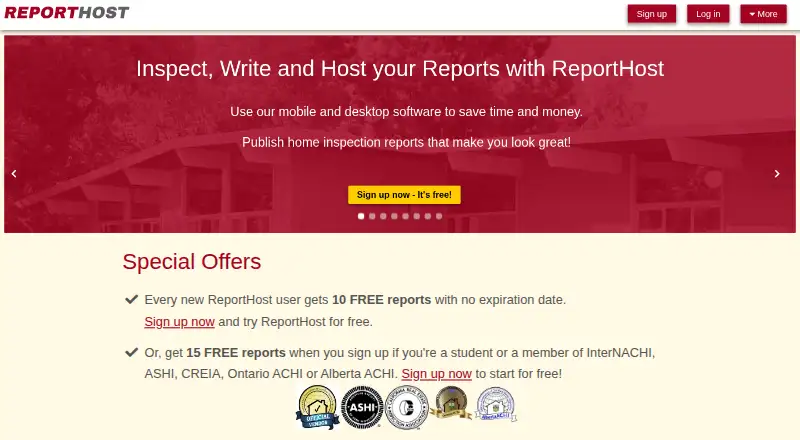
What ReportHost is
ReportHost provides software for creating, publishing, and hosting home inspection reports. Reports can be published as HTML pages or PDFs and can include photos, annotations, captions, automatically generated summaries, and PDF attachments. Templates include prewritten comments and can be tailored by adding, changing, or removing comments and sections. Inspectors can use RH Mobile, a browser-based web application, to record findings offline and upload them after an inspection. ReportHost hosts published reports and customized templates on its servers and says it performs nightly backups. Company accounts can have multiple users with different permission levels; inspectors can also work on one property at the same time and merge findings. New users receive 10 free reports, while students and members of listed inspector associations may receive 15. The maker says its reports meet or exceed InterNACHI, ASHI, and CAHPI standards of practice. The Classic plan costs $6, paid once, billed per published report. Monthly options include $50 a month for 10 reports and $400 a month for 300 reports. Included reports expire at the end of the month in which they are purchased.
Good
- Reports publish as HTML pages and PDFs.
- RH Mobile records findings offline.
- Teams can merge findings from simultaneous inspections.
- New users receive 10 free reports.
Watch out
- Included monthly reports expire at month-end.
- Classic is billed per published report.
- No named third-party software integrations are listed.
Who it suits
ReportHost may suit home inspectors who need customizable report templates, photo annotations, and offline mobile note-taking. Company accounts may be useful for teams sharing work on inspections.
Verdict
ReportHost covers report writing, publishing, and hosting, with offline field entry and options for multi-inspector teams. Review report allowances and monthly expiration terms when choosing a plan.
Plans and prices
From ReportHost's own pricing page, checked 7 Oct 2026.
| Plan | Price | What it gives you |
|---|---|---|
| Classic | $6, paid once | Best for 1 to 8 reports per month · Per published report; default billing plan |
| Monthly-10 | $50 a month | Best for 9 to 15 reports per month · Additional reports $5.00 per report · 10 reports per month included |
| Monthly-20 | $80 a month | Best for 16 to 25 reports per month · Additional reports $4.00 per report · 20 reports per month included |
| Monthly-30 | $100 a month | Best for 26 to 36 reports per month · Additional reports $3.33 per report · 30 reports per month included |
| Monthly-40 | $120 a month | Best for 37 to 54 reports per month · Additional reports $3.00 per report · 40 reports per month included |
| Monthly-60 | $165 a month | Best for 55 to 66 reports per month · Additional reports $2.75 per report · 60 reports per month included |
| Monthly-80 | $180 a month | Best for 67 to 90 reports per month · Additional reports $2.50 per report · 80 reports per month included |
| Monthly-100 | $225 a month | Best for 91 to 144 reports per month · Additional reports $2.25 per report · 100 reports per month included |
| Monthly-200 | $325 a month | Best for 145 to 245 reports per month · Additional reports $1.63 per report · 200 reports per month included |
| Monthly-300 | $400 a month | Best for 246 to 375 reports per month · Additional reports $1.33 per report · 300 reports per month included |
The facts
Each one read from ReportHost's own pages, with the date it was checked.
Money
- Free reports
- New users receive 10 free reports, while students and members of listed inspector associations may receive 15 free reports.checked 7 Oct 2026
What it does
- Hosting and backups
- Published reports and customized templates are hosted on ReportHost servers, with nightly backups stated by the maker.checked 7 Oct 2026
- Integrations
- The maker describes camera integration for adding photos during inspections and PDF attachments for documents, but does not list named third party software integrations on these pages.checked 7 Oct 2026
- Limits
- Included reports in monthly plans expire at the end of the month in which they are purchased.checked 7 Oct 2026
- Offline mobile
- RH Mobile is a browser based web application that lets inspectors record findings offline and upload them after the inspection.checked 7 Oct 2026
- Purpose
- ReportHost provides software for creating, publishing, and hosting home inspection reports.checked 7 Oct 2026
- Report features
- Reports can include photos, annotations, captions, automatically generated summaries, and PDF attachments.checked 7 Oct 2026
- Report formats
- Published reports are available as standard HTML web pages and PDF files.checked 7 Oct 2026
- Standards
- The maker says its reports meet or exceed InterNACHI, ASHI, and CAHPI standards of practice.checked 7 Oct 2026
- Support
- Pricing states that customer support is included at no extra charge, and the contact page says the company usually replies very quickly.checked 7 Oct 2026
- Templates
- Its report writing templates include prewritten comments and can be customized by adding, changing, or deleting comments and sections.checked 7 Oct 2026
The company
- Teams
- Company accounts can have multiple users with different permission levels, and multiple inspectors can inspect one property simultaneously and merge findings.checked 7 Oct 2026
The full review of ReportHost
ReportHost is a home-inspection reporting service for inspectors who want to write, publish, and host reports in one workflow. It suits solo operators as well as companies coordinating inspections across several people. Its main appeal is flexible report production; the key trade-off is that monthly report allowances expire at month-end.
Overview
Reports can be published as HTML pages or PDFs and include photos, annotations, captions, automatically generated summaries, and PDF attachments. Editable templates with prewritten comments provide a repeatable starting point while letting inspectors change or remove wording and sections. That combination is useful for teams seeking consistency without forcing every report into fixed language.
RH Mobile is a browser-based application that lets inspectors record findings offline and upload them after the inspection. That helps when field connectivity is poor, though the upload is a necessary follow-up step. ReportHost hosts reports and customized templates, with nightly backups stated by the maker. The maker says its reports meet or exceed InterNACHI, ASHI, and CAHPI standards of practice.
Key features
- Flexible report writing: Customizable templates, prewritten comments, and a defect library can reduce repetitive entry while preserving control over report content.
- Visual documentation: Photos, annotations, captions, summaries, and PDF attachments let inspectors place findings in context and include supporting documents.
- Offline field capture: RH Mobile records findings without a connection and uploads them later, a practical option for properties with unreliable service.
- Shared inspections: Company accounts support multiple users with different permission levels. Multiple inspectors can work on one property at the same time and merge findings, which is more useful for coordinated teams than a solo workflow.
- Hosting and backups: ReportHost hosts published reports and custom templates and says it backs them up nightly. Camera integration is described for adding inspection photos; named third-party software integrations are not part of the offering described.
Pricing
New users get 10 free reports; students and members of listed inspector associations may receive 15. There is no free trial. The free-report allowance gives newcomers a way to begin without a subscription, but it is finite rather than an ongoing free tier.
The Classic plan costs $6, paid once, billed per published report, and is positioned for 1 to 8 reports per month. It avoids paying for unused monthly capacity, making it the straightforward fit for low or irregular volume.
Monthly plans bundle reports and charge for overages. Monthly-10 is $50 a month for 10 reports, suited to 9 to 15 monthly reports, with additional reports at $5.00 per report. Monthly-20 is $80 a month for 20 reports, aimed at 16 to 25, with $4.00 overages. Monthly-30 is $100 a month for 30, aimed at 26 to 36, with $3.33 overages. Monthly-40 is $120 a month for 40, aimed at 37 to 54, with $3.00 overages.
For higher volume, Monthly-60 costs $165 a month for 60 reports and $2.75 per additional report; Monthly-80 costs $180 a month for 80 and $2.50 per additional report; Monthly-100 costs $225 a month for 100 and $2.25 per additional report; Monthly-200 costs $325 a month for 200 and $1.63 per additional report; Monthly-300 costs $400 a month for 300 and $1.33 per additional report. These are intended respectively for 55 to 66, 67 to 90, 91 to 144, 145 to 245, and 246 to 375 reports per month. The lower per-report overage at larger tiers can suit busy operations, but unused included reports expire at the end of the month in which they are purchased. That makes variable demand a reason to prefer Classic or choose a monthly tier conservatively. Customer support is included at no extra charge.
Platforms
ReportHost supports Android, iOS, Linux, macOS, web, and Windows. RH Mobile is browser-based, so inspectors can use offline field entry on mobile platforms and upload findings later.
Who it's for
ReportHost is a good fit for inspectors who need customizable home-inspection reports, offline mobile capture, and hosted HTML or PDF delivery. Its team permissions and merged findings are particularly relevant to companies sending multiple inspectors to one property. Solo inspectors with low or uneven report volume can use per-report billing; businesses with steady volume can choose a monthly allowance, provided they can use it before it expires.
Pros and cons
- Pro: Offline findings can be uploaded after the visit, helping inspectors work where connectivity is unreliable.
- Pro: Editable templates, prewritten comments, and a defect library support consistent reporting without removing control over wording.
- Pro: Multiple inspectors can inspect one property simultaneously and merge findings, with company-level permission controls.
- Con: Monthly included reports expire at month-end, so a slow month can leave paid capacity unused.
- Con: The free allowance is limited to 10 reports for new users, or 15 for qualifying students and association members; there is no free trial.
- Con: ReportHost describes camera support and PDF attachments, but not named third-party software integrations, which may matter to inspectors seeking a connected software stack.
Alternatives
For an overview of the category, browse Home Inspection Software.
- 3D Inspection Systems is worth considering for inspectors who want a 30-day live trial when available and Android, iOS, or Windows support.
- Eneris may suit readers seeking a freemium option across Android, iOS, and web, with a Standard plan priced at $48 a year.
- Horizon Inspection Software is an alternative for readers looking for an annual or monthly subscription across mobile, desktop, and web platforms.
- SpecMind offers a free plan with five published reports and branded PDF export, a useful starting point for readers who want to try a smaller free allowance.
- InspectDesk has an iOS-only free plan with one full inspection and one custom template, making it an option for a narrowly scoped iPhone workflow.
- ScribeWare offers a $12/report pay-per-report plan with no monthly fee, an alternative for readers who prefer that billing structure.
- HomeGauge is an alternative for readers seeking a 30-day trial of home-inspection software.
- QuickInspect offers pay-per-report and monthly plans and may suit readers comparing those billing options.
Verdict
Choose ReportHost if you want customizable inspection reports, offline field entry, and the option to coordinate multiple inspectors on one property. Per-report billing works for low or irregular volume, while monthly tiers can fit steady production; look elsewhere if unused monthly reports expiring at month-end would make your costs difficult to manage.
Getting started
- Open the ReportHost website
- Choose free reports, Classic, or a monthly plan
- Use RH Mobile in a browser to record inspection findings
- Capture photos and add report annotations or captions
- Upload offline findings after the inspection
- Publish the report as HTML or PDF
Limits worth knowing
New users receive 10 free reports, or 15 for eligible students and listed association members. Monthly-plan reports expire at the end of the purchase month; extra reports are charged at the plan's stated per-report rate.
Questions
Is there a free plan?
Yes. New users receive 10 free reports, while eligible students and members of listed inspector associations may receive 15.
What does Classic cost?
Classic costs $6, paid once and is billed per published report.
Which platforms are supported?
ReportHost lists Android, iOS, Linux, macOS, web, and Windows.
Can teams share inspections?
Company accounts allow multiple users with different permission levels. Multiple inspectors can inspect one property simultaneously and merge findings.
Are templates customizable?
Yes. Comments and sections can be added, changed, or deleted, and customized templates are hosted on ReportHost servers.
Does it offer integrations?
The listed capabilities include camera integration for inspection photos and PDF attachments; no named third-party integrations are listed.
Alternatives to ReportHost
- 1

Home Inspector Pro
AndroidiOSWebLinux7.6From $74 a month - 2
Horizon Inspection Software
AndroidiOSWebmacOS7.4From $799 a year - 3

Eneris
Free planAndroidiOSWeb7.3From $40 a month - 4
3D Inspection Systems
Free planAndroidiOSWindows7.2From $1,199 a year - 5
InspectDesk
Free planiOS7.2$79.99 one-time - 6
Report Form Pro
AndroidiOSmacOSWindows7.1$149 one-time