InspectDesk
InspectDesk is an iOS app for home inspectors to record findings and photos on site, then create and send PDF reports to clients.
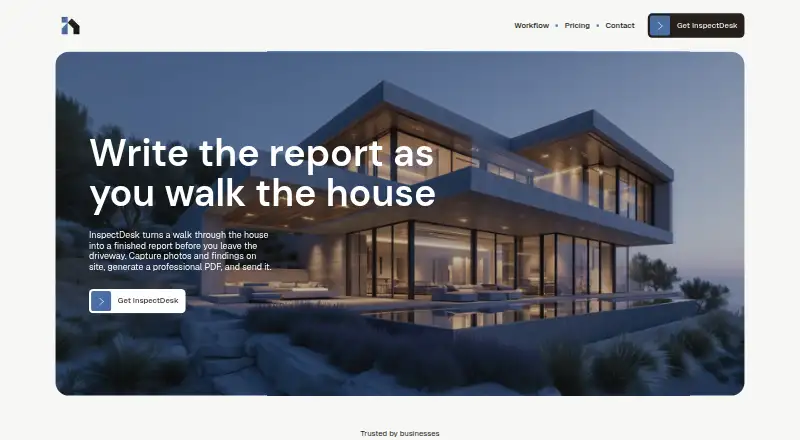
What InspectDesk is
InspectDesk is an iOS app for home inspectors to record findings and photos on site, then create and send PDF reports to clients. The maker says inspections, report generation, and sharing work offline. Inspectors can build templates from custom sections and items, and apply severity levels and tags to findings. Generated reports can include findings, photos, annotations, and severity badges. The app also supports inspection scheduling and displays completed inspections, scheduled jobs, and revenue metrics. Reports, photos, annotations, client and property details, and templates are stored locally on the device; the maker says it does not collect or transmit that information. Its privacy policy says anonymous technical details, such as device type, operating system version, and performance metrics, may be collected through Apple analytics frameworks depending on device settings. The app is for iPhone and iPad, with the App Store listing requiring iOS 18.0 or later and iPadOS 18.0 or later, respectively. The Free plan permits one full inspection and one custom template. A one-time $79.99 Lifetime purchase includes unlimited inspections, templates, backup import and export, and future updates.
Good
- Offline inspection, PDF generation, and sharing
- Reports can include annotated photos and severity badges
- Custom templates use sections and items
- Free plan includes unlimited backups for export
Watch out
- iOS only
- Requires iOS 18.0 or later or iPadOS 18.0 or later
- Free plan allows one full inspection and one template
- ISN and multi-inspector features are under development
Who it suits
It suits home inspectors who need offline property documentation and client-ready PDF reports on iPhone or iPad. Inspectors should note the listed operating-system requirements and the free plan's inspection and template limits.
Verdict
InspectDesk combines offline capture, customizable report templates, and PDF delivery for inspectors using supported Apple devices. Its free tier is limited to one full inspection and one custom template; the Lifetime option costs $79.99 once.
Plans and prices
From InspectDesk's own pricing page, checked 14 Oct 2026.
| Plan | Price | What it gives you |
|---|---|---|
| Free | Free | 1 full inspection · 1 custom template · unlimited backups (export only) · PDF reports · photo capture and annotation · client management and issue tracking · dashboard and metrics · all future updates · Free forever |
| Lifetime | $79.99, paid once | Unlimited inspections · unlimited custom templates · unlimited backups (import and export) · PDF reports · photo capture and annotation · client management and issue tracking · dashboard and metrics · all future updates · One-time purchase |
The facts
Each one read from InspectDesk's own pages, with the date it was checked.
What it does
- API and SDKs
- The official pages reviewed provide no public API, SDK, or developer documentation.checked 14 Oct 2026
- Backup model clarification
- The maker explained that users can manually save inspection backups to iCloud or another cloud service, but InspectDesk does not perform automatic cloud storage.checked 14 Oct 2026
- Backup responsibility
- Because inspection data is local, users are responsible for backups and the maker disclaims liability for data loss caused by device failure or loss.checked 14 Oct 2026
- Business metrics
- The app displays completed inspections, scheduled jobs, and revenue metrics on its dashboard.checked 14 Oct 2026
- Compatibility
- The App Store listing says InspectDesk is for iPhone and iPad and requires iOS 18.0 or later and iPadOS 18.0 or later, respectively.checked 7 Oct 2026
- Custom templates
- Inspectors can create multiple templates with their own sections and items, then assign severity levels and tags to findings.checked 14 Oct 2026
- Data sharing
- The privacy policy says the maker does not sell, rent, or share personal information and does not require an account.checked 14 Oct 2026
- Data storage
- Inspection reports, photos, annotations, client information, property details, and templates are stored locally on the device, and the maker says it does not collect or transmit this data.checked 7 Oct 2026
- Diagnostic data
- Anonymous device, operating-system, and performance information may be collected through Apple's analytics frameworks, depending on device settings.checked 14 Oct 2026
- Diagnostics
- The privacy policy says anonymous technical data such as device type, operating system version, and app performance metrics may be collected through Apple's analytics frameworks, subject to device settings.checked 7 Oct 2026
- Director
- The corporate registry lists Muhammad Ali as the corporation's director.checked 14 Oct 2026
- Feature changelog
- Version 3.0 added a narratives library, report copying, backup import and export, location tags, metric graphs, and a redesigned new-inspection flow.checked 14 Oct 2026
- Findings and reports
- Findings can be classified, previewed, and included with photos and annotations in a client-ready PDF report.checked 14 Oct 2026
- Integrations
- ISN integration, automated email integration, and multi-inspector firm features were described as under development.checked 14 Oct 2026
- Licence
- The terms grant a non-transferable, non-exclusive licence for use on Apple-branded devices and prohibit redistribution, reverse engineering, and derivative works except where law or open-source component terms allow them.checked 14 Oct 2026
- Limit: buyer criticism
- InterNACHI users criticized the lack of a posted price, sample report, automatic cloud storage, and support beyond Apple devices.checked 14 Oct 2026
- Limit: early customization gap
- On March 27, 2026, the maker's engineer said customizable severity and condition labels were not yet available and were planned for a coming update.checked 14 Oct 2026
- Limit: photo-library import
- On March 27, 2026, the maker's engineer said importing photos from the phone library was not yet available in the full version and was in the next update branch.checked 14 Oct 2026
Where it runs
- Apple Maps
- The terms say the app may provide access to third-party services such as Apple Maps for navigation.checked 14 Oct 2026
- App listing
- Apple lists InspectDesk as a 5.7 MB Business app developed by Building Five Technologies Inc. and distributed for iPhone and iPad.checked 14 Oct 2026
- App privacy label
- Apple's listing reports that the developer does not collect data from the app.checked 14 Oct 2026
- Limit: Apple-only concern
- An InterNACHI participant called Apple-only availability a major negative that would sharply restrict potential users.checked 14 Oct 2026
The company
- Headquarters
- The corporate registry lists Building Five Technologies Inc.'s registered office at 27 Helmsdale Crescent, Toronto, Ontario, Canada.checked 14 Oct 2026
- Legal company
- A Canadian corporate registry listing identifies Building Five Technologies Inc. as incorporated on August 14, 2025, with corporation number 17238410.checked 14 Oct 2026
The full review of InspectDesk
InspectDesk is an iPhone and iPad workspace for home inspectors who need to record findings, annotate photos and turn field notes into client-ready reports. It is best suited to solo inspectors who value an offline, device-local workflow and straightforward appointment tracking. Firms that require shared multi-inspector operations or established integrations will need a more developed platform.
Overview
InspectDesk covers the core inspection sequence: schedule a job, capture findings and photos on site, generate a PDF, and send it to the client. Its offline operation extends to inspection work, PDF creation and report sharing, so a weak connection does not have to interrupt delivery. That is a meaningful advantage for properties where coverage is unreliable.
The app is deliberately focused rather than a broad business suite. Reports, photos, annotations, client information, property details and templates remain on the device, and the maker says this content is not collected or transmitted. Apple analytics may still provide anonymous technical information such as device type, operating-system version and performance metrics, depending on device settings.
Key features
Templates and findings
Custom templates are built from sections and items, with severity levels and tags for organizing findings. Inspectors can shape the checklist around their own process instead of accepting a fixed form. The free tier's single-template allowance, however, makes it difficult to maintain separate templates for different inspection types.
Reports and field workflow
Generated PDFs combine findings, photos, annotations and severity badges. Because generation and sharing work offline, the app can complete the reporting cycle at the property rather than waiting for connectivity. Photo annotation is particularly useful when a written description alone would leave a defect's location unclear.
Scheduling keeps appointments in the same workflow, while metrics show completed inspections, scheduled jobs and revenue. These are useful operating indicators for an independent inspector, though the product is not yet positioned as a full firm-management system.
Privacy and roadmap
Local storage gives inspectors direct control over inspection material and avoids transmitting sensitive property and client records according to the maker. ISN integration, automated emails and multi-inspector firm capabilities are still under development, so organizations needing those functions should not buy on the expectation that they are included now. The terms also allow access to third-party services such as Apple Maps for navigation.
Pricing
| Plan | Price | What you get |
|---|---|---|
| Free | 0.00 USD, free forever | One full inspection, one custom template and unlimited backups for export only. |
| Lifetime | 79.99 USD, one-time purchase | Unlimited inspections, unlimited custom templates, unlimited backups with import and export, and all future updates. |
The free plan is suitable for evaluating the workflow or handling occasional inspections, but one completed inspection and one template are hard ceilings for regular work. Backups can be exported without limit, yet they cannot be imported on that tier. At $79.99 once, Lifetime is aimed at inspectors who expect recurring use and prefer to avoid a subscription; it removes the operational caps and includes future updates. There are no per-seat terms in these plans, and the paid option is a single-device-app purchase rather than a published firm package.
Platforms
InspectDesk runs on iPhone and iPad. The App Store requires iOS 18.0 or later and iPadOS 18.0 or later, respectively. There is no Android, Windows, macOS or web edition, so mixed-device teams cannot standardize on it across those platforms.
Who it's for
Choose InspectDesk if you are an independent home inspector working primarily from a supported Apple device and want customizable forms, offline report delivery and a one-time upgrade. It is also a sensible fit when keeping client and property data locally is a priority. Look elsewhere if your practice needs Android or desktop access, several inspectors sharing a workflow, ISN connectivity or automated email tools today.
Pros and cons
Pros
- Offline end to end: inspections, PDF generation and sharing continue without a reliable connection.
- Flexible report structure: custom sections, items, severity levels and tags support a repeatable process tailored to each inspector.
- Local data model: reports and related records stay on the device according to the maker, reducing dependence on a hosted data store.
- Clear upgrade path: the Lifetime purchase removes inspection and template limits and adds importable backups.
Cons
- Free tier is tightly capped: one full inspection and one template make it a trial rather than a durable free plan.
- Apple-only compatibility: iOS 18 or later is required, excluding Android and desktop workflows.
- Firm features are not ready: ISN, automated email and multi-inspector support remain under development.
- Limited cloud-style portability: free users can export backups but cannot import them.
Alternatives
Home Inspection Software is the broader category comparison for readers who want to survey more options. Choose 3D Inspection Systems instead when Android, Windows or 3D-focused workflows matter; it offers a 30-day live evaluation when available. Eneris fits teams wanting Android, iOS and web access with annual or enterprise plans. ReportHost is worth considering for pay-per-published-report billing, including a $6.00 per-report Classic plan. Horizon Inspection Software suits buyers seeking a cross-platform subscription with a free trial. SpecMind offers iOS and web access and a free allowance of five published reports. ScribeWare provides a $12.00 per-report option and supports multiple desktop and mobile platforms. HomeGauge is a paid, cross-platform service with a 30-day trial rather than a free plan. QuickInspect is an alternative for per-report or monthly billing across major desktop and mobile platforms.
Verdict
InspectDesk is a strong match for solo inspectors on recent iPhones or iPads who want offline capture, tailored templates and locally stored records without a recurring fee. The Lifetime plan is the practical choice for ongoing work because it removes the free tier's severe quotas. Choose another product if your operation depends on Android or desktop access, shared multi-inspector administration or integrations that InspectDesk has not yet delivered.
Alternatives to InspectDesk
- 1

Home Inspector Pro
AndroidiOSWebLinux7.6From $74 a month - 2
Horizon Inspection Software
AndroidiOSWebmacOS7.4From $799 a year - 3

Eneris
Free planAndroidiOSWeb7.3From $40 a month - 4
3D Inspection Systems
Free planAndroidiOSWindows7.2From $1,199 a year - 5
Report Form Pro
AndroidiOSmacOSWindows7.1$149 one-time - 6
QuickInspect
AndroidiOSWebmacOS7.0From $20 a month