RackTables
RackTables is a free, browser-accessible system for documenting datacenter hardware, rack space, network addresses, and network configurations.
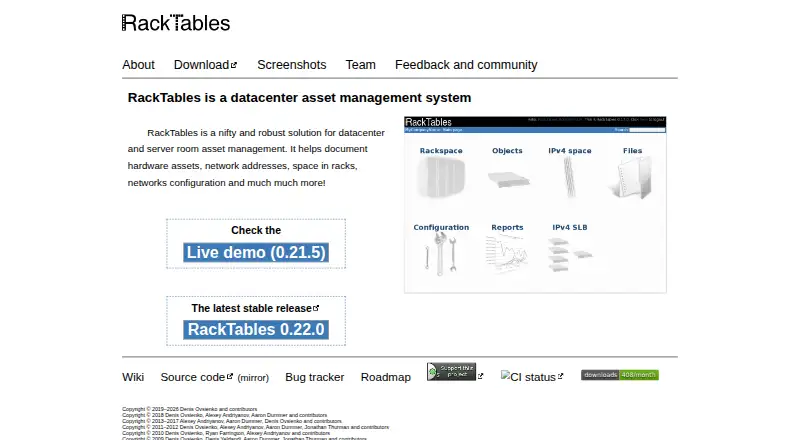
What RackTables is
RackTables is a free, browser-accessible system for documenting datacenter hardware, rack space, network addresses, and network configurations. It records devices, racks, and enclosures, and lets users mount devices, arrange racks into rows, check available space, and mark rack units as unusable. These records can support both asset tracking and rack capacity planning.
For network documentation, RackTables manages IP addresses and networks, records NAT rules, and stores load-balancing policies and configurations. Users can maintain device ports and their links, attach files to system objects, and organize hardware with flexible tags and filtering rules. User accounts and permissions allow or deny actions. RackTables is an on-premises PHP application. The project identifies version 0.22.0 as its latest stable release and provides a user mailing list and bug tracker; it notes that volunteer-driven issue requests may not be dispatched immediately. Bug reports are public by default, though issues can be made private.
Good
- Tracks devices, racks, and enclosures
- Documents IP networks, NAT rules, and load balancing
- Supports rack rows and capacity checks
- Free software with no limits stated
Watch out
- Deployment is on-premises
- Volunteer issue requests may not be dispatched immediately
- Bug reports are public by default
Who it suits
RackTables suits teams that need to document datacenter equipment, rack capacity, and network configuration in an on-premises system. It may be useful where user permissions and tagged hardware records are needed.
Verdict
RackTables brings hardware inventory, rack planning, and network records into one system. Consider its on-premises deployment and volunteer-driven issue process when deciding whether it suits your environment.
Plans and prices
From RackTables's own pricing page, checked 8 Oct 2026.
| Plan | Price | What it gives you |
|---|---|---|
| Free software (GNU GPL version 2) | Free | No limits stated |
The facts
Each one read from RackTables's own pages, with the date it was checked.
What it does
- Access control
- The system supports user accounts and permissions that allow or deny actions.checked 8 Oct 2026
- Current stable release
- The homepage identifies RackTables 0.22.0 as the latest stable release.checked 8 Oct 2026
- Filtering
- Users can tag hardware and retrieve it using filtering rules.checked 8 Oct 2026
- Implementation
- The project history describes RackTables as an application written in PHP.checked 8 Oct 2026
- Issue privacy
- Bug reports are public by default, with an option to set an issue's view status to private.checked 8 Oct 2026
- Network documentation
- It manages IP addresses and networks, documents NAT rules, and stores load balancing policies and configurations.checked 8 Oct 2026
- Ports and links
- Users can maintain device ports and the links between them.checked 8 Oct 2026
- Purpose
- RackTables is a datacenter asset management system for documenting hardware, network addresses, rack space and network configuration.checked 8 Oct 2026
- Rack capacity
- Users can organize racks into rows, check free space and mark unusable rack units.checked 8 Oct 2026
- Support
- The project provides a user mailing list and bug tracker; it notes that volunteer-driven issue requests may not be dispatched immediately.checked 8 Oct 2026
- Tags and files
- Users can attach files to system objects and organize objects with flexible tags.checked 8 Oct 2026
Where it runs
- Browser access
- The site says RackTables can be accessed from anywhere with a browser and an internet connection.checked 8 Oct 2026
- Devices and racks
- It tracks devices, racks and enclosures, and lets users mount devices in racks.checked 8 Oct 2026
The full review of RackTables
RackTables is a free web application for cataloguing datacenter equipment, rack positions and network relationships. It fits infrastructure teams that want one self-hosted record of physical and logical assets, rather than a generic inventory list. The trade-off is that your team operates the deployment and relies on volunteer-led issue handling.
Overview
RackTables connects each device with its rack or enclosure location, ports, links and associated addressing. That joined-up model is valuable when capacity planning and troubleshooting depend on knowing both where equipment is installed and how it connects. It is less suitable for organisations seeking a managed cloud service or a lightweight asset register.
The software is deployed on-premises and opened through a browser and internet connection. The project describes a PHP implementation, and its homepage identifies version 0.22.0 as the latest stable release. Your organisation therefore retains responsibility for hosting, maintenance and access.
Key features
- Rack and capacity planning: Record devices, racks and enclosures, then mount equipment in rack positions. Racks can be arranged in rows, free space checked and unusable rack units marked, giving facilities teams a practical view of remaining capacity before installing hardware.
- Network records: Manage IP addresses and networks alongside equipment, document NAT rules, and store load-balancing policies and configurations. This is useful when network context must stay attached to physical infrastructure rather than in a separate spreadsheet.
- Ports and connections: Maintain device-port records and the links between them. That supports tracing connectivity and documenting cabling relationships, provided administrators keep those records current.
- Searchable organisation: Attach files to system objects and apply flexible tags. Filtering rules let users retrieve tagged hardware, which helps teams locate subsets of equipment without creating separate inventories.
- Permissions: User accounts and action-level permissions can allow or deny operations. This gives administrators a way to separate editing from read access across infrastructure records.
Pricing
RackTables is free software under the GNU GPL version 2. The Free software plan costs nothing and states no limits. It is a strong fit for teams able to provide their own hosting and administration, and removes per-seat or subscription budgeting from the decision. The price does not include a hosted environment or a paid support commitment, so those operational responsibilities remain with your organisation.
Platforms
RackTables is available on the web and uses on-premises deployment. Browser access makes records reachable from supported devices with an internet connection, while the self-hosted model suits organisations that need infrastructure data kept within their own environment. It is not presented as a native Android, iOS, Windows or macOS application.
Who it's for
Choose RackTables when datacenter staff need a detailed inventory tied to rack capacity, IP addressing, ports and network policy, and when an IT team can run PHP-based on-premises software. It is particularly appropriate for documenting multi-rack environments where physical placement and connectivity are managed together.
Look elsewhere if you require vendor-operated hosting, guaranteed response times or a commercial service desk. The project offers a user mailing list and bug tracker, but volunteer-driven requests may not be dispatched immediately. Bug reports are public by default, although an issue can be set to private; teams with strict confidentiality requirements should account for that workflow.
Pros and cons
Pros
- Broad infrastructure model: Hardware, rack space, addressing, NAT, load balancing, ports and links can be documented in one system.
- Useful capacity controls: Rack rows, free-space checks and unusable-unit marking support installation planning.
- No software charge: The GPL plan has a 0.00 USD price and no stated limits.
- Flexible retrieval: Tags, filtering and attached files make records easier to classify and revisit.
Cons
- Self-hosting required: Your team must operate the on-premises deployment instead of subscribing to a managed service.
- Volunteer support: Issue requests may wait for dispatch, which is a concern for time-sensitive operations.
- Public bug reporting by default: Sensitive reports require deliberately changing an issue's visibility to private.
Alternatives
For a category-wide shortlist, see Data Center Infrastructure Management Software, Network Documentation Software, IP Address Management Software and Asset Tracking Software.
- Global Site Management is a freemium, multi-platform option with a free entry-level plan for smaller datacenters and pilots; choose it when Android, iOS, Windows and web access matter.
- ColdAisle is free, MIT-licensed and self-hosted across web and Windows, making it an alternative for teams preferring that deployment and licence combination.
- Danbyte is free and open source with all features included, no seat licence and self-hosted deployment; consider it when API and Linux support are priorities.
- openDCIM is a free GPL v3 web application for Linux and self-hosting.
- Hyperview is a paid service with a 30-day, all-feature trial and per-asset annual pricing; pick it when commercial service and broad client-platform coverage justify a subscription.
- Brightlayer DCIM is a paid Eaton offering purchased through a reseller.
- Cormant-CS is a paid subscription with support and consultant hours for a defined rack and asset scope.
- EcoStruxure IT is a paid web and mobile service sold in a three-year, node-based plan.
Verdict
RackTables is a strong choice for technically capable datacenter teams that want comprehensive rack, asset and network documentation without licence fees. Choose it for the breadth of its infrastructure records and capacity planning; choose another product if managed hosting, guaranteed support or private-by-default issue handling is more important than self-hosted control.
Alternatives to RackTables
- 1
Hyperview
AndroidiOSWebAPI7.8From $3 a year - 2

Danbyte
Free planOpen sourceWebAPILinuxSelf-hosted7.4Free plan - 3
Global Site Management
Free planAndroidiOSWebWindows7.0Free plan - 4

Cormant-CS
AndroidWebAPISelf-hosted6.9From $7,200 a year - 5

Sunbird dcTrack
AndroidiOSWebAPI6.9From $19.50 a month - 6
Sentry Power Manager
WebAPISelf-hosted6.2