QuickScan
QuickScan is a document scanner for iPhone and iPad that combines capture, OCR, signing, automation, and export.
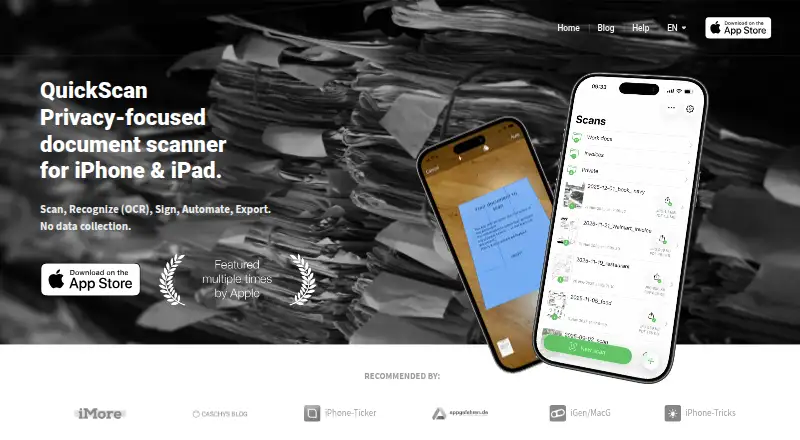
What QuickScan is
QuickScan is a document scanner for iPhone and iPad that combines capture, OCR, signing, automation, and export. It detects document edges automatically and can name and file scans. OCR recognizes text in images and can embed it in PDFs, making that text searchable and selectable. Users can sign with a finger or Apple Pencil and protect signatures with Face ID or Touch ID. Scans can be exported as PDF, JPG, Excel, CSV, or plain text to destinations including iCloud Drive, Dropbox, OneDrive, SharePoint, Google Drive, WebDAV, and other supported services. Widgets and Siri Shortcuts can start scans using preconfigured export settings. The maker says scanning and OCR happen on-device, the app collects no personal data, and it complies with GDPR. Personal use is free; optional donations do not limit functionality. Professional use requires a VIP donation or an Enterprise license. QuickScan is a native iOS app and is not available on Android.
Good
- Recognizes text and creates searchable, selectable PDFs.
- Supports automatic edge detection and filing.
- Offers signature protection with Face ID or Touch ID.
- Exports to multiple file formats and destinations.
- Personal use is free.
Watch out
- Not available on Android.
- Professional use requires a VIP donation or Enterprise license.
Who it suits
QuickScan suits iPhone and iPad users who want to scan, search, sign, and export documents. It may be a fit for people who prefer on-device scanning and OCR.
Verdict
QuickScan offers scanning, OCR, signatures, and flexible exports at no cost for personal use. Check its iOS-only availability and professional-use licensing requirements before choosing it.
Plans and prices
From QuickScan's own pricing page, checked 11 Oct 2026.
| Plan | Price | What it gives you |
|---|---|---|
| QuickScan | Free | All app functionality available free for personal use · donations optional · professional use requires a VIP donation or QuickScan Enterprise license |
| Donation: One good coffee | $4.99, paid once | Optional donation; does not restrict app functionality |
| Donation: 1 book for my kids | $24.99, paid once | Optional donation; does not restrict app functionality |
The facts
Each one read from QuickScan's own pages, with the date it was checked.
Where it runs
- Android app
- Nochecked 22 Sep 2026
- iOS app
- Yeschecked 22 Sep 2026
- Platform availability
- The maker says QuickScan is engineered as a native iOS app and is currently unavailable on Android.checked 11 Oct 2026
What it does
- Auto capture
- Yeschecked 22 Sep 2026
- Automation
- Widgets and Siri Shortcuts can trigger scans associated with preconfigured Export Favorites and their destinations and settings.checked 11 Oct 2026
- Enterprise limits
- QuickScan Enterprise is functionally the same as QuickScan but does not include donations.checked 11 Oct 2026
- Export formats
- The app can export scans as PDF, JPG, Excel, CSV, or plain text.checked 11 Oct 2026
- Google Drive handling
- For Google Drive Export Favorites, the maker says it stores the selected folder path on-device and encrypts that path on the device.checked 11 Oct 2026
- Integrations
- Export destinations include iCloud Drive, Dropbox, OneDrive, SharePoint, Google Drive, WebDAV, paperless-ngx, SMB, Email, pCloud, NextCloud, NAS, and DEVONthink.checked 11 Oct 2026
- Multipage PDF
- Yeschecked 22 Sep 2026
- OCR
- QuickScan recognizes text on images and can embed recognized text into PDFs so the text is searchable and selectable.checked 11 Oct 2026
- OCR included
- Yeschecked 22 Sep 2026
- Privacy
- The maker says scanning and OCR happen on-device, no personal data is collected in the app, and QuickScan is GDPR compliant.checked 11 Oct 2026
- Professional licensing
- Professional use requires either a VIP donation in QuickScan or QuickScan Enterprise; Enterprise is available through Apple Business/School Manager and eligible for VPP.checked 11 Oct 2026
- Purpose
- QuickScan is a privacy-focused document scanner for iPhone and iPad with scanning, OCR, signing, automation, and export features.checked 11 Oct 2026
- Scanning
- The app automatically detects document edges and can automatically name and file scanned documents.checked 11 Oct 2026
- Searchable PDF
- Yeschecked 22 Sep 2026
- Signatures
- Users can sign documents with a finger or Apple Pencil and protect signatures with Face ID or Touch ID authentication.checked 11 Oct 2026
- Support
- The maker provides a Help and FAQ page with instructions for automatic export, Export Favorites, widgets, and signatures.checked 11 Oct 2026
Money
- Free plan
- Yeschecked 22 Sep 2026
Alternatives to QuickScan
- 1

Smallpdf
Free planAndroidiOSWebWindows8.9From $10 a month - 2

DocuWare
AndroidiOSWebAPI8.6From £1,060 a month - 3

CamScanner
Free planAndroidiOSWebmacOS8.4From $59.99 a year - 4

Docutain
Free planAndroidiOSWindows8.4From €2.08 a month - 5

Google Photos
Free planAndroidiOSWebAPI8.4Free plan - 6

Easy Scanner
Free planAndroidiOS8.2From $4.49 a month