
Puppeteer
Puppeteer is a free, open-source JavaScript library for controlling Chrome or Firefox through the DevTools Protocol or WebDriver BiDi.
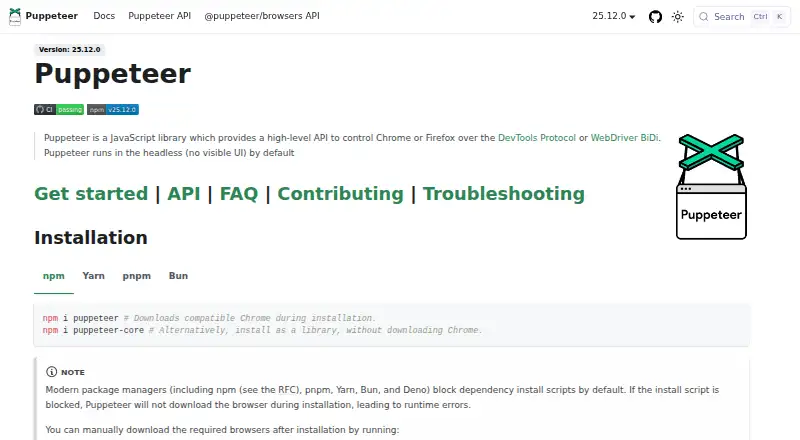
What Puppeteer is
Puppeteer is a free, open-source JavaScript library for controlling Chrome or Firefox through the DevTools Protocol or WebDriver BiDi. It can automate form submission, keyboard input, and UI testing, and can create automated testing environments. Other documented uses include capturing performance traces, generating screenshots and PDFs, and crawling single-page apps to pre-render content. It runs headlessly by default but can be configured to show a browser. The puppeteer package downloads Chrome during installation; puppeteer-core does not and is intended for remote browsers or browser management by the user. The documented minimum runtime is Node 22.12+, and TypeScript 5.0.1+ when TypeScript is used. Installation instructions cover npm, Yarn, pnpm, and Bun. Puppeteer can also load, inspect, trigger, and uninstall Chrome extensions for testing. Its stated scope is a Node.js reference implementation; broader language bindings and large-scale orchestration such as Selenium Grid are outside that scope.
Good
- Free and open source.
- Controls Chrome and Firefox.
- Can generate screenshots and PDFs.
- Supports Chrome extension testing.
- Installation instructions cover four package managers.
Watch out
- Requires Node 22.12 or later.
- TypeScript use requires version 5.0.1 or later.
- Broader language bindings are outside its scope.
- Docker image requires SYS_ADMIN capability.
Who it suits
Puppeteer suits JavaScript developers who need browser automation, testing, capture, or single-page app crawling. It also fits teams testing Chrome extensions or setting up automated browser environments.
Verdict
Puppeteer combines browser control with automation and capture tasks in a JavaScript library. Check its runtime requirements and its narrower Node.js scope before choosing it for a project.
Plans and prices
From Puppeteer's own pricing page, checked 4 Oct 2026.
| Plan | Price | What it gives you |
|---|---|---|
| Puppeteer | Free | JavaScript library · controls Chrome or Firefox |
The facts
Each one read from Puppeteer's own pages, with the date it was checked.
What it does
- Automation
- It can automate form submission, UI testing, and keyboard input, and can create automated testing environments.checked 4 Oct 2026
- Capture and crawling
- Documented uses include capturing performance timeline traces, generating screenshots and PDFs, and crawling single-page apps to pre-render content.checked 4 Oct 2026
- Docker constraint
- The official Docker image runs the browser in sandbox mode and requires the SYS_ADMIN capability.checked 4 Oct 2026
- Extension testing
- Puppeteer can load, inspect, trigger, and uninstall Chrome extensions for testing.checked 4 Oct 2026
- Install tools
- The installation guide provides commands for npm, Yarn, pnpm, and Bun.checked 4 Oct 2026
- Integrations
- The official integrations section documents Angular end-to-end testing and a Docker image with Chrome for Testing, dependencies, and Puppeteer pre-installed.checked 4 Oct 2026
- Package options
- The puppeteer package downloads Chrome during installation, while puppeteer-core does not download Chrome and is intended for remote browsers or browser management by the user.checked 4 Oct 2026
- Project scope
- The FAQ describes Puppeteer as a Node.js reference implementation and says broader language bindings and large-scale orchestration such as Selenium Grid are outside its scope.checked 4 Oct 2026
- Runtime requirement
- The documented minimum is Node 22.12+, and TypeScript 5.0.1+ when TypeScript is used.checked 4 Oct 2026
- Security principle
- The project FAQ says Puppeteer operates off-process from the browser, which it describes as making it safe to automate potentially malicious pages.checked 4 Oct 2026
- Support
- The FAQ directs questions to Stack Overflow and bug reports to GitHub Issues.checked 4 Oct 2026
- What it does
- Puppeteer is a JavaScript library that provides a high-level API to control Chrome or Firefox over the DevTools Protocol or WebDriver BiDi.checked 4 Oct 2026
Where it runs
- Browser modes
- Puppeteer runs headless by default and can be configured to use a visible browser.checked 4 Oct 2026
- Browser support
- Puppeteer supports Chrome and Firefox; Chrome uses CDP by default and Firefox uses WebDriver BiDi by default.checked 4 Oct 2026
- OS requirements
- Chrome for Testing requirements list Windows x64, macOS x64 and arm64, and Debian/Ubuntu and openSUSE/Fedora Linux on x64 and arm64.checked 4 Oct 2026
Alternatives to Puppeteer
- 1

TestCafe
Free planOpen sourceAndroidiOSWebAPI8.7From $20 a month - 2

Cypress
Free planOpen sourceWebAPILinuxmacOS8.4From $67 a month - 3

Katalon Studio
Free planAndroidiOSWebAPI8.4From $1,000 a year - 4
testRigor
Free planAndroidiOSWebAPI8.3From $300 a month - 5

Kameleo
Free planAndroidiOSWebAPI8.2Free plan - 6

TestingBot
AndroidiOSWebAPI7.9From $20 a month