Pixen
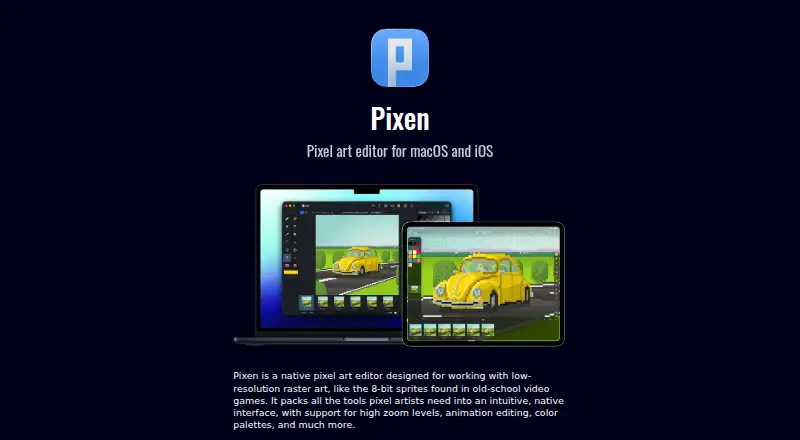
The facts below are what the maker publishes about Pixen, checked and dated. Our editors have not written about it yet.
Plans and prices
From Pixen's own pricing page, checked 9 Oct 2026.
| Plan | Price | What it gives you |
|---|---|---|
| Pro: One Time Purchase | $9.99, paid once | Unlock all features, file types, and more · One Time Purchase |
The facts
Each one read from Pixen's own pages, with the date it was checked.
What it does
- Animation
- It can import animated GIFs, animated PNGs, and sprite sheets, and export animations as GIFs, PNGs, movies, image sequences, and sprite sheets.checked 9 Oct 2026
- Automation
- The Mac app supports custom actions and automations with JavaScript.checked 8 Oct 2026
- Cloud sync
- Pixen for iPhone and iPad syncs with the Mac app over iCloud.checked 9 Oct 2026
- Color palettes
- It can import and export palettes in Adobe Color Table, Microsoft Palette, JASC Palette, and GIMP Palette formats.checked 9 Oct 2026
- Compatibility
- The Mac app is compatible with Intel and Apple Silicon Macs.checked 8 Oct 2026
- Drawing tools
- Its tools include Pencil, Eraser, Brightness, Text, Eyedropper, Zoom, selections, Magic Wand, Lasso, Move, Fill, Line, Rectangle, and Ellipse.checked 9 Oct 2026
- File formats
- Artwork can be exported in PNG, JPEG, GIF, ICO, BMP, TIFF, SVG, and PSD formats.checked 9 Oct 2026
- Integrations
- The Mac app integrates with iCloud Drive, Quick Look, Versions, Auto Save, Sidecar, Dark Mode, full screen mode, and document tabs.checked 8 Oct 2026
- Intended users
- The maker describes Pixen as a tool for pixel artists working with low-resolution raster art and highlights its use for creating graphics for the Playdate console.checked 8 Oct 2026
- Layers and filters
- Users can organize artwork into layers, adjust opacity and blend modes, and apply filters such as grayscale, dithering, sepia, and hue or brightness adjustments.checked 8 Oct 2026
- Palettes
- Pixen imports and exports palettes in Adobe Color Table, Microsoft Palette, JASC Palette, and GIMP Palette formats.checked 8 Oct 2026
- Playdate
- The Mac app is described as a tool for creating graphics for Panic's Playdate console.checked 9 Oct 2026
- Privacy
- Apple's App Store listing says the iOS app may collect usage data and diagnostics that are not linked to the user.checked 9 Oct 2026
- Product
- Pixen is a native pixel art editor for creating low-resolution raster art such as 8-bit game sprites.checked 8 Oct 2026
- Support
- The product pages direct support inquiries to [email protected].checked 9 Oct 2026
- What it does
- Pixen is a native pixel art editor for low-resolution raster art such as 8-bit video game sprites.checked 9 Oct 2026
Where it runs
- Apple Pencil
- The iOS app supports Apple Pencil tools and double-tap gestures, and Apple Pencil Pro hover previews.checked 9 Oct 2026
- Company pricing approach
- Furnace Creek says most of its apps are one-time purchases and that it dislikes subscriptions; this statement does not specify Pixen's price.checked 8 Oct 2026
- Cross-device sync
- Pixen for iPhone and iPad syncs with its Mac counterpart over iCloud.checked 8 Oct 2026
- Mac scripting
- The Mac app supports JavaScript custom actions and automations.checked 9 Oct 2026
Money
- Free availability
- The iOS App Store listing labels Pixen Free with in-app purchases.checked 9 Oct 2026
The company
- Maker and location
- Pixen is made by Furnace Creek Software, which describes itself as a small indie software shop based in California.checked 8 Oct 2026
- Maker location
- Furnace Creek Software describes itself as a small indie software shop based in California.checked 9 Oct 2026
Alternatives to Pixen
- 1
LibreSprite
Free planOpen sourceAndroidWebAPILinux8.0Free plan - 2
Pixelc
Free planOpen sourceAndroidWebLinuxmacOS7.8Free plan - 3

PixelWall
Free planWebAPILinuxmacOS7.6$15 one-time - 4
Avidemux
Free planOpen sourceWebLinuxmacOSWindows7.3Free plan - 5
Hexcalibur
Free planWebLinuxmacOSWindows7.2Free plan - 6
PixelAoi
Free planAPIWindows7.2$17 one-time