Pixelsito
Pixelsito is a free, browser-based pixel art editor for making sprites, tiles, icons, tilesets, and frame-by-frame animations.
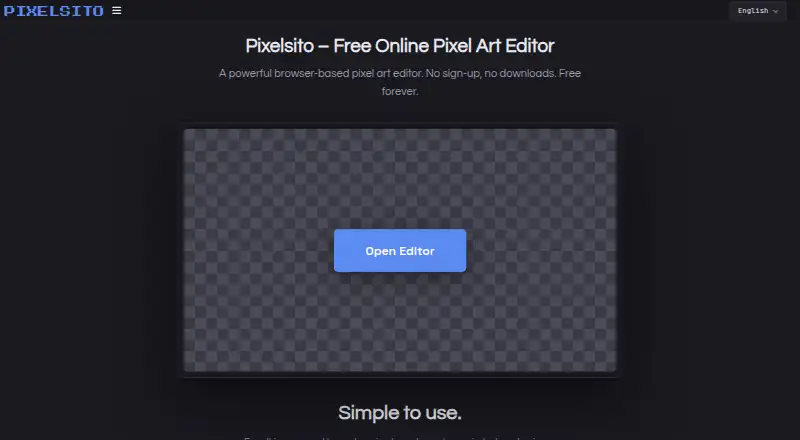
What Pixelsito is
Pixelsito is a free, browser-based pixel art editor for making sprites, tiles, icons, tilesets, and frame-by-frame animations. Its drawing tools include pencil, eraser, fill, dither, color swap, text, line and shape tools, selection and lasso tools, and symmetry modes. Layers offer opacity controls, blend modes, grouping, and editable effects such as outlines and shadows. For animation, the frame timeline includes onion skinning, adjustable FPS, looping, range tags, and in-editor previews. You can import images, GIFs, and spritesheets, then export PNGs, animated GIFs, or spritesheets. Projects can be saved as .pixelsito files, with palettes saved separately as .pixelsitopal files. Autosave stores project data in browser local storage; Pixelsito says artwork is not uploaded to its servers and no account is required. The editor is available in desktop and mobile browsers. Its terms allow personal and commercial creative use, and assign artwork ownership to its creator. Very large canvases may run more slowly depending on the device.
Good
- Free plan with no account or payment required
- Animation timeline includes onion skinning and looping
- Imports images, GIFs, and spritesheets
- Personal and commercial creative use is allowed
Watch out
- Very large canvases may run more slowly
- Ad partners may use cookies or similar technologies
Who it suits
Pixelsito suits indie game developers, students, hobbyists, and artists looking for a browser-based pixel art and animation tool. It also fits creators who want to use their artwork for personal or commercial projects.
Verdict
Pixelsito brings pixel drawing, layered editing, and frame animation together in a browser editor. Its local-storage autosave and commercial-use terms may suit creators who want to keep projects in a browser-based workflow.
Plans and prices
From Pixelsito's own pricing page, checked 8 Oct 2026.
| Plan | Price | What it gives you |
|---|---|---|
| Free | Free | No account or payment required · no subscriptions or locked creative features |
The facts
Each one read from Pixelsito's own pages, with the date it was checked.
What it does
- Animation
- Its frame timeline includes onion skinning, adjustable FPS, looping, range tags, and in-editor previews.checked 8 Oct 2026
- Autosave
- Autosave stores projects in the browser’s local storage, and the guide says project data is not uploaded to a server.checked 8 Oct 2026
- Commercial use
- The terms allow personal and commercial creative use, and say artwork made with the service belongs to its creator.checked 8 Oct 2026
- Drawing tools
- Tools include pencil, eraser, fill, dither, color swap, line and shape tools, text, selection and lasso tools, and symmetry modes.checked 8 Oct 2026
- Import and export
- It imports images, GIFs, and spritesheets, and exports PNGs, animated GIFs, and spritesheets.checked 8 Oct 2026
- Layers
- It supports unlimited layers, opacity controls, blend modes, grouping, and editable non-destructive effects such as outlines and shadows.checked 8 Oct 2026
- Notable limit
- There is no hard-coded canvas size limit, but the FAQ says very large canvases may run more slowly depending on the device.checked 8 Oct 2026
- Privacy
- Pixelsito says it does not require an account and does not collect or store artwork on its servers; ad partners may use cookies or similar technologies.checked 8 Oct 2026
- Product
- Pixelsito is a free, browser-based pixel art editor for sprites, tiles, icons, tilesets, and frame-by-frame animations.checked 8 Oct 2026
- Project files
- Projects can be saved and reopened as .pixelsito files, and color palettes can be saved as .pixelsitopal files.checked 8 Oct 2026
- Support
- Users can send questions, bug reports, and feature requests to [email protected].checked 8 Oct 2026
- Who it is for
- The maker describes it as intended for indie game developers, students, hobbyists, and artists who want a quick sketching tool.checked 8 Oct 2026
The company
- Maker
- The maker describes Pixelsito as an independent, one-person project; the about page does not state a maker name, headquarters, or founding date.checked 8 Oct 2026
Where it runs
- Platforms
- The FAQ says Pixelsito is designed to work on desktop and mobile devices, and the editor offers an install prompt to add it to a home screen.checked 8 Oct 2026
Alternatives to Pixelsito
- 1
LibreSprite
Free planOpen sourceAndroidWebAPILinux8.0Free plan - 2
Pixelc
Free planOpen sourceAndroidWebLinuxmacOS7.8Free plan - 3

PixelWall
Free planWebAPILinuxmacOS7.6$15 one-time - 4
Avidemux
Free planOpen sourceWebLinuxmacOSWindows7.3Free plan - 5
Hexcalibur
Free planWebLinuxmacOSWindows7.2Free plan - 6
PixelAoi
Free planAPIWindows7.2$17 one-time