PingTester
PingTester is a Windows graphical utility for running ping and other network tests.
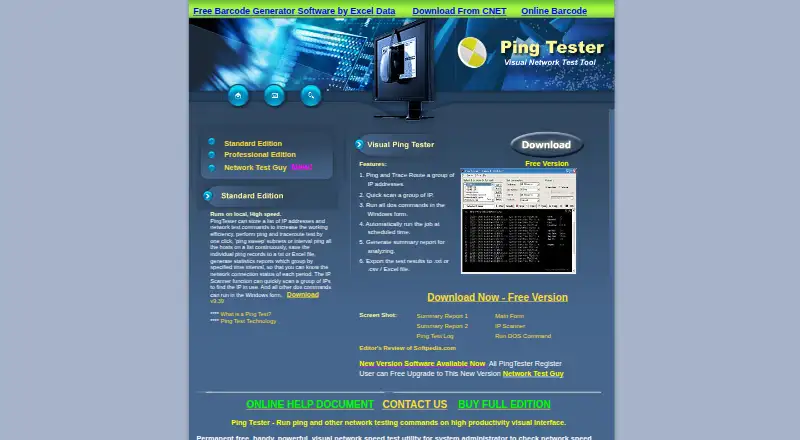
What PingTester is
PingTester is a Windows graphical utility for running ping and other network tests. It can ping and trace routes to one or more IP addresses, keep pinging selected hosts, and scan a group of addresses to find those in use. The program supports Windows network testing commands and can run DOS commands entered into its form. Tests can run on a schedule, with email notifications. Summary reports include packet loss and minimum, maximum, and average response times; results can be exported to text, CSV, Excel, or Access files. The product is described as running locally and is aimed at system administrators checking network speed and connection. A permanent Free Version is listed as free, with no limits specified on the page. The Database edition can use an MS Access database to analyze data. PingTester is listed for Windows and the web, with hybrid deployment.
Good
- Pings and traces routes to multiple addresses.
- Scans addresses to identify those in use.
- Scheduled tests can send email notifications.
- Exports reports to text, CSV, Excel, or Access.
Watch out
- The page does not specify edition prices.
- Windows is the stated GUI platform.
Who it suits
PingTester may suit system administrators who need to check network speed and connectivity, run scheduled tests, and review or export results.
Verdict
PingTester brings network tests, scheduling, reporting, and export options into a utility aimed at system administrators.
Plans and prices
From PingTester's own pricing page, checked 8 Oct 2026.
| Plan | Price | What it gives you |
|---|---|---|
| Free Version | Free | Permanent free version; page does not specify limits |
The facts
Each one read from PingTester's own pages, with the date it was checked.
What it does
- Command support
- The site says PingTester supports Windows network testing commands and can run DOS commands in its form.checked 8 Oct 2026
- Database edition
- The Network Test Guy page says that edition can use an MS Access database to analyze data.checked 8 Oct 2026
- Editions
- The product page lists Standard, Professional, and Database editions, but does not state their prices in the page content reviewed.checked 8 Oct 2026
- Exports
- The site says results can be exported to text, CSV, Excel, or Access files.checked 8 Oct 2026
- Intended users
- The site describes the utility as being for system administrators checking network speed and connection.checked 8 Oct 2026
- IP scanning
- Its IP Scanner can scan a group of IP addresses to find addresses in use.checked 8 Oct 2026
- Local operation
- The site describes PingTester as running locally and at high speed.checked 8 Oct 2026
- Ping and traceroute
- It can ping and trace routes to one or more IP addresses and continuously ping listed hosts.checked 8 Oct 2026
- Purpose
- PingTester is a Windows GUI for running ping and other network testing commands.checked 8 Oct 2026
- Reports
- It generates summary reports with network test results, including packet loss and minimum, maximum, and average response times.checked 8 Oct 2026
- Scheduling
- It can automatically run network tests at scheduled times and send email notifications.checked 8 Oct 2026
- Support
- The Network Test Guy page lists [email protected] as its technology support contact.checked 8 Oct 2026
Alternatives to PingTester
- 1

Globalping
Free planOpen sourceiOSWebAPIExtension8.3Free plan - 2

PingPlotter
Free planiOSWebAPILinux8.2From $6.99 a month - 3
nPerf
Free planAndroidiOSWebAPI8.0Free plan - 4

inSSIDer
Free planAndroidmacOSWindows7.6From $200 a year - 5
iperf2
Free planOpen sourceAndroidLinuxmacOSSelf-hosted7.4Free plan - 6

NetSpot
Free planAndroidiOSmacOSWindows7.4$199 one-time