Pic Stitch
Pic Stitch is a free browser tool for creating photo collages without requiring design skills, an account, or email registration.
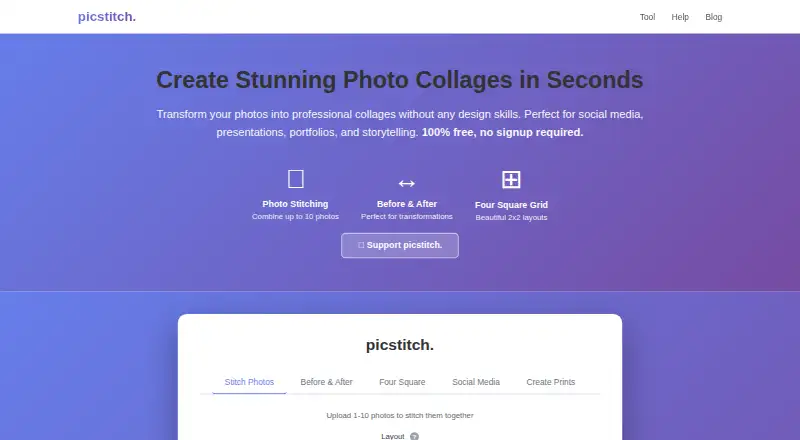
What Pic Stitch is
Pic Stitch is a free browser tool for creating photo collages without requiring design skills, an account, or email registration. Its stitching tool combines one to ten images in horizontal or vertical layouts and can add custom text. A comparison tool arranges before-and-after photos with adjustable layouts, borders, and labels, while the four-square option creates a 2×2 grid with an optional title and captions for individual photos. Presets include Instagram posts at 1080×1080px and Facebook posts at 1200×630px. Print layouts range from 4×6 inches through 20×30 inches, with resolutions shown at 300 DPI. JPG, JPEG, PNG, GIF, and WebP files are supported. Processing takes place in the browser; the help page says images are not uploaded to the service’s servers or stored. Finished collages download as PNG files. The Free plan costs nothing, has no subscriptions, and includes unlimited collages with up to 10 photos for stitching. Personal and commercial use are permitted.
Good
- No account or email registration
- Combines up to 10 photos
- Includes social and print dimensions
- Supports common image formats
- Downloads PNG collages
Watch out
- Recommends images under 10MB
- Exports are PNG files
- Browser tool only
Who it suits
It suits anyone making collages for social posts, comparisons, print layouts, or personal and commercial projects. Browser processing also suits users who do not want an account or upload-based workflow.
Verdict
Pic Stitch covers several collage formats in a free browser workflow with local image processing. It is geared toward straightforward layouts rather than broader design work.
Plans and prices
From Pic Stitch's own pricing page, checked 9 Oct 2026.
| Plan | Price | What it gives you |
|---|---|---|
| Free | Free | Unlimited collages · up to 10 photos for stitching · 100% free; no subscriptions |
The facts
Each one read from Pic Stitch's own pages, with the date it was checked.
What it does
- Before and after
- The comparison tool arranges before and after photos and lets users customize layout, borders, and labels.checked 9 Oct 2026
- Downloads
- The help page says finished collages download as PNG files.checked 9 Oct 2026
- Four square grid
- The four square tool creates a 2×2 collage with an optional title and individual photo captions.checked 9 Oct 2026
- Image size guidance
- The help page recommends images under 10MB for best performance and says there is no strict image-size limit.checked 9 Oct 2026
- No account required
- The site says no account or email registration is required and that the tool works in a browser.checked 9 Oct 2026
- Photo privacy
- The help page says photo processing happens directly in the browser and images are not uploaded to its servers or stored.checked 9 Oct 2026
- Photo stitching
- The photo stitching tool combines 1–10 images in a horizontal or vertical layout and supports optional custom text.checked 9 Oct 2026
- Print sizes
- The print tool lists sizes from 4×6 inches through 20×30 inches, with resolutions shown at 300 DPI.checked 9 Oct 2026
- Social media
- The social media tool offers Instagram post dimensions of 1080×1080px and Facebook post dimensions of 1200×630px.checked 9 Oct 2026
- Supported formats
- The help page lists JPG, JPEG, PNG, GIF, and WebP as supported image formats.checked 9 Oct 2026
- Usage and support
- The help page permits personal and commercial use; the site also invites donations to support the tool.checked 9 Oct 2026
- What it does
- picstitch. is an online tool for creating photo collages without design skills.checked 9 Oct 2026
Alternatives to Pic Stitch
- 1
FotoJet
Free planWebExtensionLinuxmacOS8.0From $39.99 a year - 2

Collage Pro
Free planAndroidiOSWeb7.9From $29.90 a year - 3

PicCollage
Free planAndroidiOSWeb7.3From $35.99 a year - 4
Shape Collage
Free planiOSWebLinuxmacOS7.3$40 one-time - 5

Scatter
Free planAndroidiOSWeb7.1$19 one-time - 6

CollageIt
Free planiOSmacOSWindows7.0$29.90 one-time