
Photo To Collage
Photo To Collage is a free browser editor for arranging multiple existing photos into one composition and downloading it as an image.
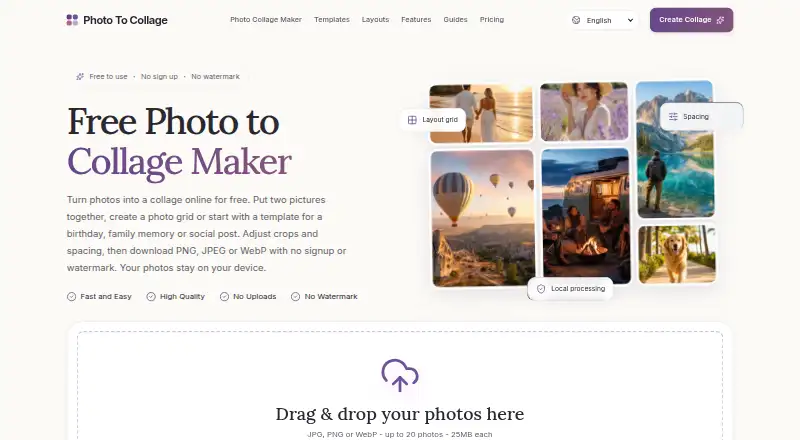
What Photo To Collage is
Photo To Collage is a free browser editor for arranging multiple existing photos into one composition and downloading it as an image. Its 23 layouts include Auto, grids, mosaics, masonry, and film strips. You can reorder photos and adjust each one’s focal point, zoom, rotation, and flip without changing the original file. Canvas controls include background color, spacing, outer padding, rounded corners, and borders. The editor accepts JPG, PNG, and WebP images, with up to 20 photos per collage and a 25MB limit per source file. Exports are available as PNG, JPEG, or WebP, up to 3600 pixels on the longest edge. The free editor allows unlimited collages, requires no account, and adds no watermark. Its privacy policy says photos are processed in the browser and are not transmitted to the service or third parties. It is described as usable on desktop, tablet, and phone. There is no cloud project library, so download finished work before closing the browser tab. It does not offer text overlays, background removal, AI image generation, or video export.
Good
- Offers 23 layout choices
- Exports PNG, JPEG, and WebP
- No account or watermark required
- Photos are processed in the browser
Watch out
- No cloud project library
- No text overlays or background removal
- No video export
Who it suits
Photo To Collage suits people who want to arrange existing photos into a downloadable image for personal collections, social posts, print, school projects, or business portfolios. It can be used on desktop, tablet, or phone through a browser.
Verdict
Photo To Collage focuses on arranging existing images, with a range of layouts and image adjustments. Download your collage before closing the tab, since projects are not saved in a cloud library.
Plans and prices
From Photo To Collage's own pricing page, checked 9 Oct 2026.
| Plan | Price | What it gives you |
|---|---|---|
| Free | Free | Up to 20 photos per collage · 25MB per source file · Unlimited collages · Export up to 3600px · No watermark · $0 current editor |
The facts
Each one read from Photo To Collage's own pages, with the date it was checked.
What it does
- Canvas styling
- Canvas controls include background color, spacing, outer padding, rounded corners and borders.checked 9 Oct 2026
- Export formats
- Collages can be exported as PNG, JPEG or WebP, at up to 3600 pixels on the longest edge.checked 9 Oct 2026
- Feature limits
- The editor arranges existing images and does not provide text overlays, background removal, AI image generation or video export.checked 9 Oct 2026
- Intended uses
- The maker describes use for personal photographs, visual collections and shared memories, with examples including social posts, print, school projects and business portfolios.checked 9 Oct 2026
- Layouts
- The editor offers 23 layout choices, including Auto, grids, mosaics, masonry and film strips.checked 9 Oct 2026
- No account or watermark
- The free editor requires no account and adds no watermark to downloads.checked 9 Oct 2026
- Photo editing
- Users can reorder photos and adjust each photo’s focal point, zoom, rotation and flip without changing the original file.checked 9 Oct 2026
- Privacy
- The privacy policy says photos are processed in the browser and are not transmitted to Photo To Collage or third-party services.checked 9 Oct 2026
- Project limitation
- The editor does not provide a cloud project library, so users should download their collage before closing the browser tab.checked 9 Oct 2026
- Support
- The site invites questions and feedback by email at [email protected].checked 9 Oct 2026
- Supported input
- Users can add JPG, PNG and WebP images, with up to 20 photos and a 25MB limit per source file.checked 9 Oct 2026
- What it does
- Photo To Collage arranges multiple photos into a single composition that can be downloaded as an image.checked 9 Oct 2026
Where it runs
- Devices
- The browser editor is described as usable on desktop, tablet and phone, including mobile browsers.checked 9 Oct 2026
Alternatives to Photo To Collage
- 1
FotoJet
Free planWebExtensionLinuxmacOS8.0From $39.99 a year - 2

Collage Pro
Free planAndroidiOSWeb7.9From $29.90 a year - 3

PicCollage
Free planAndroidiOSWeb7.3From $35.99 a year - 4
Shape Collage
Free planiOSWebLinuxmacOS7.3$40 one-time - 5

Scatter
Free planAndroidiOSWeb7.1$19 one-time - 6

CollageIt
Free planiOSmacOSWindows7.0$29.90 one-time