
PDFinery
PDFinery is a browser-based toolkit for organizing, editing, converting, signing, and optimizing PDF files.
What PDFinery is
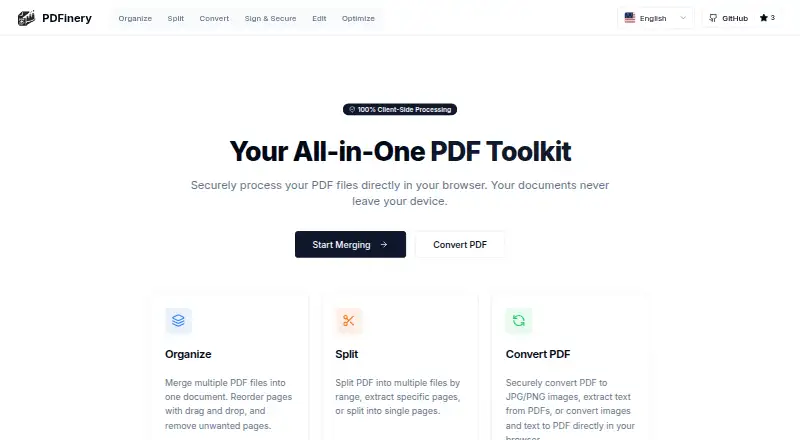
PDFinery is a browser-based toolkit for organizing, editing, converting, signing, and optimizing PDF files. It can combine PDFs, reorder files and pages, delete pages, and preview pages before downloading. Splitting works by page range, selected pages, or individual pages. Conversion tools create JPG or PNG images from PDFs, extract text, and build PDFs from images or text. The editor adds text, drawings, shapes, images, watermarks, and page numbers, while signatures can be drawn, typed, or uploaded as an image. PDFinery compresses and optimizes documents, reduces file size, and removes metadata. The site says processing occurs locally in the browser and files are not uploaded to its servers. It also says there are no file-size restrictions, no account or subscription requirement, and no hidden fees. A free-forever plan is listed as free, and the toolkit runs in a modern browser without installation.
Good
- Works without installation
- Processes files locally in-browser
- No file-size restrictions stated
- Supports signing and page editing
- Free forever plan
Watch out
- Requires a modern web browser
- Web platform only
- No free trial is listed
Who it suits
It suits anyone wanting browser-based PDF tasks without installing software or creating an account. Local browser processing may appeal to users concerned about server uploads.
Verdict
PDFinery covers common PDF organization, editing, conversion, signing, and optimization tasks in a browser. Its free, account-free model and local processing are central to its use.
Plans and prices
From PDFinery's own pricing page, checked 10 Oct 2026.
| Plan | Price | What it gives you |
|---|---|---|
| Free | Free | Free forever · no file size restrictions · no account required |
The facts
Each one read from PDFinery's own pages, with the date it was checked.
What it does
- Account and fees
- The site says no account or subscription is required and there are no hidden fees.checked 10 Oct 2026
- Convert
- PDFinery can convert PDFs to JPG or PNG, extract text from PDFs, and convert images or text into PDFs.checked 10 Oct 2026
- Edit
- The editor can add text, drawings, shapes, images, watermarks, and page numbers to PDF pages.checked 10 Oct 2026
- Installation
- PDFinery says it works in a modern web browser without installation.checked 10 Oct 2026
- Limits
- The site says users can process as many files as needed without size restrictions.checked 10 Oct 2026
- Merge and organize
- Users can merge PDFs, reorder files and pages, delete pages, and preview pages before downloading.checked 10 Oct 2026
- Optimize
- PDFinery can compress and optimize PDFs, reduce file size, and remove metadata.checked 10 Oct 2026
- Organize workflow
- The organize tool supports selecting multiple PDFs, dragging files and page thumbnails to reorder them, and downloading the merged PDF.checked 10 Oct 2026
- Processing and privacy
- The site says files are processed locally in the browser and are not uploaded to its servers.checked 10 Oct 2026
- Product
- PDFinery is a browser based toolkit for processing PDF files.checked 10 Oct 2026
- Sign
- Users can sign documents by drawing, typing, or uploading a signature image.checked 10 Oct 2026
- Split
- The toolkit can split PDFs by range, extract selected pages, or split them into single pages.checked 10 Oct 2026
Alternatives to PDFinery
- 1

HiPDF
Free planAndroidiOSWebAPI8.2Free plan - 2

LightPDF
Free planAndroidiOSWebAPI8.2From $15.99 a year - 3
CoolUtils Online PDF Merger
Free planAndroidiOSWebAPI8.1$59.90 one-time - 4

Smallpdf
Free planAndroidiOSWebWindows8.1From $10 a month - 5

PDF4me Merge & Split
Free planAndroidiOSWebAPI8.0$25 one-time - 6

PDF Candy
Free planAndroidiOSWebLinux7.9From $4 a year